
Console UI for qBittorrent v4.1+

Project description
qBittorrenTUI
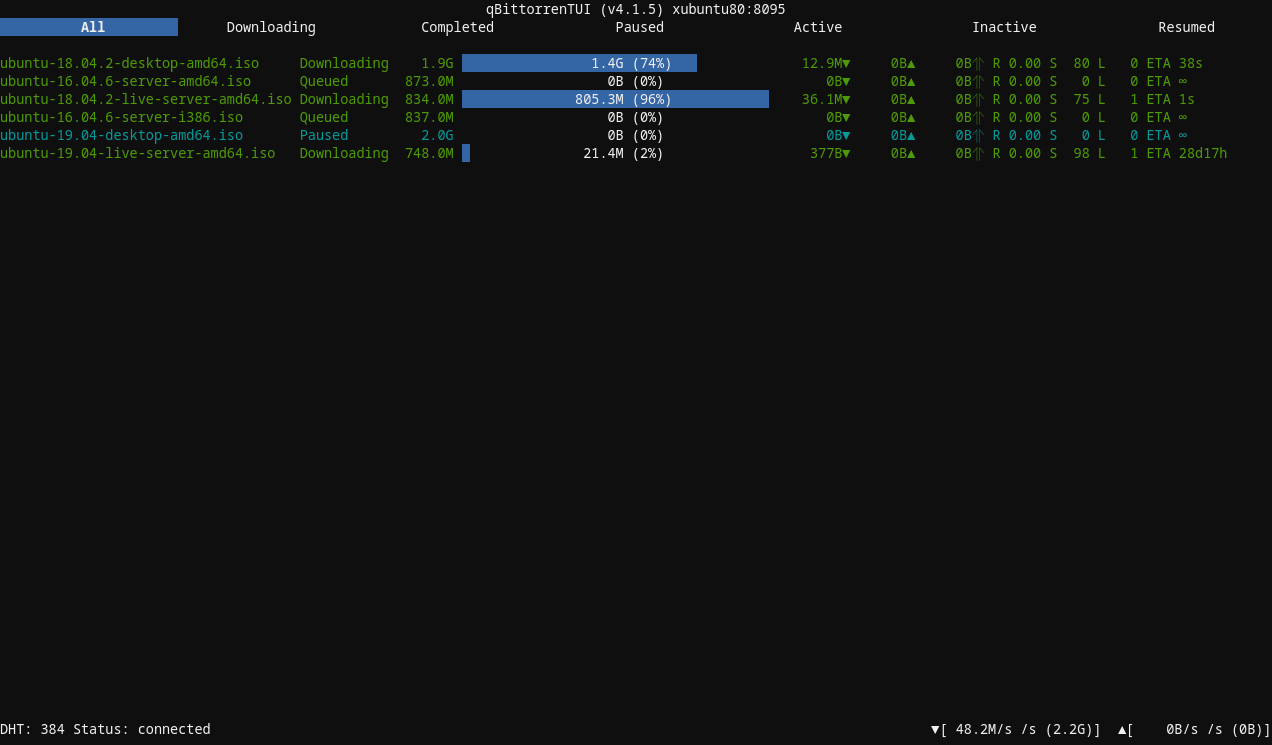
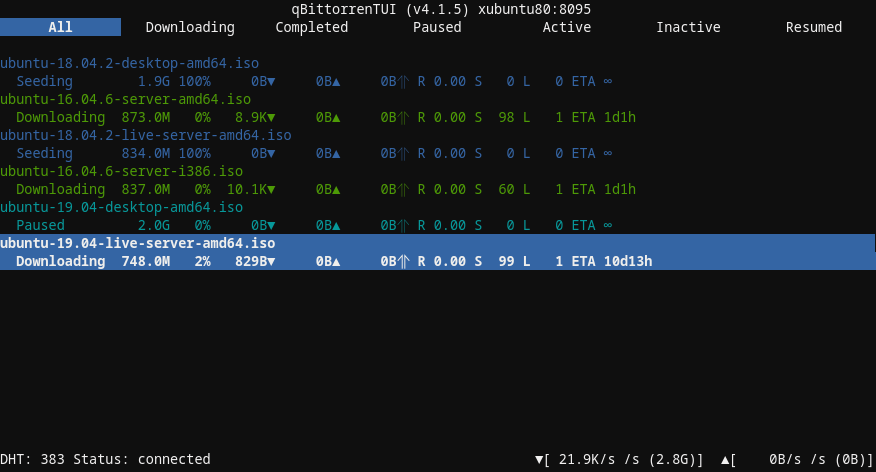
Console UI for qBittorrent. Functional...but a little rough around the edges...
Key Map
Any Window
- q : exit
- n : open connection dialog
Torrent List Window
- a : open add torrent dialog
- enter : open context menu for selected torrent
- right arrow: open Torrent Window
Torrent Window
- left : return to Torrent List
- esc : return to Torrent List
- Content
- enter : bump priority
- space : bump priority
Installation
Install from pypi:
$ python3 -m venv ~/venv-qbittorrentui
$ source ~/venv-qbittorrentui/bin/activate && pip install qbittorrentui; deactivate
Once installed, this will run it:
$ source ~/venv-qbittorrentui/bin/activate && qbittorrentui; deactivate
Or install direct from master:
$ pip install -e git+https://github.com/rmartin16/qbittorrentui.git#egg=qbittorrentui
$ qbittorrentui
Although, I definitely recommend doing this within a virtual environment:
$ python3 -m venv ~/venv-qbittorrentui
$ source ~/venv-qbittorrentui/bin/activate && pip install -e git+https://github.com/rmartin16/qbittorrentui.git#egg=qbittorrentui; deactivate
Once installed, this will run it:
$ source ~/venv-qbittorrentui/bin/activate && qbittorrentui; deactivate
Installation Issues
- Issues stemming from "#include <Python.h>":
sudo apt-get install python3-dev
Configuration
Connections can be pre-defined within a configuration file (modeled after default.ini). Specify the configuration file using --config_file. Each section in the file will be presented as a separate instance to connect to.
Sample configuration file section:
[localhost:8080]
HOST = localhost
PORT = 8080
USERNAME = admin
PASSWORD = adminadmin
CONNECT_AUTOMATICALLY = 1
TIME_AFTER_CONNECTION_FAILURE_THAT_CONNECTION_IS_CONSIDERED_LOST = 5
TORRENT_CONTENT_MAX_FILENAME_LENGTH = 75
TORRENT_LIST_MAX_TORRENT_NAME_LENGTH = 60
TORRENT_LIST_PROGRESS_BAR_LENGTH = 40
DO_NOT_VERIFY_WEBUI_CERTIFICATE = 1
Only HOST, USERNAME, AND PASSWORD are required. DO_NOT_VERIFY_WEBUI_CERTIFICATE is necessary if the certificate is untrusted (e.g. self-signed).
TODO/Wishlist
Application
- Figure out the theme(s)
- Configuration for connections
- Log/activity output (likely above status bar)
Torrent List Window
- Torrent sorting
- Additional torrent filtering mechanisms
- Torrent searching
- Torrent status icon in torrent name
- Torrent name color coding
Torrent Window
- Make focus more obvious when switching between tabs list and a display
- Scrollbar in the displays
- Speed graph display
Torrent Window Content Display
- Left key should return to tab list
Release history Release notifications | RSS feed


Download files
Download the file for your platform. If you're not sure which to choose, learn more about installing packages.
Source Distribution
Built Distribution
Filter files by name, interpreter, ABI, and platform.
If you're not sure about the file name format, learn more about wheel file names.
Copy a direct link to the current filters
File details
Details for the file qbittorrentui-0.1.1.tar.gz.
File metadata
- Download URL: qbittorrentui-0.1.1.tar.gz
- Upload date:
- Size: 35.3 kB
- Tags: Source
- Uploaded using Trusted Publishing? No
- Uploaded via: twine/1.13.0 pkginfo/1.5.0.1 requests/2.21.0 setuptools/40.8.0 requests-toolbelt/0.9.1 tqdm/4.32.1 CPython/3.7.3
File hashes
| Algorithm | Hash digest | |
|---|---|---|
| SHA256 |
37782bfcb039480d2ec8f5a7662d01dc306e226fc8ddcd8bbb8f9745c92d9176
|
|
| MD5 |
28d8dbc8dbcd43fb7b24662a9efd5b93
|
|
| BLAKE2b-256 |
0c787dc373a1b6792d2b611a2d4f1dc7293508f90979be9b87d67fbaf635e0bf
|
File details
Details for the file qbittorrentui-0.1.1-py3-none-any.whl.
File metadata
- Download URL: qbittorrentui-0.1.1-py3-none-any.whl
- Upload date:
- Size: 51.3 kB
- Tags: Python 3
- Uploaded using Trusted Publishing? No
- Uploaded via: twine/1.13.0 pkginfo/1.5.0.1 requests/2.21.0 setuptools/40.8.0 requests-toolbelt/0.9.1 tqdm/4.32.1 CPython/3.7.3
File hashes
| Algorithm | Hash digest | |
|---|---|---|
| SHA256 |
99789af844b97d602de2bce9f49415217abddd16e0226e7bd43e8df8f8dd82f7
|
|
| MD5 |
e38b49f5a5ffa51469f01649c29d0f3e
|
|
| BLAKE2b-256 |
fe1dc90b89d4903afd9132fda9a2c87d3bf032117e7944b97ad26dec45e2932a
|






