






R-AScan (Rusher Automatic Scanner)
Overview
R-AScan is a modular, multithreaded vulnerability scanner framework written in Python. It dynamically loads all .py scanner modules in the scanners/ directory and executes them against a target. Each module returns structured output and is saved to a JSON file for analysis.
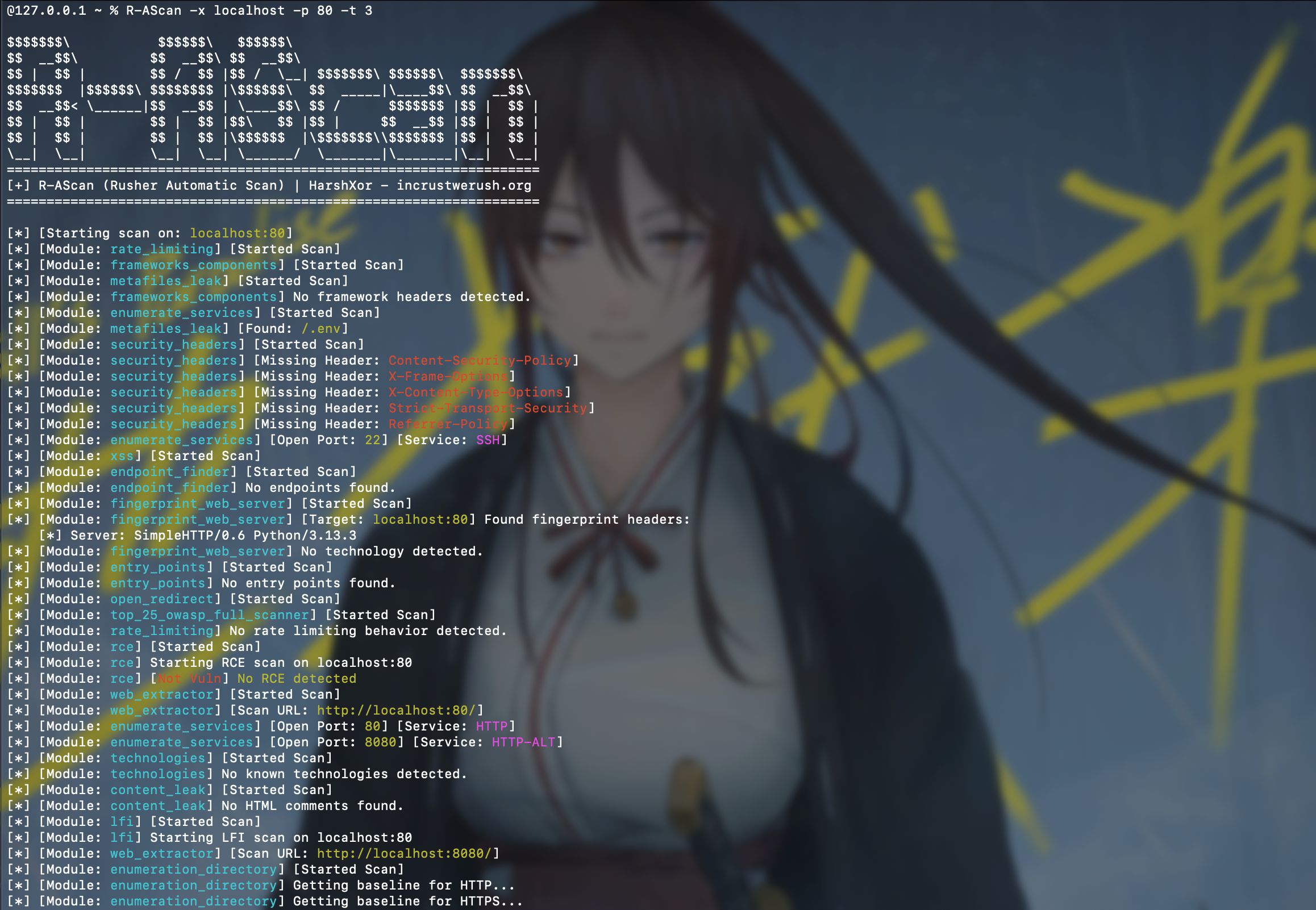
Features
- Modular architecture (drop-in
.pymodules) - Multithreaded execution using thread pool
- Auto-update scanner modules from GitHub
- JSON output format
- CLI-based execution with multiple options
- Includes scanners for:
- Local File Inclusion (LFI)
- Remote Code Execution (RCE)
- Cross-Site Scripting (XSS)
- Server-Side Request Forgery (SSRF)
- SQL Injection (SQLi)
- Open Redirect
- Security Headers
- Sensitive Files
- Fingerprinting
- Admin Panel Finder
- Rate Limiting
- SSTI
- LDAP Injection
- and others
Requirements
- Python 3.8 or newer
requestslibrary
Installation
Repository clone:
git clone https://github.com/ICWR-TEAM/R-AScan
cd R-AScan
pip install -r requirements.txt
python3 R-AScan.py --help
Install with PIP:
python3 -m pip install R-AScan
Usage
python3 R-AScan.py -x <target> [options]
Or (Install with PIP)
R-AScan -x <target> [options]
$$$$$$$\           $$$$$$\   $$$$$$\
$$  __$$\         $$  __$$\ $$  __$$\
$$ |  $$ |        $$ /  $$ |$$ /  \__| $$$$$$$\ $$$$$$\  $$$$$$$\
$$$$$$$  |$$$$$$\ $$$$$$$$ |\$$$$$$\  $$  _____|\____$$\ $$  __$$\
$$  __$$< \______|$$  __$$ | \____$$\ $$ /      $$$$$$$ |$$ |  $$ |
$$ |  $$ |        $$ |  $$ |$$\   $$ |$$ |     $$  __$$ |$$ |  $$ |
$$ |  $$ |        $$ |  $$ |\$$$$$$  |\$$$$$$$\\$$$$$$$ |$$ |  $$ |
\__|  \__|        \__|  \__| \______/  \_______|\_______|\__|  \__|
===================================================================
[+] R-AScan (Rusher Automatic Scan) | HarshXor - incrustwerush.org
===================================================================

[-] [A target must be specified unless the --update option is used]

usage: R-AScan.py [-h] [-x TARGET] [-t THREADS] [-o OUTPUT] [-p PORT] [--path PATH] [--update] [--verbose] [--optimize]

options:
  -h, --help            show this help message and exit
  -x, --target TARGET   Target host (domain or IP)
  -t, --threads THREADS
                        Number of threads to use (default: 5)
  -o, --output OUTPUT   Custom output file path (optional)
  -p, --port PORT       Custom PORT HTTP/S (optional)
  --path PATH           Custom PATH URL HTTP/S (optional)
  --update              Only update scanner modules without scanning
  --verbose             Verbose detail log
  --optimize            Optimize result with machine learning
Examples
python3 R-AScan.py -x example.com
python3 R-AScan.py -x 192.168.1.1 -t 10 -o output.json
python3 R-AScan.py --update
Or (Install with PIP)
R-AScan -x example.com
R-AScan -x 192.168.1.1 -t 10 -o output.json
R-AScan --update
Arguments
-x,--target— Target domain or IP address (required unless using--update)-t,--threads— Number of threads (default: 5)-o,--output— Path to save JSON result (optional)-p,--port- Custom PORT HTTP/S (optional)--path- Custom PATH URL HTTP/S (optional)--update— Update scanner modules from GitHub and exit--verbose— Print detailed output from each module--optimize- Optimize result with machine learning
Output
The scan result will be saved as:
scan_output-<target>.json
If the -o option is specified, it will be saved to the given custom path.
Each scanner module contributes a dictionary entry in the JSON output, grouped under the result key.
Writing a Custom Module
- Create a new Python file in
scanners/, for examplemy_scan.py - Define a function
scan(args)that returns a dictionary or list - Access the target using
args.target
Example
import requests

def scan(args):
    url = f"http://{args.target}/test"
    try:
        response = requests.get(url, timeout=10)
        return {
            "url": url,
            "status_code": response.status_code
        }
    except Exception as e:
        return {"error": str(e)}
The main framework will automatically discover and execute this module.
Updating Modules
To update scanner modules directly from the GitHub repository:
python3 R-AScan.py --update
Or (Install with PIP)
python3 R-AScan.py --update
All .py files in the scanners/ directory will be downloaded and replaced.
License
This project is licensed under the MIT License.
Developed by HarshXor — https://incrustwerush.org
1 maintainer

Metadata
1 maintainer
Release files for R-AScan 0.0.10
For a detailed explanation of source distributions (sdists) and built distributions (wheels), please see the package formats documentation.
Source distribution (sdist)
| File | Size | Uploaded | Provenance | Actions |
|---|---|---|---|---|
| r_ascan-0.0.10.tar.gz | 31.4 kB | Without provenance | Details for r_ascan-0.0.10.tar.gz |
Built distribution (wheel)
| File | Interpreter | ABI | Platform | Actions Reset |
|---|---|---|---|---|
| r_ascan-0.0.10-py3-none-any.whl | Python 3 | none | any | Details for r_ascan-0.0.10-py3-none-any.whl |
Total release size: 86.1 kB
Release files / r_ascan-0.0.10.tar.gz
| Download URL | r_ascan-0.0.10.tar.gz |
|---|---|
| Size | 31.4 kB |
| Tags | Source |
|
SHA-256 checksum How to use checksums |
879953d017d1670be9105878bc7e2c0a0f1fd5e07b5056eb60b04b2bfd444c35
|
|
BLAKE2b-256 checksum How to use checksums |
b664d5c7133b27dc6dda99c57a94dcbef4f408904268f792aa6995b462f5e32f
|
| Upload date | |
|
Uploaded using Trusted Publishing? What is trusted publishing? |
No |
| Uploaded via |
twine/6.1.0 CPython/3.13.3
|
Release files / r_ascan-0.0.10-py3-none-any.whl
| Download URL | r_ascan-0.0.10-py3-none-any.whl |
|---|---|
| Size | 54.7 kB |
| Tags | Python 3 |
|
SHA-256 checksum How to use checksums |
9bdb16c03bffcd308a86cf9462b4081f6b4cc46efad9d620f4716e5a273ef4d5
|
|
BLAKE2b-256 checksum How to use checksums |
40820e0f834bbf1845e4c2c49107f1817d00134a6f0d5afecffaec90762ddd0b
|
| Upload date | |
|
Uploaded using Trusted Publishing? What is trusted publishing? |
No |
| Uploaded via |
twine/6.1.0 CPython/3.13.3
|
Security for R-AScan 0.0.10
Provenance
Provenance describes where a file came from. On PyPI, provenance is shared via attestations, which provide a verifiable record of the build or publishing details. View details, limitations and caveats.
No provenance found
None of the files in this release were uploaded with provenance metadata.
A note on package security
PyPI is a repository for distributing packages, not a service for auditing them. While third-party security researchers and our staff do their best to detect and remove malicious packages, PyPI cannot guarantee the quality, security or suitability of any given package.
To learn more about protecting yourself from malicious actors, visit our package security documentation.














