
Transform Tick Data into OHLCV Range Dataframe!

Project description
rangedf
Transform Tick Data into OHLCV Range Dataframe!
Installation
pip install rangedf
or just copy rangedf.py file to your project!
- rangedf requires pandas, numpy and mplfinance
Content
Usage
There are two classes available:
Range(df, range_size, keep_inner_gap, add_columns)
To create Range OHLCV dataframe with existing Ticks data.RangeWS(timestamp, price, range_size, keep_inner_gap, external_df, external_mode)
To create real-time Range charts, usually over a WebSocket connection.
Let's start with the first class, load a Pandas DataFrame containing Ticks Data, for example:
import pandas as pd
df_ticks = pd.read_parquet('examples/data/EURGBP_T1_cT.parquet')
df_ticks.rename(columns={'bid': 'close'}, inplace=True)
df_ticks.head(3)
df_ticks.tail(3)
| ask | close | spread | |
|---|---|---|---|
| datetime | |||
| 2025-05-08 00:00:00.678 | 0.85047 | 0.85043 | 0.00004 |
| 2025-05-08 00:00:00.848 | 0.85047 | 0.85045 | 0.00002 |
| 2025-05-08 00:00:02.000 | 0.85046 | 0.85045 | 0.00001 |
| ask | close | spread | |
|---|---|---|---|
| datetime | |||
| 2025-05-15 23:59:46.238 | 0.84130 | 0.84126 | 0.00004 |
| 2025-05-15 23:59:50.844 | 0.84129 | 0.84125 | 0.00004 |
| 2025-05-15 23:59:54.240 | 0.84130 | 0.84125 | 0.00005 |
Only two columns are required:
close: Mandatory.datetime: If is not present, the index will be used.
You can add other columns if you want, just put a list with their names in theadd_columnsparameter.
After importing rangedf and setting range_size, just call range_df() with the chosen mode name.
See all available modes in rangedf_modes.ipynb
from rangedf import Range
r = Range(df_ticks, range_size=0.0003)
df = r.range_df() # 'normal' = default
df.head(3)
df.tail(3)
| open | high | low | close | volume | |
|---|---|---|---|---|---|
| datetime | |||||
| 2025-05-08 00:20:02.244 | 0.85052 | 0.85077 | 0.85047 | 0.85077 | 560.0 |
| 2025-05-08 00:37:55.846 | 0.85077 | 0.85103 | 0.85073 | 0.85103 | 358.0 |
| 2025-05-08 00:55:00.448 | 0.85105 | 0.85112 | 0.85082 | 0.85082 | 532.0 |
| open | high | low | close | volume | |
|---|---|---|---|---|---|
| datetime | |||||
| 2025-05-15 21:39:16.453 | 0.84065 | 0.84091 | 0.84061 | 0.84091 | 185.0 |
| 2025-05-15 22:01:40.657 | 0.84091 | 0.84094 | 0.84064 | 0.84094 | 432.0 |
| 2025-05-15 23:53:39.843 | 0.84095 | 0.84108 | 0.84078 | 0.84108 | 1367.0 |
You can use mpf.plot() or r.plot(), as in the example below.
import mplfinance as mpf
mpf.plot(df.iloc[:130], type='candle', volume=True, style="charles",
         title=f"Range: normal\nrange_size: 0.0003")
mpf.show()
# same as:
# r.plot('normal')

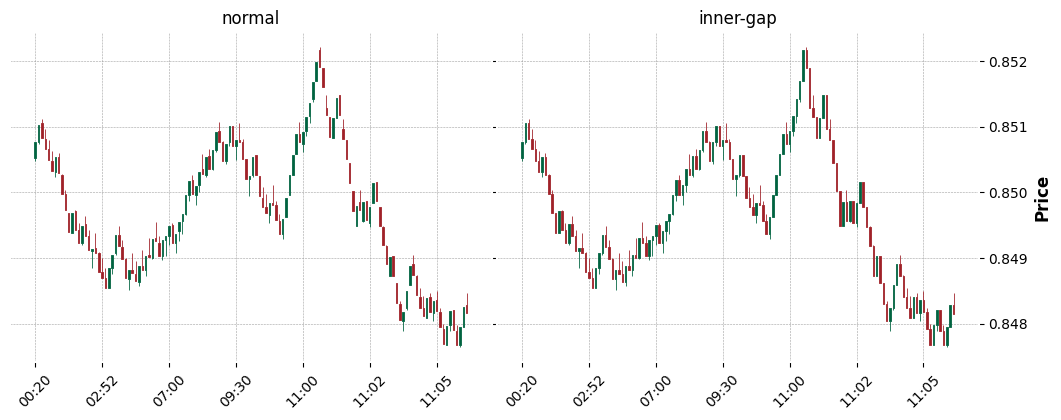
As described in rangedf_modes.ipynb, we can have multiple dataframes of different modes from the same instance.
df_normal = r.range_df()
df_nongap = r.range_df('nongap')

fig = mpf.figure(style='charles', figsize=(12.5,9))
fig.subplots_adjust(hspace=0.1, wspace=0.01)
ax1 = fig.add_subplot(2,2,1)
ax2 = fig.add_subplot(2,2,2)

mpf.plot(df_normal.iloc[:130],type='candle',ax=ax1,axtitle='normal')
mpf.plot(df_nongap.iloc[:130],type='candle',ax=ax2,axtitle='nongap')
mpf.show()
Animation/Real-time Range Chart
To run the animation examples, clone this repository, then into the rangedf/examples folder, run:
- python ws_animchart_demo.py
- python ws_multichart_demo.py
- python ws_externaldf_demo.py
NOTE: There are comments, in each of the above example files, talking about situations or recommendations to be applied in real cases.
Is the Range chart calculated correctly?
I also asked myself the same question, how about we see for ourselves?
We are going to do this based on Spotware's FX/CFD Trading Platform called cTrader,
using IC Markets/Trading as a Price Provider.
Let's go!
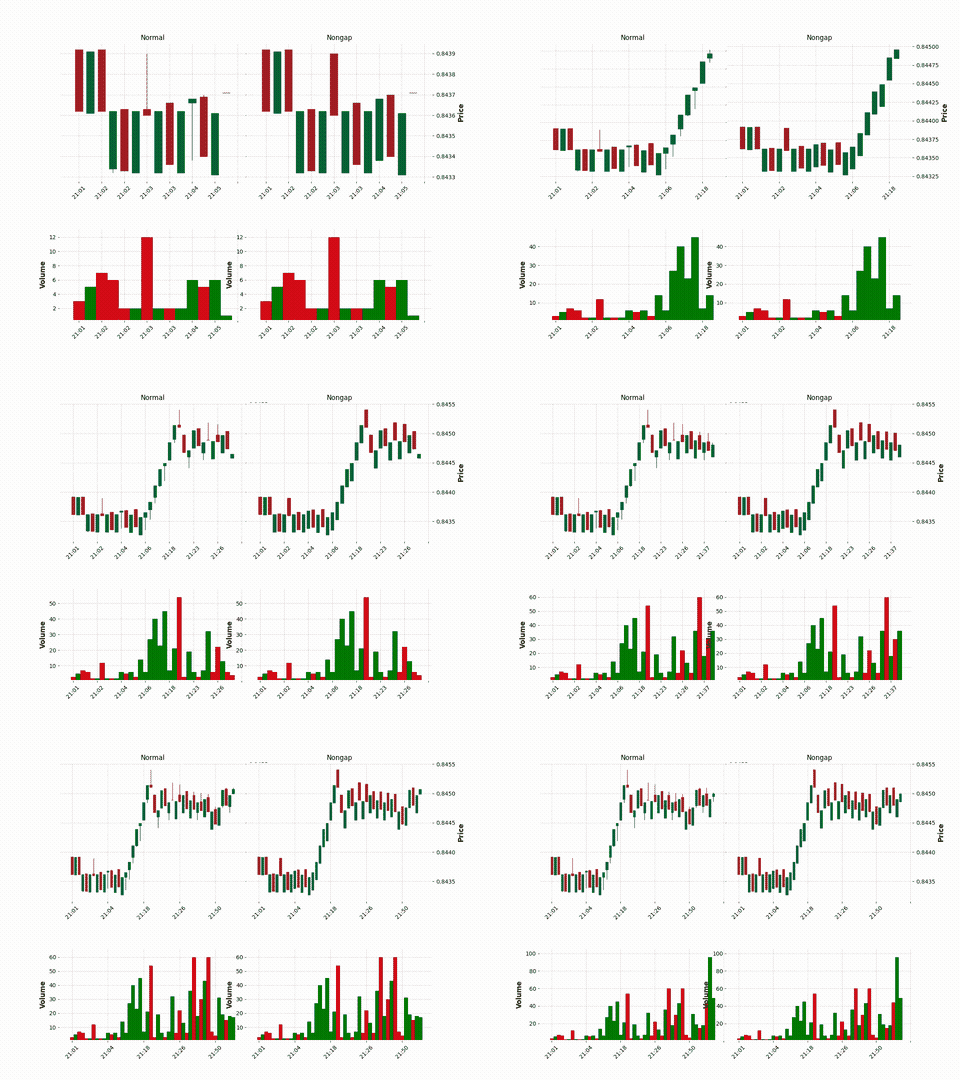
RESUME: Despite the possible occurrence of more/less bars in cases of gap, the range calculation is practically the same or very approximate.
Non-Affiliation Disclaimer
I'm not endorsed by, directly affiliated with, maintained, authorized, or sponsored by any company previously mentioned. All product and company names are the registered trademarks of their original owners. The use of any trade name or trademark is for identification and reference purposes only and does not imply any association with the trademark holder of their product brand.
Release history Release notifications | RSS feed


Download files
Download the file for your platform. If you're not sure which to choose, learn more about installing packages.
Source Distribution
Built Distribution
Filter files by name, interpreter, ABI, and platform.
If you're not sure about the file name format, learn more about wheel file names.
Copy a direct link to the current filters
File details
Details for the file rangedf-1.0.tar.gz.
File metadata
- Download URL: rangedf-1.0.tar.gz
- Upload date:
- Size: 12.4 kB
- Tags: Source
- Uploaded using Trusted Publishing? No
- Uploaded via: twine/6.1.0 CPython/3.11.2
File hashes
| Algorithm | Hash digest | |
|---|---|---|
| SHA256 |
d4ee9399c69e03f62b6b997714752d6249f1f9bec49f0c63ca99a6a308a91537
|
|
| MD5 |
4c4a7ffed7b8bde919be23fc4f0128b0
|
|
| BLAKE2b-256 |
3539fb77493a99ca43dafde19ce02d2d5e16cdcbb13adf52c00308ecd01afe24
|
File details
Details for the file rangedf-1.0-py3-none-any.whl.
File metadata
- Download URL: rangedf-1.0-py3-none-any.whl
- Upload date:
- Size: 9.9 kB
- Tags: Python 3
- Uploaded using Trusted Publishing? No
- Uploaded via: twine/6.1.0 CPython/3.11.2
File hashes
| Algorithm | Hash digest | |
|---|---|---|
| SHA256 |
add9055a56be6c53bbfe90d3b7181efa348b9fdd46a051b8ebcb0964bfb83c9a
|
|
| MD5 |
4772332c00aa6b32983a46b0c794349e
|
|
| BLAKE2b-256 |
046e3133fc0f24311e1467eca2c7742ae2d0035ccd52423812f63a367c81490f
|






