






rendercanvas
One canvas API, multiple backends 🚀
This project is part of pygfx.org
Introduction
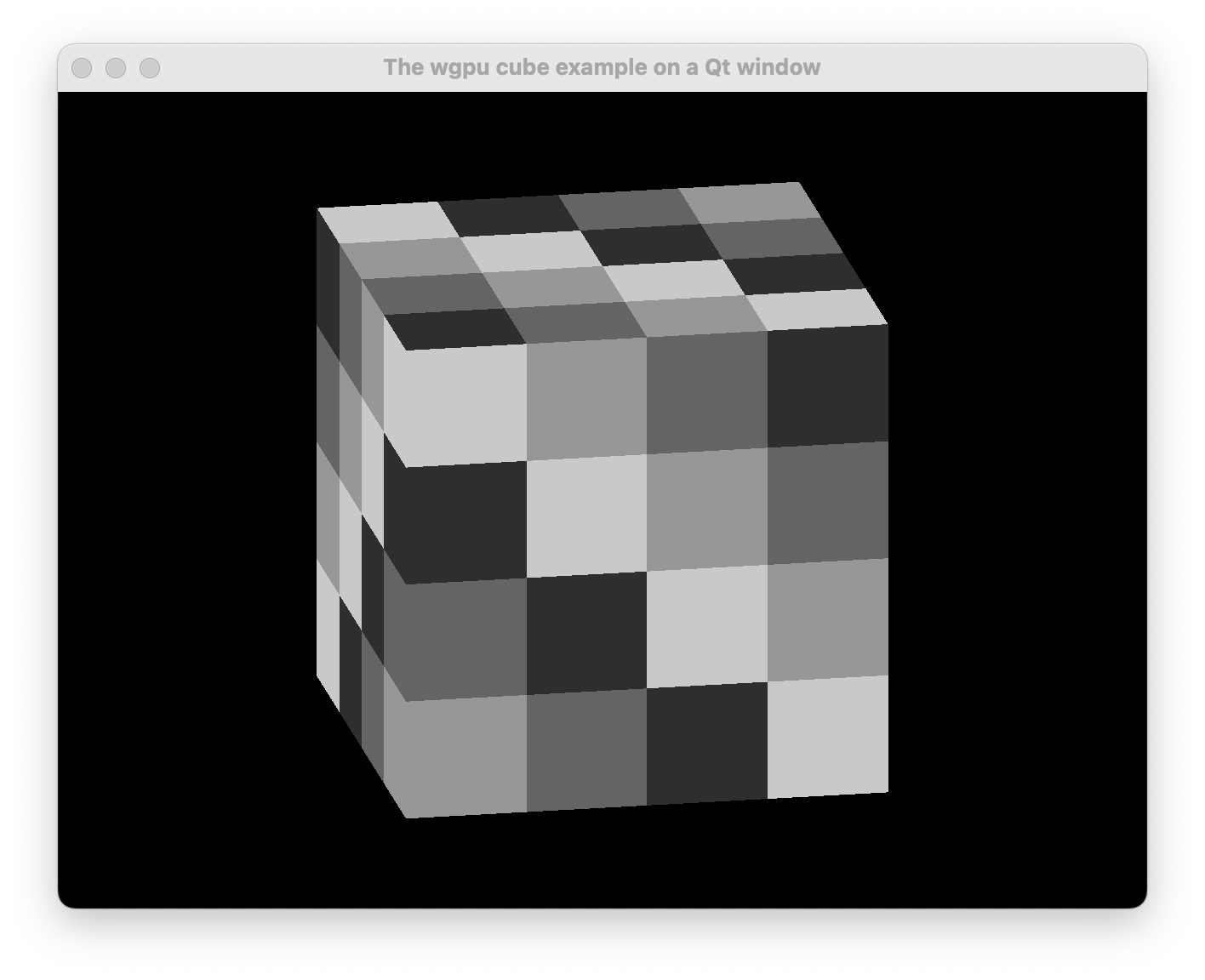
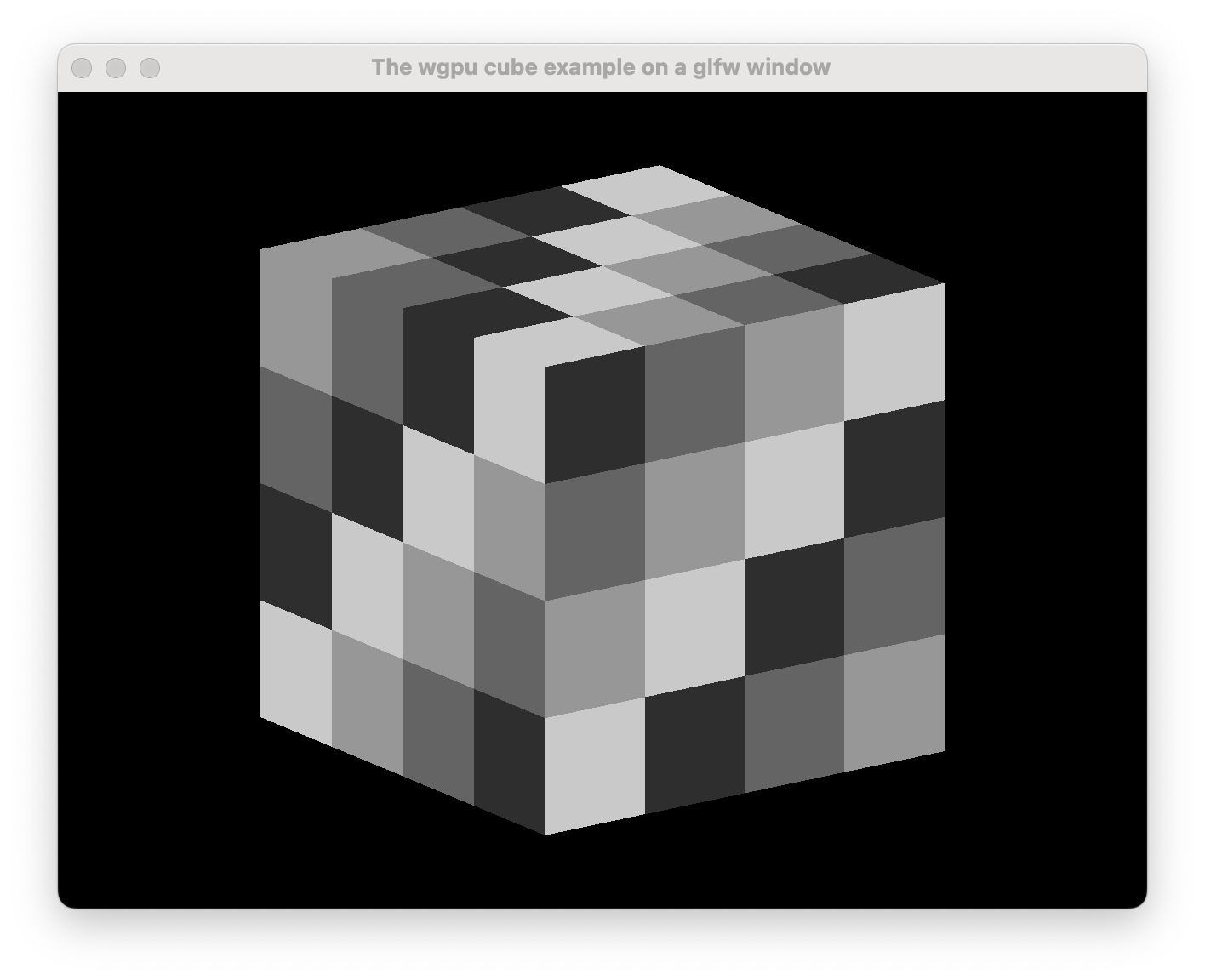
See how the two windows above look the same? That's the idea; they also look the same to the code that renders to them. Yet, the GUI systems are very different (Qt vs glfw in this case). Now that's a powerful abstraction!
Purpose
Providing a generic API for:
- managing a canvas window (
BaseRenderCanvas). - presenting rendered results with
wgpu(WgpuContext). - presenting rendered results as a bitmap (
BitmapContext). - working with events that have standardized behavior.
The following backends are currently available:
auto- automatically selects an appropriate backend.glfw- a native desktop window.offscreen- for offscreen rendering.terminal- to render in the terminal (e.g. over SSH).qt(pyside6/pyside2/pyqt6/pyqt5) - to embed a render canvas in a qt GUI.wx- to embed a render canvas in a wx GUI.anywidget- for notebooks like Jupyter, VSCode, and Marimo.jupyter- previous backend for notebooks that uses jupyter_rfb.http- for server side rendering, display in a browser connected via the internet.pyodide- to run in the browser with Pyodide or PyScript.
In addition to the GUI libraries mentioned above, the following event loops are supported:
asynciotrioraw
Installation
pip install rendercanvas
To have at least one backend, we recommend:
pip install rendercanvas glfw
Usage
Also see the online documentation and the examples.
A minimal example that renders noise:
import numpy as np
from rendercanvas.auto import RenderCanvas, loop

canvas = RenderCanvas(update_mode="continuous")
context = canvas.get_bitmap_context()

@canvas.request_draw
def animate():
    w, h = canvas.get_logical_size()
    bitmap = np.random.uniform(0, 255, (h, w)).astype(np.uint8)
    context.set_bitmap(bitmap)

loop.run()
Run wgpu visualizations:
from rendercanvas.auto import RenderCanvas, loop
from rendercanvas.utils.cube import setup_drawing_sync


canvas = RenderCanvas(
    title="The wgpu cube example on $backend", update_mode="continuous"
)
draw_frame = setup_drawing_sync(canvas)
canvas.request_draw(draw_frame)

loop.run()
Embed in a Qt application:
from PySide6 import QtWidgets
from rendercanvas.qt import QRenderWidget

class Main(QtWidgets.QWidget):

    def __init__(self):
        super().__init__()

        splitter = QtWidgets.QSplitter()
        self.canvas = QRenderWidget(splitter)
        ...


app = QtWidgets.QApplication([])
main = Main()
app.exec()
Async or not async
We support both; a render canvas can be used in a fully async setting using e.g. Asyncio or Trio, or in an event-driven framework like Qt.
If you like callbacks, loop.call_later() always works. If you like async, use loop.add_task().
See the docs on async for details.
License
This code is distributed under the 2-clause BSD license.
Contributing
See the contribution guide.
Development install
- Clone the repo.
- Install
rendercanvasand developer deps usingpip install -e .[dev].
Quick tips
- Use
ruff formatto apply autoformatting. - Use
ruff checkto check for linting errors. - Use
pytest teststo run the tests. - Use
pytest examplesto run a subset of the examples.
Code of Conduct
This repository follows the PyGfx Code of Conduct
Download files
Download the file for your platform. If you're not sure which to choose, learn more about installing packages.
Source Distribution
Built Distribution
Filter files by name, interpreter, ABI, and platform.
If you're not sure about the file name format, learn more about wheel file names.
Copy a direct link to the current filters
File details
Details for the file rendercanvas-2.7.1.tar.gz.
File metadata
- Download URL: rendercanvas-2.7.1.tar.gz
- Upload date:
- Size: 117.9 kB
- Tags: Source
- Uploaded using Trusted Publishing? Yes
- Uploaded via:
twine/6.1.0 CPython/3.13.14
File hashes
| Algorithm | Hash digest | |
|---|---|---|
| SHA256 |
b6979bada39cd2cbc2f62e34f114b1a5a78beecad17ca06104ec5a84b74730f5
|
|
| MD5 |
8281a4cf4abe941d151f968c193d25b9
|
|
| BLAKE2b-256 |
4047dc9308871bf2169eb4bb5f9152be5508a3c51052e1c2960eaaed4a47222a
|
Provenance
The following attestation bundles were made for rendercanvas-2.7.1.tar.gz:
Publisher:
ci.yml on pygfx/rendercanvas
-
Statement:
-
Statement type:
https://in-toto.io/Statement/v1 -
Predicate type:
https://docs.pypi.org/attestations/publish/v1 -
Subject name:
rendercanvas-2.7.1.tar.gz -
Subject digest:
b6979bada39cd2cbc2f62e34f114b1a5a78beecad17ca06104ec5a84b74730f5 - Sigstore transparency entry: 2209201294
- Sigstore integration time:
-
Permalink:
pygfx/rendercanvas@f44ae725c79a7bec8df387be5b4f7fdc6f22a553 -
Branch / Tag:
refs/tags/v2.7.1 - Owner: https://github.com/pygfx
-
Access:
public
-
Token Issuer:
https://token.actions.githubusercontent.com -
Runner Environment:
github-hosted -
Publication workflow:
ci.yml@f44ae725c79a7bec8df387be5b4f7fdc6f22a553 -
Trigger Event:
push
-
Statement type:
File details
Details for the file rendercanvas-2.7.1-py3-none-any.whl.
File metadata
- Download URL: rendercanvas-2.7.1-py3-none-any.whl
- Upload date:
- Size: 138.1 kB
- Tags: Python 3
- Uploaded using Trusted Publishing? Yes
- Uploaded via:
twine/6.1.0 CPython/3.13.14
File hashes
| Algorithm | Hash digest | |
|---|---|---|
| SHA256 |
a3e02a003de0ef514cd5ca91affbe9cc87c27c819168b886470a797457bfaa5d
|
|
| MD5 |
e08d5c0ccc5274c576b75faddba7bfaf
|
|
| BLAKE2b-256 |
30d8af998d7dac6cf4a5183511fbc48a22cd433b8caee7db25beaaee084028da
|
Provenance
The following attestation bundles were made for rendercanvas-2.7.1-py3-none-any.whl:
Publisher:
ci.yml on pygfx/rendercanvas
-
Statement:
-
Statement type:
https://in-toto.io/Statement/v1 -
Predicate type:
https://docs.pypi.org/attestations/publish/v1 -
Subject name:
rendercanvas-2.7.1-py3-none-any.whl -
Subject digest:
a3e02a003de0ef514cd5ca91affbe9cc87c27c819168b886470a797457bfaa5d - Sigstore transparency entry: 2209201362
- Sigstore integration time:
-
Permalink:
pygfx/rendercanvas@f44ae725c79a7bec8df387be5b4f7fdc6f22a553 -
Branch / Tag:
refs/tags/v2.7.1 - Owner: https://github.com/pygfx
-
Access:
public
-
Token Issuer:
https://token.actions.githubusercontent.com -
Runner Environment:
github-hosted -
Publication workflow:
ci.yml@f44ae725c79a7bec8df387be5b4f7fdc6f22a553 -
Trigger Event:
push
-
Statement type:














