
This release is a pre-release and may not be stable for production use.

The data layer for physical AI
The data primitives to build, understand, and improve your data loop. Designed for multi-rate, multimodal data, from the first recording to massive scale.
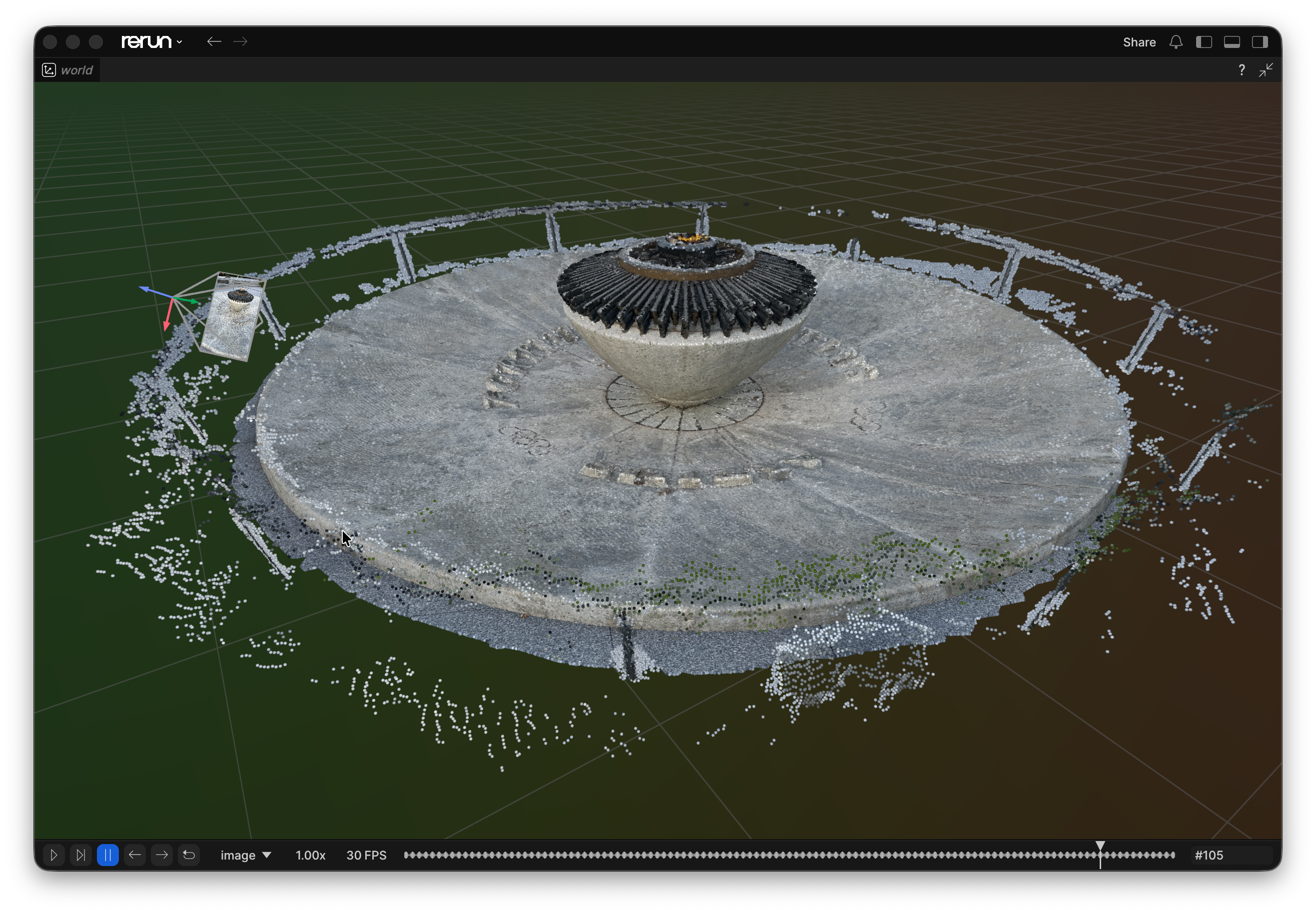
The open source Rerun Python SDK provides a single toolchain to log, transform, query, view, and train on multi-rate, multimodal data.
Install
pip install rerun-sdk
The Python module is called rerun, while the package published on PyPI is rerun-sdk.
See Install Rerun for the Viewer and other SDK languages.
We also provide a Jupyter widget for interactive data visualization in Jupyter notebooks:
pip install rerun-sdk[notebook]
Example
import numpy as np
import rerun as rr

rr.init("rerun_example_app", spawn=True)

positions = np.vstack([xyz.ravel() for xyz in np.mgrid[3 * [slice(-5, 5, 10j)]]]).T
colors = np.vstack([rgb.ravel() for rgb in np.mgrid[3 * [slice(0, 255, 10j)]]]).astype(np.uint8).T

rr.log("points3d", rr.Points3D(positions, colors=colors))
Resources
Logging and viewing in different processes
The Viewer and Python logger can run in separate processes. Start the Viewer in one terminal:
python3 -m rerun
In a second terminal, run the example with the --connect option:
python3 examples/python/plots/plots.py --connect
Note that SDK and Viewer can run on different machines! See SDK operating modes for connection options.
Building Rerun from source
Rerun uses pixi for development tools and tasks.
Install pixi, clone the repository, and run these commands from its rerun/ directory.
Build and install a development version of the Python SDK:
pixi run py-build
For an optimized build, use:
pixi run py-build-release
Run an example in the development environment:
pixi run uvpy examples/python/minimal/minimal.py
Build a wheel for manual installation:
pixi run py-build-wheel
See BUILD.md for all Viewer and SDK build options.
Installing a pre-release
Development wheels built from the latest main branch are available from the prerelease release.
The main branch can be unstable, so use these wheels at your own risk.
Running Python unit tests
Run the full Python test suite:
pixi run py-test
Build the SDK and run one test file:
pixi run py-build && pixi run uvpy -m pytest rerun_py/tests/unit/test_tensor.py
Profiling the Python SDK
Install puffin_viewer, then set RERUN_PUFFIN=1 when you start a Python program:
cargo install puffin_viewer
RERUN_PUFFIN=1 pixi run uvpy your_script.py
Save a recording from the viewer for offline analysis (use the investigate-puffin skill in .claude/skills/).
For the Viewer side of things, and for tracking down streaming latency, see Diagnose latency and performance.
1 maintainer

Metadata
1 maintainer
Release files for rerun-sdk 0.40.0rc2
For a detailed explanation of source distributions (sdists) and built distributions (wheels), please see the package formats documentation.
Built distributions (wheels)
| File | Reset | |||
|---|---|---|---|---|
| rerun_sdk-0.40.0rc2-cp311-abi3-win_amd64.whl | CPython 3.11 | abi3 | Windows x86-64 | Details |
| rerun_sdk-0.40.0rc2-cp311-abi3-manylinux_2_28_x86_64.whl | CPython 3.11 | abi3 | Linux glibc 2.28+ x86-64 | Details |
| rerun_sdk-0.40.0rc2-cp311-abi3-manylinux_2_28_aarch64.whl | CPython 3.11 | abi3 | Linux glibc 2.28+ ARM64 | Details |
| rerun_sdk-0.40.0rc2-cp311-abi3-macosx_11_0_arm64.whl | CPython 3.11 | abi3 | macOS 11.0+ ARM64 | Details |
Total release size: 651.0 MB
Release files / rerun_sdk-0.40.0rc2-cp311-abi3-win_amd64.whl
| Download URL | rerun_sdk-0.40.0rc2-cp311-abi3-win_amd64.whl |
|---|---|
| Size | 150.5 MB |
| Tags | CPython 3.11 Windows x86-64 abi3 |
|
SHA-256 checksum How to use checksums |
139804774f1a81a088b624352b7ddaafa9eed32ea3bc057c98ce125f191ccb31
|
|
BLAKE2b-256 checksum How to use checksums |
9a33a8dc5e89e88e8eb4fba08a30a858ba4550eaf064846bc41e39e57d53dd44
|
| Upload date | |
|
Uploaded using Trusted Publishing? What is trusted publishing? |
No |
| Uploaded via |
maturin/1.14.1
|
Release files / rerun_sdk-0.40.0rc2-cp311-abi3-manylinux_2_28_x86_64.whl
| Download URL | rerun_sdk-0.40.0rc2-cp311-abi3-manylinux_2_28_x86_64.whl |
|---|---|
| Size | 174.3 MB |
| Tags | CPython 3.11 Linux glibc 2.28+ x86-64 abi3 |
|
SHA-256 checksum How to use checksums |
904129cdd4fd07f112dac4cda1942c978fdb62fd15b99196cf367f79deca9e8a
|
|
BLAKE2b-256 checksum How to use checksums |
ba9d2b1e48d69023f9ad7242814214012e8f15d5367662cfc3f532bbf3d8d037
|
| Upload date | |
|
Uploaded using Trusted Publishing? What is trusted publishing? |
No |
| Uploaded via |
maturin/1.14.1
|
Release files / rerun_sdk-0.40.0rc2-cp311-abi3-manylinux_2_28_aarch64.whl
| Download URL | rerun_sdk-0.40.0rc2-cp311-abi3-manylinux_2_28_aarch64.whl |
|---|---|
| Size | 168.8 MB |
| Tags | CPython 3.11 Linux glibc 2.28+ ARM64 abi3 |
|
SHA-256 checksum How to use checksums |
3872dd89da986a9f381bbadb81afddda20e57cfceb45ebeb01bb2fd6dde57a82
|
|
BLAKE2b-256 checksum How to use checksums |
38b12c9c632f195fba81ea6dd39e16fba29d30c21e93c6649d3cfcfb9300be28
|
| Upload date | |
|
Uploaded using Trusted Publishing? What is trusted publishing? |
No |
| Uploaded via |
maturin/1.14.1
|
Release files / rerun_sdk-0.40.0rc2-cp311-abi3-macosx_11_0_arm64.whl
| Download URL | rerun_sdk-0.40.0rc2-cp311-abi3-macosx_11_0_arm64.whl |
|---|---|
| Size | 157.5 MB |
| Tags | CPython 3.11 abi3 macOS 11.0+ ARM64 |
|
SHA-256 checksum How to use checksums |
a48a4099dba4197dd670a349190fa8ac12d449063d15743623f3bb1187a00df7
|
|
BLAKE2b-256 checksum How to use checksums |
ea3d8a3dcb0bee24f8881f4493d9e39bb1d7cdeb2590b4e0f057a6db530dd2dc
|
| Upload date | |
|
Uploaded using Trusted Publishing? What is trusted publishing? |
No |
| Uploaded via |
maturin/1.14.1
|
Security for rerun-sdk 0.40.0rc2
Provenance
Provenance describes where a file came from. On PyPI, provenance is shared via attestations, which provide a verifiable record of the build or publishing details. View details, limitations and caveats.
No provenance found
None of the files in this release were uploaded with provenance metadata.
A note on package security
PyPI is a repository for distributing packages, not a service for auditing them. While third-party security researchers and our staff do their best to detect and remove malicious packages, PyPI cannot guarantee the quality, security or suitability of any given package.














