
rich-struct
rich's print, with 25 themes (23 popular editor themes and two originals) and helpers for Markdown, HTML, JSON, YAML, XML, Python objects and tables (lists, numpy arrays, pandas DataFrames and Series).
Note: rich-struct is not an official implementation or extension of
rich, and it is not part of the Textualize/rich project or endorsed by it. It is an independent wrapper, a bridge that makesricheasier to use, especially in VS Code Jupyter notebooks.
pip install rich-struct # add [yaml] to dump objects with print_yaml, [html] for print_html
from rich.markdown import Markdown
from rich.theme import Theme
from rich_struct import ThemeName, print, print_md, print_json, print_yaml, print_xml, print_obj, print_syntax, print_table, print_list, print_html

print("[bold]hello[/bold]", {"a": 1})                 # drop-in rich.print, Midnight Slate by default
print(Markdown("## Printing structs"), theme=ThemeName.DRACULA)

print_md("# Title\n\n```python\nprint('hi')\n```")
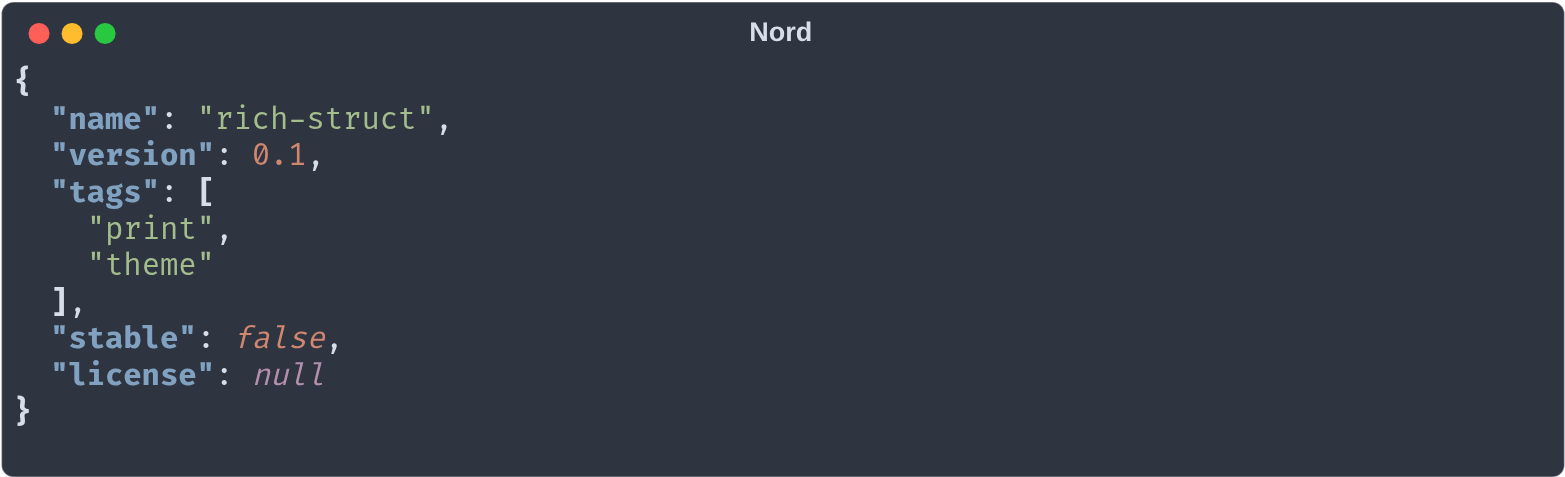
print_json({"a": [1, 2, None]}, theme="Nord")         # enum value as a string works too
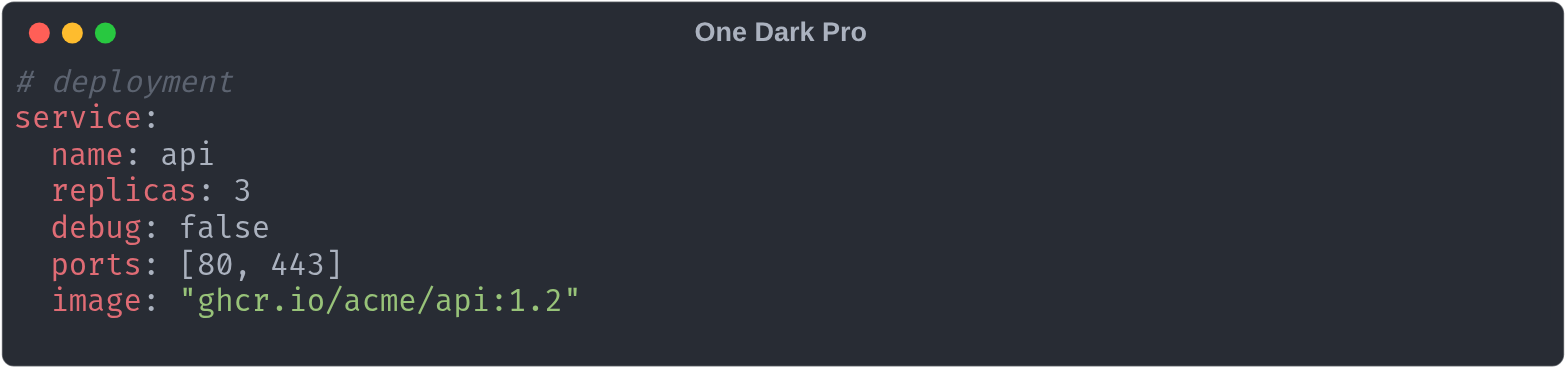
print_yaml("a: 1\nb: [x, y]")
print_xml("<a><b c='d'/></a>")
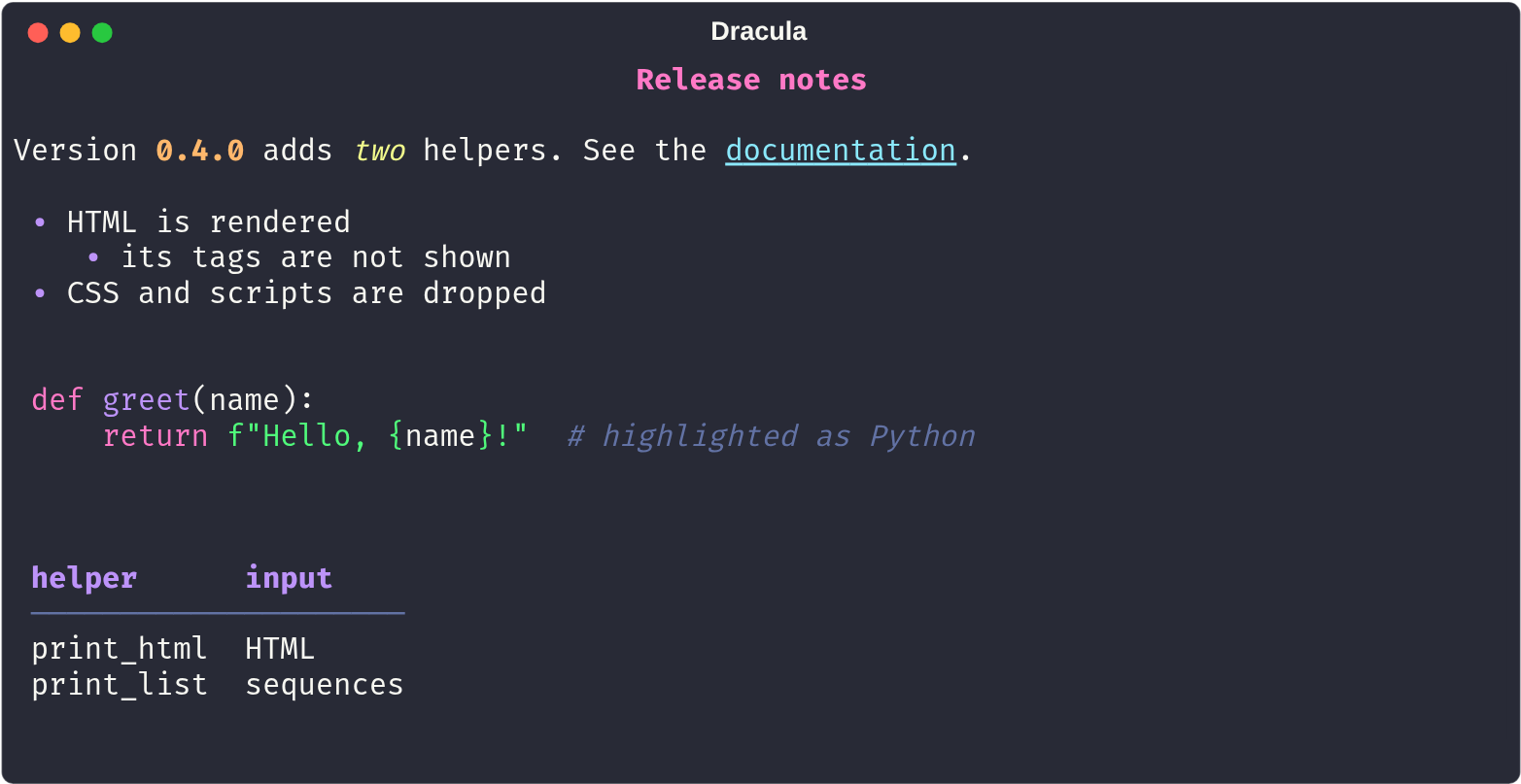
print_html("<h1>Title</h1><p>Some <b>bold</b> text</p>")  # rendered, not its tags
print_obj(my_dataclass, theme=ThemeName.GITHUB_LIGHT)
print_obj(data, max_list_length=10, max_string=80)    # long containers/strings end in "... +N"
print_obj(doc, apply_newlines=True)                   # "\n" in strings breaks the line instead
print_json(data, max_list_length=10)                  # same for JSON and YAML lists (print_yaml)
print_syntax("SELECT 1", "sql")                       # any pygments lexer
print_table(df, title="Sales")                        # DataFrame, Series, numpy array, list...
print(df)                                             # arrays and frames become tables in print too
print_err(ValueError("bad input"))                   # error text or exception, in the theme's error colour
print_list(series, head_tail_only=True)               # [1, 2.5, 'text',  ...  98, 99]: list, array, Series

print_md("# Mine", theme=Theme({"markdown.h1": "bold magenta", "syntax.keyword": "red"}))
Every function takes theme=: a ThemeName, its string value, or a rich Theme.
To change the theme for all of them at once, call set_default_theme("Dracula") (same accepted values; no argument resets to Midnight Slate).
Passing None to any of them prints None (JSON: null) in the theme's colour for null values instead of failing.
In VS Code notebooks rich shows output in its own monospace font (Menlo, DejaVu Sans Mono...). Call use_rich_font_override(True) to use the font plain print() gets instead; False switches back. Lines stay closer together than in print() output: VS Code gives print() a noticeably looser line height, while rich deliberately uses a tight line-height:normal so table and panel borders join into solid lines. Copying print()'s spacing would leave gaps in those borders.
ThemeName.X.theme gives you the underlying rich Theme to use with your own Console.
Screenshots
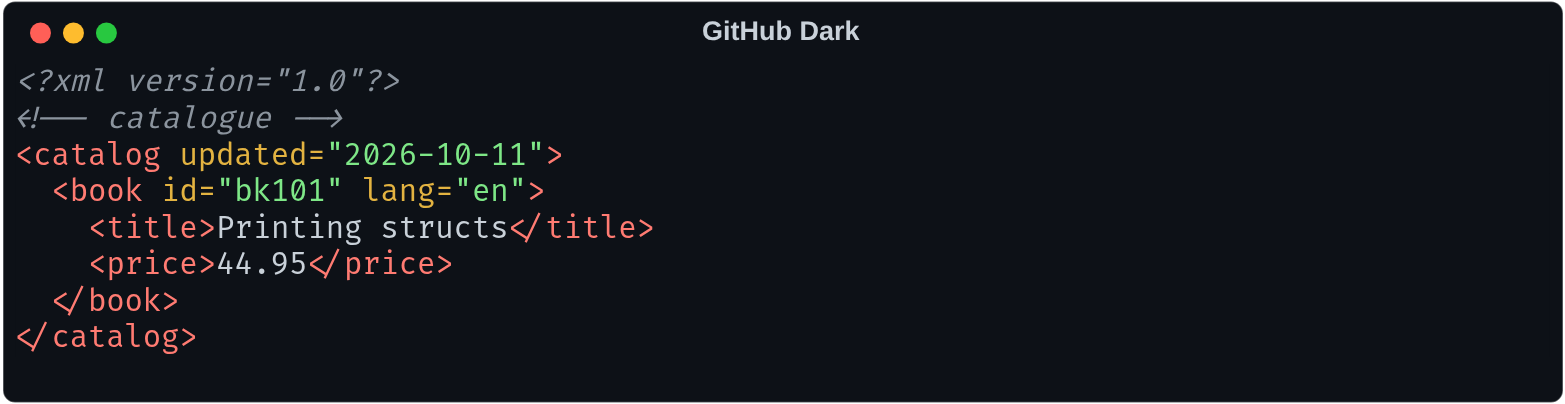
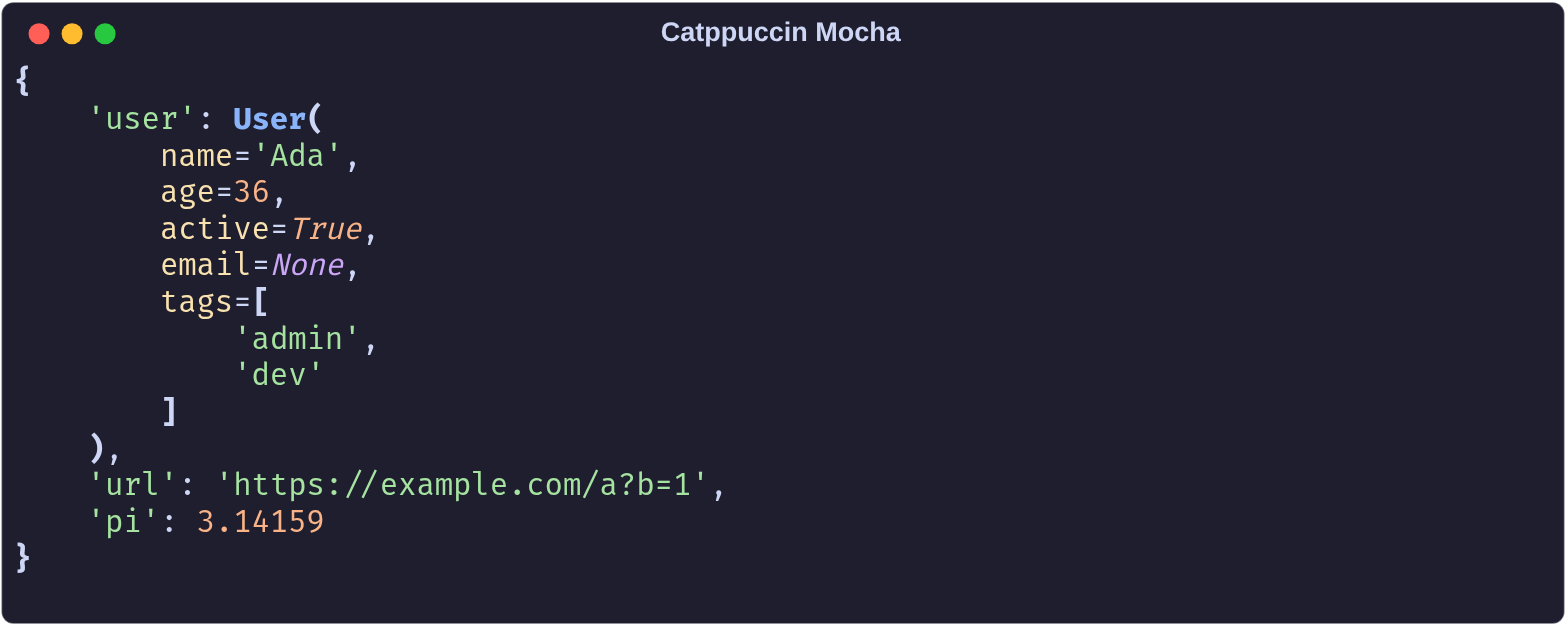
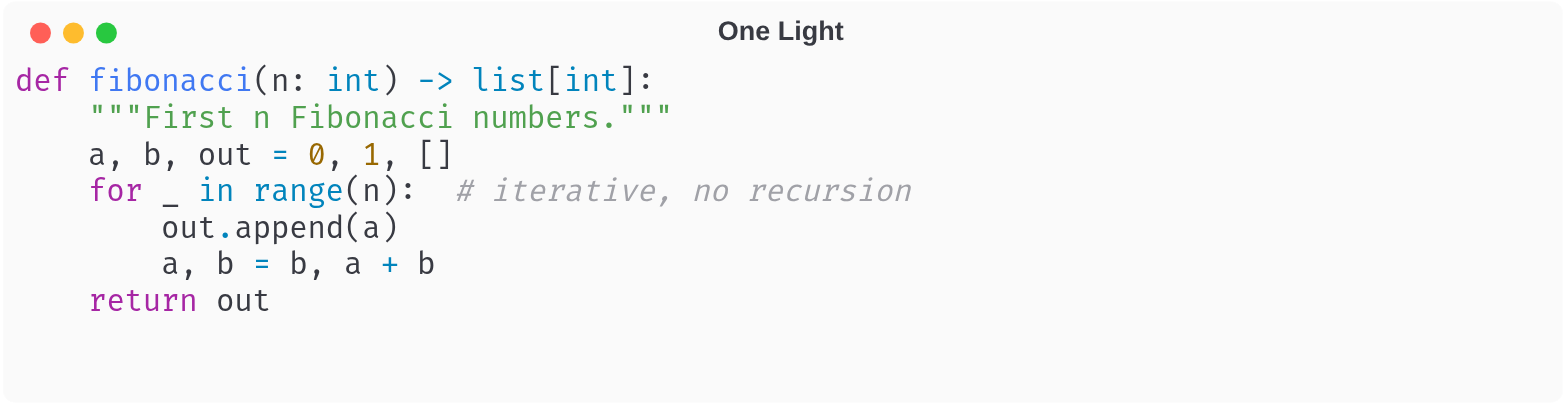
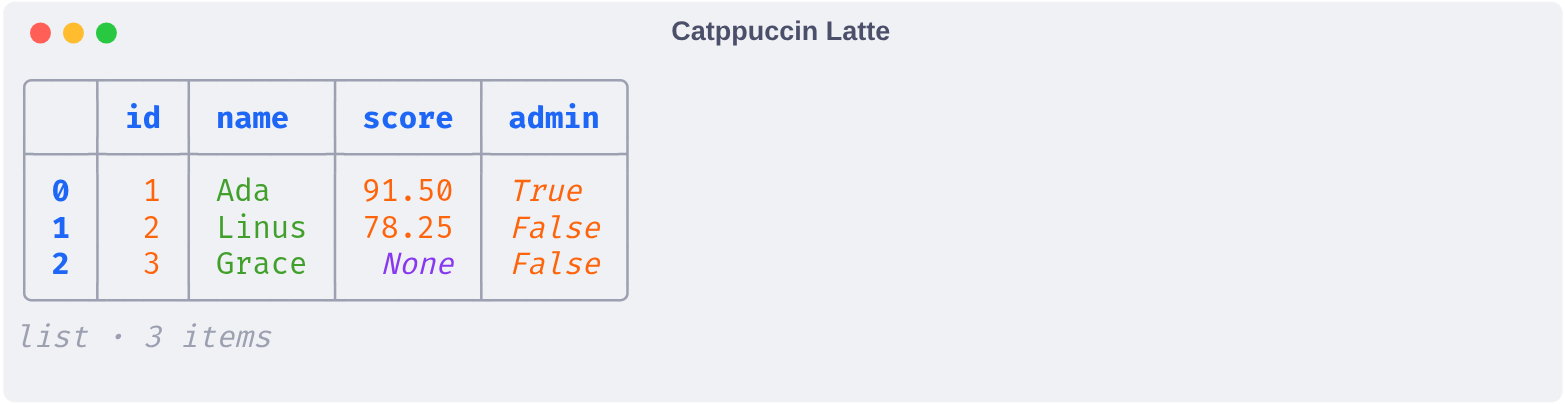
One per kind of struct, each in a different theme. The demo notebook shows every kind in all 25 themes; open it in Jupyter or VS Code to see the colours.
Markdown — print_md, Midnight Slate (the default)
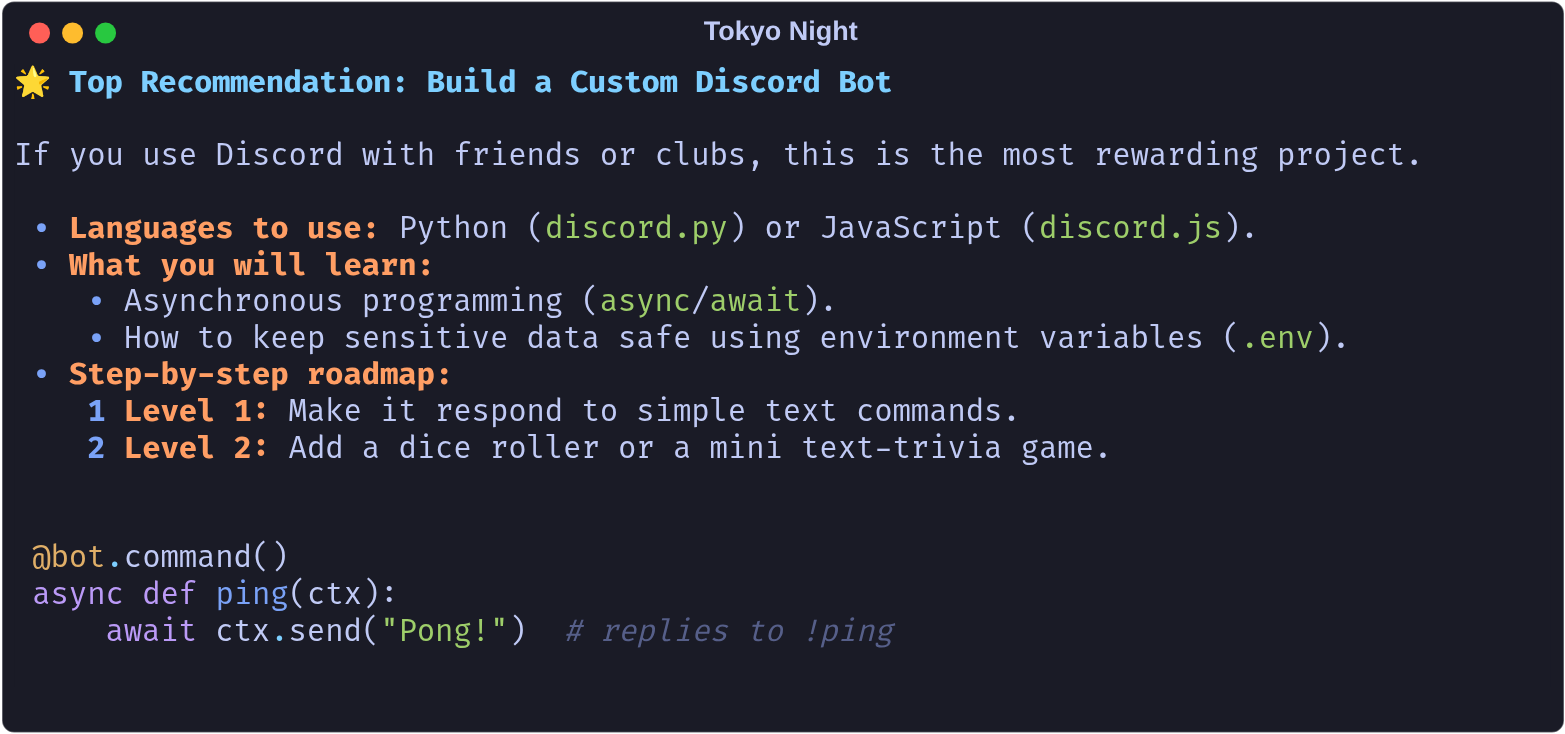
HTML — print_html, Dracula
JSON — print_json, Nord
YAML — print_yaml, One Dark Pro
XML — print_xml, GitHub Dark
Python objects — print_obj, Catppuccin Mocha
Code — print_syntax, One Light
Lists — print_table, Catppuccin Latte
Sequences — print_list with head_tail_only, Tokyo Night

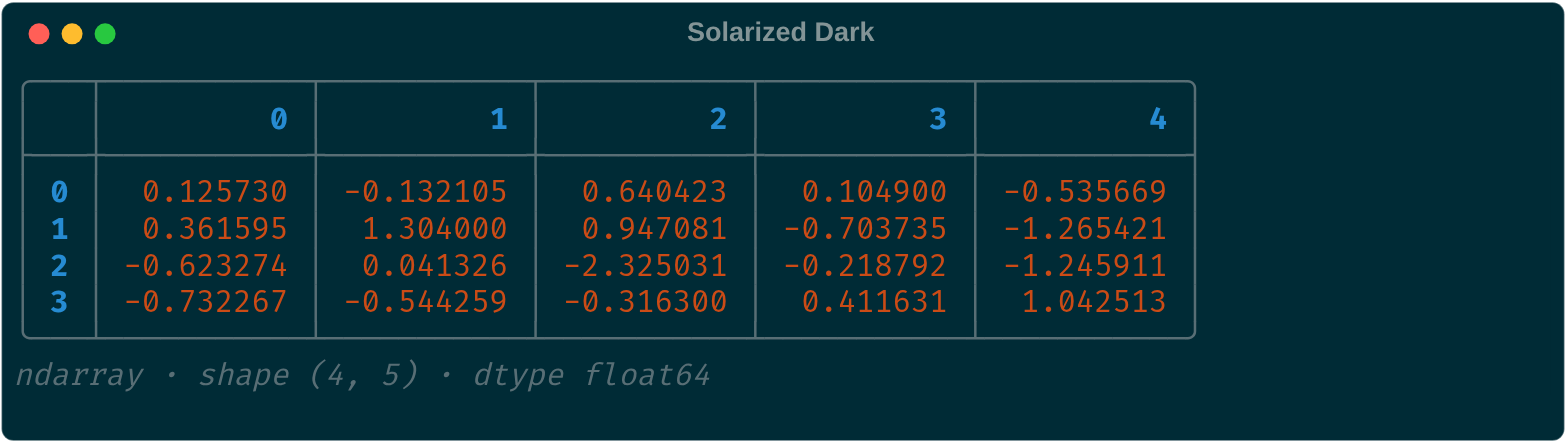
NumPy arrays — print_table, Solarized Dark
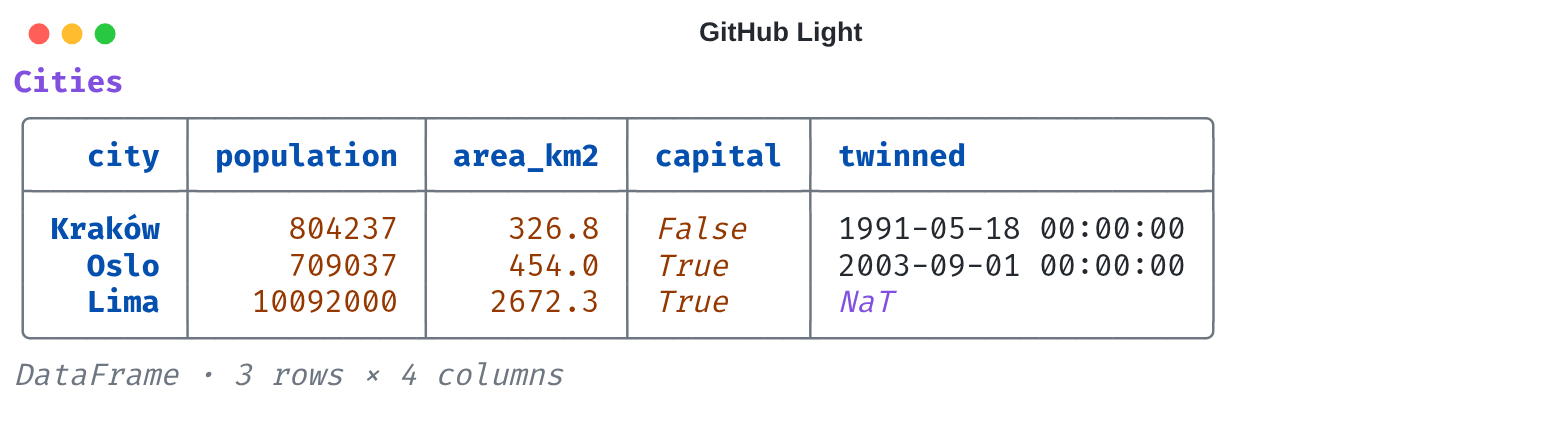
pandas DataFrames — print_table, GitHub Light
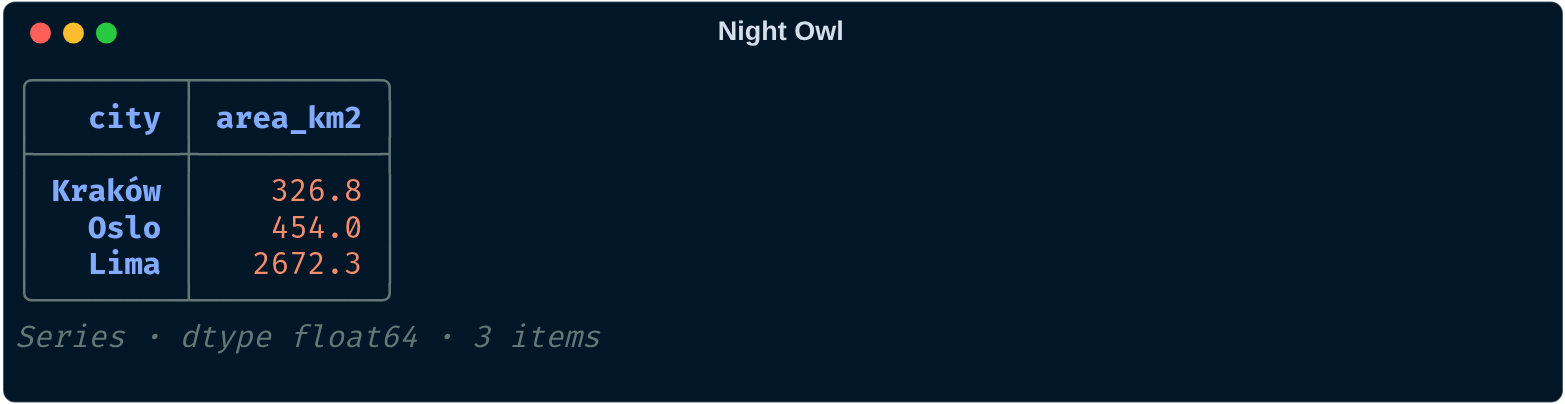
pandas Series — print_table, Night Owl
Tables
print_table(data, title=None, max_rows=20, max_cols=10) accepts:
- pandas
DataFrameandSeries, numpy arrays of any dimension (more than 2: one table per slice) - lists of dicts (records), lists of lists (a grid), and any other sequence such as
array.arrayorrange(one column)
Numbers are right-aligned, floats in a column share their decimals, and missing values are dimmed.
Long data shows its head and tail around a … gap, and columns that don't fit the terminal width go into the gap as well.
to_table(data) returns the renderable instead of printing it. numpy and pandas are not dependencies.
Lists
print_list(data, wrap=True, head_tail_only=False, head_tail_size=100) prints a list, tuple, array.array, numpy array or pandas Series as one sequence: [123, 1444.555, 'Test text', 4345.666].
It wraps at the terminal width; wrap=False keeps it on one line.
head_tail_only=True shows only the first and last head_tail_size elements, with a highlighted ... between them.
Themes
| Dark | Light |
|---|---|
| Tokyo Night | GitHub Light |
| Dracula | Solarized Light |
| One Dark Pro | One Light |
| Monokai | Catppuccin Latte |
| Nord | Gruvbox Light |
| Gruvbox Dark | Tokyo Night Light |
| Catppuccin Mocha | Ayu Light |
| Solarized Dark | Night Owl Light |
| GitHub Dark | Light+ |
| Night Owl | Everforest Light |
| Winter is Coming | Light Modern |
| Dark Modern | Paper Frost |
| Midnight Slate (default) |
Themes are built from each theme's colour palette, not ported token-by-token from the editor.
Output is painted on the theme's background across the full width in Jupyter notebooks, and left on the terminal's own background in a console. Pass background=True/False to a call, or call use_background(True/False) once to change the default (None restores the automatic choice); nothing is painted or padded when the output has no colour (e.g. piped to a file). A custom Theme gets a background by defining a background style, e.g. "background": "#c0caf5 on #1a1b26".
Code colours come from syntax.* styles (text, comment, keyword, string, number, function, type, tag, attribute, operator); a custom Theme may override any of them, and may set syntax.block (e.g. "on #111c2e") to shade code blocks inside Markdown, and repr.background to give print_obj output its own background.
1 maintainer

Metadata
1 maintainer
Release files for rich-struct 0.8.3
For a detailed explanation of source distributions (sdists) and built distributions (wheels), please see the package formats documentation.
Source distribution (sdist)
| File | Size | Uploaded | Provenance | Actions |
|---|---|---|---|---|
| rich_struct-0.8.3.tar.gz | 21.2 kB | Without provenance | Details for rich_struct-0.8.3.tar.gz |
Built distribution (wheel)
| File | Interpreter | ABI | Platform | Actions Reset |
|---|---|---|---|---|
| rich_struct-0.8.3-py3-none-any.whl | Python 3 | none | any | Details for rich_struct-0.8.3-py3-none-any.whl |
Total release size: 39.6 kB
Release files / rich_struct-0.8.3.tar.gz
| Download URL | rich_struct-0.8.3.tar.gz |
|---|---|
| Size | 21.2 kB |
| Tags | Source |
|
SHA-256 checksum How to use checksums |
39fdf0a6a6a560f9c444781033e438f0b9434c9036d3453c3f8fd7107c2526c1
|
|
BLAKE2b-256 checksum How to use checksums |
7eee04b19a94334b55793c6131252564fc0f251dbe2e1648c8b55dfb9ef868ec
|
| Upload date | |
|
Uploaded using Trusted Publishing? What is trusted publishing? |
No |
| Uploaded via |
twine/7.0.0 CPython/3.14.7
|
Release files / rich_struct-0.8.3-py3-none-any.whl
| Download URL | rich_struct-0.8.3-py3-none-any.whl |
|---|---|
| Size | 18.4 kB |
| Tags | Python 3 |
|
SHA-256 checksum How to use checksums |
591c717f1ab574a022f5c4de98b5e54512bfaad9ea0664a06a3349f2399b41fa
|
|
BLAKE2b-256 checksum How to use checksums |
b251567f49d0a045dd37625cb190f0a43e345ac25c757a25d6b777aed80e4b3c
|
| Upload date | |
|
Uploaded using Trusted Publishing? What is trusted publishing? |
No |
| Uploaded via |
twine/7.0.0 CPython/3.14.7
|
Security for rich-struct 0.8.3
Provenance
Provenance describes where a file came from. On PyPI, provenance is shared via attestations, which provide a verifiable record of the build or publishing details. View details, limitations and caveats.
No provenance found
None of the files in this release were uploaded with provenance metadata.
A note on package security
PyPI is a repository for distributing packages, not a service for auditing them. While third-party security researchers and our staff do their best to detect and remove malicious packages, PyPI cannot guarantee the quality, security or suitability of any given package.
To learn more about protecting yourself from malicious actors, visit our package security documentation.














