
This release is a pre-release and may not be stable for production use.









A library for your API that provides:
- Automated Integration Testing
- Automated Live Documentation
Given an API specification, written in YAML/JSON format, ScanAPI hits the specified endpoints, runs the test cases, and generates a detailed report of this execution - which can also be used as the API documentation itself.
With almost no Python knowledge, the user can define endpoints to be hit, the expected behavior for each response and will receive a full real-time diagnostic report of the API!
Contents
- Quick Start
- Documentation
- Tutorial
- Examples
- Dependency Management
- Contributing
- Contributors
- Supporters Through Time
Quick Start
Requirements
How to install
$ pip install scanapi
Install with pipx (isolated CLI)
If pip install scanapi collides with the dependencies in your project's environment, install it with pipx instead. pipx gives ScanAPI its own virtual environment and still puts the scanapi command on your PATH:
$ pipx install scanapi
This is the recommended path when you want ScanAPI as a standalone CLI rather than a project dependency.
Basic Usage
You will need to write the API's specification and save it as a YAML or JSON file. For example:
endpoints:
  - name: scanapi-demo # The API's name of your API
    path: http://demo.scanapi.dev/api/v1 # The API's base url
    requests:
      - name: list_all_users # The name of the first request
        path: users/ # The path of the first request
        method: get # The HTTP method of the first request
        tests:
          - name: status_code_is_200 # The name of the first test for this request
            assert: ${{ response.status_code == 200 }} # The assertion
And run the scanapi command
$ scanapi run <file_path>
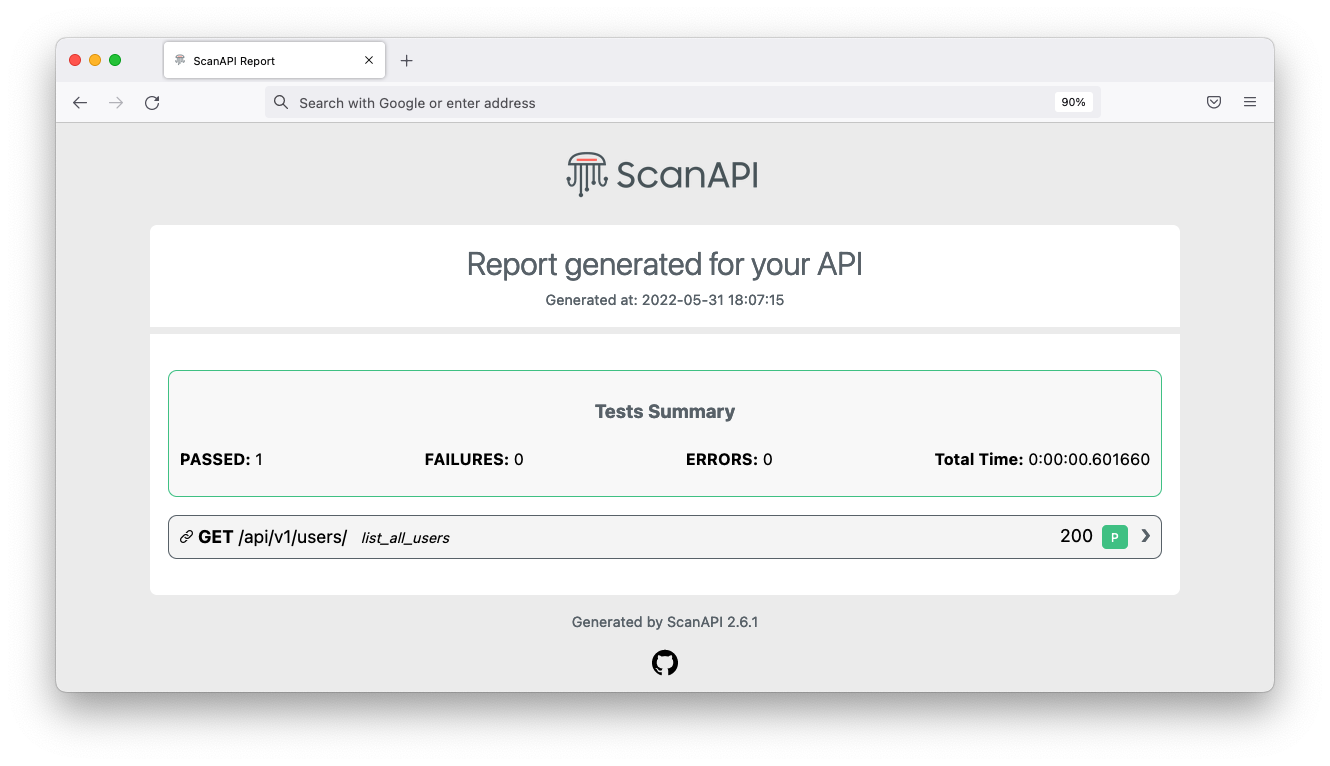
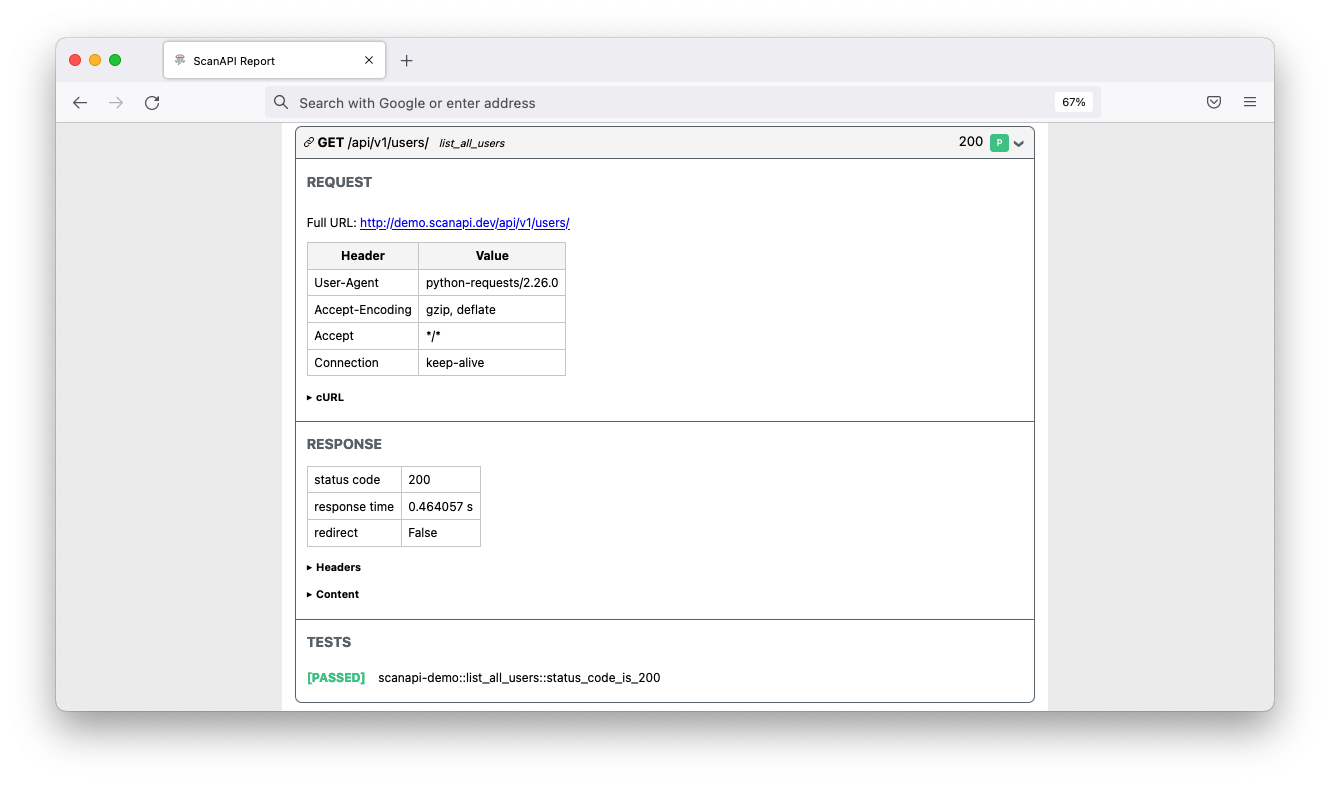
Then, the lib will hit the specified endpoints and generate a scanapi-report.html file with the report results.
Documentation
The full documentation is available at scanapi.dev
Tutorial
Get started with ScanAPI by following our step-by-step tutorial.
Examples
You can find complete examples at scanapi/examples!
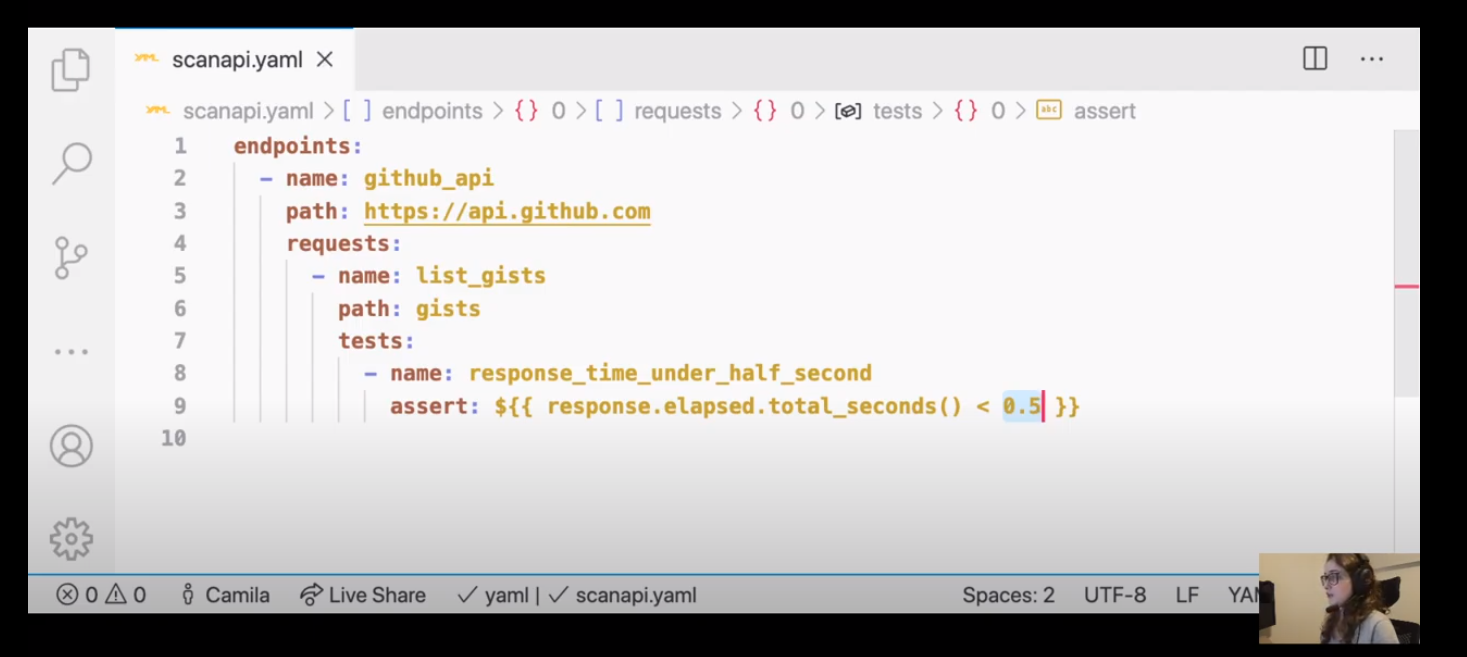
This tutorial helps you to create integration tests for your REST API using ScanAPI
Dependency Management
ScanAPI aims to minimize dependency conflicts and ensure a smooth developer experience. Most dependencies are specified as compatible version ranges to allow flexibility and avoid unnecessary conflicts. However, a few dependencies are strictly pinned for stability:
- MarkupSafe==3.0.3: Pinned to the latest version for security and compatibility. Relax if future versions are verified safe.
- pytest-freezegun==0.4.2: This package is unmaintained and only 0.4.2 is available. Strict pin is required for test stability.
- requests-mock==1.12.1: Pinned to the latest version for compatibility. Relax if future versions are verified safe.
All other dependencies use safe version ranges (e.g., >=X.Y,<X+1.0) to reduce the likelihood of dependency conflicts. If you encounter issues with dependency installation, please open an issue or PR.
Dependency updates are regularly reviewed to ensure compatibility with supported Python versions and CI stability.
Contributing
Collaboration is super welcome! Check out our contribution guide to get started. Every little bit of help counts! Feel free to create new GitHub issues and interact here.
Let's build it together 🚀🚀
❤️ Contributors

Made with contrib.rocks.
Supporters Through Time


3 maintainers


Metadata
3 maintainers
Release files for scanapi 2.13.4.dev6
For a detailed explanation of source distributions (sdists) and built distributions (wheels), please see the package formats documentation.
Source distribution (sdist)
| File | Size | Uploaded | Provenance | |
|---|---|---|---|---|
| scanapi-2.13.4.dev6.tar.gz | 38.2 kB | Without provenance | Details |
Built distribution (wheel)
| File | Interpreter | ABI | Platform | Reset |
|---|---|---|---|---|
| scanapi-2.13.4.dev6-py3-none-any.whl | Python 3 | none | any | Details |
Total release size: 80.1 kB
Release files / scanapi-2.13.4.dev6.tar.gz
| Download URL | scanapi-2.13.4.dev6.tar.gz |
|---|---|
| Size | 38.2 kB |
| Tags | Source |
|
SHA-256 checksum How to use checksums |
c53a9c715d663deb4ff55efeb0e9929fd342ce657fffb3980821439965d90f04
|
|
BLAKE2b-256 checksum How to use checksums |
3ffa5b90051bbec9083aaceb8f23bebe6bf0fe42f99950742aaaf10cde1fa20a
|
| Upload date | |
|
Uploaded using Trusted Publishing? What is trusted publishing? |
No |
| Uploaded via |
uv/0.13.4 {"installer":{"name":"uv","version":"0.13.4","subcommand":["publish"]},"python":null,"implementation":{"name":null,"version":null},"distro":{"name":"Ubuntu","version":"24.04","id":"noble","libc":null},"system":{"name":null,"release":null},"cpu":null,"openssl_version":null,"setuptools_version":null,"rustc_version":null,"ci":true}
|
Release files / scanapi-2.13.4.dev6-py3-none-any.whl
| Download URL | scanapi-2.13.4.dev6-py3-none-any.whl |
|---|---|
| Size | 42.0 kB |
| Tags | Python 3 |
|
SHA-256 checksum How to use checksums |
62db560428d5c622e15a6db440250f662fa1025d870cfc22b0e344bf124dc243
|
|
BLAKE2b-256 checksum How to use checksums |
642de4d88fd9839f210d7dc104600d51f84a01999459abb39e616e51bb106483
|
| Upload date | |
|
Uploaded using Trusted Publishing? What is trusted publishing? |
No |
| Uploaded via |
uv/0.13.4 {"installer":{"name":"uv","version":"0.13.4","subcommand":["publish"]},"python":null,"implementation":{"name":null,"version":null},"distro":{"name":"Ubuntu","version":"24.04","id":"noble","libc":null},"system":{"name":null,"release":null},"cpu":null,"openssl_version":null,"setuptools_version":null,"rustc_version":null,"ci":true}
|
Security for scanapi 2.13.4.dev6
Provenance
Provenance describes where a file came from. On PyPI, provenance is shared via attestations, which provide a verifiable record of the build or publishing details. View details, limitations and caveats.
No provenance found
None of the files in this release were uploaded with provenance metadata.
A note on package security
PyPI is a repository for distributing packages, not a service for auditing them. While third-party security researchers and our staff do their best to detect and remove malicious packages, PyPI cannot guarantee the quality, security or suitability of any given package.
To learn more about protecting yourself from malicious actors, visit our package security documentation.














