
description: convert NGS format from one to another using bioconvert

Project description




bioconvert — format conversion pipeline
- Overview:
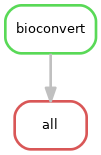
Parallelise bioconvert conversions across a set of files
- Input:
Any file format supported by bioconvert (FastQ, BAM, FASTA, VCF, …)
- Output:
Converted files in the target format, MD5 checksums, and an HTML summary report
- Status:
Production
- Citation:
Cokelaer et al, (2017), ‘Sequana’: a Set of Snakemake NGS pipelines, Journal of Open Source Software, 2(16), 352, doi:10.21105/joss.00352
Installation
pip install sequana-bioconvert
To upgrade an existing installation:
pip install sequana-bioconvert --upgrade
Install all dependencies via conda/mamba:
mamba env create -f environment.yml
Quick Start
Step 1 — prepare the working directory
Convert all fastq.gz files in a directory to fasta.gz:
sequana_bioconvert \
    --input-directory /path/to/data \
    --input-ext fastq.gz \
    --output-ext fasta.gz \
    --command fastq2fasta
This creates a bioconvert/ working directory with config.yaml and a bioconvert.sh launch script.
Step 2 — run the pipeline:
cd bioconvert
sh bioconvert.sh
Results are written to the output/ subdirectory. An HTML summary report is generated on completion.
Usage
sequana_bioconvert --help
Key options:
--input-directory — directory containing the input files (required)
--input-ext — extension of input files, e.g. fastq.gz (required)
--output-ext — extension of output files, e.g. fasta.gz (required)
- --command — bioconvert conversion command, e.g. fastq2fasta (required);
run bioconvert --help for the full list
- --input-pattern — prefix glob to restrict which files are picked up (default: *);
e.g. sample_* to process only files starting with sample_
- --method — override the default conversion method;
run bioconvert COMMAND --show-methods to list valid methods
Usage with apptainer
All external tools are available through a pre-built apptainer image. To use it, add --use-apptainer when initialising the pipeline:
sequana_bioconvert \
    --input-directory /path/to/data \
    --input-ext fastq.gz \
    --output-ext fasta.gz \
    --command fastq2fasta \
    --use-apptainer \
    --apptainer-prefix ~/.sequana/apptainers
Then run as usual:
cd bioconvert
sh bioconvert.sh
Requirements
bioconvert ≥ 1.1.0 — the underlying conversion tool
graphviz — for pipeline DAG rendering (available via apptainer)
Install dependencies via conda/mamba:
mamba env create -f environment.yml
Rules and configuration details
The latest configuration file is available at: config.yaml
Each rule used in the pipeline has a corresponding section in config.yaml.
Changelog
Version |
Description |
|---|---|
1.2.0 |
|
1.1.0 |
|
1.0.0 |
Uses bioconvert 1.0.0 |
0.10.0 |
Add container |
0.9.0 |
Version using new sequana/sequana_pipetools framework |
0.8.1 |
Working version |
0.8.0 |
First release |
Contribute & Code of Conduct
To contribute to this project, please take a look at the Contributing Guidelines first. Please note that this project is released with a Code of Conduct. By contributing to this project, you agree to abide by its terms.


Download files
Download the file for your platform. If you're not sure which to choose, learn more about installing packages.
Source Distribution
Built Distribution
Filter files by name, interpreter, ABI, and platform.
If you're not sure about the file name format, learn more about wheel file names.
Copy a direct link to the current filters
File details
Details for the file sequana_bioconvert-1.2.0.tar.gz.
File metadata
- Download URL: sequana_bioconvert-1.2.0.tar.gz
- Upload date:
- Size: 117.6 kB
- Tags: Source
- Uploaded using Trusted Publishing? No
- Uploaded via: poetry/2.0.1 CPython/3.10.14 Linux/6.14.5-100.fc40.x86_64
File hashes
| Algorithm | Hash digest | |
|---|---|---|
| SHA256 |
0faf5788cdbfce892b633052b7de8d9265f8aacedf86a854a230877352068bce
|
|
| MD5 |
04dfb7d8050da9ecb0608cc6fdcd54f1
|
|
| BLAKE2b-256 |
b85c5247efd4143800112cfd94b175dc22ceaaa4533c9195f2529fc42e02ea02
|
File details
Details for the file sequana_bioconvert-1.2.0-py3-none-any.whl.
File metadata
- Download URL: sequana_bioconvert-1.2.0-py3-none-any.whl
- Upload date:
- Size: 117.0 kB
- Tags: Python 3
- Uploaded using Trusted Publishing? No
- Uploaded via: poetry/2.0.1 CPython/3.10.14 Linux/6.14.5-100.fc40.x86_64
File hashes
| Algorithm | Hash digest | |
|---|---|---|
| SHA256 |
e428bd04d59419f75707ef7534a7540fcc2119ba48a0aff2525717232e4df794
|
|
| MD5 |
95400074e1f5eaa1337112fc4f427a04
|
|
| BLAKE2b-256 |
2a8ae5900ffd13f46cbb494bc2862081d7a73e59966182e9827459514793c7e9
|






