
Python GUI for gds2palace
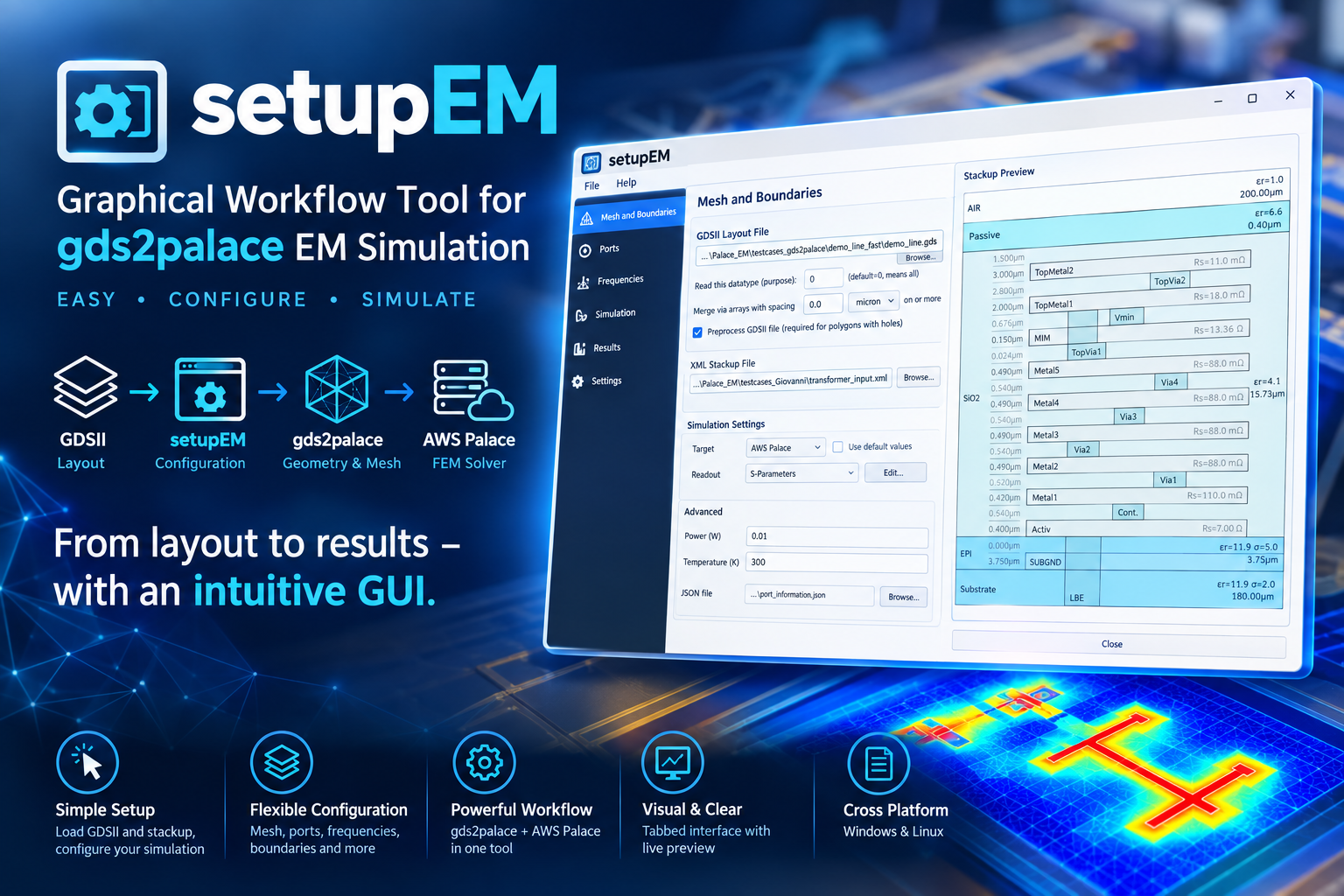
Install
pip install setupEM
Full documentation, installation guide, and usage walkthrough: https://github.com/VolkerMuehlhaus/setupEM
Recent changes
What's New - September 30, 2026
The Adaptive mesh refinement (AMR) group on the Mesh and Boundaries tab is now called Solver & Adaptive Mesh Refinement (AMR) and has a new Palace linear solver setting, shown with Show advanced configuration = Yes.
Complex coarse solve (default Yes for every model, set in Preferences > Palace) lets Palace's direct coarse solver factorize the full complex system instead of only its real part. With No (Palace's own default), some models don't converge at some frequencies and get wrong S-parameters there: a D-band line failed at 170 GHz, and an inductor failed at 2.4 GHz with 1.1 nH instead of 2.5 nH, while it converged at 0.1 and 10 GHz. With Yes both converged in 1-31 iterations and ran 3.5-6x faster. Models that already converge give identical results in about the same or less time. The cost is peak RAM, depending on the model 1.0-1.6x at order 2 and 1.5-1.9x at order 1; the AMR RAM estimate includes this.
Maximum solver iterations (400) and Solver tolerance (1e-6) can now be changed too, in Preferences > Palace. These settings require gds2palace v0.8.0 or later and are hidden with an older version. setupEM module installation now requires gds2palace v0.8.0 or later, which also restores the dielectric loss tangent in Palace models that had been deleted by mistake.
Conformal AMR (experimental) is a new advanced setting in the Solver & Adaptive Mesh Refinement (AMR) group (default No, set in Preferences > Palace). With AMR iterations > 0, it switches Palace from its default nonconformal (hanging-node) mesh refinement to conformal refinement (gds2palace settings['adaptive_mesh_conformal']). In the test cases so far it converged in fewer AMR iterations (D-band balun: 2 iterations instead of 4, in half the time), but the mesh cell count grows faster per iteration.
setupEM now warns when Palace's linear solver does not converge: Palace carries on and writes S-parameters for that frequency anyway, but they are unreliable. Each case gets a ⚠ warning in the Log panel with its frequency, and all of them are listed again at the end of the run.
What's New - September 29, 2026
The built-in 3D field viewer now shows frequencies instead of bare numbers: the Cycle picker of a multi-frequency Palace field dump lists e.g. "6 GHz (cycle 1)", and Palace's extra error-indicator dump is listed as "geometry" right away. For Elmer (EM), each result file in the Result File picker shows its frequency, e.g. "fields_t0002.vtu - 7.5 GHz". The cycle number is kept in the label, so it still matches field_viewer.py --cycle <N>.
What's New - September 26, 2026
Result Viewer: new frequency Marker that reads out all curves at the same frequency, shown on the plots and in a table below. Set it by clicking a plot, typing a frequency or using the Left/Right arrow keys; right-click a plot to jump to the (next) min/max.
The AMR maximum DOF setting now shows an estimate of the RAM that Palace will need at that mesh size, both on the Mesh tab and in Preferences > Palace. The estimate is based on existing Palace results (about 12 GB per million DOF, up to 15 GB). On the Mesh tab, it turns into a warning when the worst case exceeds the "Stop Palace if memory exceeds" limit.
Stackup Preview: three or more layers at the same height (e.g. resistor sheets on top of Activ) are now drawn side by side instead of on top of each other, via labels sit near the upper end of the via, and sheet resistance labels show the correct unit (e.g. RHIGH: Rs=1360 Ω, was shown as 1360000 mΩ).
The bundled stackup files now include the latest parameterized gds2palace stackups for EM and thermal simulation: SG13G2_FEM_200um.xml, SG13G2_FEM_200um_passi3D.xml (conformal passivation around TopMetal2) and SG13CMOS5L_200um.xml. Chip and air height can be changed with the Override stackup Variables table. The previous SG13G2_100um.xml, SG13G2_200um.xml and SG13G2_nosub.xml are still included, so existing models keep working.
What's New - September 25, 2026
Added a Correction for via array cross section option on the Input Files tab, below via array merging, in setupEM (Palace and Elmer) and setupThermal. Merging fills the gaps between vias with via material, which overestimates the conductivity of a via array; when enabled, the conductivity of each merged via polygon (heat conductivity for thermal models) is multiplied by its fill factor (original via area / merged polygon area). This option requires gds2palace v0.7.0 or later and is hidden with an older version, which would silently ignore it.
What's New - September 22-24, 2026
Added a Conductor meshing option (Palace only) on the Mesh and Boundaries tab: Surface impedance (default, as before) or Solve inside (volume mesh), which models conductors as solid bulk-conductivity volumes instead - more accurate at low frequency, at the cost of more RAM/simulation time and reduced accuracy at higher frequencies. This option requires gds2palace v0.6.0 or later, earlier version silently ignore this setting.
Better display in Stackup Preview's for metals/vias that push outside their base dieelectric.
Palace's real memory usage is now measured directly from the running solver process(es) instead of parsed from its own log output, which could be inaccurate - this also makes the "Stop Palace if memory exceeds" kill switch more reliable.
The built-in 3D field viewer can now switch between the results of a multi-frequency Palace field-dump ("fdump") run: a new Cycle picker appears whenever the loaded result file has more than one solved frequency, and field_viewer.py --cycle <N> selects one from the command line. Previously the viewer could only ever show one fixed cycle of such a file, with no way to see the others.
Added File > New, which resets setupEM/setupThermal to the same blank state as a freshly started application - useful for starting a new model without restarting the app.
Full history: CHANGES.md
Note: the setupEM PyPI package itself requires:
- gds2palace>=0.7.0
- gds_prepare_for_EM>=1.2.0
- PySide6
- shiboken6
- scipy
- requests
- scikit-rf
- matplotlib
- numpy
- gdspy
- meshio
- pyvista
- pyvistaqt
(Other Python modules mentioned above are only needed to run standalone helper scripts in this repository, not to use the installed package.)
1 maintainer

Metadata
1 maintainer
Release files for setupEM 0.10.2
For a detailed explanation of source distributions (sdists) and built distributions (wheels), please see the package formats documentation.
Source distribution (sdist)
| File | Size | Uploaded | |
|---|---|---|---|
| setupem-0.10.2.tar.gz | 328.9 kB | Details |
Built distribution (wheel)
| File | Interpreter | ABI | Platform | Reset |
|---|---|---|---|---|
| setupem-0.10.2-py3-none-any.whl | Python 3 | none | any | Details |
Total release size: 661.6 kB
Release files / setupem-0.10.2.tar.gz
| Download URL | setupem-0.10.2.tar.gz |
|---|---|
| Size | 328.9 kB |
| Tags | Source |
|
SHA-256 checksum How to use checksums |
d807e210161270ff5415685be3c34d49d0e531e51a0b06a663ed14080ab43f29
|
|
BLAKE2b-256 checksum How to use checksums |
7cc719d0ce27dd7867b2a667ce8c01ac7856534247d5b3159480bc42f3c45c7e
|
| Upload date | |
|
Uploaded using Trusted Publishing? What is trusted publishing? |
No |
| Uploaded via |
twine/7.0.0 CPython/3.13.14
|
Release files / setupem-0.10.2-py3-none-any.whl
| Download URL | setupem-0.10.2-py3-none-any.whl |
|---|---|
| Size | 332.8 kB |
| Tags | Python 3 |
|
SHA-256 checksum How to use checksums |
30ad79363567d29eacc2d33d6319aa5bab5b48c8b123b46b3b9b9c3d10f022dd
|
|
BLAKE2b-256 checksum How to use checksums |
5464f43c6dc5e598070103c69757e5f9721d87a2e657ff3bd40c0fb0da02f22f
|
| Upload date | |
|
Uploaded using Trusted Publishing? What is trusted publishing? |
No |
| Uploaded via |
twine/7.0.0 CPython/3.13.14
|














