
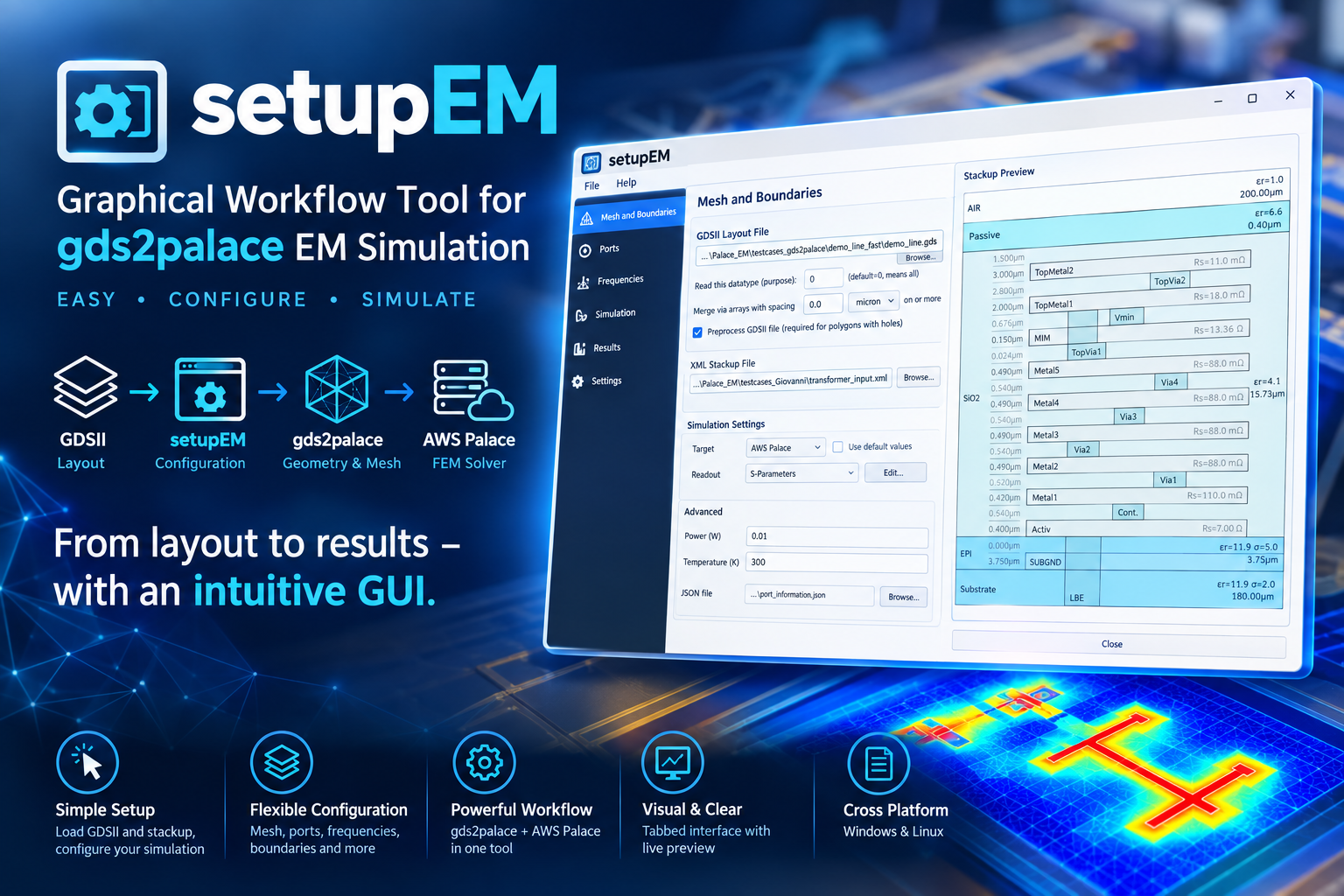
Python GUI for gds2palace
Install
pip install setupEM
Full documentation, installation guide, and usage walkthrough: https://github.com/VolkerMuehlhaus/setupEM
Recent changes
What's New - October 7, 2026
Layout Preview: the bottom bar now shows the live cursor position (X/Y in um, GDS orientation). Press M to measure distances: click the start point, move the mouse to see the live distance, dx and dy, click the end point to fix it. The next click starts a new measurement, M or Esc leaves measure mode. Dragging still pans while measuring. The mouse pointer is now an arrow (a crosshair in measure mode) instead of a hand while no button is pressed, so the position is easier to identify.
3D Field Viewer: new Scaled checkbox next to Show arrows. When on, arrow length and color follow the field value, using the same colormap, linear or log scale, and Min/Max (or dB Range) as the legend. Arrows below the lower limit are hidden; the smallest visible arrow is never shorter than 15% of the longest. The arrow color swatch is not used while Scaled is on. The command line field viewer has a matching --arrows-scaled option.
What's New - October 5, 2026
Import Model (*.py) with several GDS purposes (datatypes), e.g. settings['purpose'] = [0, 35, 4], now works: the purpose field shows "0, 35, 4" and the model uses all three. Before, the field showed "(0, 35, 4)" and no datatype matched, so the layout preview and the model had no polygons on any layer. Models with a single purpose were not affected. A single number in the script (settings['purpose'] = 0) is now also read as [0].
What's New - October 2, 2026
3D Field Viewer: with Log color scale, a Range dropdown (-10, -20 ... -70 dB below Max) replaces the Min field; the default is -70 dB. dB means 20·log10 for E and B fields and 10·log10 for power-like arrays such as S or the energy densities. Switching to another result file or cycle now keeps the selected field (if the new data has it; a field you picked comes back as soon as it is available again) and keeps the camera view, zoom and clip position if the new mesh has the same bounding box, e.g. another AMR iteration or the matching "boundary" file. Only a file with different bounds resets the view.
Tools > Simplify GDS... has a new step Merge via arrays (default off), with a merge distance (default: the via array merge distance from Preferences). Vias closer than this distance are merged into one shape, but only if they connect the same metal shapes above and below, so merging never shorts different metal shapes. The via layers and the metal layers above and below them come from the loaded XML stackup. Vias without metal above or below are kept unchanged. Merged vias in the file are treated as solid metal in the model: fill factor correction needs the original vias, which are then no longer in the file. For accurate via resistance, merge vias in the model instead (via array merge distance > 0 with fill factor correction). gds2palace prints a note when fill factor correction is on and the vias in the file seem to be merged already. Requires gds_prepare_for_EM v1.3.0 or later.
The via array merging of the models themselves (gds2palace merge_polygon_size) no longer shorts different metal shapes either, with gds2palace v0.8.1 or later.
Full history: CHANGES.md
Note: the setupEM PyPI package itself requires:
- gds2palace>=0.8.0
- gds_prepare_for_EM>=1.3.0
- PySide6
- shiboken6
- scipy
- requests
- scikit-rf
- matplotlib
- numpy
- gdspy
- meshio
- pyvista
- pyvistaqt
(Other Python modules mentioned above are only needed to run standalone helper scripts in this repository, not to use the installed package.)
1 maintainer

Metadata
1 maintainer
Release files for setupEM 0.12.0
For a detailed explanation of source distributions (sdists) and built distributions (wheels), please see the package formats documentation.
Source distribution (sdist)
| File | Size | Uploaded | |
|---|---|---|---|
| setupem-0.12.0.tar.gz | 332.5 kB | Details |
Built distribution (wheel)
| File | Interpreter | ABI | Platform | Reset |
|---|---|---|---|---|
| setupem-0.12.0-py3-none-any.whl | Python 3 | none | any | Details |
Total release size: 670.6 kB
Release files / setupem-0.12.0.tar.gz
| Download URL | setupem-0.12.0.tar.gz |
|---|---|
| Size | 332.5 kB |
| Tags | Source |
|
SHA-256 checksum How to use checksums |
07a90ab83c9ce03fff38e9f582cc4fdd297271e080fc4c6548fdc74a4477fe84
|
|
BLAKE2b-256 checksum How to use checksums |
2d62ce6076ffbd4f0ef6a4badc5ca8c62c9bac3367a348662968f46439e1dd07
|
| Upload date | |
|
Uploaded using Trusted Publishing? What is trusted publishing? |
No |
| Uploaded via |
twine/7.0.0 CPython/3.13.14
|
Release files / setupem-0.12.0-py3-none-any.whl
| Download URL | setupem-0.12.0-py3-none-any.whl |
|---|---|
| Size | 338.1 kB |
| Tags | Python 3 |
|
SHA-256 checksum How to use checksums |
ad4ee593506dd9d71285056bfb80d4c5ad4c50137b4fe1d2e71ef6f74343e812
|
|
BLAKE2b-256 checksum How to use checksums |
e07cf3af14dbcca52664a559349f1cae6ea17338faec2cbedf60d71676feb2b2
|
| Upload date | |
|
Uploaded using Trusted Publishing? What is trusted publishing? |
No |
| Uploaded via |
twine/7.0.0 CPython/3.13.14
|














