
Python GUI for gds2palace
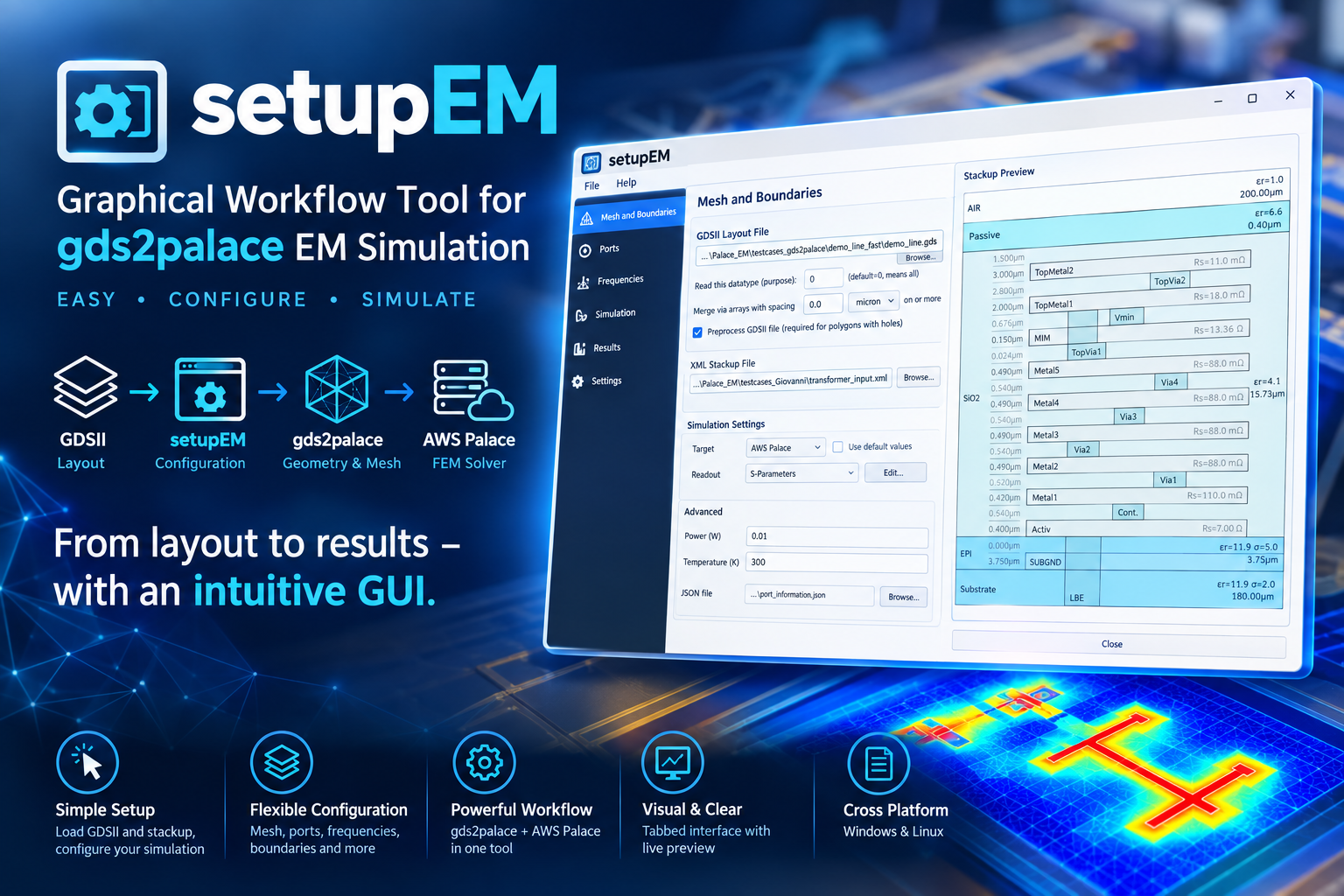
Install
pip install setupEM
Full documentation, installation guide, and usage walkthrough: https://github.com/VolkerMuehlhaus/setupEM
Recent changes
What's New - October 16, 2026
Boundary conditions per side: Advanced... next to Boundary conditions on the Mesh and Boundaries tab opens a table with the six sides of the simulation box. Each side can have its own boundary condition (Absorbing, PEC or PMC) and air layer thickness; a blank entry uses the value from the tab. For example, PEC at zmin with 0 µm air models a backside ground plane at the box boundary. This replaces the "same on all sides / different per side" choice for the air layer, which now lives in the same table.
Loading a model with different boundary conditions per side no longer changes it to one condition for all sides: before, a single PEC side turned all six sides into PEC.
Stackup Editor: while the stackup has errors, the cross-section preview can't be redrawn and keeps the last valid drawing. It is now marked as not up to date: dimmed, crossed by a thin red line, with a banner above it. Show errors in the banner opens the editor's XML Preview tab, which lists the errors. The status line now points there too, instead of to Save.
What's New - October 12, 2026
3D Field Viewer: value markers. Check Probe in the View box (or press P), then click the model to place a numbered marker with the field value at that exact point. Clicking works from any angle, on the full model, the clipped solid, its cut face or the 2D plane only section; dragging still rotates. Markers are drawn on top of the model, so a marker on a buried body stays visible. A Markers list opens beside the view with the marker number, value and x / y / z in µm, plus Remove, Clear and Copy (tab-separated, for spreadsheets). For Elmer thermal temperatures, a dropdown switches the list and labels between K, °C and ΔT (rise above the lowest temperature in the model, in K). Right-click the model for Jump to Maximum in Cut Plane (with the clip plane on), Jump to Maximum on Surface of Body N (the outer surface of the body you clicked, e.g. the chip; results without body IDs use the whole shown surface), Add Marker Here, Remove Marker N and Clear Markers. Markers are updated when you change the field, result file or cycle; markers outside the new model are removed. Ported from EMStudio's field viewer.
3D Field Viewer: keys. With the 3D view focused: R / F / Home reset camera, I isometric, X / Y / Z axis views (Shift: negative side), + / − zoom, arrow keys pan, O parallel projection, M find max., A arrows on/off, P probe, PgUp / PgDn move the clip plane. VTK's own letter keys (e.g. w wireframe, 3 stereo, q / e which stopped the interactor) no longer do anything. The right-click menu now opens only on a click: a right-drag zooms without the menu popping up afterwards.
3D Field Viewer: the Cycle picker of a Palace field dump showed Palace's extra AMR error-indicator cycle as a frequency, e.g. "999 GHz (cycle 2)". It is now listed as "error indicator (cycle 2)". This happened when that cycle stores its Indicator/Rank values as point data. Dumps that store them as cell data were already listed as "geometry".
3D Field Viewer: running field_viewer.py / fieldViewer standalone with a window failed in Python environments that also have PyQt5 installed. Fixed.
Port de-embedding in scripts/combine_extend_snp.py fixed (the _deembedded.sNp and _dc_deembedded.sNp files): the negative inductance of all ports was put in series at port 1, and the other ports were not de-embedded. For a 3-port, port 1 got the sum of all three values. Now each port gets the value for its own port number; a port without geometry data in port_information.json is not de-embedded. The raw .sNp and the _dc.sNp files were not affected. Please run combine_snp again to create the de-embedded files again. The same bug was fixed in gds2palace, where Gianluca Simone and David Lurz (FAU) found it.
What's New - October 8, 2026
Loading the wrong kind of model: setupEM and setupThermal now tell you when a file belongs to the other app. A *.simcfg file opened in setupThermal or a *.tsimcfg file opened in setupEM shows a message naming the app to use instead. An imported *.py model script that is a thermal model (create_elmer_thermal, heat sources) in setupEM, or an EM model (create_palace/create_elmer, ports) in setupThermal, asks for confirmation first; the default is not to import.
Full history: CHANGES.md
Note: the setupEM PyPI package itself requires:
- gds2palace>=0.8.0
- gds_prepare_for_EM>=1.3.0
- PySide6
- shiboken6
- scipy
- requests
- scikit-rf
- matplotlib
- numpy
- gdspy
- meshio
- pyvista
- pyvistaqt
(Other Python modules mentioned above are only needed to run standalone helper scripts in this repository, not to use the installed package.)
1 maintainer

Metadata
1 maintainer
Release files for setupEM 0.13.1
For a detailed explanation of source distributions (sdists) and built distributions (wheels), please see the package formats documentation.
Source distribution (sdist)
| File | Size | Uploaded | |
|---|---|---|---|
| setupem-0.13.1.tar.gz | 347.1 kB | Details |
Built distribution (wheel)
| File | Interpreter | ABI | Platform | Reset |
|---|---|---|---|---|
| setupem-0.13.1-py3-none-any.whl | Python 3 | none | any | Details |
Total release size: 698.4 kB
Release files / setupem-0.13.1.tar.gz
| Download URL | setupem-0.13.1.tar.gz |
|---|---|
| Size | 347.1 kB |
| Tags | Source |
|
SHA-256 checksum How to use checksums |
03d1a71ba8fe0323ea48b98de964bec815fb833cc42dc972523c4f737cea2c15
|
|
BLAKE2b-256 checksum How to use checksums |
35440a8afa3d7daaa6cd89d34fa40c0dd3d68da9a72b33250d7f5e6855b4d38e
|
| Upload date | |
|
Uploaded using Trusted Publishing? What is trusted publishing? |
No |
| Uploaded via |
twine/7.0.0 CPython/3.13.14
|
Release files / setupem-0.13.1-py3-none-any.whl
| Download URL | setupem-0.13.1-py3-none-any.whl |
|---|---|
| Size | 351.3 kB |
| Tags | Python 3 |
|
SHA-256 checksum How to use checksums |
2fe2f236ec724da4b2fceea6cfebac5fd02f0c9df8da385970f5095272e65b81
|
|
BLAKE2b-256 checksum How to use checksums |
51ba03800702d925e33c302329d1715cc09ffa5fa65746daf2951a2dd5405d34
|
| Upload date | |
|
Uploaded using Trusted Publishing? What is trusted publishing? |
No |
| Uploaded via |
twine/7.0.0 CPython/3.13.14
|














