
Use Shufflepy to control Shuffle and Singul

Project description
Shufflepy (and Singul for Python)
Connect to your favorite services with a Singul line of code.
This documentation will help you get started with Singul, understand its capabilities, and integrate it into your workflows easily. Whether you're a developer, a security analyst, or an automation engineer — Singul is built for you.
Singul is an API handler that allows you to get or update data in tools like Jira, Outlook, Gmail, Service Now, and more - with a single line of code.
Usage
Sample functions below. If none of these match, try to use the shuffle.connect() function to run ANYTHING. By default returns the matching translation standard if available, otherwise the raw output.
from shufflepy import Singul

# If you want to use REMOTE singul (shuffler.io / open source Shuffle)
singul = Singul(
	"APIKEY",
	url='https://shuffler.io',
)

singul.cases.create_ticket("jira", title="Title")
singul.communication.send_message("slack", message="Test")
singul.communication.send_message("teams", message="Test")
tickets = singul.cases.list_tickets("jira")


# If you want to run it 100% locally
resp = singul.run("jira", action="list_tickets")
Normal App run control:
singul.run_app(app_id="bc78f35c6c6351b07a09b7aed5d29652", action="repeat_back_to_me", params={"call": "The value to repeat"})
Manual:
# General connect
resp = singul.cases.list_tickets(
	app="jira",
	org_id=os.environ.get("SHUFFLE_ORG_ID"),
	fields=[{
		"key": "max-amount",
		"value": "10"
	}]
)

### Common Use Cases

# General transformer - Transforms from any data into a standard, e.g. "list_tickets"
sourcedata = [{"title": "Tickettitle", "id": "hiya"}]
tickets = singul.transform(sourcedata, "list_tickets") # (coming soon)

* Send emails using **Outlook or Gmail**
* Fetch and manage tickets from **Jira, GitHub, or TheHive**
* Pull alerts from **SIEM or SOAR platforms**
* Automate security investigations
* Trigger workflow actions across tools
* Build lightweight automation using simple APIs

Basic output for `list_tickets`:
```json
[{
  "id": "P-123",
  "title": "Ticket 1"
},
{
  "id": "P-124",
  "title": "Ticket 2"
}]
See default standards - Standards are modifiable, and you will see your own standards on the File page in Shuffle.
Exploring usage
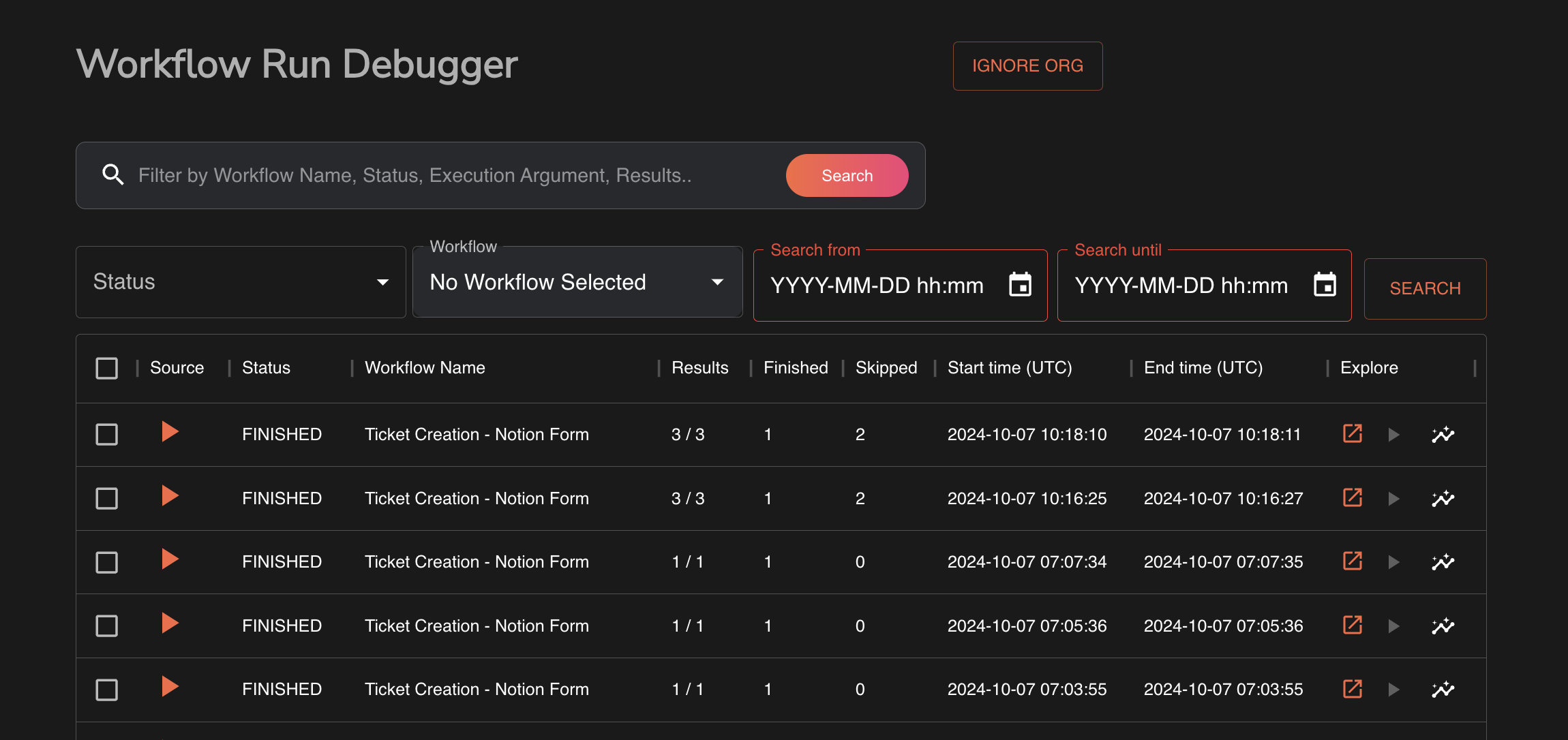
To look through past executions, see the execution debugger available on /workflows/debug
Available Apps & categories
Local testing
cd build_singul
cp -r ../shufflepy singul
python3 -m pip install -e . --break-system-packages

# You can now import the library locally :)
Release history Release notifications | RSS feed


Download files
Download the file for your platform. If you're not sure which to choose, learn more about installing packages.
Source Distribution
Built Distribution
Filter files by name, interpreter, ABI, and platform.
If you're not sure about the file name format, learn more about wheel file names.
Copy a direct link to the current filters
File details
Details for the file shufflepy-0.1.7.tar.gz.
File metadata
- Download URL: shufflepy-0.1.7.tar.gz
- Upload date:
- Size: 11.9 kB
- Tags: Source
- Uploaded using Trusted Publishing? No
- Uploaded via: twine/6.0.1 CPython/3.10.10
File hashes
| Algorithm | Hash digest | |
|---|---|---|
| SHA256 |
834a1fbdd92c36145141d748f0dc52619deab2d57a1e542e26ff6a275b65f535
|
|
| MD5 |
a6b27747a9835241b88278fe75207936
|
|
| BLAKE2b-256 |
4667ca349cd61090c453f22a279eae3f75b29387b89db261e54b3f0920a12a34
|
File details
Details for the file shufflepy-0.1.7-py3-none-any.whl.
File metadata
- Download URL: shufflepy-0.1.7-py3-none-any.whl
- Upload date:
- Size: 13.9 kB
- Tags: Python 3
- Uploaded using Trusted Publishing? No
- Uploaded via: twine/6.0.1 CPython/3.10.10
File hashes
| Algorithm | Hash digest | |
|---|---|---|
| SHA256 |
68d4d6e0a9c5de99934a76202cff42155ab4c145ad4d17c7d77a402886b3f3ff
|
|
| MD5 |
10f9b5a0daf3c5b1c5919e76b782236f
|
|
| BLAKE2b-256 |
75e893d0462cf8b8783df3ddfab745fa0613202beeb73e856ea1762078a07fc0
|






