
This release is a pre-release and may not be stable for production use.





Run AI on Any Infra — Unified, Faster, Cheaper
🔥 News 🔥
- [Aug 2025] Serve and finetune OpenAI GPT-OSS models (gpt-oss-120b, gpt-oss-20b) with one command on any infra: serve + LoRA and full finetuning
- [Jul 2025] Run distributed RL training for LLMs with Verl (PPO, GRPO) on any cloud: example
- [Jul 2025] 🎉 SkyPilot v0.10.0 released! blog post, release notes
- [Jul 2025] Finetune Llama4 on any distributed cluster/cloud: example
- [Jul 2025] Two-part blog series,
The Evolution of AI Job Orchestration: (1) Running AI jobs on GPU Neoclouds, (2) The AI-Native Control Plane & Orchestration that Finally Works for ML - [Apr 2025] Spin up Qwen3 on your cluster/cloud: example
- [Mar 2025] Run and serve Google Gemma 3 using SkyPilot example
- [Feb 2025] Prepare and serve Retrieval Augmented Generation (RAG) with DeepSeek-R1: blog post, example
- [Feb 2025] Run and serve DeepSeek-R1 671B using SkyPilot and SGLang with high throughput: example
- [Feb 2025] Prepare and serve large-scale image search with vector databases: blog post, example
- [Jan 2025] Launch and serve distilled models from DeepSeek-R1 and Janus on Kubernetes or any cloud: R1 example and Janus example
- [Oct 2024] 🎉 SkyPilot crossed 1M+ downloads 🎉: Thank you to our community! Twitter/X
LLM Finetuning Cookbooks: Finetuning Llama 2 / Llama 3.1 in your own cloud environment, privately: Llama 2 example and blog; Llama 3.1 example and blog
SkyPilot is an open-source system for running AI and batch workloads on any infra.
SkyPilot is easy to use for AI users:
- Quickly spin up jobs on your own infra
- Environment and job as code — simple and portable
- Easy management: queue, run, and auto-recover many jobs
SkyPilot makes Kubernetes easy for AI teams:
- Slurm-like ease of use, cloud-native robustness
- Local dev experience on K8s: SSH into pods, sync code, or connect IDE
- Turbocharge your clusters: gang scheduling, multi-cluster, and scaling
SkyPilot unifies multiple clusters, clouds, and hardware:
- One interface to use reserved GPUs, Kubernetes clusters, or 16+ clouds
- Flexible provisioning of GPUs, TPUs, CPUs, with auto-retry
- Team deployment and resource sharing
SkyPilot cuts your cloud costs & maximizes GPU availability:
- Autostop: automatic cleanup of idle resources
- Spot instance support: 3-6x cost savings, with preemption auto-recovery
- Intelligent scheduling: automatically run on the cheapest & most available infra
SkyPilot supports your existing GPU, TPU, and CPU workloads, with no code changes.
Install with pip:
# Choose your clouds:
pip install -U "skypilot[kubernetes,aws,gcp,azure,oci,lambda,runpod,fluidstack,paperspace,cudo,ibm,scp,nebius]"
To get the latest features and fixes, use the nightly build or install from source:
# Choose your clouds:
pip install "skypilot-nightly[kubernetes,aws,gcp,azure,oci,lambda,runpod,fluidstack,paperspace,cudo,ibm,scp,nebius]"

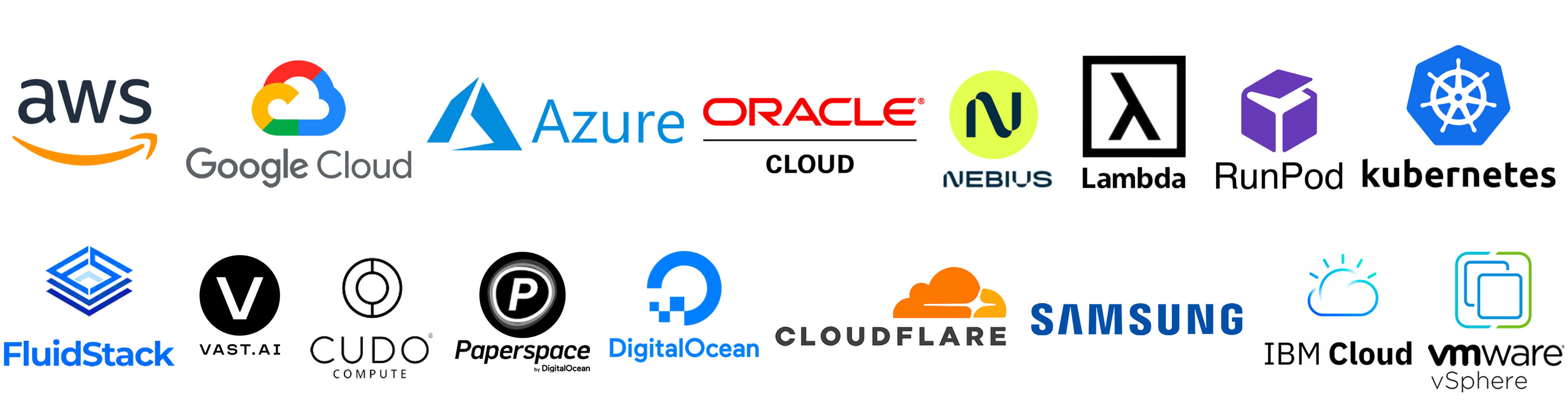
Current supported infra: Kubernetes, AWS, GCP, Azure, OCI, Lambda Cloud, Fluidstack, RunPod, Cudo, Digital Ocean, Paperspace, Cloudflare, Samsung, IBM, Vast.ai, VMware vSphere, Nebius.
Getting started
You can find our documentation here.
SkyPilot in 1 minute
A SkyPilot task specifies: resource requirements, data to be synced, setup commands, and the task commands.
Once written in this unified interface (YAML or Python API), the task can be launched on any available infra (Kubernetes, cloud, etc.). This avoids vendor lock-in, and allows easily moving jobs to a different provider.
Paste the following into a file my_task.yaml:
resources:
  accelerators: A100:8  # 8x NVIDIA A100 GPU

num_nodes: 1  # Number of VMs to launch

# Working directory (optional) containing the project codebase.
# Its contents are synced to ~/sky_workdir/ on the cluster.
workdir: ~/torch_examples

# Commands to be run before executing the job.
# Typical use: pip install -r requirements.txt, git clone, etc.
setup: |
  cd mnist
  pip install -r requirements.txt

# Commands to run as a job.
# Typical use: launch the main program.
run: |
  cd mnist
  python main.py --epochs 1
Prepare the workdir by cloning:
git clone https://github.com/pytorch/examples.git ~/torch_examples
Launch with sky launch (note: access to GPU instances is needed for this example):
sky launch my_task.yaml
SkyPilot then performs the heavy-lifting for you, including:
- Find the cheapest & available infra across your clusters or clouds
- Provision the GPUs (pods or VMs), with auto-failover if the infra returned capacity errors
- Sync your local
workdirto the provisioned cluster - Auto-install dependencies by running the task's
setupcommands - Run the task's
runcommands, and stream logs
See Quickstart to get started with SkyPilot.
Runnable examples
See SkyPilot examples that cover: development, training, serving, LLM models, AI apps, and common frameworks.
Latest featured examples:
| Task | Examples |
|---|---|
| Training | Verl, Finetune Llama 4, PyTorch, DeepSpeed, NeMo, Ray, Unsloth, Jax/TPU |
| Serving | vLLM, SGLang, Ollama |
| Models | DeepSeek-R1, Llama 4, Llama 3, CodeLlama, Qwen, Kimi-K2, Mixtral |
| AI apps | RAG, vector databases (ChromaDB, CLIP) |
| Common frameworks | Airflow, Jupyter |
Source files can be found in llm/ and examples/.
More information
To learn more, see SkyPilot Overview, SkyPilot docs, and SkyPilot blog.
Case studies and integrations: Community Spotlights
Follow updates:
Read the research:
- SkyPilot paper and talk (NSDI 2023)
- Sky Computing whitepaper
- Sky Computing vision paper (HotOS 2021)
- SkyServe: AI serving across regions and clouds (EuroSys 2025)
- Managed jobs spot instance policy (NSDI 2024)
SkyPilot was initially started at the Sky Computing Lab at UC Berkeley and has since gained many industry contributors. To read about the project's origin and vision, see Concept: Sky Computing.
Questions and feedback
We are excited to hear your feedback:
- For issues and feature requests, please open a GitHub issue.
- For questions, please use GitHub Discussions.
For general discussions, join us on the SkyPilot Slack.
Contributing
We welcome all contributions to the project! See CONTRIBUTING for how to get involved.
3 maintainers


Metadata
3 maintainers
Release files for skypilot-nightly 1.0.0.dev20250817
For a detailed explanation of source distributions (sdists) and built distributions (wheels), please see the package formats documentation.
Source distribution (sdist)
| File | Size | Uploaded | |
|---|---|---|---|
| skypilot_nightly-1.0.0.dev20250817.tar.gz | 2.4 MB | Details |
Built distribution (wheel)
| File | Interpreter | ABI | Platform | Reset |
|---|---|---|---|---|
| skypilot_nightly-1.0.0.dev20250817-py3-none-any.whl | Python 3 | none | any | Details |
Total release size: 5.1 MB
Release files / skypilot_nightly-1.0.0.dev20250817.tar.gz
| Download URL | skypilot_nightly-1.0.0.dev20250817.tar.gz |
|---|---|
| Size | 2.4 MB |
| Tags | Source |
|
SHA-256 checksum How to use checksums |
241712df95141db2450b7fef9ddeb28095e452582cb4c7a6e7d31957d8ec612c
|
|
BLAKE2b-256 checksum How to use checksums |
80d6eee11c443e90fd008becd091131c19a098dba3f47722bc82a14aec4f883c
|
| Upload date | |
|
Uploaded using Trusted Publishing? What is trusted publishing? |
No |
| Uploaded via |
twine/6.1.0 CPython/3.12.9
|
Release files / skypilot_nightly-1.0.0.dev20250817-py3-none-any.whl
| Download URL | skypilot_nightly-1.0.0.dev20250817-py3-none-any.whl |
|---|---|
| Size | 2.7 MB |
| Tags | Python 3 |
|
SHA-256 checksum How to use checksums |
1db2daa4cd7f5ab4078359155100b646ec912af2afd0d0a7f3c89c36cd25167b
|
|
BLAKE2b-256 checksum How to use checksums |
8eccd503d228933aba04a125b7fe2557f72d25608259e1e4a3c5998076fb6731
|
| Upload date | |
|
Uploaded using Trusted Publishing? What is trusted publishing? |
No |
| Uploaded via |
twine/6.1.0 CPython/3.12.9
|














