
This release is a pre-release and may not be stable for production use.





Manage all your AI compute
SkyPilot is a system to run, manage, and scale AI workloads on any AI infrastructure.
SkyPilot gives AI teams a simple interface to run jobs on any infra. Infra teams get a unified control plane to manage any AI compute — with advanced scheduling, scaling, and orchestration.

:fire: News :fire:
- [Jun 2026] Announcing SkyPilot Sandboxes: run untrusted, LLM-generated code on the Kubernetes clusters you already own. Learn more, join early access
- [May 2026] How Multiverse doubled their GPU utilization with SkyPilot: case study
- [Apr 2026] Introducing GPU Compass: One dashboard to browse, compare pricing, and launch across every GPU cloud. Try it at gpus.skypilot.co.
- [Apr 2026] Research-Driven Agents: Agents read arxiv papers before coding, landed 5 llama.cpp kernel fusions and +15% faster flash attention in ~3 hours for ~$29: blog, HackerNews
- [Mar 2026] Scaling Karpathy's Autoresearch: Autoresearch runs 1 experiment at a time. We gave it 16 GPUs and let it run in parallel: blog, HackerNews
- [Mar 2026] How H Company Unlocked Online RL and Unified their AI Platform: case study
- [Mar 2026] SkyPilot v0.12 released: Slurm Support, Job Groups for RL, Agent Skill, Recipes, Pool Autoscaling for Batch Inference, 7x Data Mounting, and More: Release notes
- [Mar 2026] SkyPilot Agent Skills: GPU access and job management for AI agents: docs
- [Jan 2026] Shopify case study: Shopify runs all AI training workloads on SkyPilot: case study
Overview
SkyPilot is easy to use for AI users:
- Quickly spin up compute on your own infra
- Environment and job as code — simple and portable
- Easy job management: queue, run, and auto-recover many jobs
SkyPilot makes Kubernetes easy for AI & Infra teams:
- Slurm-like ease of use, cloud-native robustness
- Local dev experience on K8s: SSH into pods, sync code, or connect IDE
- Turbocharge your clusters: gang scheduling, multi-cluster, and scaling
SkyPilot unifies multiple clusters, clouds, and hardware:
- One interface to use reserved GPUs, Kubernetes clusters, Slurm clusters, or 20+ clouds
- Flexible provisioning of GPUs, TPUs, CPUs, with smart failover
- Team deployment and resource sharing
SkyPilot maximizes GPU fleet utilization:
- Autostop: automatic cleanup of idle resources
- Binpacking: workload binpacking on shared clusters
- Intelligent scheduler: automatically schedule on the most available infra
SkyPilot supports your existing GPU, TPU, and CPU workloads, with no code changes.
Install with uv (also supported: pip, nightly, from source)
# Choose your clouds:
uv pip install "skypilot[kubernetes,aws,gcp,azure,oci,nebius,lambda,runpod,fluidstack,paperspace,cudo,ibm,scp,seeweb,shadeform,verda]"
To use SkyPilot directly with your agent (Claude Code, Codex, etc.), install the SkyPilot Skill. Tell your agent:
Fetch and follow https://github.com/skypilot-org/skypilot/blob/HEAD/agent/INSTALL.md to install the skypilot skill

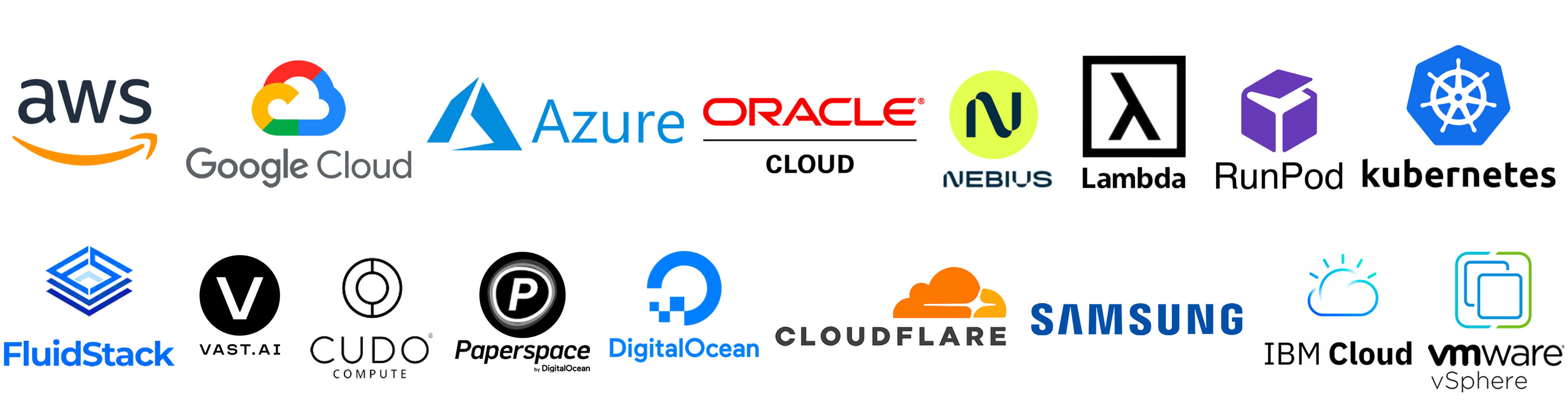
Current supported infra: Kubernetes, Slurm, AWS, GCP, Azure, OCI, CoreWeave, Nebius, Lambda Cloud, RunPod, Fluidstack, Cudo, Digital Ocean, Paperspace, Cloudflare, Samsung, IBM, Vast.ai, VMware vSphere, Seeweb, Prime Intellect, Shadeform, Verda Cloud, VastData, Crusoe.
Getting started
Install SkyPilot in 1 minute. Then, launch your first cluster in 2 minutes in Quickstart.
SkyPilot is BYOC: Everything is launched within your cloud accounts, VPCs, and clusters.
Benefits of SkyPilot on Kubernetes
SkyPilot makes Kubernetes AI-native.
It turbocharges your existing Kubernetes clusters by accelerating AI/ML velocity:
- AI-friendly interface to launch jobs and deployments
- Much simplified interactive dev for K8s (SSH / sync code / connect IDE to pods)
...and optimizing GPU scheduling, utilization, and scaling:
- Advanced scheduling: Gang scheduling, multi-node jobs, and queueing
- Multi-cluster support: Bring all your clusters under one control plane
- Multi-cloud support: One consistent interface to manage many providers
See SkyPilot vs Vanilla Kubernetes and this blog post for more details.
SkyPilot in 1 minute
A SkyPilot task specifies: resource requirements, data to be synced, setup commands, and the task commands.
Once written in this unified interface (YAML or Python API), the task can be launched on any available infra (Kubernetes, Slurm, cloud, etc.). This avoids vendor lock-in, and allows easily moving jobs to a different provider.
Paste the following into a file my_task.yaml:
resources:
  accelerators: A100:8  # 8x NVIDIA A100 GPU

num_nodes: 1  # Number of VMs to launch

# Working directory (optional) containing the project codebase.
# Its contents are synced to ~/sky_workdir/ on the cluster.
workdir: ~/torch_examples

# Commands to be run before executing the job.
# Typical use: pip install -r requirements.txt, git clone, etc.
setup: |
  cd mnist
  pip install -r requirements.txt

# Commands to run as a job.
# Typical use: launch the main program.
run: |
  cd mnist
  python main.py --epochs 1
Prepare the workdir by cloning:
git clone https://github.com/pytorch/examples.git ~/torch_examples
Launch with sky launch (note: access to GPU instances is needed for this example):
sky launch my_task.yaml
SkyPilot then performs the heavy-lifting for you, including:
- Find the cheapest & available infra across your clusters or clouds
- Provision the GPUs (pods or VMs), with auto-failover if the infra returned capacity errors
- Sync your local
workdirto the provisioned cluster - Auto-install dependencies by running the task's
setupcommands - Run the task's
runcommands, and stream logs
See Quickstart to get started with SkyPilot.
Runnable examples
See SkyPilot examples that cover: development, training, serving, LLM models, AI apps, and common frameworks.
Latest featured examples:
| Task | Examples |
|---|---|
| Training | Verl, Finetune Llama 4, TorchTitan, PyTorch, DeepSpeed, NeMo, Ray, Unsloth, Jax/TPU, OpenRLHF |
| Serving | vLLM, SGLang, Ollama |
| Models | DeepSeek-R1, Llama 4, Llama 3, CodeLlama, Qwen, Kimi-K2, Kimi-K2-Thinking, Mixtral |
| AI apps | RAG, vector databases (ChromaDB, CLIP) |
| Common frameworks | Airflow, Jupyter, marimo |
Source files can be found in llm/ and examples/.
Learn more
To learn more, see SkyPilot Overview, SkyPilot docs, and SkyPilot blog.
SkyPilot adopters: Testimonials and Case Studies
Follow updates:
Questions and feedback
We are excited to hear your feedback:
- For issues and feature requests, please open a GitHub issue.
- For questions, please use GitHub Discussions.
For general discussions, join us on the SkyPilot Slack.
Contributing
We welcome all contributions to the project! See CONTRIBUTING for how to get involved.

3 maintainers


Release files for skypilot-nightly 1.0.0.dev20260731
For a detailed explanation of source distributions (sdists) and built distributions (wheels), please see the package formats documentation.
Source distribution (sdist)
| File | Size | Uploaded | |
|---|---|---|---|
| skypilot_nightly-1.0.0.dev20260731.tar.gz | 3.3 MB | Details |
Built distribution (wheel)
| File | Interpreter | ABI | Platform | Reset |
|---|---|---|---|---|
| skypilot_nightly-1.0.0.dev20260731-py3-none-any.whl | Python 3 | none | any | Details |
Total release size: 7.0 MB
Release files / skypilot_nightly-1.0.0.dev20260731.tar.gz
| Download URL | skypilot_nightly-1.0.0.dev20260731.tar.gz |
|---|---|
| Size | 3.3 MB |
| Tags | Source |
|
SHA-256 checksum How to use checksums |
0c9ff6a7ac7b770e05284a1ee7a52a0bfcacf6e4bdcd621862970d3fafab27f6
|
|
BLAKE2b-256 checksum How to use checksums |
60c030c0a14aea5ffae0ce3dac37f56c5b0507ead330a63e60f6c144dcbed8b4
|
| Upload date | |
|
Uploaded using Trusted Publishing? What is trusted publishing? |
No |
| Uploaded via |
twine/6.1.0 CPython/3.13.7
|
Release files / skypilot_nightly-1.0.0.dev20260731-py3-none-any.whl
| Download URL | skypilot_nightly-1.0.0.dev20260731-py3-none-any.whl |
|---|---|
| Size | 3.7 MB |
| Tags | Python 3 |
|
SHA-256 checksum How to use checksums |
c62adec7bd2666c05f3b5d5053acf81279c074a8019d0a32627216ca37076c12
|
|
BLAKE2b-256 checksum How to use checksums |
ffd8552f668ecdad8d1a4873424d5f2cad84c2d6deaca602e9de8975e0a28731
|
| Upload date | |
|
Uploaded using Trusted Publishing? What is trusted publishing? |
No |
| Uploaded via |
twine/6.1.0 CPython/3.13.7
|














