
Interactive image stack viewing in jupyter notebooks

Project description
stackview
Interactive image stack viewing in jupyter notebooks based on ipycanvas and ipywidgets. TL;DR:
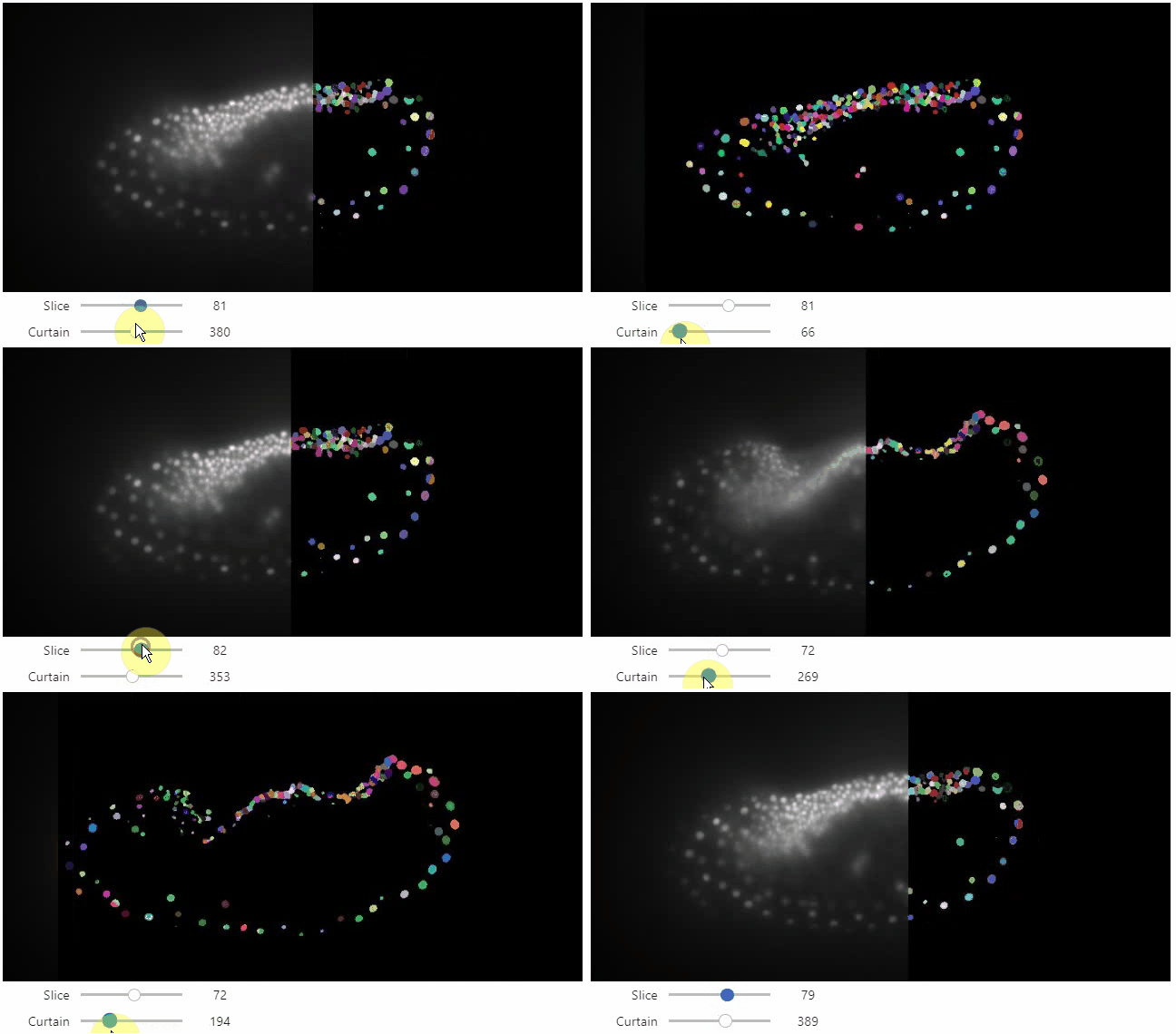
stackview.curtain(image, labels, continuous_update=True)
Installation
stackview can be installed using conda or pip.
conda install -c conda-forge stackview
OR
pip install stackview
If you run the installation from within a notebook, you need to restart Jupyter (not just the kernel), before you can use stackview.
Usage
You can use stackview from within jupyter notebooks as shown below.
Also check out the demo notebook on google colab or in

Starting point is a 3D image dataset provided as numpy array.
from skimage.io import imread
image = imread('data/Haase_MRT_tfl3d1.tif', plugin='tifffile')
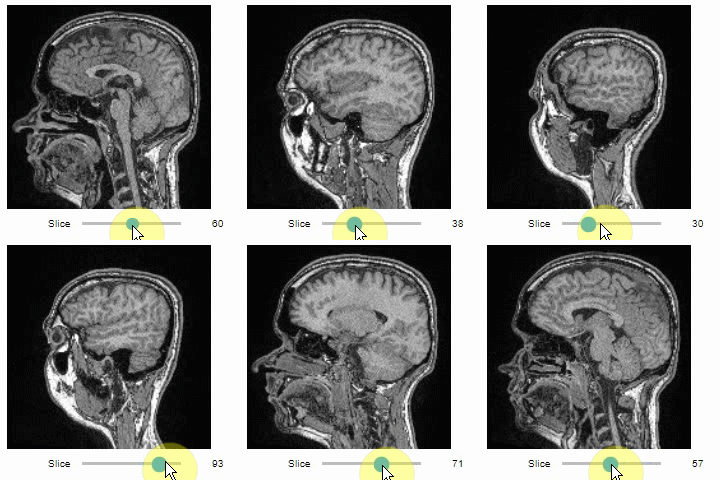
You can then view it slice-by-slice:
import stackview
stackview.slice(image, continuous_update=True)
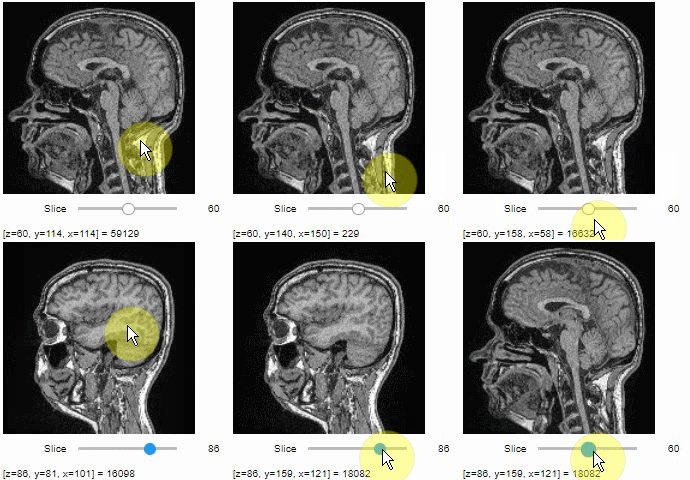
To read the intensity of pixels where the mouse is moving, use the picker.
stackview.picker(image, continuous_update=True)
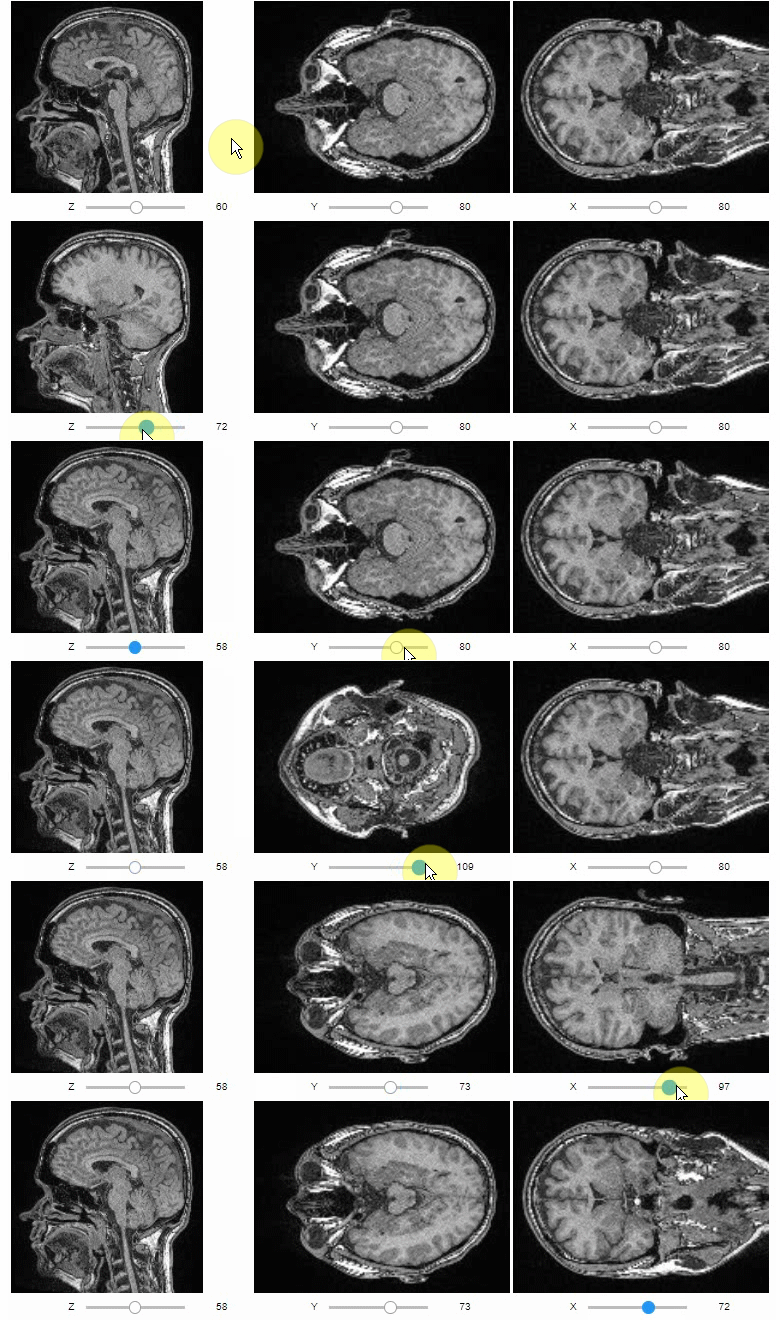
Orthogonal views are also available:
stackview.orthogonal(image, continuous_update=True)
Furthermore, to visualize an original image in combination with a processed version, a curtain view may be helpful:
stackview.curtain(image, modified_image * 65537, continuous_update=True)
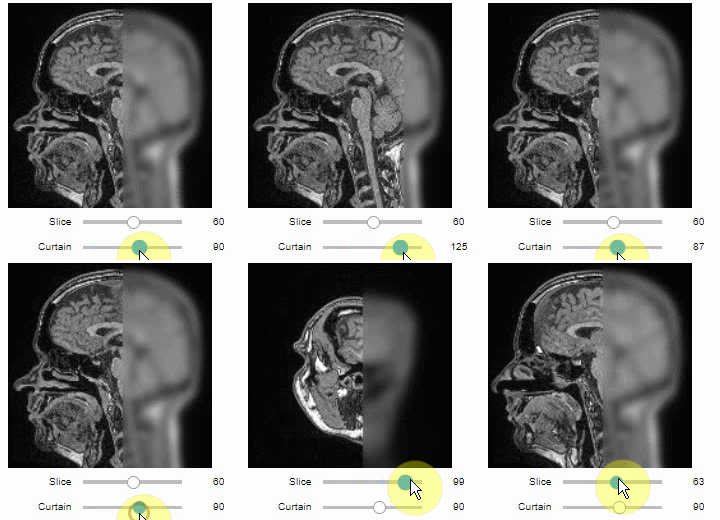
The curtain also works with 2D data. Btw. to visualize both images properly, you need adjust their grey value range yourself. For example, multiply a binary image with 255 so that it visualizes nicely side-by-side with the original image in 8-bit range:
binary = (slice_image > threshold_otsu(slice_image)) * 255
stackview.curtain(slice_image, binary, continuous_update=True)
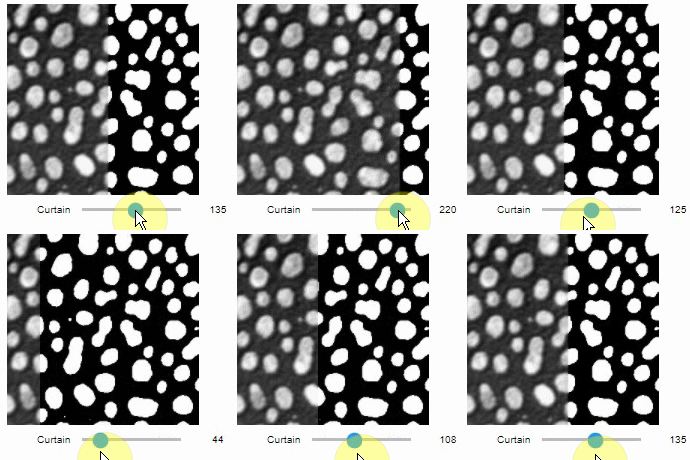
The same also works with label images
from skimage.measure import label
labels = label(binary)
stackview.curtain(slice_image, labels, continuous_update=True)
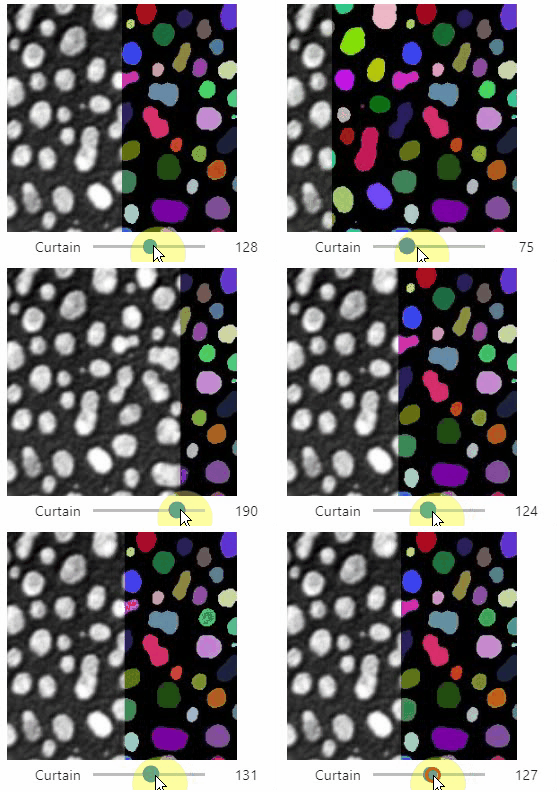
A side-by-side view for colocalization visualization is also available. If you're working with time-lapse data, you can also use this view for visualizing differences between timepoints:
stackview.side_by_side(image_stack[1:], image_stack[:-1], continuous_update=True, display_width=300)
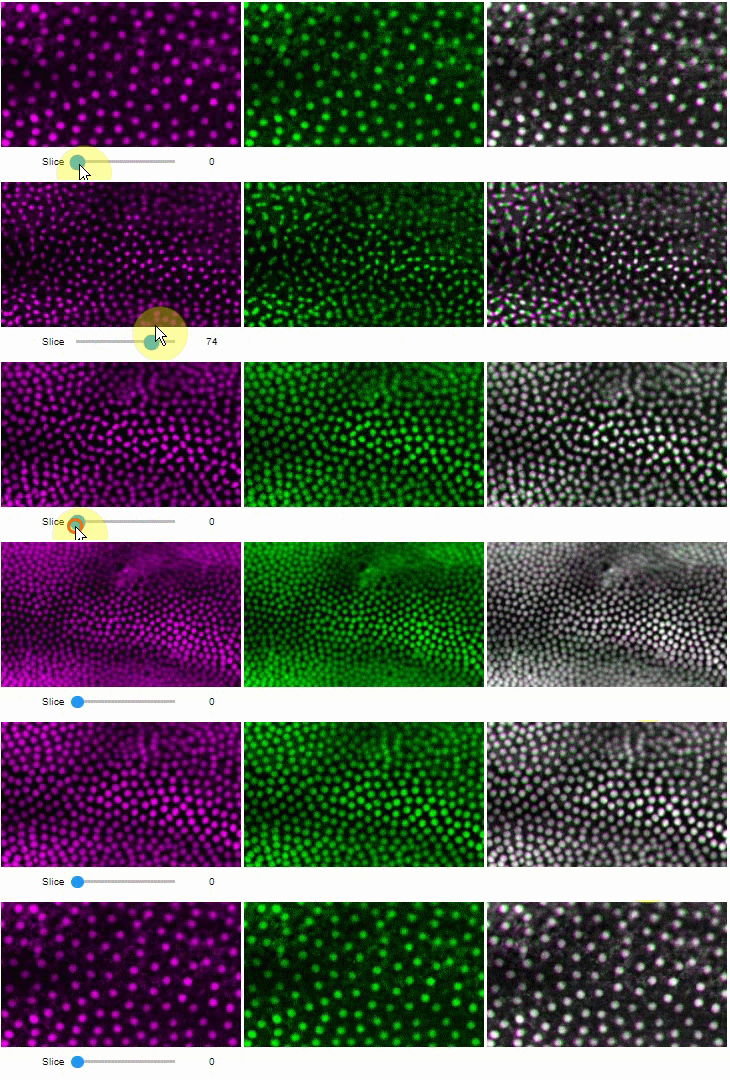
Exploration of the parameter space of image processing functions is available using interact:
from skimage.filters.rank import maximum
stackview.interact(maximum, slice_image)
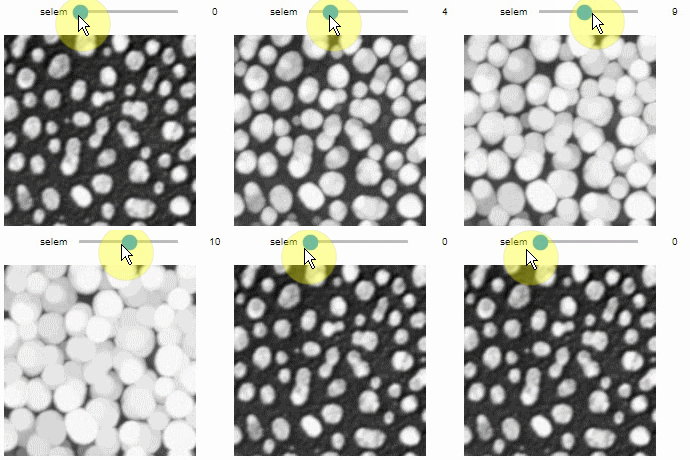
This might be useful for custom functions implementing image processing workflows:
from skimage.filters import gaussian, threshold_otsu, sobel
def my_custom_code(image, sigma:float = 1, show_labels: bool = True):
    sigma = abs(sigma)
    blurred_image = gaussian(image, sigma=sigma)
    binary_image = blurred_image > threshold_otsu(blurred_image)
    edge_image = sobel(binary_image)

    if show_labels:
        return label(binary_image)
    else:
        return edge_image * 255 + image

stackview.interact(my_custom_code, slice_image)

Contributing
Contributions, bug-reports and ideas for further development are very welcome.
License
Distributed under the terms of the BSD-3 license, "stackview" is free and open source software
Issues
If you encounter any problems, please create a thread on image.sc along with a detailed description and tag @haesleinhuepf.
See also
There are other libraries doing similar stuff
Release history Release notifications | RSS feed


Download files
Download the file for your platform. If you're not sure which to choose, learn more about installing packages.
Source Distribution
Built Distribution
Filter files by name, interpreter, ABI, and platform.
If you're not sure about the file name format, learn more about wheel file names.
Copy a direct link to the current filters
File details
Details for the file stackview-0.3.5.tar.gz.
File metadata
- Download URL: stackview-0.3.5.tar.gz
- Upload date:
- Size: 12.8 kB
- Tags: Source
- Uploaded using Trusted Publishing? No
- Uploaded via: twine/4.0.1 CPython/3.9.13
File hashes
| Algorithm | Hash digest | |
|---|---|---|
| SHA256 |
64b6568a9f9a2c9b8e827cc03df313823c77543bdaa8f20e638e41b99a95184c
|
|
| MD5 |
b6a757559f3b992fefeb3ffaf342101d
|
|
| BLAKE2b-256 |
329e71d5e8ec538e591872f13f12c6024efff8d53796ccc11dfb70e19993b421
|
File details
Details for the file stackview-0.3.5-py3-none-any.whl.
File metadata
- Download URL: stackview-0.3.5-py3-none-any.whl
- Upload date:
- Size: 11.9 kB
- Tags: Python 3
- Uploaded using Trusted Publishing? No
- Uploaded via: twine/4.0.1 CPython/3.9.13
File hashes
| Algorithm | Hash digest | |
|---|---|---|
| SHA256 |
760add1dda14bfa59ae819c6ae96d13f826a9bb577f90b926ccdbec05b766264
|
|
| MD5 |
98db20ab6d58de5c38f62d9e095b0995
|
|
| BLAKE2b-256 |
c14184471da605b86004fc69bd1c37e806a82595f8ac8838a06df71a68bfc959
|






