
A streaming markdown renderer for modern terminals with syntax highlighting

Project description


Terminal streaming markdown that rocks
Streamdown works with simonw's llm along with any other streaming markdown, even something basic like curl.
It supports standard piping like any normal pager and a clean execvp option for robustly wrapping around interactive programs with readline or their own ANSI stuff to manage.
$ pip install streamdown
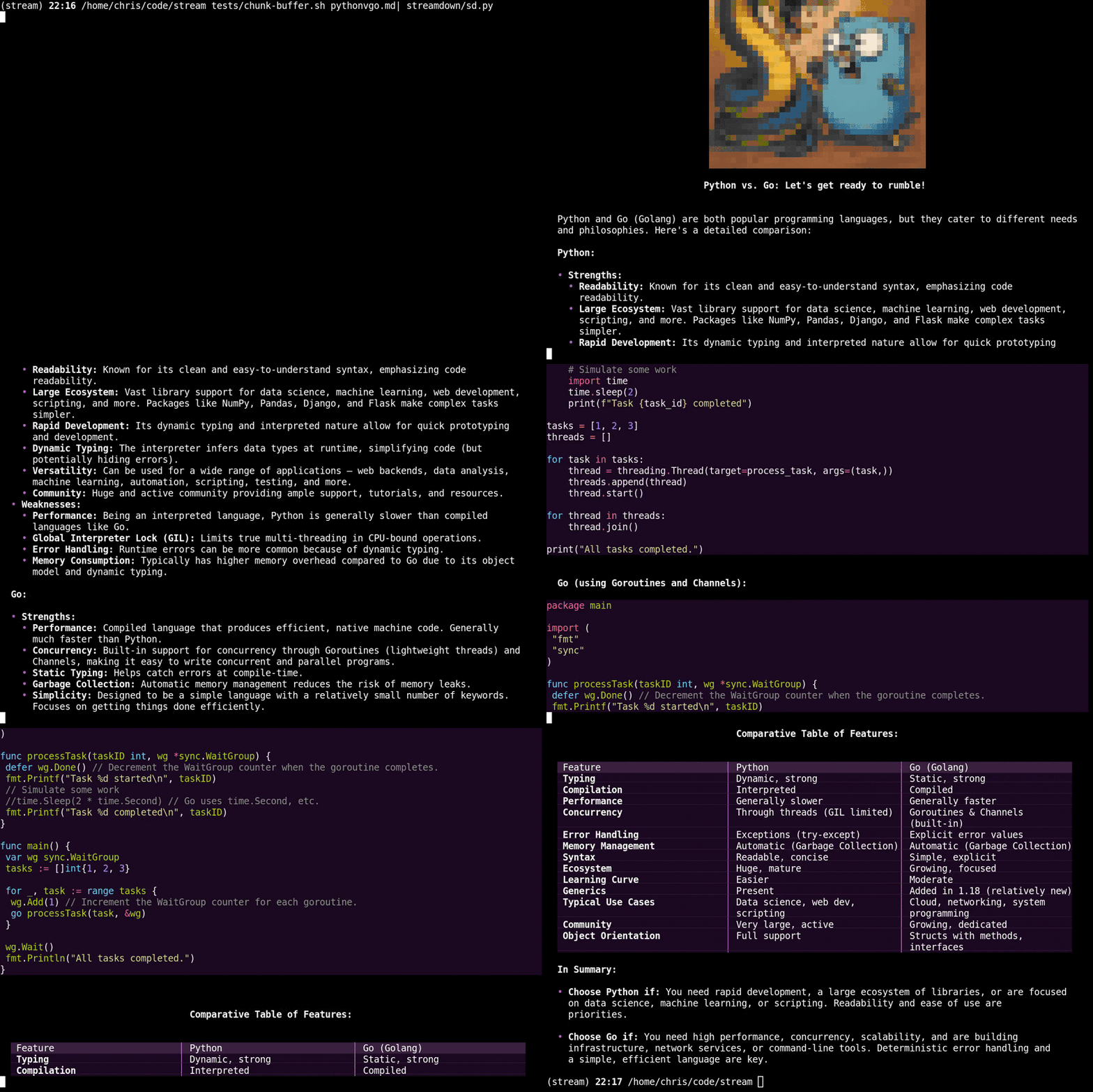
Provides clean copyable code for long code lines
Other renderers inject line breaks when copying code that wraps around. We're better and now you are too!
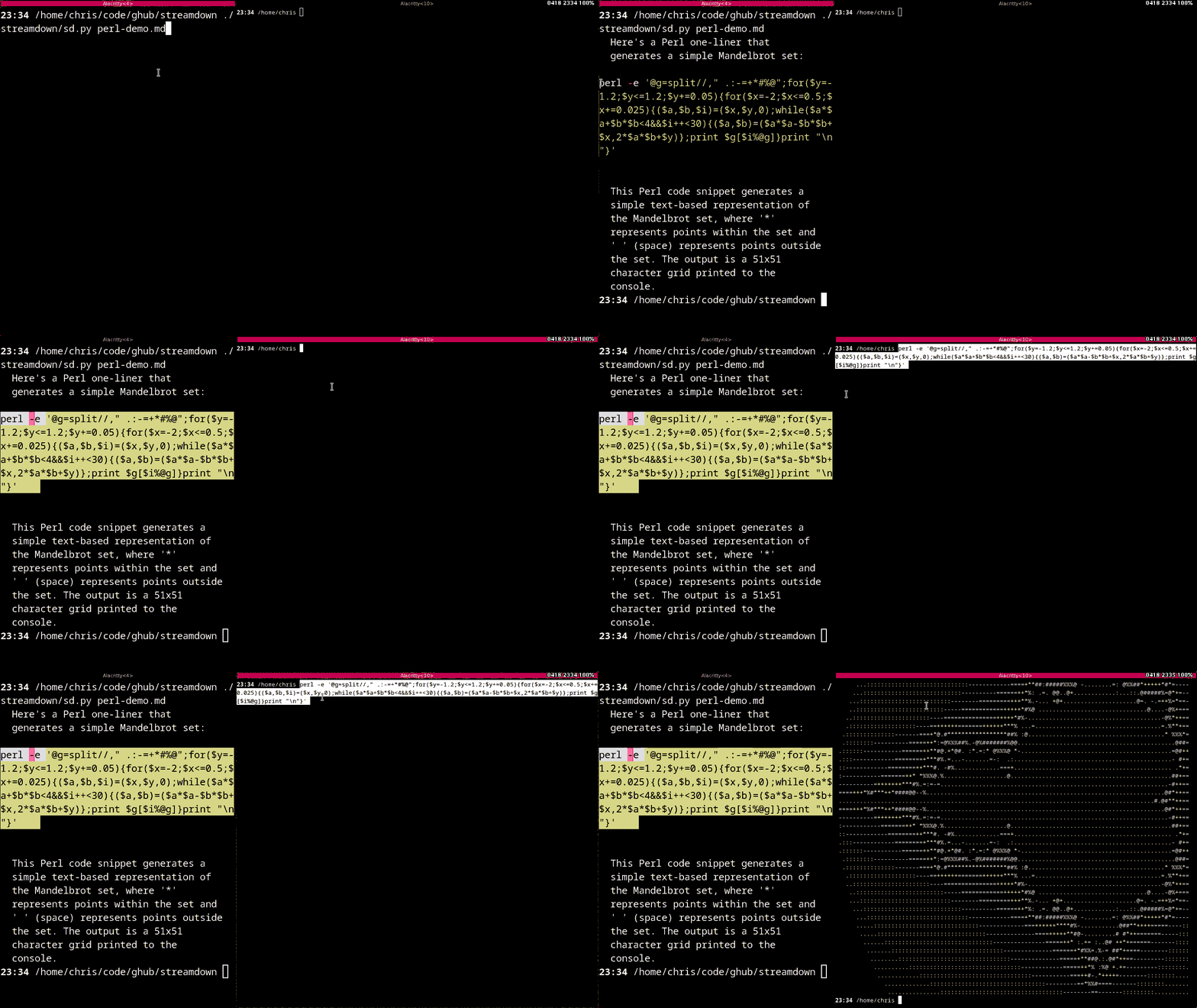
PrettyBroken flag below!
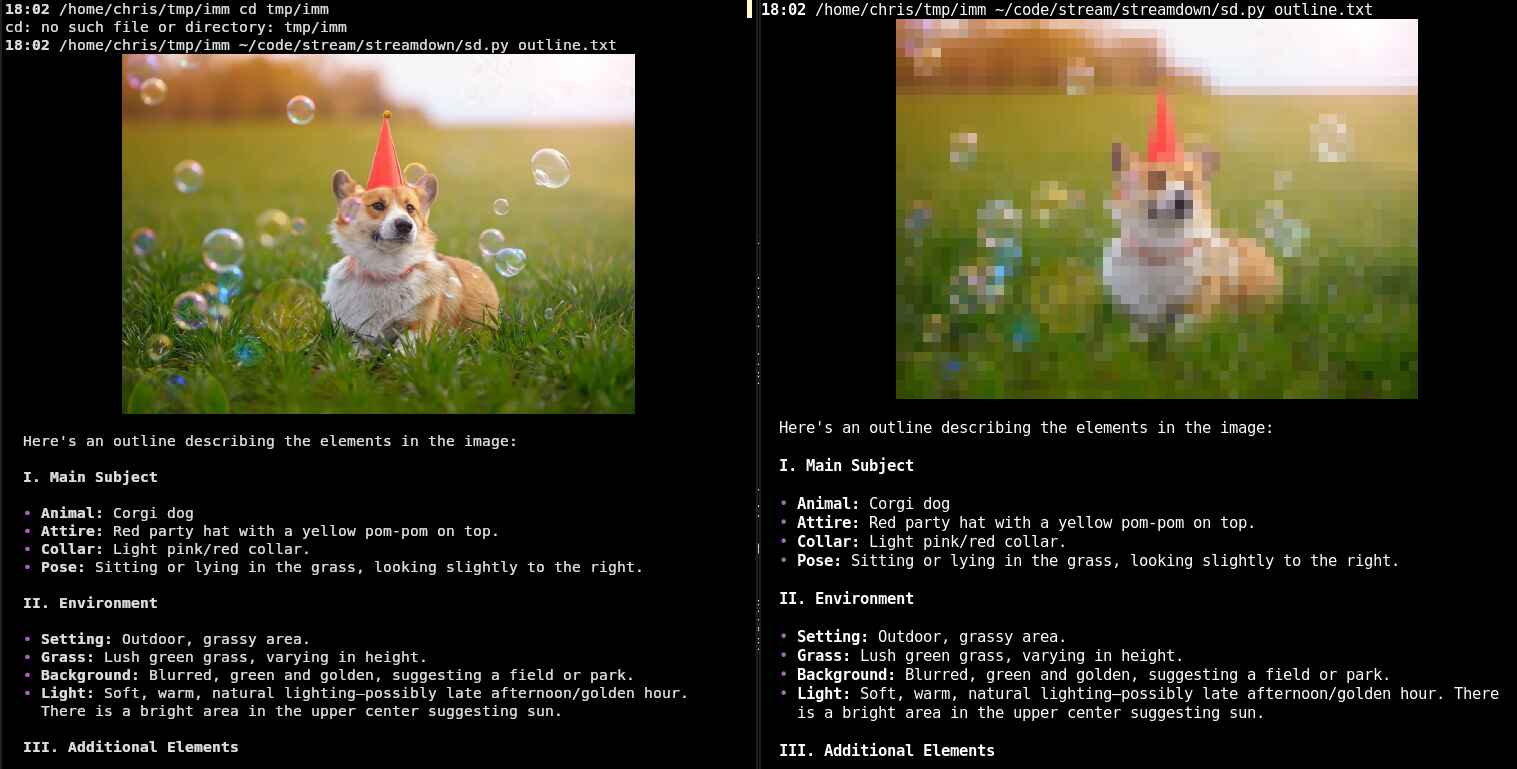
Supports images
Here's kitty and alacritty.
Supports hyperlinks (OSC 8) and clipboard (OSC 52)
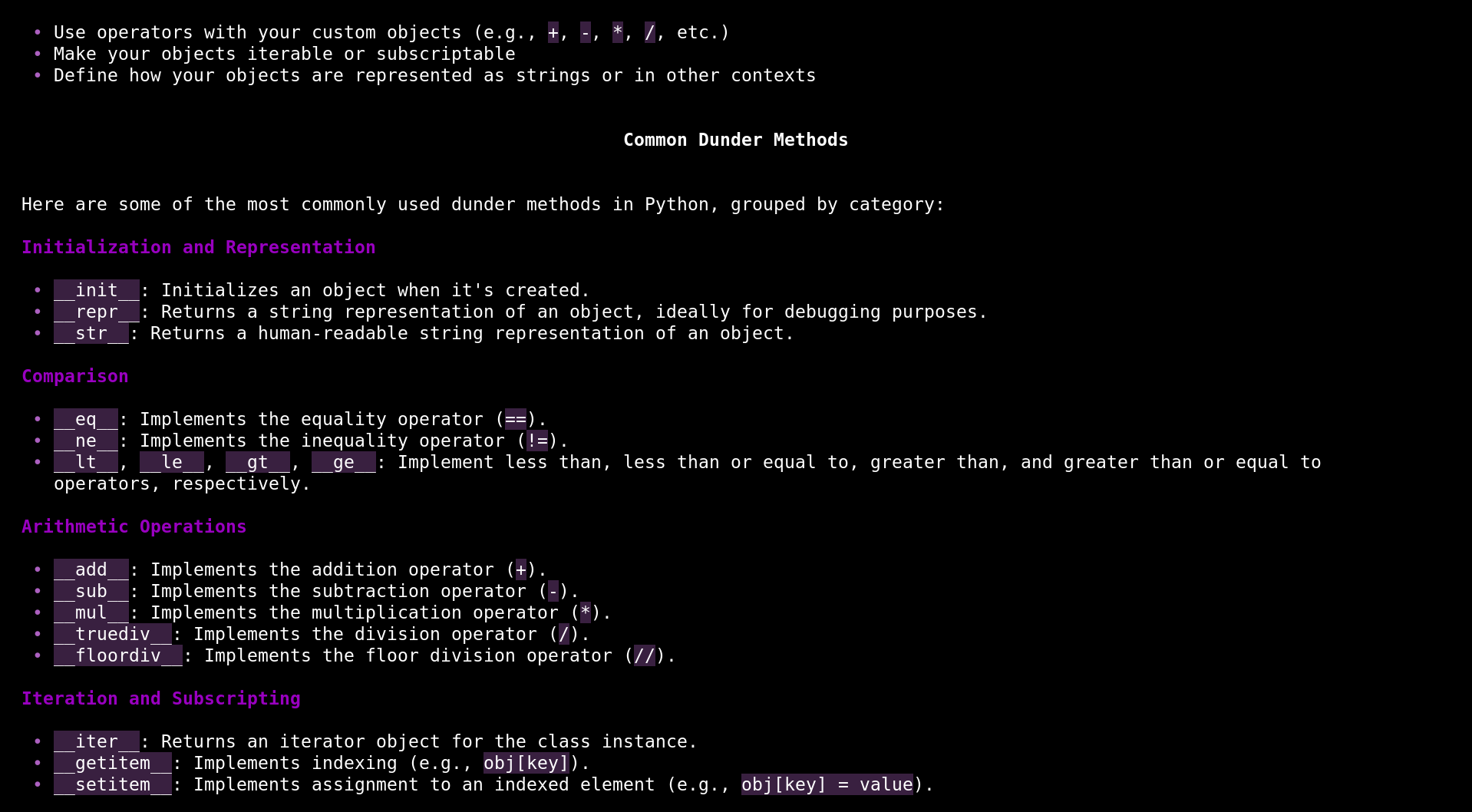
Supports tables
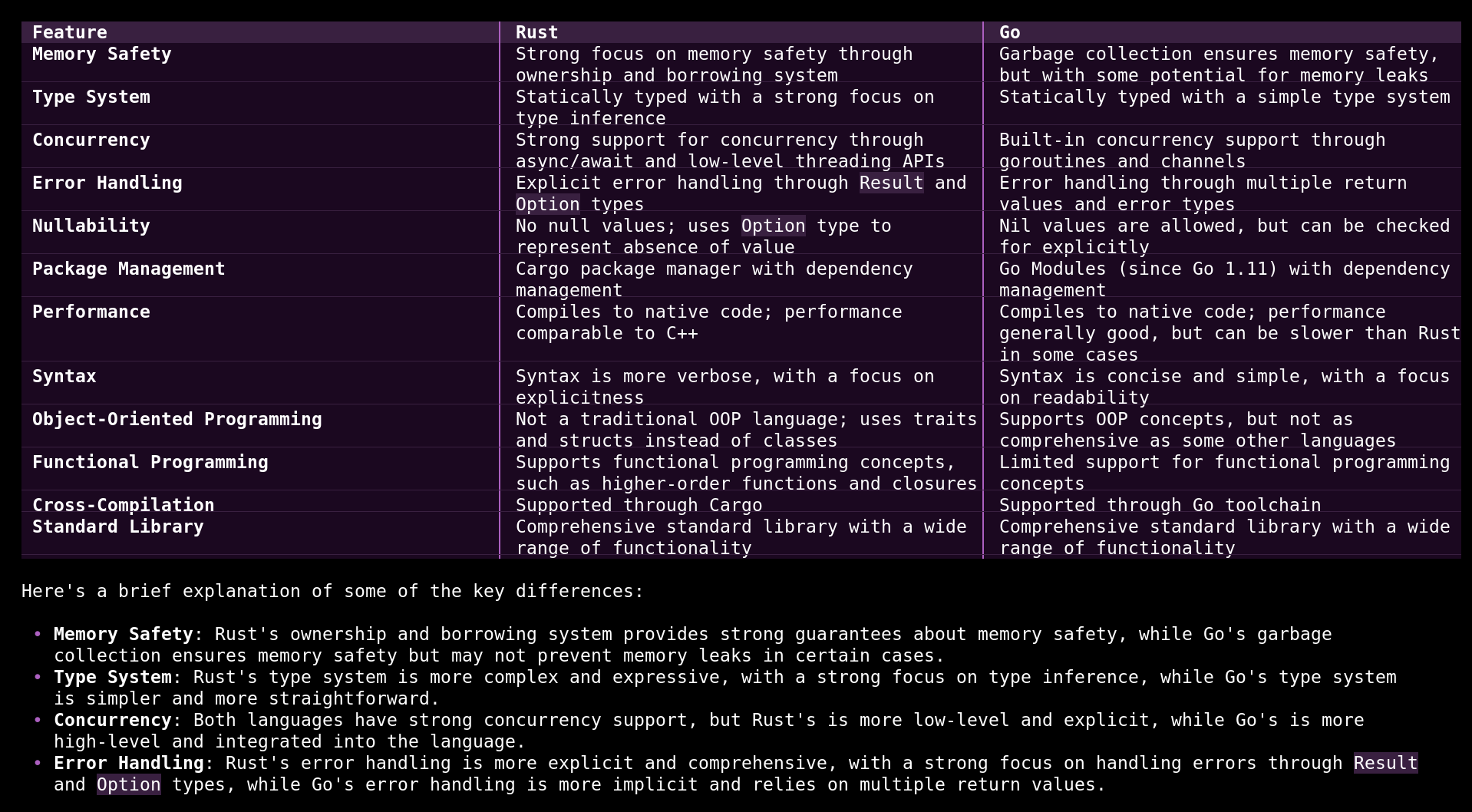
As well as everything else...
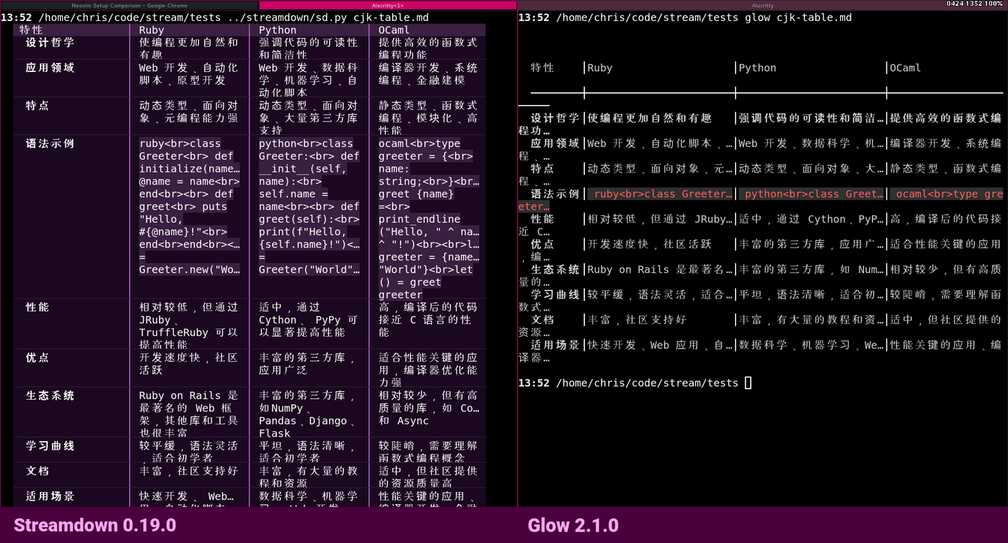
...even CJK
Compare how streamdown wraps around and spaces this tabular Chinese description of programming languages to the same file using glow.
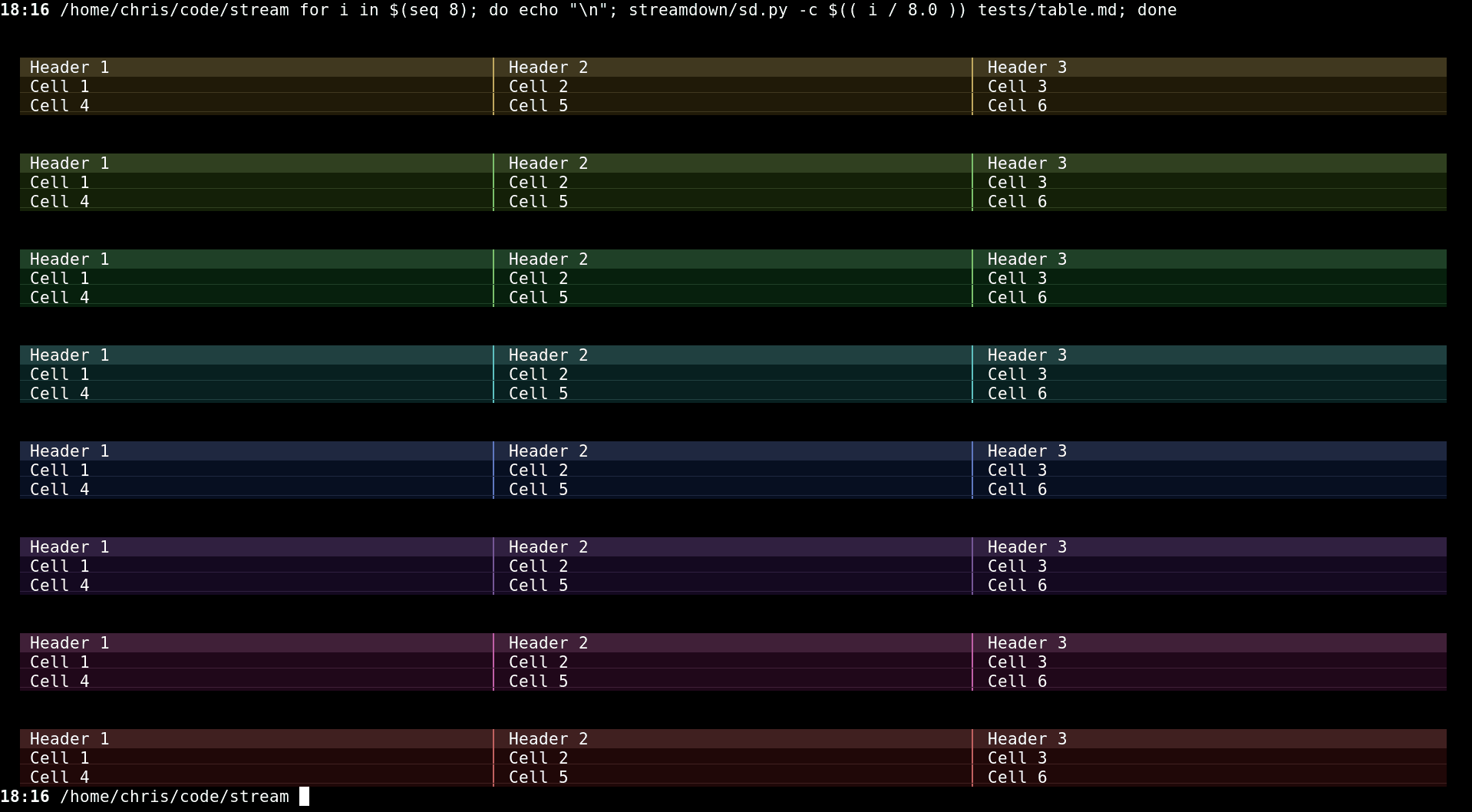
Colors are highly (and quickly) configurable for people who care a lot, or just a little.
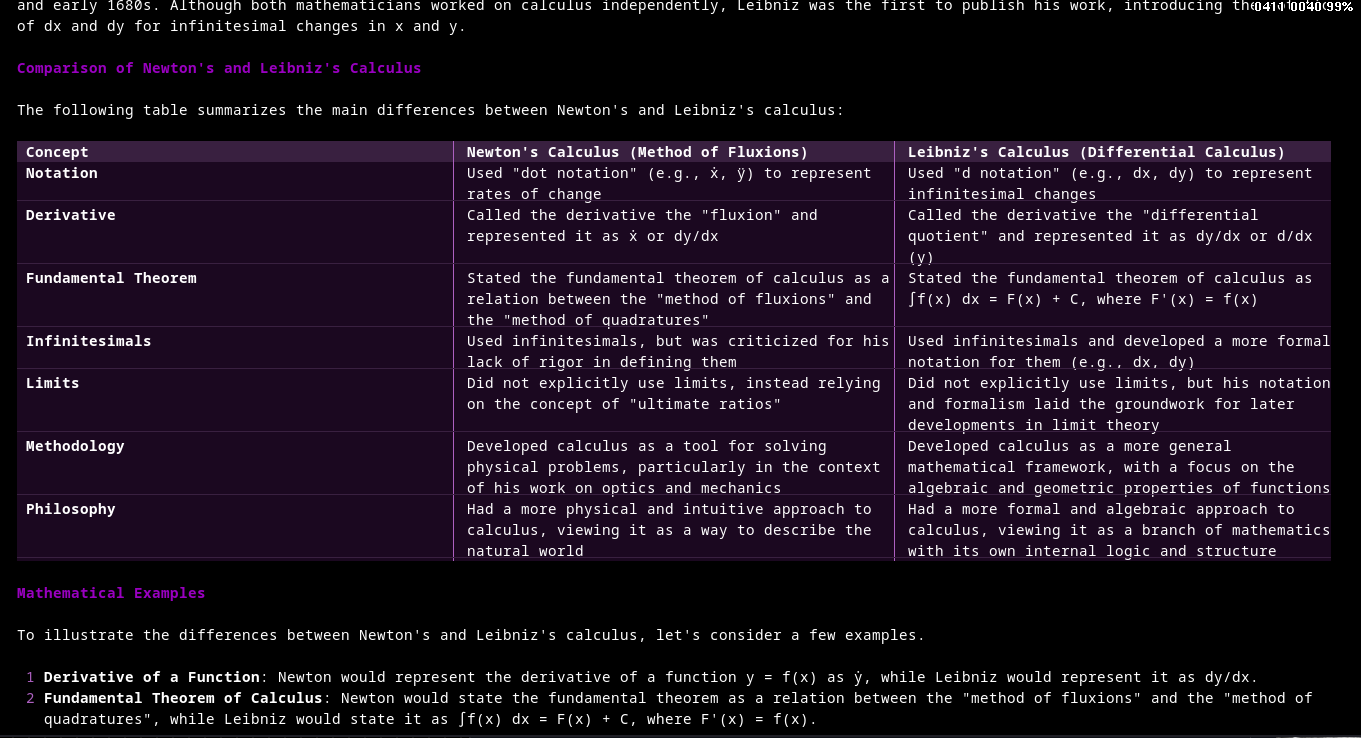
Has a Plugin system to extend the parser and renderer.
For instance, here is the latex plugin doing math inside a table:
TOML Configuration
It's located at ~/.config/streamdown/config.toml (following the XDG Base Directory Specification). If this file does not exist upon first run, it will be created with default values.
Here are the sections:
[style]
Defines the base Hue (H), Saturation (S), and Value (V) from which all other palette colors are derived. The defaults are at the beginning of the source.
HSV: [ 0.0 - 1.0, 0.0 - 1.0, 0.0 - 1.0 ]Dark: Multipliers for background elements, code blocks.Grey: Multipliers for blockquote and thinkblock.Mid: Multipliers for inline code backgrounds, table headers.Symbol: Multipliers for list bullets, horizontal rules, links.Head: Multipliers for level 3 headers.Bright: Multipliers for level 2 headers.Margin(integer, default:2): The left and right indent for the output.Width(integer, default:0): Along with theMargin,Widthspecifies the base width of the content, which when set to 0, means use the terminal width. See #6 for more detailsPrettyPad(boolean, default:false): Uses a unicode vertical pad trick to add a half height background to code blocks. This makes copy/paste have artifacts. See #2. I like it on. But that's just mePrettyBroken(boolean, default:false): This will break the copy/paste assurance above. The output is much prettier, but it's also broken. So it's pretty broken. Works nicely with PrettyPad.ListIndent(integer, default:2): This is the recursive indent for the list styles.Syntax(string, defaultmonokai): This is the syntax highlighting theme which come via pygments.
Example:
[style]
PrettyPad = true
PrettyBroken = true
HSV = [0.7, 0.5, 0.5]
Dark = { H = 1.0, S = 1.2, V = 0.25 } # Make dark elements less saturated and darker
Symbol = { H = 1.0, S = 1.8, V = 1.8 } # Make symbols more vibrant
[features]
Controls optional features:
CodeSpaces(boolean, default:true): Enables detection of code blocks indented with 4 spaces. Set tofalseto disable this detection method (triple-backtick blocks still work).Clipboard(boolean, default:true): Enables copying the last code block encountered to the system clipboard using OSC 52 escape sequences upon exit. Set tofalseto disable.Logging(boolean, default:false): Enables logging to tmpdir (/tmp/sd) of the raw markdown for debugging and bug reporting. The logging uses an emoji as a record separator so the actual streaming delays can be simulated and replayed. If you use thefilenamebased invocation, that is to say,sd <filename>, this type of logging is always off.Savebrace(boolean, default:true): Saves the code blocks of a conversation to the append file/tmp/sd/savebraceso you can fzf or whatever you want through it. See how it's used in my llmehelp scripts, specificallyscreen-queryandsd-picker.
Example:
[features]
CodeSpaces = false
Clipboard = false
Command Line
The most exciting feature here is --exec with it you can do full readline support like this:
$ sd --exec "llm chat"
And now you have all your readline stuff. It's pretty great.
Streamdown - A markdown renderer for modern terminals

positional arguments:
  filenameList          Input file to process (also takes stdin)

options:
  -h, --help            show this help message and exit
  -l LOGLEVEL, --loglevel LOGLEVEL
                        Set the logging level
  -c COLOR, --color COLOR
                        Set the hsv base: h,s,v
  -w WIDTH, --width WIDTH
                        Set the width
  -e EXEC, --exec EXEC  Wrap a program for more 'proper' i/o handling
Demo
Do this
$ ./streamdown/sd.py tests/*md
Install from source
After the git clone least one of these should work, hopefully. it's using the modern uv pip tool but is also backwards compatible to the pip3 install -r requirements.txt flow.
$ pipx install -e .
$ pip install -e .
$ uv pip install -e .
Future work
Glow styles
I'm going to try to be compatible with other popular markdown styles to help for a smoother transition. Glow compatible json sheets is on my radar. There's also mdless and frogmouth. Might be others
Release history Release notifications | RSS feed


Download files
Download the file for your platform. If you're not sure which to choose, learn more about installing packages.
Source Distribution
Built Distribution
Filter files by name, interpreter, ABI, and platform.
If you're not sure about the file name format, learn more about wheel file names.
Copy a direct link to the current filters
File details
Details for the file streamdown-0.19.0.tar.gz.
File metadata
- Download URL: streamdown-0.19.0.tar.gz
- Upload date:
- Size: 2.8 MB
- Tags: Source
- Uploaded using Trusted Publishing? No
- Uploaded via: twine/6.1.0 CPython/3.13.2
File hashes
| Algorithm | Hash digest | |
|---|---|---|
| SHA256 |
3120d09ae927a9d9f8297dd358940fb0144816d71b3f25bcae23dc107df4758e
|
|
| MD5 |
6d85e52e4b8229248a468c088ece6d14
|
|
| BLAKE2b-256 |
0b45c054184d5919d47cb1eae6ab870c1f9f6d7ed04cde13d575c5c494d13968
|
File details
Details for the file streamdown-0.19.0-py3-none-any.whl.
File metadata
- Download URL: streamdown-0.19.0-py3-none-any.whl
- Upload date:
- Size: 20.5 kB
- Tags: Python 3
- Uploaded using Trusted Publishing? No
- Uploaded via: twine/6.1.0 CPython/3.13.2
File hashes
| Algorithm | Hash digest | |
|---|---|---|
| SHA256 |
53a1305a3274c4dd0a780478767702c517caaaf542a463bafdf41b4291189b44
|
|
| MD5 |
75727f82eddf446372aa7027fba09bdc
|
|
| BLAKE2b-256 |
376ee283546f46d93ed4ab94062afb06a0f80a5c5442c0b4074efad4f12e237d
|






