
A robust library for authentication with Streamlit, featuring 2FA, permissions, and session management.

Project description
# Streamlit Auth Library







A robust library for authentication with Streamlit, featuring 2FA, permissions, and session management.
Sample App / App de Exemplo
🌎 Available Languages / Idiomas Disponíveis
Summary / Resumo
Streamlit Auth Library is ideal for applications that require secure authentication and access control. With support for 2FA and user management, it provides a complete solution.
A biblioteca Streamlit Auth é ideal para aplicativos que requerem autenticação segura e controle de acesso. Com suporte para 2FA e gerenciamento de usuários, oferece uma solução completa.
Streamlit Auth Library
Description
The Streamlit Auth Library is a robust authentication and user management library for your Streamlit application. With support for two-factor authentication (2FA), permissions, and session management, it is ideal for applications requiring security and access control.
...
PyPI
Ready-to-Use Screens
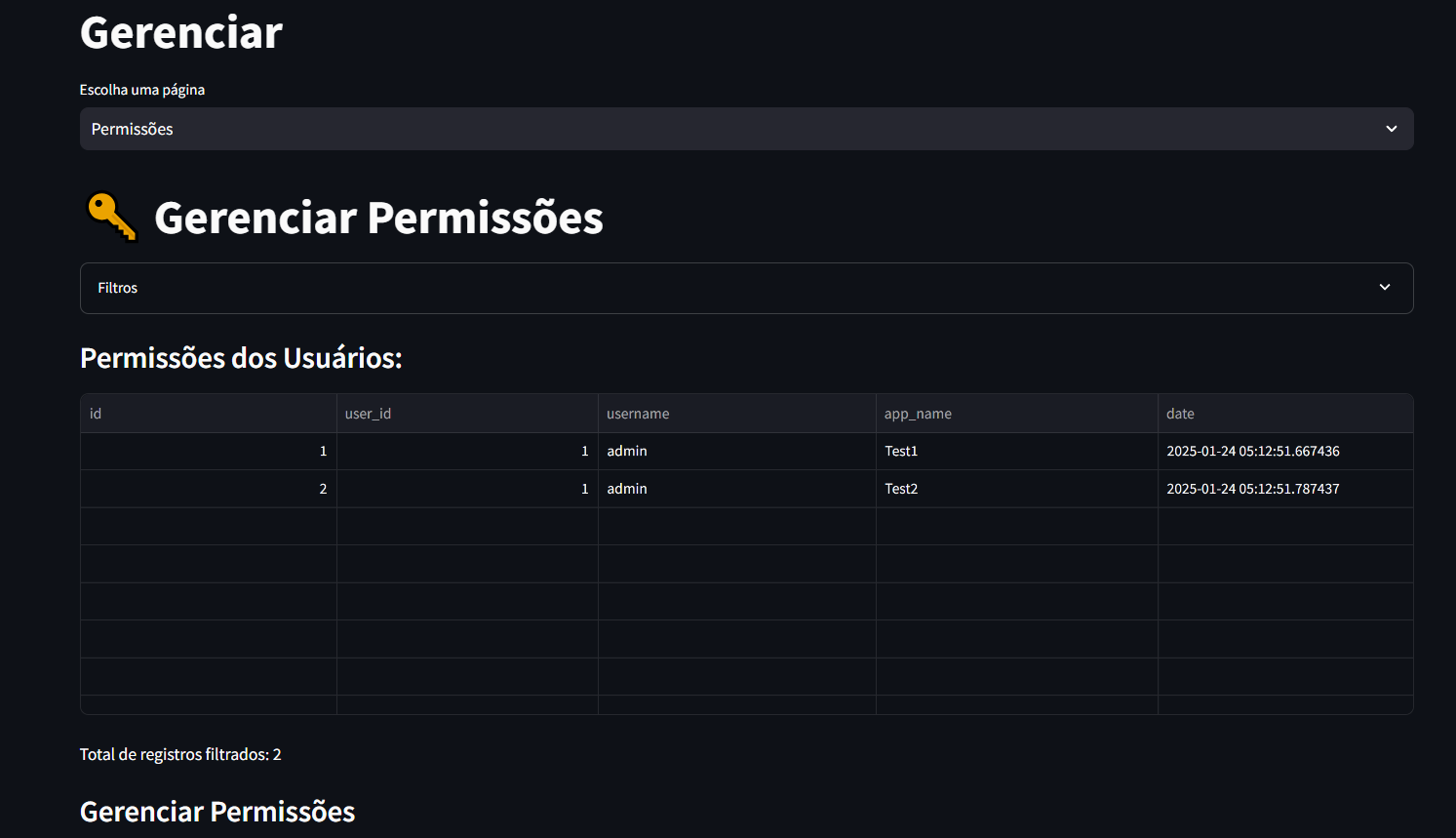
Manage Permissions
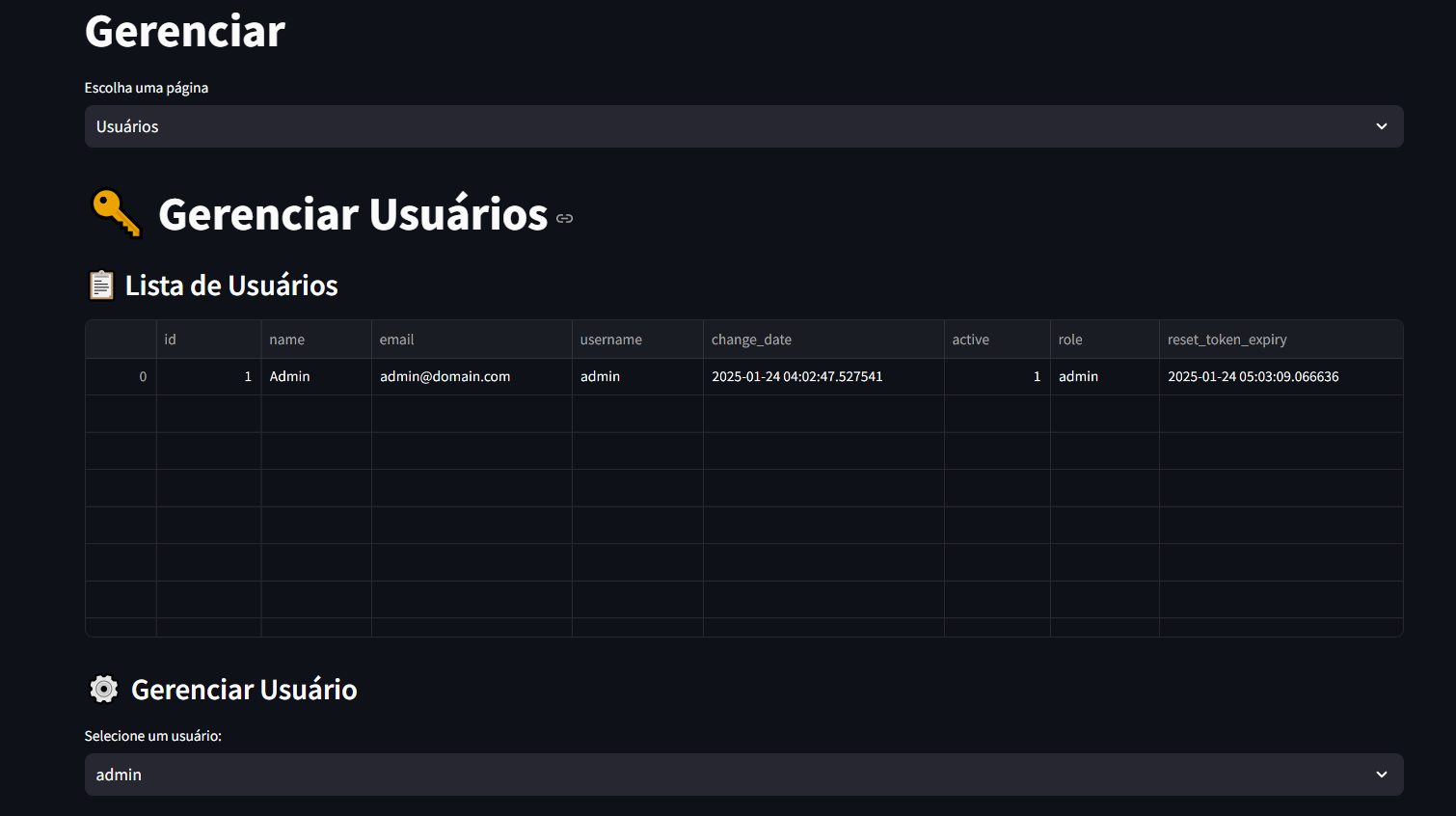
Manage Users
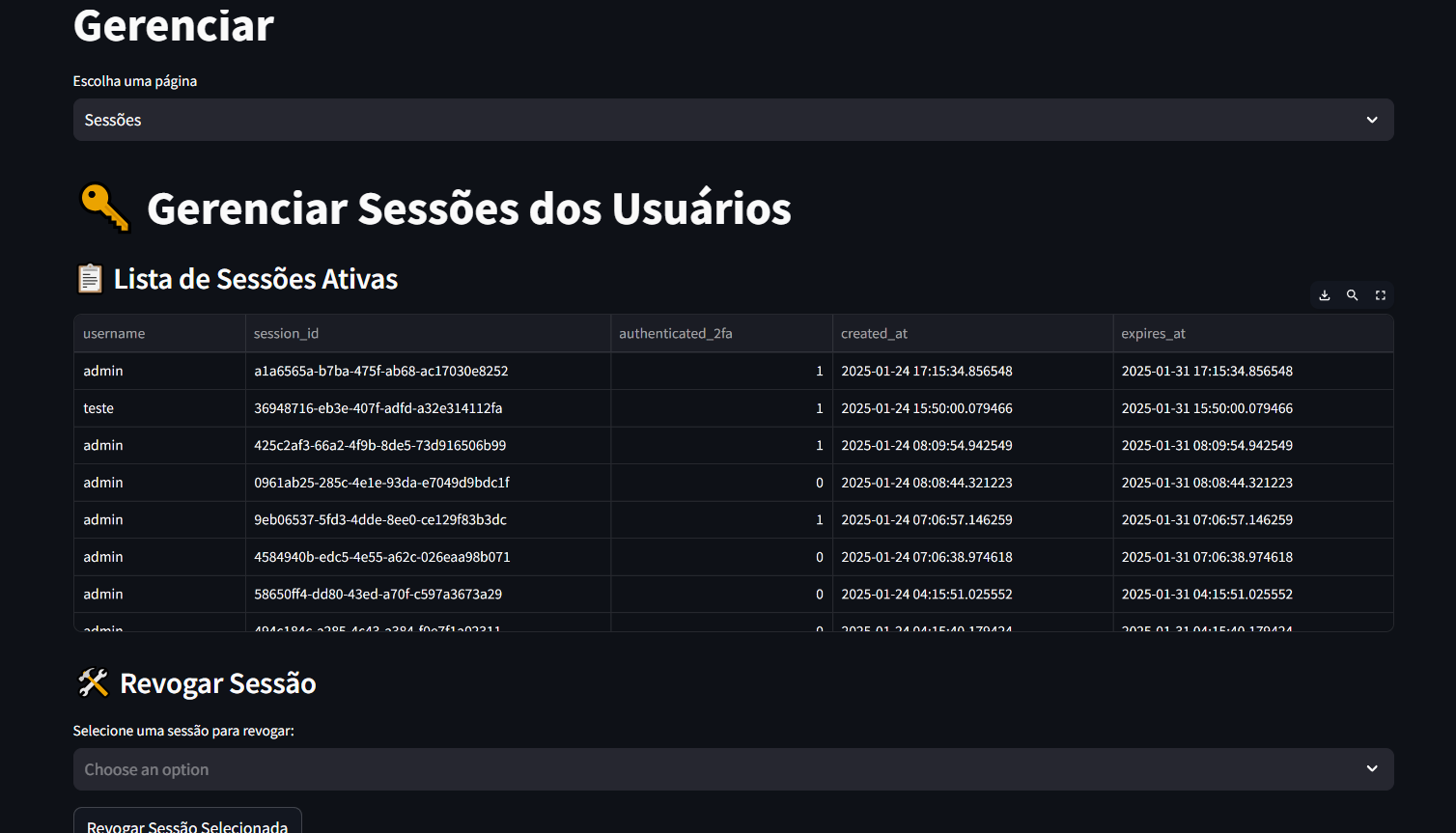
Manage Sessions
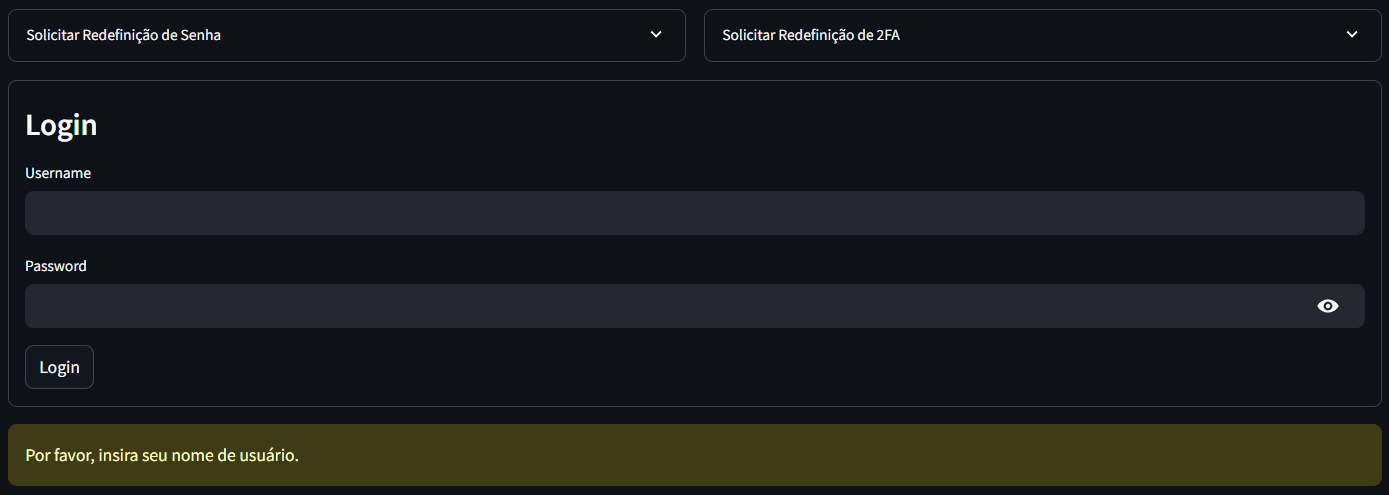
Login Form
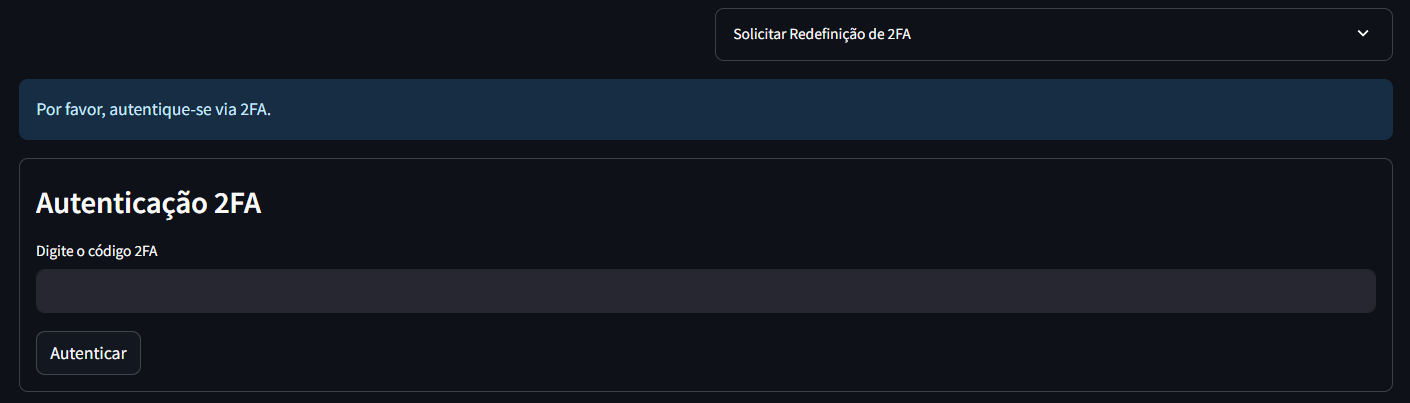
2FA Form
Reset Form

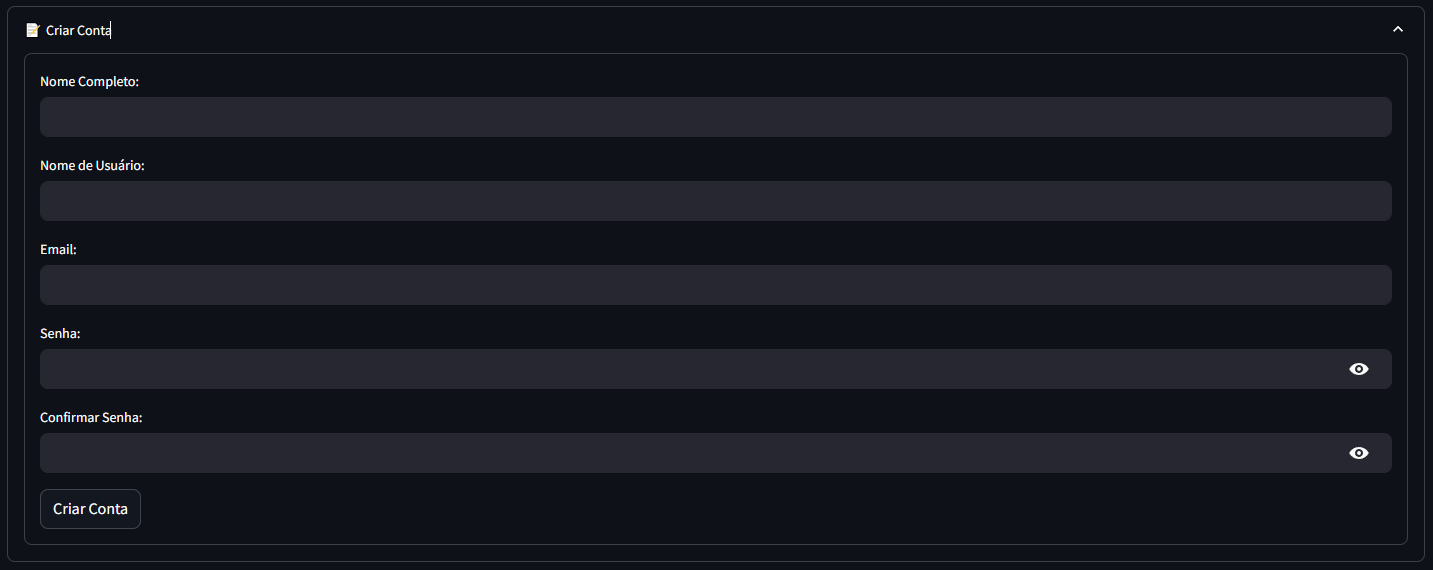
Register Form
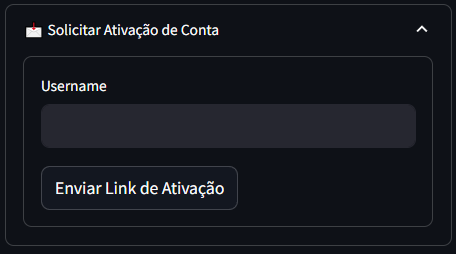
User Activation Form
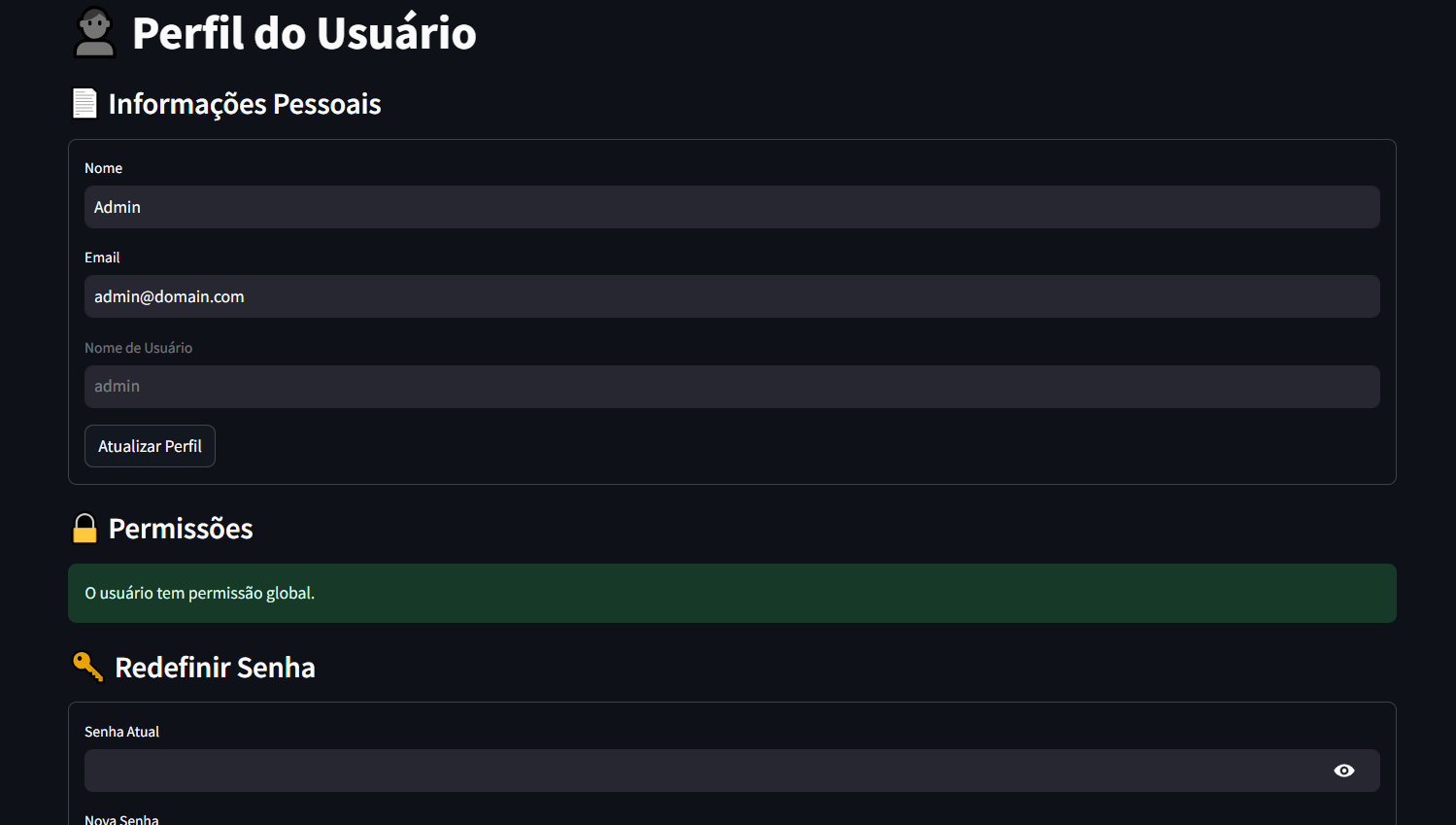
User Profile
Instalação
pip install streamlit-auth-mfa
Configuration
The library uses environment variables and configuration files to customize behavior. Make sure to set up the required files before using the library.
.env
Environment variables should be configured in the .env file:
DEBUG=True
LOG_LEVEL=DEBUG

# Banco de Dados
DB_URI=sqlite:///db.sqlite3

# E-mail
EMAIL_HOST=smtp.gmail.com
EMAIL_PORT=587
EMAIL=seu_email@gmail.com
EMAIL_PASSWORD=sua_senha

# Configuração de Apps
APP_NAMES_FILE=config/app_names.json
Configuration Files
config/app_names.json Define the names of the applications for which you manage permissions:
{
    "APP_NAMES": ["App1", "App2", "App3"]
}
Features
- Authentication
- Username and password: Uses bcrypt for security.
- Optional 2FA: Adds an extra layer of security with TOTP.
- Session management: Tracks and controls logins.
- User Activation: Support for activating user accounts via a link sent by email.
- User and Permission Management
- Manage users: Add, edit, or delete users.
- Manage permissions: Control access by application.
- Email Integration
- Send transactional emails, including support for attachments and embedded images.
Usage Example
Simple Authentication
from streamlit_auth.authentication import Authenticate

authenticator = Authenticate(
    secret_key='my_secret_key',
    session_expiry_days=7,
    require_2fa=True
)

user_data = authenticator.login("Login")

if user_data['authentication_status']:
    st.success(f"Welcome, {user_data['name']}!")
    authenticator.logout("Logout")
else:
    st.error("Authentication failed. Please check your credentials.")
Autenticação Completa
import streamlit as st

from streamlit_auth.authentication import (
    Authenticate,
    user_manager_main_page,
    user_profile_page,
)
from streamlit_auth.config import settings

TITLE = "Streamlit Authenticate"

def test_page():
    st.set_page_config(page_title=TITLE, layout='wide')

    authenticator = Authenticate(
        secret_key='123',
        session_expiry_days=7,
        require_2fa=True,
        auth_reset_views=True,
        site_name='http://localhost:8501/',
    )

    user_data = authenticator.login("Login")

    authentication_status = user_data['authentication_status']
    name = user_data['name']
    username = user_data['username']
    authenticated_2fa = user_data['authenticated_2fa']
    role = user_data['role']

    st.sidebar.write(TITLE)

    # Basic Messages
    if not authentication_status:
        st.warning("Please enter your username.")
        authenticator.user_register_form()
        return

    # Logout
    if authentication_status:
        authenticator.logout("Logout")

    # If already authenticated with 2FA, display the application
    if authentication_status and authenticated_2fa:

        admin_options = ['Manage']
        user_options = ['User Profile']

        st.write('Authenticated')

        if role == 'admin':
            user_permissions = user_options + admin_options

        else:
            user_permissions = authenticator.get_user_apps_perms(username)
            user_permissions += user_options

        selected_option = st.sidebar.selectbox(
            "Select an option:",
            user_permissions,
        )

        if role == 'admin' and selected_option == "Manage":
            user_manager_main_page()

        if selected_option == "User Profile":
            user_profile_page(user_data)
Management
Use the user_manager_main_page function to display the user permissions management screen. Here is how to implement it:
from streamlit_auth.authentication import user_manager_main_page

# Screen for managing permissions and users
user_manager_main_page()
Run the server with the created file:
streamlit run <arquivo criado>.py
Database Configuration
The library uses SQLAlchemy for database management, allowing you to configure any URI supported by SQLAlchemy. You can set the database URI in the .env file:
DB_URI=<your_database_uri>
Examples of valid URIs:
- SQLite: sqlite:///db.sqlite3
- PostgreSQL: postgresql://user:password@localhost/dbname
- MySQL: mysql+pymysql://user:password@localhost/dbname
- Microsoft SQL Server: mssql+pyodbc://user:password@dsn
Refer to the SQLAlchemy documentation for more details on supported database URIs.
Database Models
The library provides built-in models for managing users and sessions:
- TbUsuarioStreamlit - User management.
- TbSessaoStreamlit - Session tracking.
- TbPermissaoUsuariosStreamlit - Permission control.
Email Sending
With the SendMail class, you can send emails with support for attachments and images.
from streamlit_auth.enviar_email import SendMail

with SendMail(
    host="smtp.gmail.com",
    port=587,
    email="your_email@gmail.com",
    password="your_password",
) as mailer:
    mailer.destinatarios = ["recipient@gmail.com"]
    mailer.assunto = "Test"
    mailer.enviar_email("Hello, this is a test message!")
License
This library is distributed under the MIT license. See the LICENCE file for more details.
Release history Release notifications | RSS feed


Download files
Download the file for your platform. If you're not sure which to choose, learn more about installing packages.
Source Distribution
Built Distribution
Filter files by name, interpreter, ABI, and platform.
If you're not sure about the file name format, learn more about wheel file names.
Copy a direct link to the current filters
File details
Details for the file streamlit_auth_mfa-6.1.3.tar.gz.
File metadata
- Download URL: streamlit_auth_mfa-6.1.3.tar.gz
- Upload date:
- Size: 33.2 kB
- Tags: Source
- Uploaded using Trusted Publishing? No
- Uploaded via: twine/6.1.0 CPython/3.10.9
File hashes
| Algorithm | Hash digest | |
|---|---|---|
| SHA256 |
420260ff93141be763379a3cb2552e4d727f6cea471c2fcfa5cb4b4cd18809aa
|
|
| MD5 |
184a941d3d7e3e951820d249202f2626
|
|
| BLAKE2b-256 |
a525cb5a006d7dabfb78c6e7a2bb1d5a562f174915047a7d5867633a17fbb2d0
|
File details
Details for the file streamlit_auth_mfa-6.1.3-py3-none-any.whl.
File metadata
- Download URL: streamlit_auth_mfa-6.1.3-py3-none-any.whl
- Upload date:
- Size: 44.1 kB
- Tags: Python 3
- Uploaded using Trusted Publishing? No
- Uploaded via: twine/6.1.0 CPython/3.10.9
File hashes
| Algorithm | Hash digest | |
|---|---|---|
| SHA256 |
a2dc7842971af4b5fe41d05fbb1f5dcecefea4df5b31e75257343aa81d3b7577
|
|
| MD5 |
671901320d43b822911dc660e5271650
|
|
| BLAKE2b-256 |
a0d074a729248aafa02911e497fe33ffcff0af595a2ef377a5273bd0b026f677
|






