
surgite
Standup summaries from Git history, in a browser or terminal.




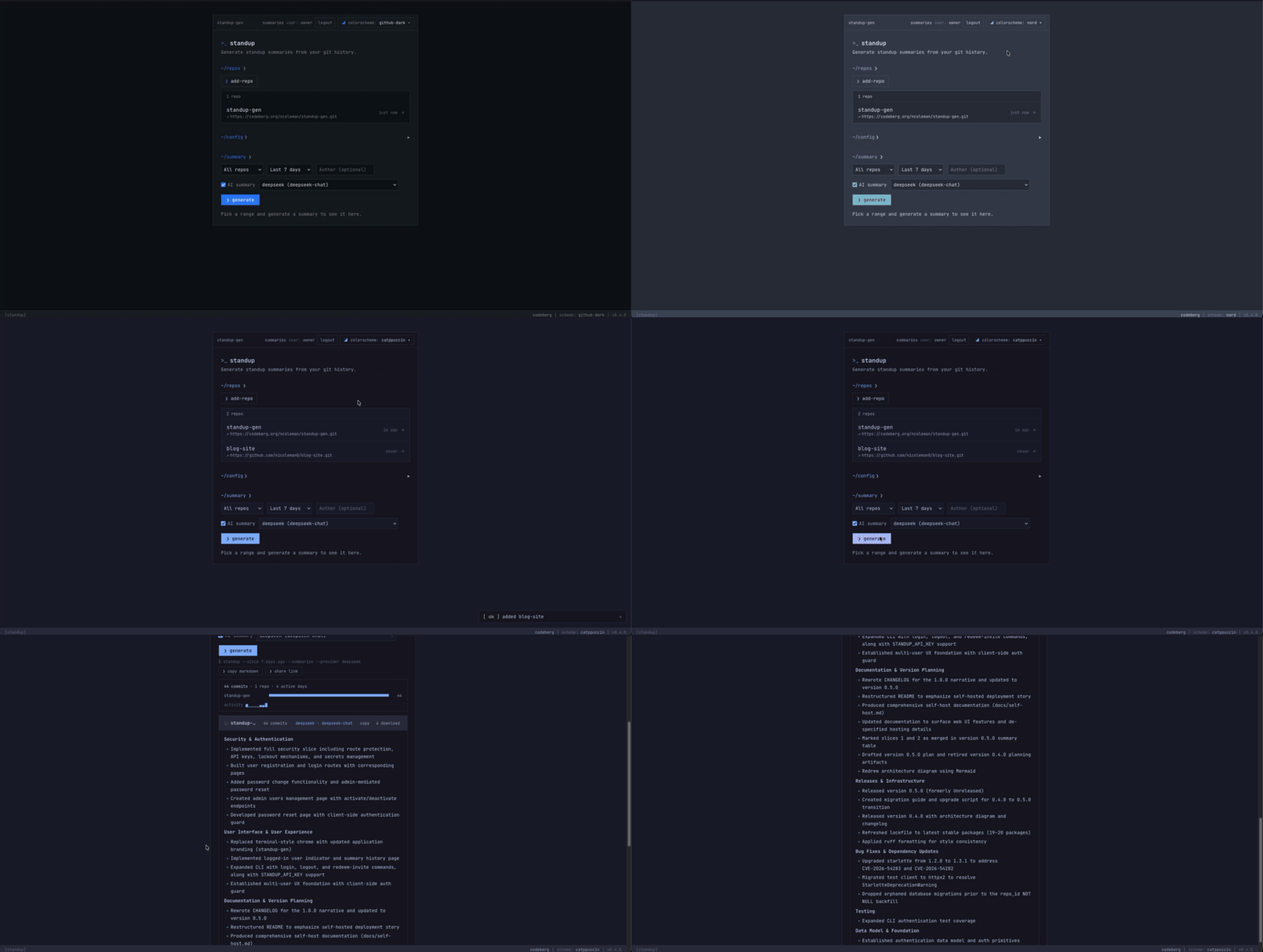
Quickstart
Local CLI — no server or database:
pip install surgite
surgite /path/to/repo --since 7.days.ago
Add --summarize for an AI summary after configuring a provider key.
Web app — clone the repository and start Compose:
git clone https://github.com/nicoleman0/surgite.git
cd surgite
cp .env.example .env
# For multi-user access, set AUTH_MODE=multi_user and BOOTSTRAP_OWNER_EMAIL.
docker compose up -d
In multi-user mode, first start logs an owner invite. Redeem it in the browser
or with surgite --redeem-invite <token> --email you@example.com. The full
deployment guide is docs/self-host.md.
Features
- Per-user repositories, prompt settings, summaries, and shared links
- Local CLI or a self-hosted FastAPI/Postgres/SvelteKit application
- Anthropic, Groq, DeepSeek, or OpenAI-compatible local models
- Email/password auth, API keys, encrypted per-user provider keys, Git connections, and audit logs
Private repositories
Add an HTTPS Git connection in Settings with a credential-free origin, username, and read-only access token. Surgite encrypts it at rest and only supplies it to Git through a non-interactive askpass helper. Never paste credentials into a repository URL.
Documentation
- Self-hosting
- Security model and security policy
- API stability policy and OpenAPI contract
- Contributing, release history, and upgrade guides
Development
uv sync --group dev
docker compose up -d db
uv run alembic upgrade head
uv run pytest
cd frontend && npm install && npm run check && npm run test
See CONTRIBUTING.md for the full workflow and AGENTS.md for architecture and project conventions.
License
MIT © 2026 Nick Coleman
1 maintainer

Metadata
1 maintainer
Release files for surgite 1.8.0
For a detailed explanation of source distributions (sdists) and built distributions (wheels), please see the package formats documentation.
Source distribution (sdist)
| File | Size | Uploaded | |
|---|---|---|---|
| surgite-1.8.0.tar.gz | 46.1 kB | Details |
Built distribution (wheel)
| File | Interpreter | ABI | Platform | Reset |
|---|---|---|---|---|
| surgite-1.8.0-py3-none-any.whl | Python 3 | none | any | Details |
Total release size: 99.1 kB
Release files / surgite-1.8.0.tar.gz
| Download URL | surgite-1.8.0.tar.gz |
|---|---|
| Size | 46.1 kB |
| Tags | Source |
|
SHA-256 checksum How to use checksums |
8a0299a926c38bcebd79ba1529ca7e2459d6a8ff9062df58900dfd457b038763
|
|
BLAKE2b-256 checksum How to use checksums |
0cd6b7231b63dd3c71e211be61b3f5ef268b19f1722ed57db65cb390f6a07425
|
| Upload date | |
|
Uploaded using Trusted Publishing? What is trusted publishing? |
Yes |
| Uploaded via |
twine/7.0.0 CPython/3.13.14
|
Provenance
Provenance describes where a file came from. On PyPI, provenance is shared via attestations, which provide a verifiable record of the build or publishing details. View details, limitations and caveats.


PyPI Publish Attestation
PyPI verified that this artifact, at this checksum, originated from the publisher listed below.
Signed by GitHub Actions, verified by PyPI on Sep 13, 2026.
Transparency logRelease files / surgite-1.8.0-py3-none-any.whl
| Download URL | surgite-1.8.0-py3-none-any.whl |
|---|---|
| Size | 52.9 kB |
| Tags | Python 3 |
|
SHA-256 checksum How to use checksums |
ca9348bff38ca2616c03c7f0f44bafb7037f7a77eed7169d78e8bf200aed338d
|
|
BLAKE2b-256 checksum How to use checksums |
4c53bb5a1458f5babcb1dfc6e3320a372274f6bc5ec27feee0e17bbe89e8ae7c
|
| Upload date | |
|
Uploaded using Trusted Publishing? What is trusted publishing? |
Yes |
| Uploaded via |
twine/7.0.0 CPython/3.13.14
|
Provenance
Provenance describes where a file came from. On PyPI, provenance is shared via attestations, which provide a verifiable record of the build or publishing details. View details, limitations and caveats.
PyPI Publish Attestation
PyPI verified that this artifact, at this checksum, originated from the publisher listed below.
Signed by GitHub Actions, verified by PyPI on Sep 13, 2026.
Transparency log













