
TableSleuth - a Textual TUI for Open Table Format forensics (Iceberg, Delta Lake) with data profiling.
Verified details
These details have been verified by PyPIProject links
GitHub Statistics
Maintainers

Project description
TableSleuth






A powerful terminal-based tool for deep inspection of Parquet files, Apache Iceberg tables, and Delta Lake tables. Analyze file structure, metadata, row groups, column statistics, and table evolution with an intuitive TUI interface.
Key Features
Parquet Analysis
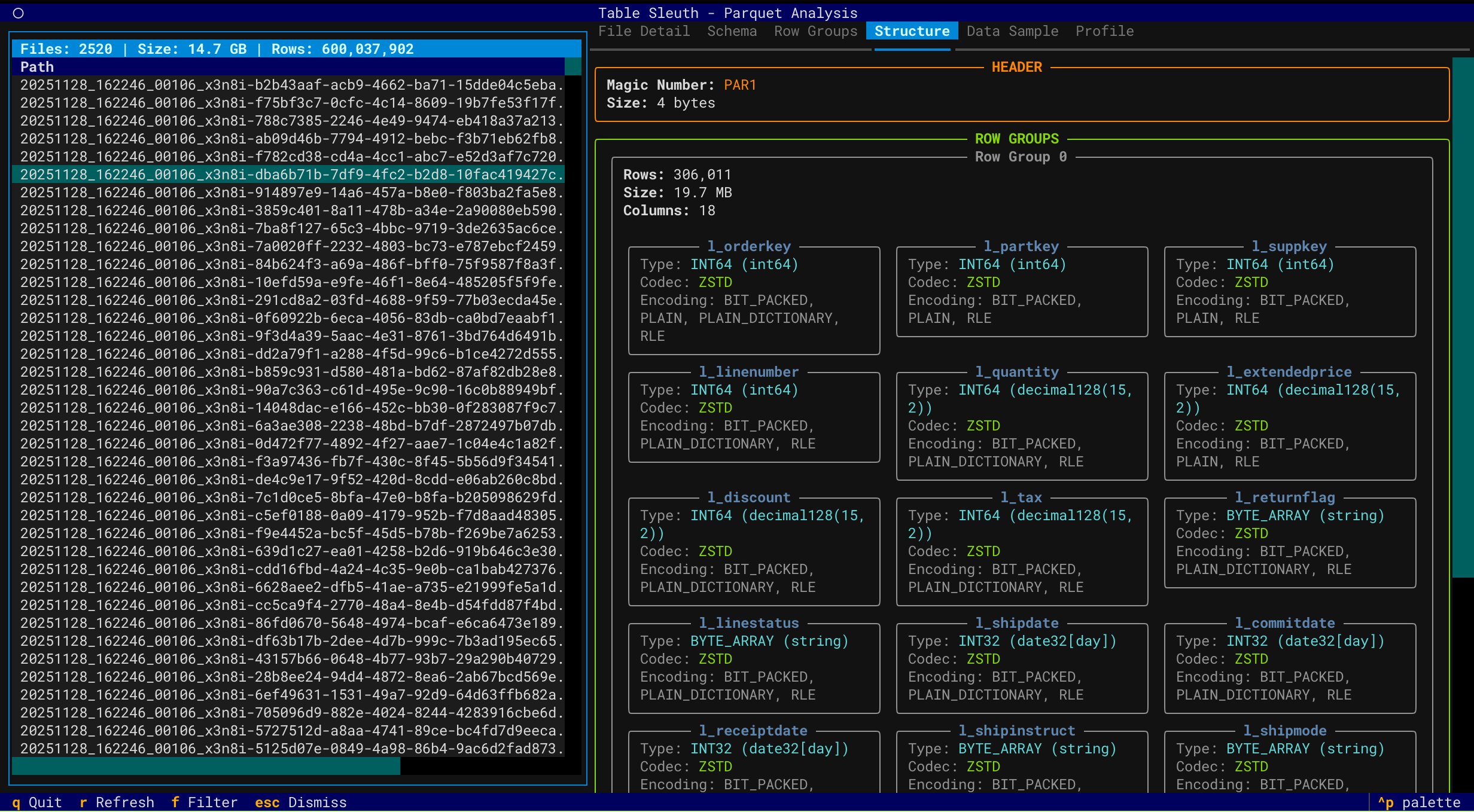
- Deep File Inspection - Comprehensive metadata extraction using PyArrow
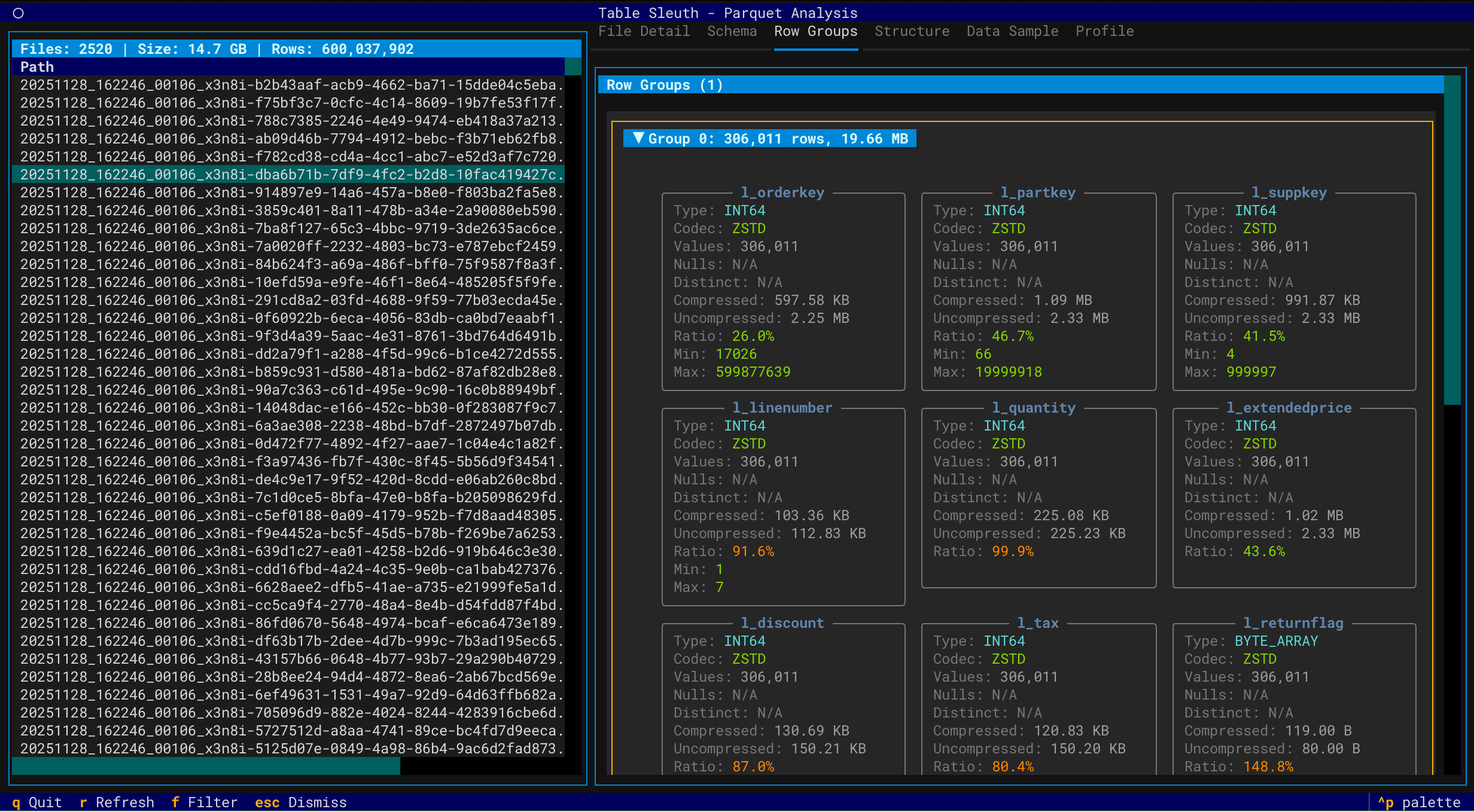
- Row Group Analysis - Examine distribution, compression, and statistics
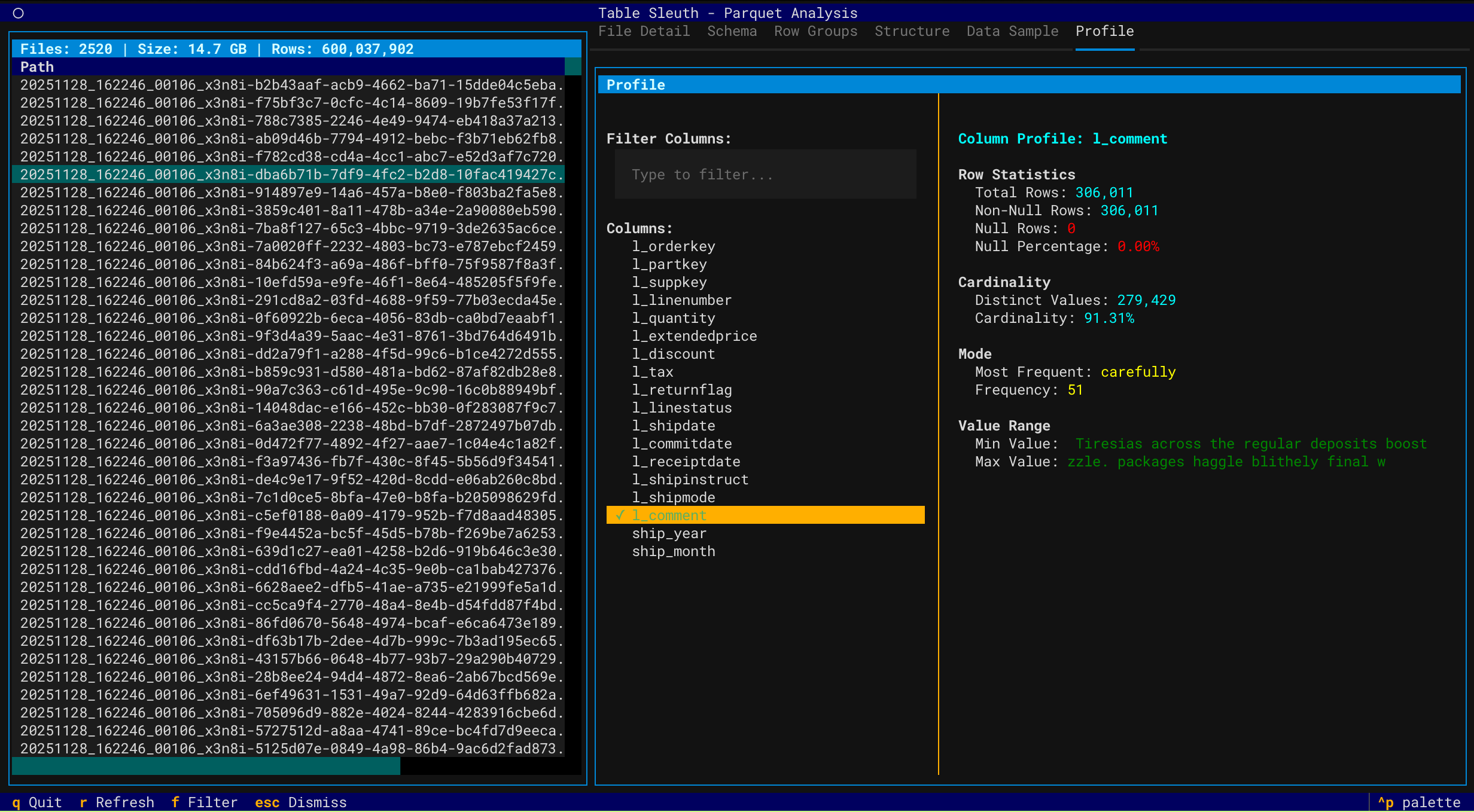
- Column Profiling - Profile data using GizmoSQL (DuckDB over Arrow Flight SQL)
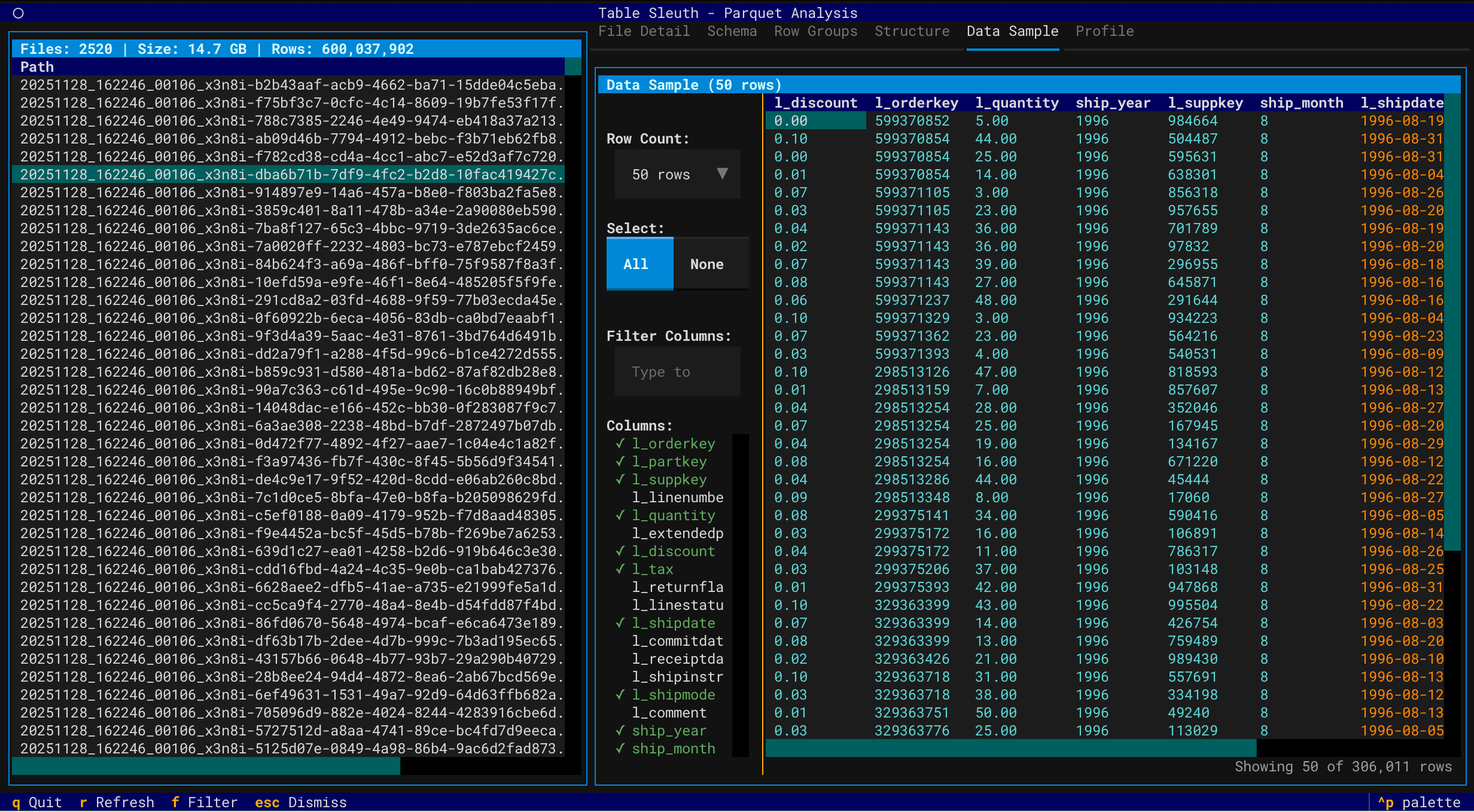
- Data Sampling - Preview and filter data with column selection
- Directory Scanning - Recursively discover and inspect Parquet files
Iceberg Table Analysis
- Snapshot Navigation - Browse table history and metadata evolution
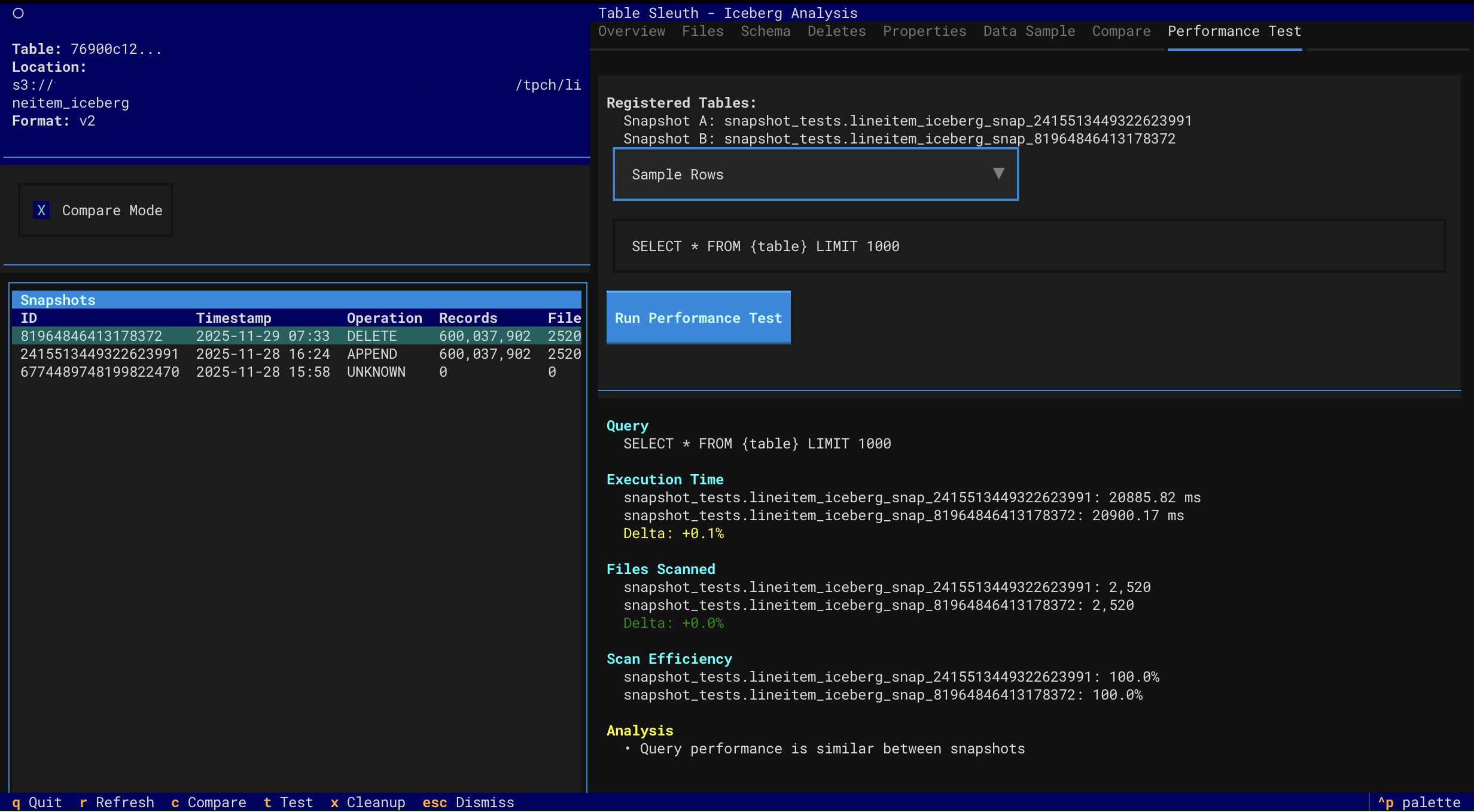
- Performance Testing - Compare query performance across snapshots
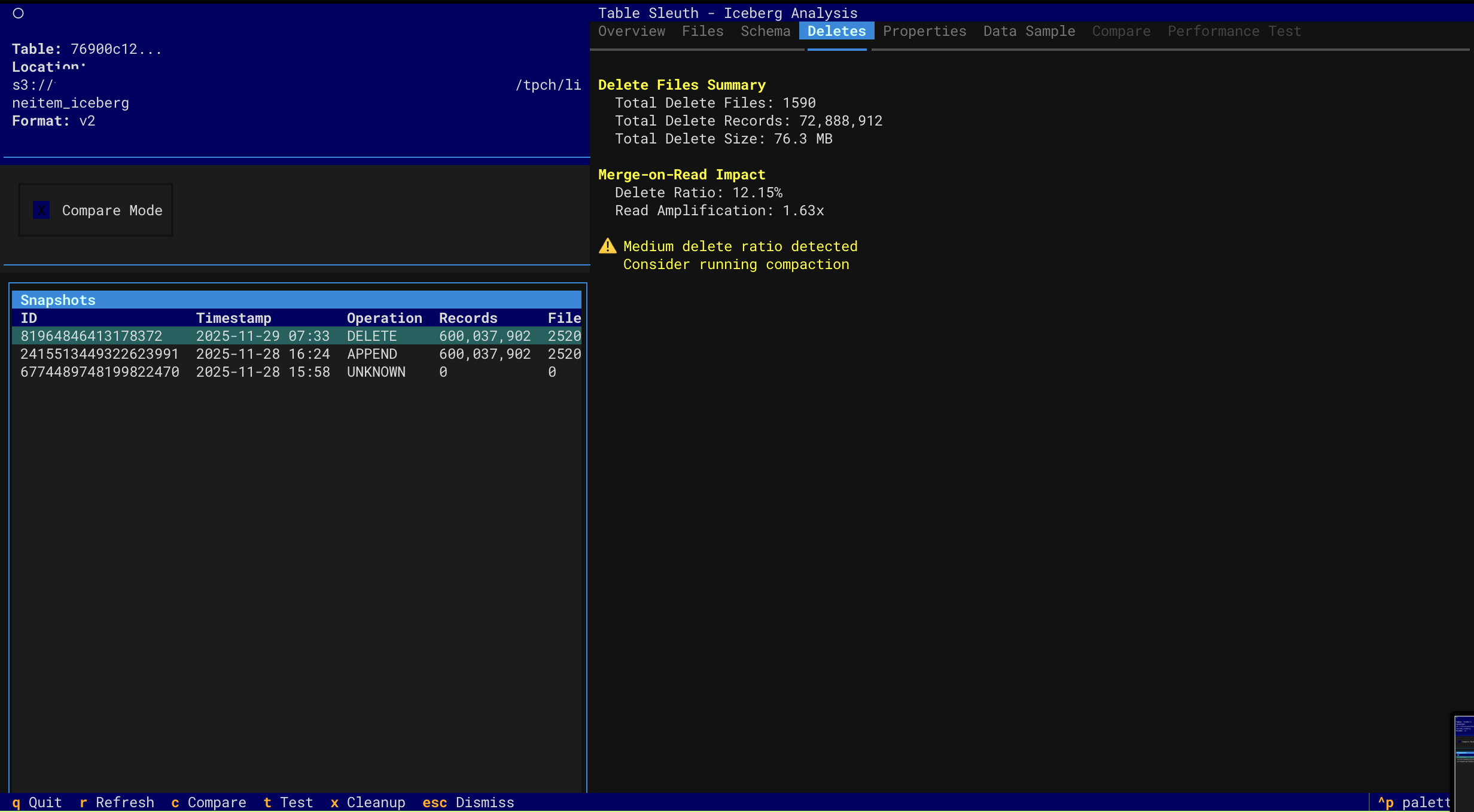
- Delete File Inspection - Analyze MOR (Merge-on-Read) delete files
- Schema Evolution - Track schema changes over time
- Catalog Support - Local SQLite, AWS Glue, and AWS S3 Tables
Delta Lake Analysis
- Version History - Navigate through Delta table versions and time travel
- File Size Analysis - Identify small file problems and optimization opportunities
- Storage Waste - Track tombstoned files and reclaimable storage
- DML Forensics - Analyze MERGE, UPDATE, DELETE operations and rewrite amplification
- Z-Order Effectiveness - Monitor data skipping and clustering degradation
- Checkpoint Health - Assess transaction log health and maintenance needs
- Optimization Recommendations - Get prioritized suggestions for OPTIMIZE, VACUUM, and ZORDER
Interface
- Interactive TUI - Keyboard-driven navigation with rich visualizations
- Multi-Source Support - Local files, S3, Iceberg catalogs, and Delta tables
- Performance Optimized - Async operations, caching, and lazy loading
Screenshots
Parquet File Inspection
|
File Structure & Schema
|
Row Group Analysis
|
|
Data Sample View
|
Column Profiling
|
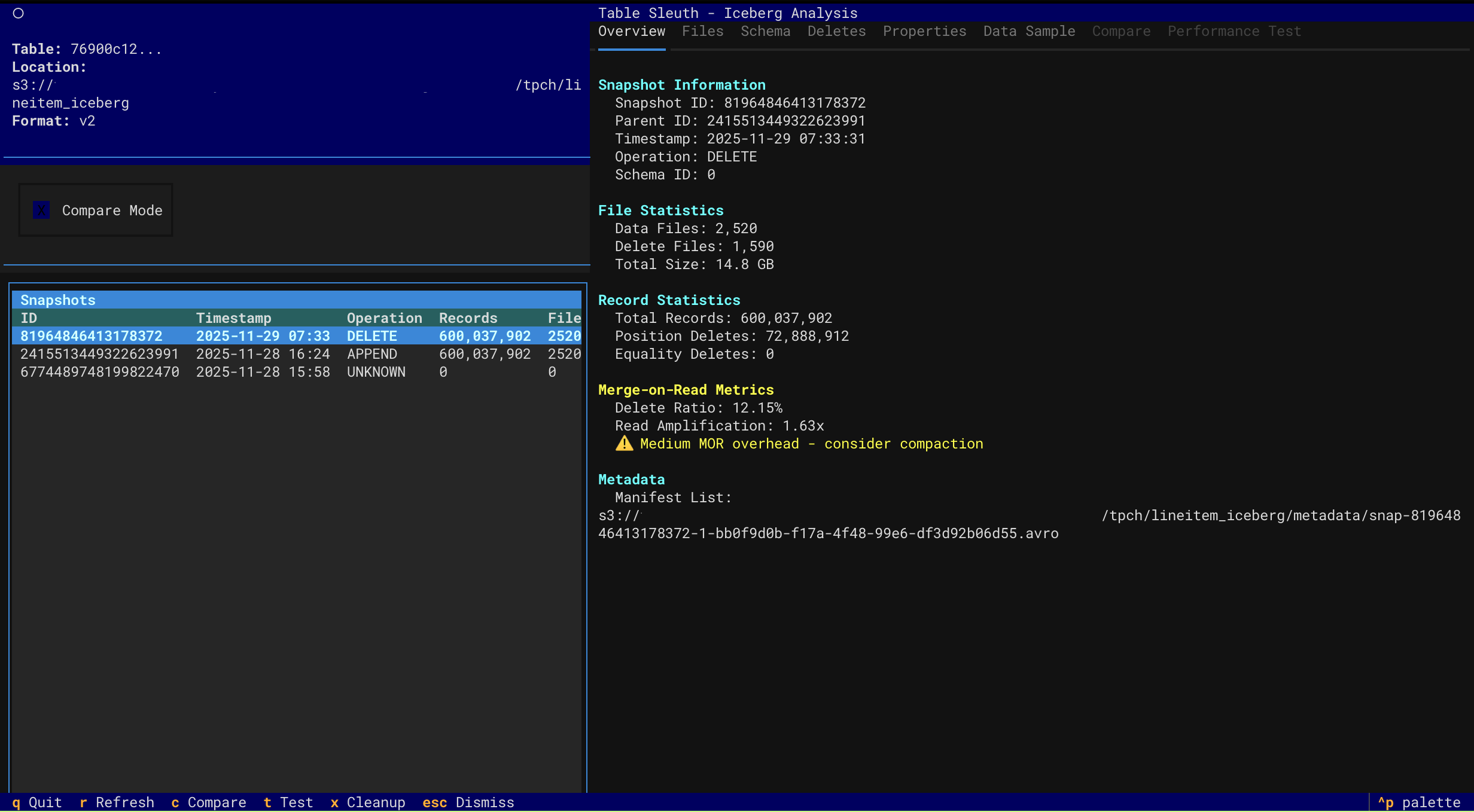
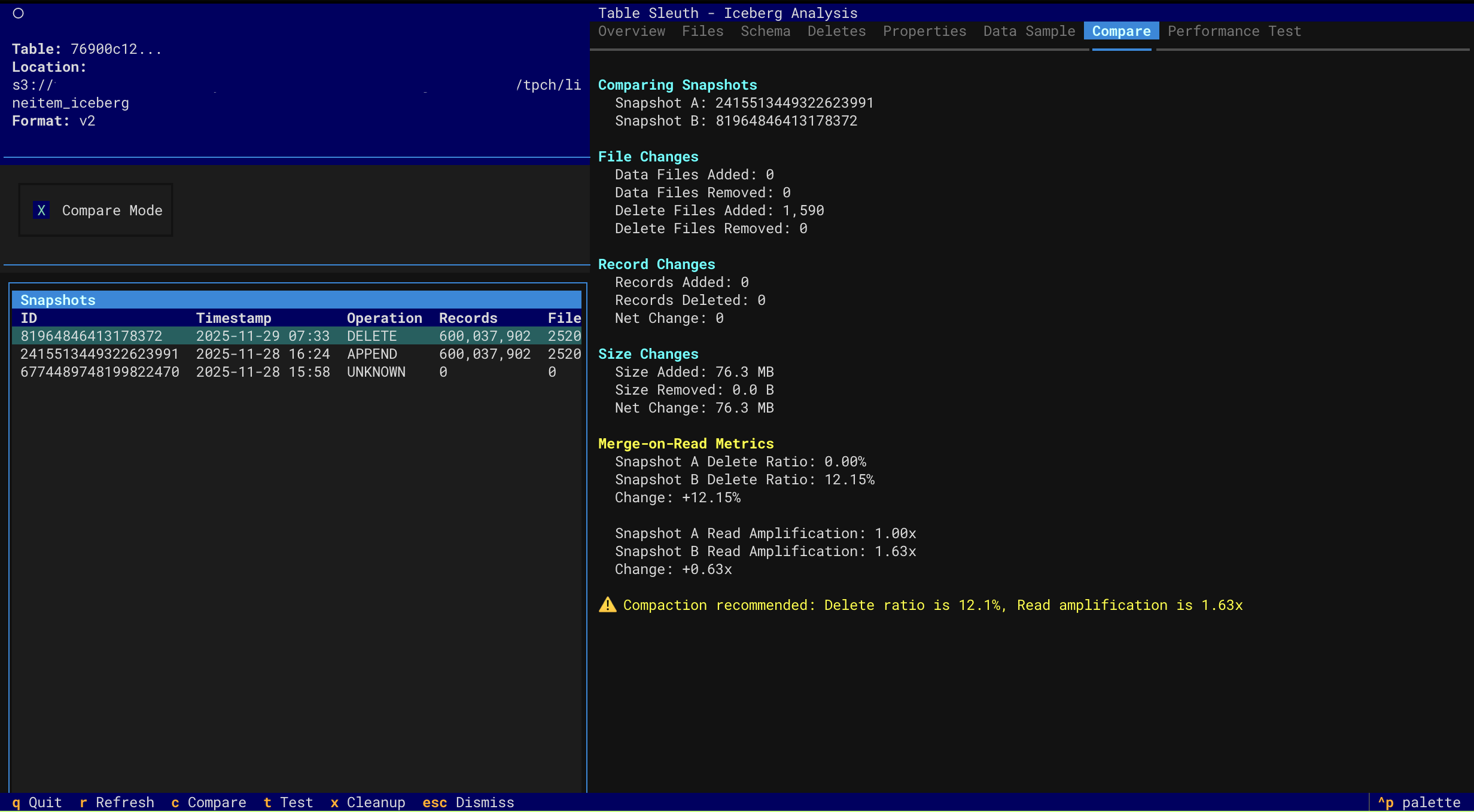
Iceberg Table Analysis
|
Snapshot Overview
|
Performance Testing
|
|
Delete Files (MOR)
|
Snapshot Comparison
|
Quick Start
# Install with uv (recommended)
uv sync

# Inspect a Parquet file
tablesleuth parquet data/file.parquet

# Inspect a directory (recursive)
tablesleuth parquet data/warehouse/

# Inspect an Iceberg table
tablesleuth iceberg db.table --catalog local

# Inspect AWS S3 Tables (using ARN)
tablesleuth iceberg "arn:aws:s3tables:us-east-2:123456789012:bucket/my-bucket/table/db.table"
📚 Documentation:
- Quick Start Guide - Get started with examples
- Setup Guide - Complete installation and configuration
- User Guide - Comprehensive usage documentation
Installation
Requirements: Python 3.13+ and uv
# Install from PyPI
pip install tablesleuth

# Or install from source
git clone https://github.com/jamesbconner/TableSleuth
cd TableSleuth
uv sync

# Verify installation
tablesleuth --version

# Initialize configuration files
tablesleuth init
See TABLESLEUTH_SETUP.md for detailed setup including AWS, GizmoSQL, and catalog configuration.
Quick Start
# 1. Initialize configuration (first time only)
tablesleuth init

# 2. Edit configuration files
#    - tablesleuth.toml (main config)
#    - .pyiceberg.yaml (catalog config)

# 3. Verify configuration
tablesleuth config-check

# 4. Start inspecting files
tablesleuth parquet data/file.parquet
Configuration
Quick Setup
# Initialize configuration files with interactive prompts
tablesleuth init

# Check configuration and test connections
tablesleuth config-check
tablesleuth config-check -v  # Verbose output
Configuration Files
tablesleuth.toml - Main configuration:
[catalog]
default = "local"  # Default Iceberg catalog

[gizmosql]
uri = "grpc+tls://localhost:31337"
username = "gizmosql_username"
password = "gizmosql_password"
tls_skip_verify = true
Configuration Priority:
- Environment variables (
TABLESLEUTH_*) - Local config files (
./tablesleuth.toml,./.pyiceberg.yaml) - Home config files (
~/tablesleuth.toml,~/.pyiceberg.yaml) - Built-in defaults
Iceberg Catalogs
Configure PyIceberg in .pyiceberg.yaml:
catalog:
  local:
    type: sql
    uri: sqlite:////path/to/catalog.db
    warehouse: file:///path/to/warehouse
For detailed configuration:
- Setup Guide - All catalog types and AWS configuration
- GizmoSQL Deployment - Profiling backend setup
Usage
CLI Commands
# Configuration management
tablesleuth init                    # Initialize config files
tablesleuth config-check            # Validate configuration
tablesleuth config-check -v         # Detailed validation

# Inspect Parquet files
tablesleuth parquet file.parquet
tablesleuth parquet directory/
tablesleuth parquet s3://bucket/path/file.parquet

# Inspect Iceberg tables
tablesleuth iceberg db.table --catalog local
tablesleuth iceberg "arn:aws:s3tables:region:account:bucket/name/table/db.table"

# Launch Iceberg viewer
tablesleuth iceberg --catalog local --table db.table

# Inspect Delta Lake tables
tablesleuth delta path/to/delta/table
tablesleuth delta s3://bucket/path/to/delta/table
tablesleuth delta path/to/delta/table --version 5  # Time travel to version 5
TUI Navigation
| Key | Action |
|---|---|
q |
Quit |
r |
Refresh |
f |
Filter columns |
Tab |
Switch tabs |
↑/↓ |
Navigate |
Enter |
Select |
See User Guide for complete keyboard shortcuts and features.
Optional: GizmoSQL Profiling
Enable column profiling and performance testing with GizmoSQL (DuckDB over Arrow Flight SQL).
Quick Setup:
# Install GizmoSQL (macOS ARM64 example)
curl -L https://github.com/gizmodata/gizmosql/releases/download/v1.12.10/gizmosql_cli_macos_arm64.zip \
  | sudo unzip -o -d /usr/local/bin -

# Start server
gizmosql_server -P password -Q -T ~/.certs/cert0.pem ~/.certs/cert0.key
See GizmoSQL Deployment Guide for complete setup and EC2 deployment.
Architecture
TableSleuth uses a layered architecture:
- TUI Layer - Textual-based terminal interface with rich visualizations
- Service Layer - Business logic for file inspection, profiling, and discovery
- Integration Layer - PyArrow for Parquet, PyIceberg for tables, GizmoSQL for profiling
See Architecture Guide for detailed technical documentation.
Development
# Install with dev dependencies
uv sync --all-extras

# Run tests
pytest

# Run quality checks
uv run pre-commit run --all-files

# Type checking
mypy src/
See Development Setup for complete development environment setup.
Documentation
Getting Started
- Quick Start - Examples and common workflows
- Setup Guide - Installation and configuration
- User Guide - Complete feature documentation
Advanced Topics
- Performance Profiling - Query performance analysis
- GizmoSQL Deployment - Profiling backend setup
- EC2 Deployment - Automated AWS deployment
Development
- Development Setup - Dev environment and workflows
- Architecture - System design and technical details
- Developer Guide - API reference and contributing
What's New
v0.4.2 (Current)
- 🎉 Available on PyPI! Install with
pip install tablesleuth - 🔄 Package renamed to
tablesleuthfor consistency - 🤖 Automated CI/CD with GitHub Actions
- 📦 Enhanced PyPI metadata and publishing workflow
- 🐛 Bug fixes and stability improvements
- ✅ All features from v0.4.0 and v0.3.0
v0.4.0
- 🎉 PyPI release
- 🔄 Package renamed to
tablesleuth - 🤖 Automated CI/CD with GitHub Actions
- 📦 Enhanced PyPI metadata and publishing workflow
v0.3.0
- ✅ Parquet file inspection (local and S3)
- ✅ Iceberg snapshot navigation and analysis
- ✅ Delete file inspection and MOR forensics
- ✅ Snapshot comparison and performance testing
- ✅ Column profiling with GizmoSQL
- ✅ AWS Glue and S3 Tables catalog support
- ✅ Interactive TUI with rich visualizations
- ✅ Delta Lake version history and forensics
- ✅ Storage waste analysis and optimization recommendations
- ✅ DML operation forensics and rewrite amplification tracking
Roadmap
- Apache Hudi support
- Schema evolution visualization
- Export capabilities (JSON, CSV reports)
- REST catalog support
- Advanced partition analysis
Contributing
Contributions welcome! See Developer Guide and Development Setup.
License
MIT License - See LICENSE for details.
Support
- Issues & Features: GitHub Issues
- Documentation: See docs/ directory
- Changelog: CHANGELOG.md
Project details
Verified details
These details have been verified by PyPIProject links
GitHub Statistics
Maintainers
Release history Release notifications | RSS feed


Download files
Download the file for your platform. If you're not sure which to choose, learn more about installing packages.
Source Distribution
Built Distribution
Filter files by name, interpreter, ABI, and platform.
If you're not sure about the file name format, learn more about wheel file names.
Copy a direct link to the current filters
File details
Details for the file tablesleuth-0.5.0.tar.gz.
File metadata
- Download URL: tablesleuth-0.5.0.tar.gz
- Upload date:
- Size: 6.2 MB
- Tags: Source
- Uploaded using Trusted Publishing? Yes
- Uploaded via: twine/6.1.0 CPython/3.13.7
File hashes
| Algorithm | Hash digest | |
|---|---|---|
| SHA256 |
0219eb8f25a4bf9f3b5cb7ef78bbdb0ee7509e624a81d701b06f214c97911e76
|
|
| MD5 |
fa8f187222bd5c6cfffce8cd90937f2e
|
|
| BLAKE2b-256 |
68fae0af48c9eb7ca90bead7c51bfb3071d2f84a62736bcfeea33b87a5a6d814
|
Provenance
The following attestation bundles were made for tablesleuth-0.5.0.tar.gz:
Publisher:
publish.yml on jamesbconner/TableSleuth
-
Statement:
-
Statement type:
https://in-toto.io/Statement/v1 -
Predicate type:
https://docs.pypi.org/attestations/publish/v1 -
Subject name:
tablesleuth-0.5.0.tar.gz -
Subject digest:
0219eb8f25a4bf9f3b5cb7ef78bbdb0ee7509e624a81d701b06f214c97911e76 - Sigstore transparency entry: 843281090
- Sigstore integration time:
-
Permalink:
jamesbconner/TableSleuth@e5b97c30b3a15a7a4e411080ed7fdd2cb6c0ac18 -
Branch / Tag:
refs/tags/v0.5.0 - Owner: https://github.com/jamesbconner
-
Access:
public
-
Token Issuer:
https://token.actions.githubusercontent.com -
Runner Environment:
github-hosted -
Publication workflow:
publish.yml@e5b97c30b3a15a7a4e411080ed7fdd2cb6c0ac18 -
Trigger Event:
release
-
Statement type:
File details
Details for the file tablesleuth-0.5.0-py3-none-any.whl.
File metadata
- Download URL: tablesleuth-0.5.0-py3-none-any.whl
- Upload date:
- Size: 136.4 kB
- Tags: Python 3
- Uploaded using Trusted Publishing? Yes
- Uploaded via: twine/6.1.0 CPython/3.13.7
File hashes
| Algorithm | Hash digest | |
|---|---|---|
| SHA256 |
a583875de2a023f481dced810d4b5ac59c549a20dc57cecb9b04e885717a5824
|
|
| MD5 |
00e57118c18fda03b1e19e37e208730c
|
|
| BLAKE2b-256 |
d3d8c4e581637a288f4dacb4322a7b2aa4daf7882ce319915c34e08ae4bc1e2b
|
Provenance
The following attestation bundles were made for tablesleuth-0.5.0-py3-none-any.whl:
Publisher:
publish.yml on jamesbconner/TableSleuth
-
Statement:
-
Statement type:
https://in-toto.io/Statement/v1 -
Predicate type:
https://docs.pypi.org/attestations/publish/v1 -
Subject name:
tablesleuth-0.5.0-py3-none-any.whl -
Subject digest:
a583875de2a023f481dced810d4b5ac59c549a20dc57cecb9b04e885717a5824 - Sigstore transparency entry: 843281101
- Sigstore integration time:
-
Permalink:
jamesbconner/TableSleuth@e5b97c30b3a15a7a4e411080ed7fdd2cb6c0ac18 -
Branch / Tag:
refs/tags/v0.5.0 - Owner: https://github.com/jamesbconner
-
Access:
public
-
Token Issuer:
https://token.actions.githubusercontent.com -
Runner Environment:
github-hosted -
Publication workflow:
publish.yml@e5b97c30b3a15a7a4e411080ed7fdd2cb6c0ac18 -
Trigger Event:
release
-
Statement type:






