
Taskuary


Your inbox, staffed by AI agents.
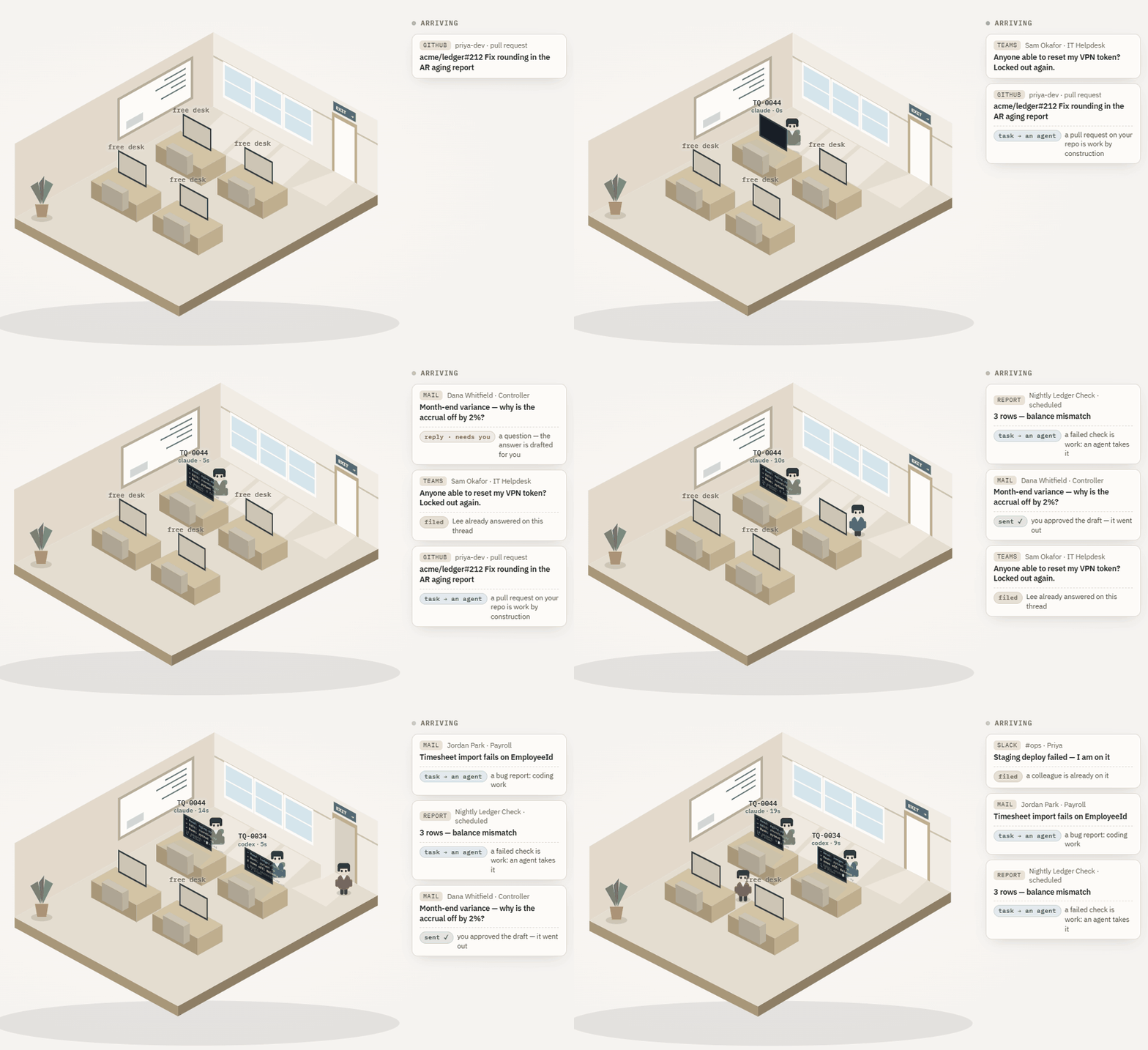
Taskuary brings your mail, chats, issues, and scheduled reports onto one local timeline. AI triage decides what is real work, your coding CLI works the tasks in your own repos, and replies wait for your approval. Nothing sends or ships without you.
Taskuary is early—currently v0.3.2—and moving fast. The funnel, review queue, agent sessions, and reports pipeline are in daily use; breaking changes are still possible before 1.0.
One timeline for incoming work
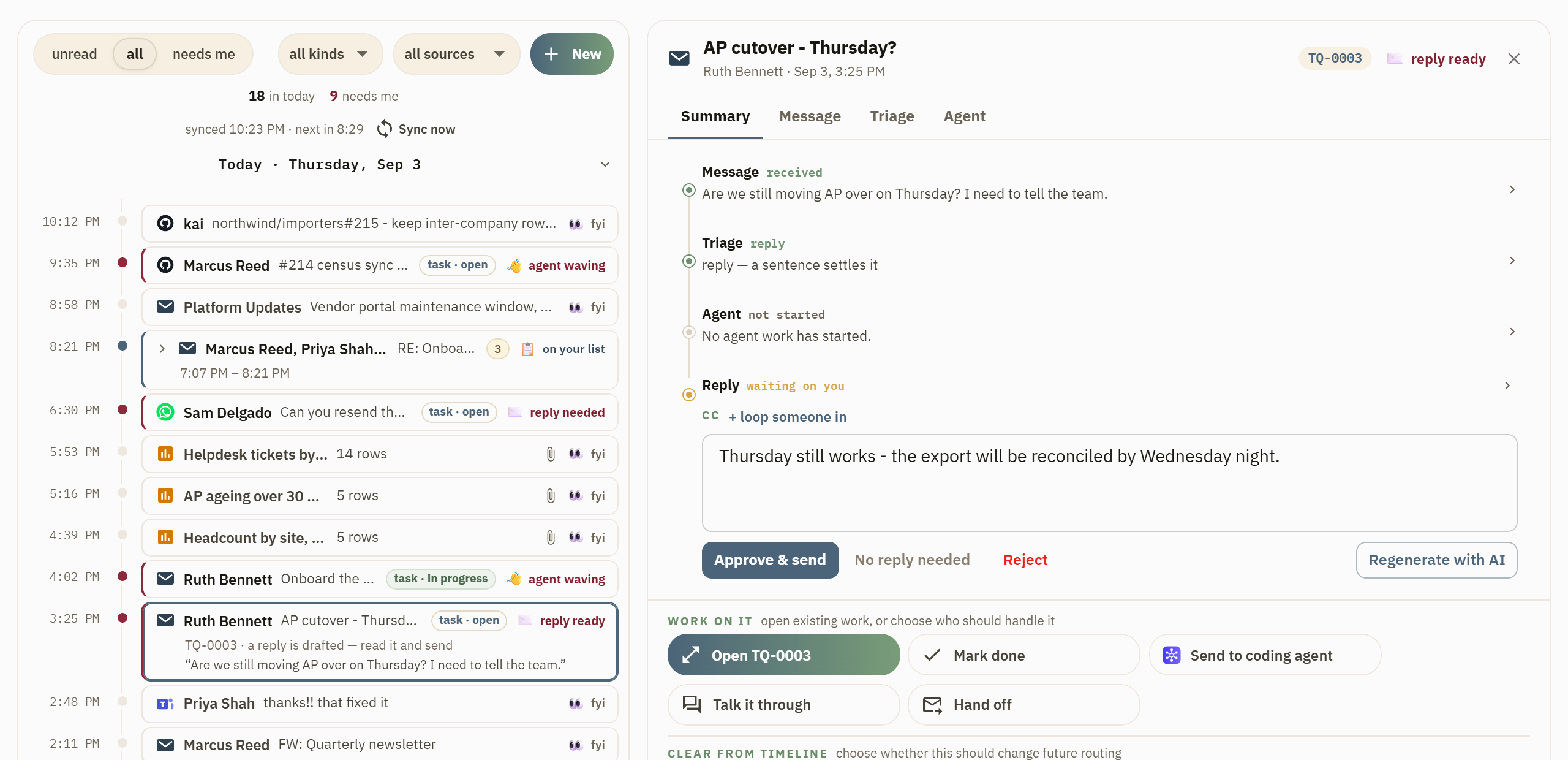
Outlook, Gmail, Teams, Slack, Telegram, WhatsApp, GitHub, Jira, alerts, and reports all arrive on the same day-grouped rail. Each row says what it is and whether it needs you. Open one to see the full message, its attachments, why triage ruled that way, the drafted reply, and every available next step.
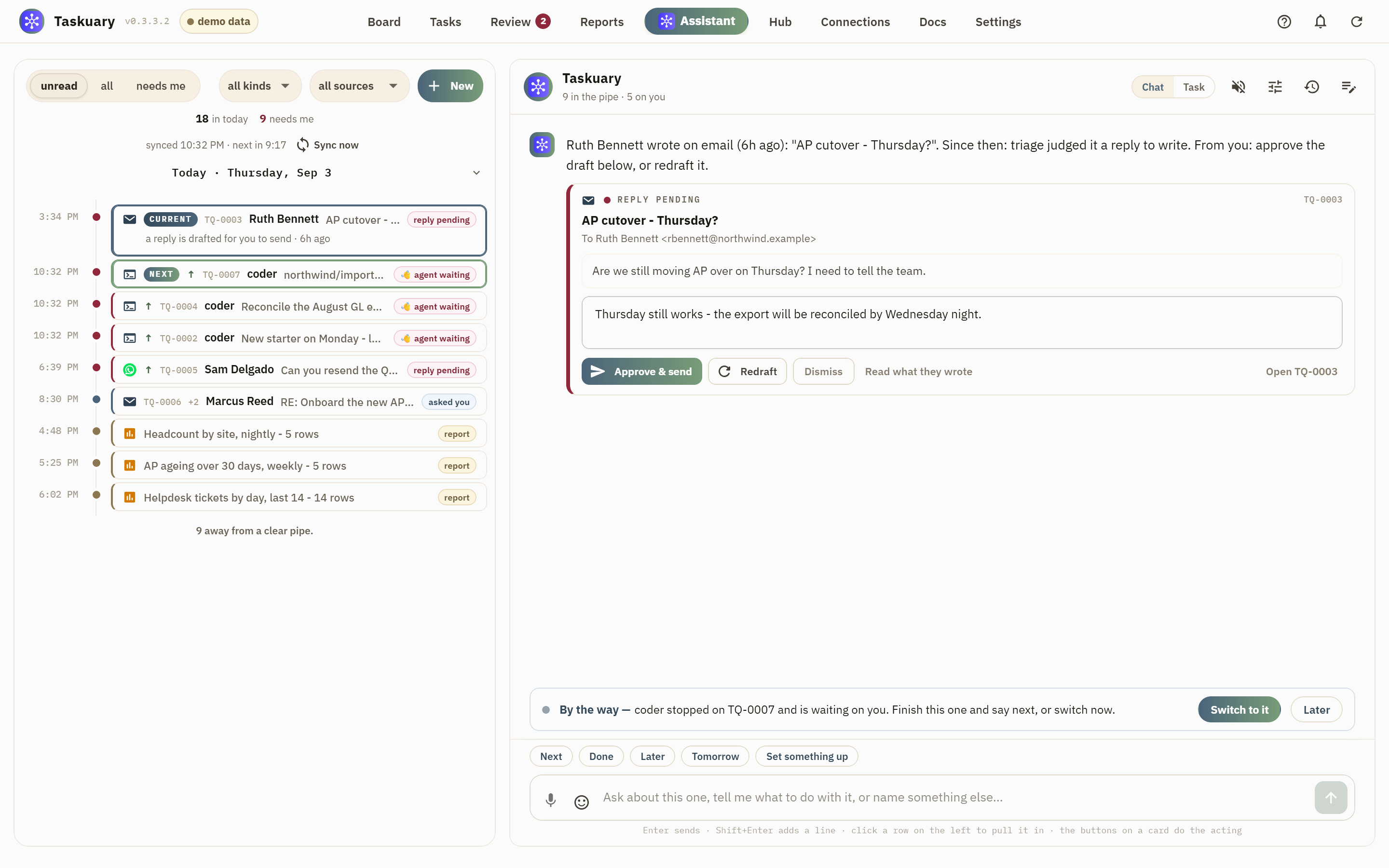
Coding work can go straight to Claude Code, Codex, Gemini, Cursor, Copilot, or any CLI that accepts a prompt on stdin. You watch the live terminal, answer questions, review the diff, and approve what happens next. Research, marketing, and other general work belong in a conversational workspace built with assistant-ui and your existing Taskuary AI connections. Assistant and terminal are two views of the same session: model, history, queued instructions, image attachments, and the side-by-side browser stay put when you switch. The same workspace also appears on the Wall.
An assistant that notices what falls between tasks
The Assistant periodically reads what the hub can see and posts only when it has something useful to say: a reply that went unanswered, a meeting that needs context, a task that went quiet, or a pattern across the week's work. Every suggestion includes its evidence and can be made into a task, dismissed, snoozed, or taught away with Not this.
It watches the systems you run on, not only the hub. Point it at a Sage Intacct query, a database, a file, a REST or MCP tool, a cloud log group, or an agent skill—no saved report has to stand behind any of them—and it reads each one silently on every check. That step would otherwise ask you to know an object name and a list of field ids, so you can describe what it should keep an eye on instead and the AI writes the source cards: it may only choose systems you have actually connected, it reads the real schema before writing a query, and it asks rather than guessing a filter. The same help sits on every source card in the report builder.
Its voice, schedule, model, and thresholds are yours to change. It leaves a note for its next check, does not repeat itself, and stays silent when there is nothing worth interrupting you for.
Install
Windows app
Download the latest single-file Taskuary.exe and open it. No Python or installer is required.
Python
Python 3.10 or newer works on Windows, macOS, and Linux:
pip install taskuary
taskuary
Taskuary opens at http://127.0.0.1:7787. For a native desktop
window instead, install pip install "taskuary[desktop]" and run taskuary-desktop.
Docker
git clone https://github.com/ldbumble/taskuary
cd taskuary
docker compose up
Then open http://127.0.0.1:7787. Docker runs the web app; coding CLIs and the optional WhatsApp bridge remain on the host.
On first run, connect an AI provider or local Ollama model, add at least one inbound channel, then choose the coding CLI that should receive tasks. The setup wizards test each connection before it goes live.
Installs

Redrawn every morning by downloads.yml from PyPI's own
numbers, with mirror traffic excluded — a full PyPI mirror pulls every release, so counting it
would let a handful of real users read as hundreds. What it does not claim is that CI
installs have been removed: the field that would separate pip install in a build runner from
one on somebody's laptop is in PyPI's BigQuery dataset, not in the public API. The daily series
is docs/downloads.csv.
Documentation
- Getting started—installation, first-run setup, Docker, and data
- Product guide—the workflow, learning loop, agents, and operator documents
- Integrations—channels, AI providers, work systems, and report sources
- Reports and the Assistant—the report pipeline, letting the AI write the source cards, and what the Assistant watches
- Status and roadmap—what works today and what is next
- Contributing—development setup and contribution guide
Taskuary is free and open source under the MIT License. Issues and pull requests are welcome; security reports belong in SECURITY.md.
1 maintainer

Release files for taskuary 0.3.2
For a detailed explanation of source distributions (sdists) and built distributions (wheels), please see the package formats documentation.
Source distribution (sdist)
| File | Size | Uploaded | |
|---|---|---|---|
| taskuary-0.3.2.tar.gz | 1.4 MB | Details |
Built distribution (wheel)
| File | Interpreter | ABI | Platform | Reset |
|---|---|---|---|---|
| taskuary-0.3.2-py3-none-any.whl | Python 3 | none | any | Details |
Total release size: 2.5 MB
Release files / taskuary-0.3.2.tar.gz
| Download URL | taskuary-0.3.2.tar.gz |
|---|---|
| Size | 1.4 MB |
| Tags | Source |
|
SHA-256 checksum How to use checksums |
16187974100103297e923494d2c5b2e6b334800fad2d5e8dee1c736b3657d65a
|
|
BLAKE2b-256 checksum How to use checksums |
295e8fb3a87de192541e508fbc1ed1ba7a3e7d3bcecdab4fe4400c28a909765e
|
| Upload date | |
|
Uploaded using Trusted Publishing? What is trusted publishing? |
Yes |
| Uploaded via |
twine/7.0.0 CPython/3.13.14
|
Provenance
Provenance describes where a file came from. On PyPI, provenance is shared via attestations, which provide a verifiable record of the build or publishing details. View details, limitations and caveats.


PyPI Publish Attestation
PyPI verified that this artifact, at this checksum, originated from the publisher listed below.
Signed by GitHub Actions, verified by PyPI on Aug 31, 2026.
Transparency logRelease files / taskuary-0.3.2-py3-none-any.whl
| Download URL | taskuary-0.3.2-py3-none-any.whl |
|---|---|
| Size | 1.1 MB |
| Tags | Python 3 |
|
SHA-256 checksum How to use checksums |
9d4f7c98743fd7ac4124129925a85652f48548b21df71fff1118e81826790037
|
|
BLAKE2b-256 checksum How to use checksums |
b66a51e6644f27d8590d67004e704cdcf9ec1a4ff95df3c7850ac1bbb518381d
|
| Upload date | |
|
Uploaded using Trusted Publishing? What is trusted publishing? |
Yes |
| Uploaded via |
twine/7.0.0 CPython/3.13.14
|
Provenance
Provenance describes where a file came from. On PyPI, provenance is shared via attestations, which provide a verifiable record of the build or publishing details. View details, limitations and caveats.
PyPI Publish Attestation
PyPI verified that this artifact, at this checksum, originated from the publisher listed below.
Signed by GitHub Actions, verified by PyPI on Aug 31, 2026.
Transparency log













