
terrahour



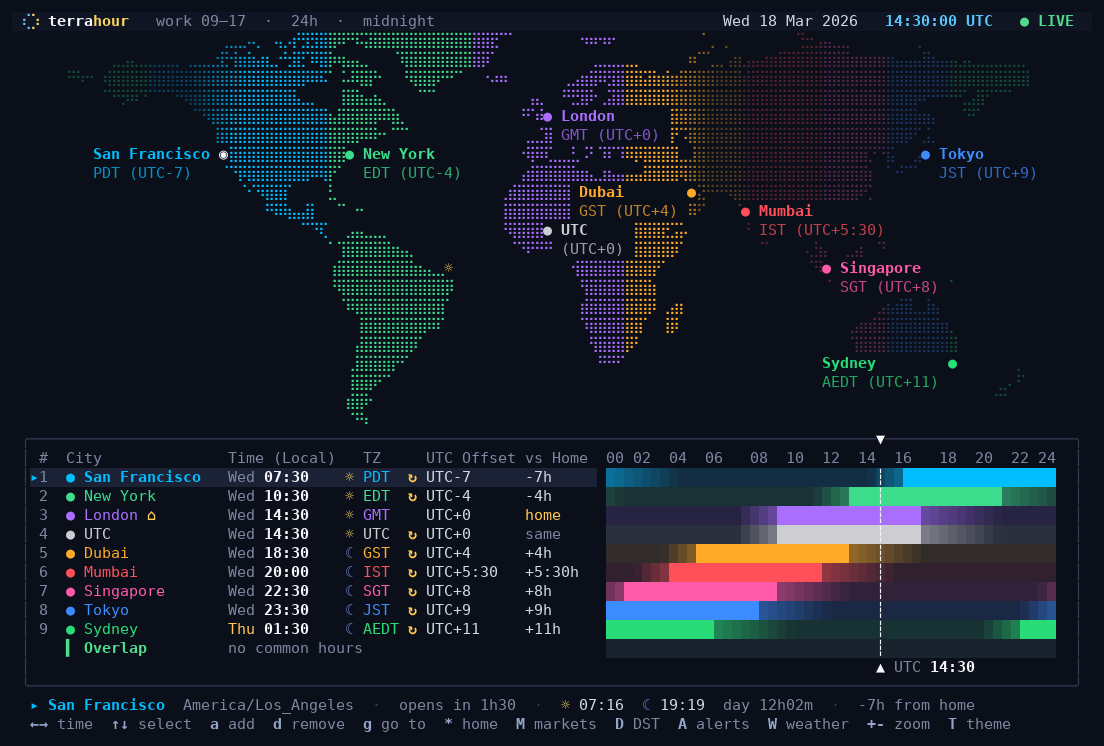
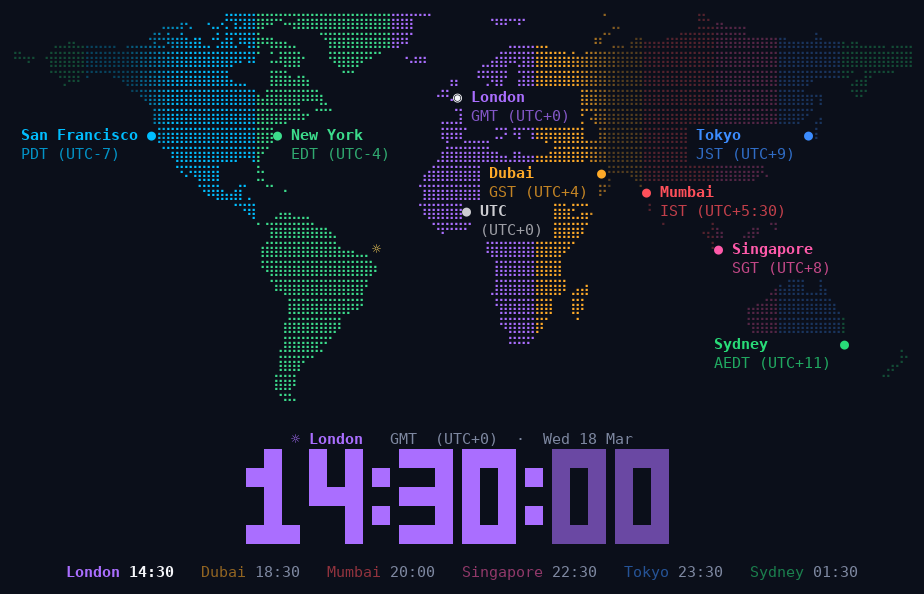
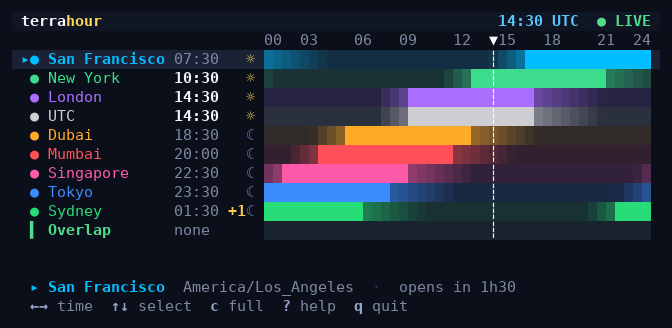
A world clock for the terminal. It shows a map of the world with day and night on it, and for every city you add, when the people there are at work.
By Alessio Coci. MIT licensed: copy it, change it, keep the notice.
Install
pipx install terrahour
Then type terrahour. If you don't have pipx, install it first with sudo apt install pipx
(Debian, Ubuntu) or brew install pipx (macOS). No Python at all? Download the ready-made
file for your system from the releases page
instead.
It runs on Linux and macOS. On Windows use WSL.
The first five minutes
It starts with a few example cities. Then:
| Press | To |
|---|---|
a |
add a city: type its name and press Enter |
d |
remove the selected city |
← → |
move through the day, 15 minutes at a time |
r |
come back to now |
? |
see every key |
q |
quit |
Your cities and settings are saved automatically.
What else it can do
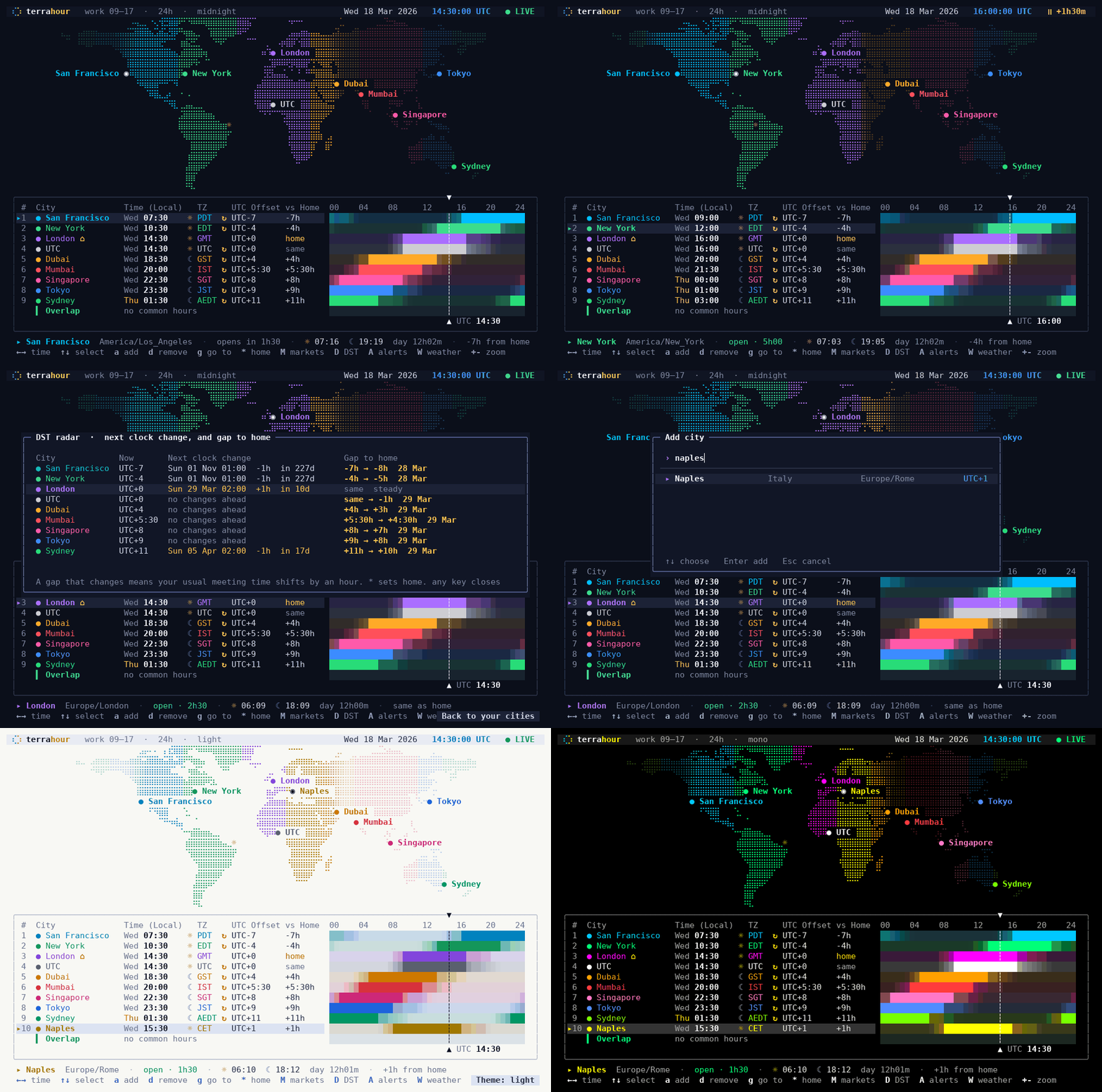
Find a meeting time. Each city has a bar showing its working hours. The row at the bottom shows when everybody is at their desk at the same time.
 |
 |
|---|---|
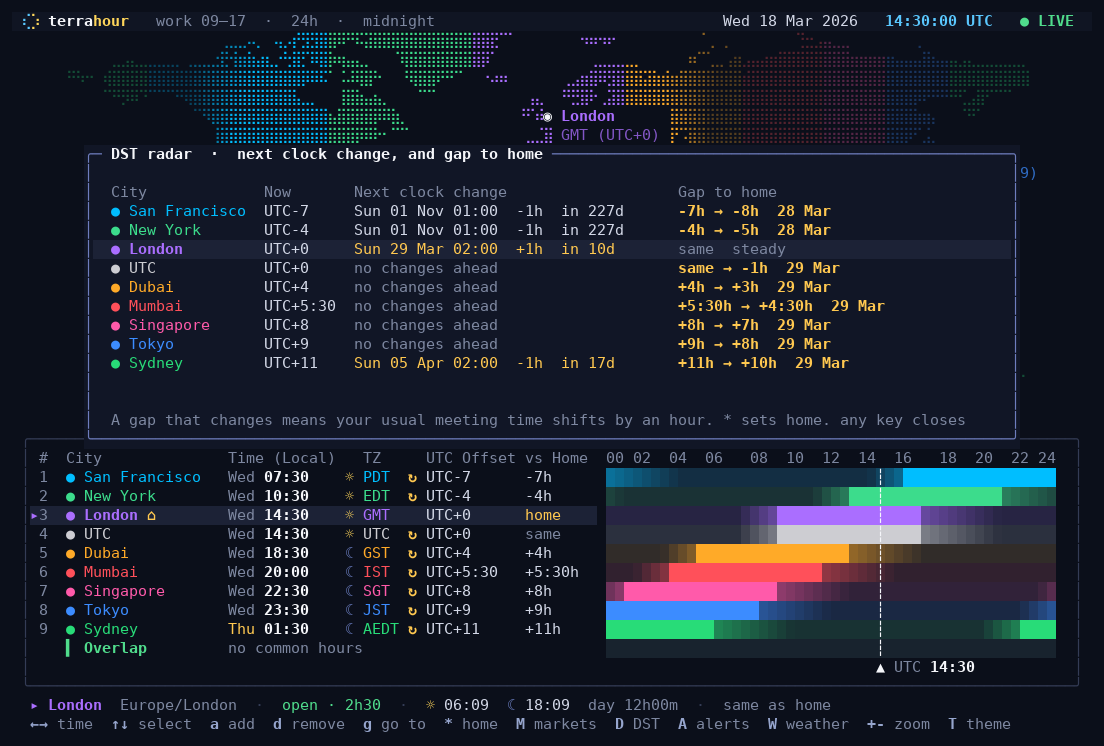
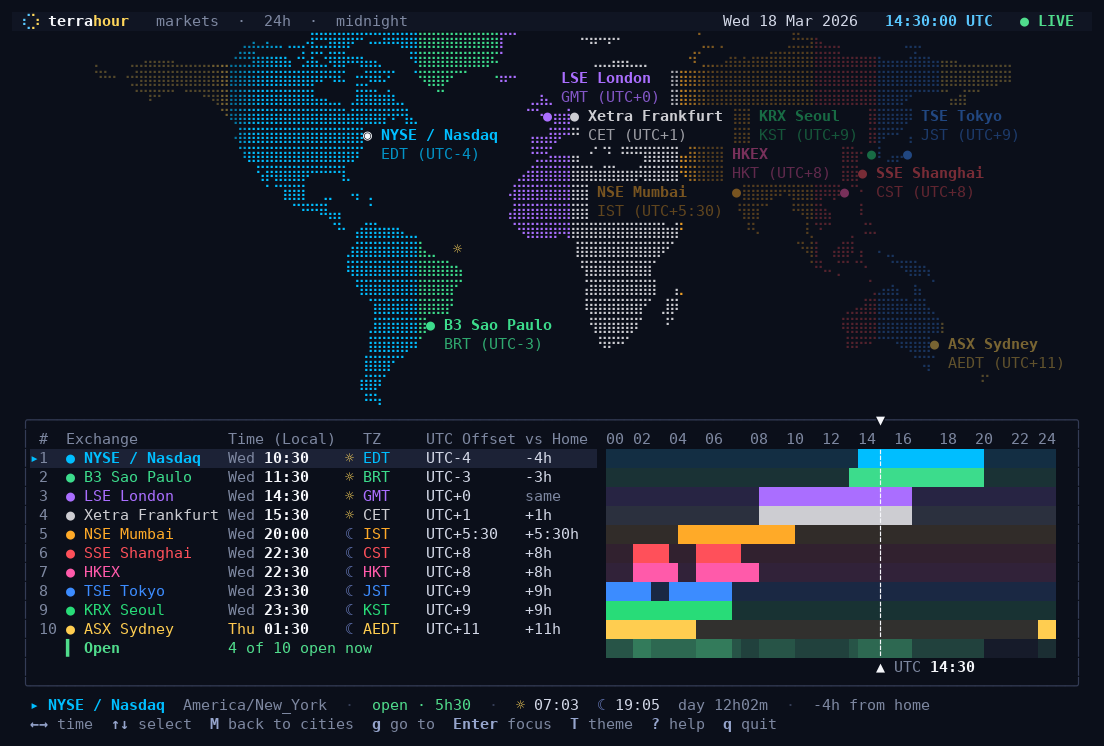
| See clock changes coming. The DST radar lists the next clock change in every city, and warns you when the gap between you and them is about to shift by an hour. | Watch the stock exchanges. Swap the city list for the ten biggest exchanges, with their real trading hours. |
 |
 |
|---|---|
| Put it on a spare monitor. The ambient view is a big clock over the map. Give it a time of day and the map slowly turns, keeping the place where it is that time in the middle. | Fit it anywhere. In a small window it shows a compact list; for a status bar there is a one-line mode. |
Also: reminders in another city's time, the weather next to each city, a light theme and twelve more, a 12-hour clock, and the mouse.
More
Every key, every command-line option, status bars and scripts, window sizes, other ways to install, and how to update: it's all in the manual.
Want to change the code? See DEVELOPMENT.md.
Credits
- City list derived from GeoNames (CC BY 4.0).
- Land mask rasterised from Natural Earth (public domain).
- Geocoding and weather from Open-Meteo (CC BY 4.0).
- Time zone rules come from your operating system's tz database through Python's
zoneinfo. - Several hardening fixes by yourpwnguy.
License
MIT. See LICENSE.
1 maintainer

Metadata
1 maintainer
Release files for terrahour 1.0.7
For a detailed explanation of source distributions (sdists) and built distributions (wheels), please see the package formats documentation.
Source distribution (sdist)
| File | Size | Uploaded | |
|---|---|---|---|
| terrahour-1.0.7.tar.gz | 416.1 kB | Details |
Built distribution (wheel)
| File | Interpreter | ABI | Platform | Reset |
|---|---|---|---|---|
| terrahour-1.0.7-py3-none-any.whl | Python 3 | none | any | Details |
Total release size: 818.9 kB
Release files / terrahour-1.0.7.tar.gz
| Download URL | terrahour-1.0.7.tar.gz |
|---|---|
| Size | 416.1 kB |
| Tags | Source |
|
SHA-256 checksum How to use checksums |
88461da4f4af43fdefa98462319366b7dd4c10fe5f85fb1fbb5dcbb96b0ccdfd
|
|
BLAKE2b-256 checksum How to use checksums |
1de440f4b60bafb58ed25ec7dbc33272553f1bedc7543ebbf6f72c1bac7a3e56
|
| Upload date | |
|
Uploaded using Trusted Publishing? What is trusted publishing? |
Yes |
| Uploaded via |
twine/7.0.0 CPython/3.13.14
|
Provenance
Provenance describes where a file came from. On PyPI, provenance is shared via attestations, which provide a verifiable record of the build or publishing details. View details, limitations and caveats.


PyPI Publish Attestation
PyPI verified that this artifact, at this checksum, originated from the publisher listed below.
Signed by GitHub Actions, verified by PyPI on Oct 16, 2026.
Transparency logRelease files / terrahour-1.0.7-py3-none-any.whl
| Download URL | terrahour-1.0.7-py3-none-any.whl |
|---|---|
| Size | 402.8 kB |
| Tags | Python 3 |
|
SHA-256 checksum How to use checksums |
7932eabd9cbf0a44d7447781ef18ff16e3fb902ac81cb211f0418ec137138e19
|
|
BLAKE2b-256 checksum How to use checksums |
99991dfc19cce917ecf50c579ff27568f47a6660d195ffdc54c5a02332d799bf
|
| Upload date | |
|
Uploaded using Trusted Publishing? What is trusted publishing? |
Yes |
| Uploaded via |
twine/7.0.0 CPython/3.13.14
|
Provenance
Provenance describes where a file came from. On PyPI, provenance is shared via attestations, which provide a verifiable record of the build or publishing details. View details, limitations and caveats.
PyPI Publish Attestation
PyPI verified that this artifact, at this checksum, originated from the publisher listed below.
Signed by GitHub Actions, verified by PyPI on Oct 16, 2026.
Transparency log













