
Transformer Lab CLI
Install
uv tool install transformerlab-cli
Usage
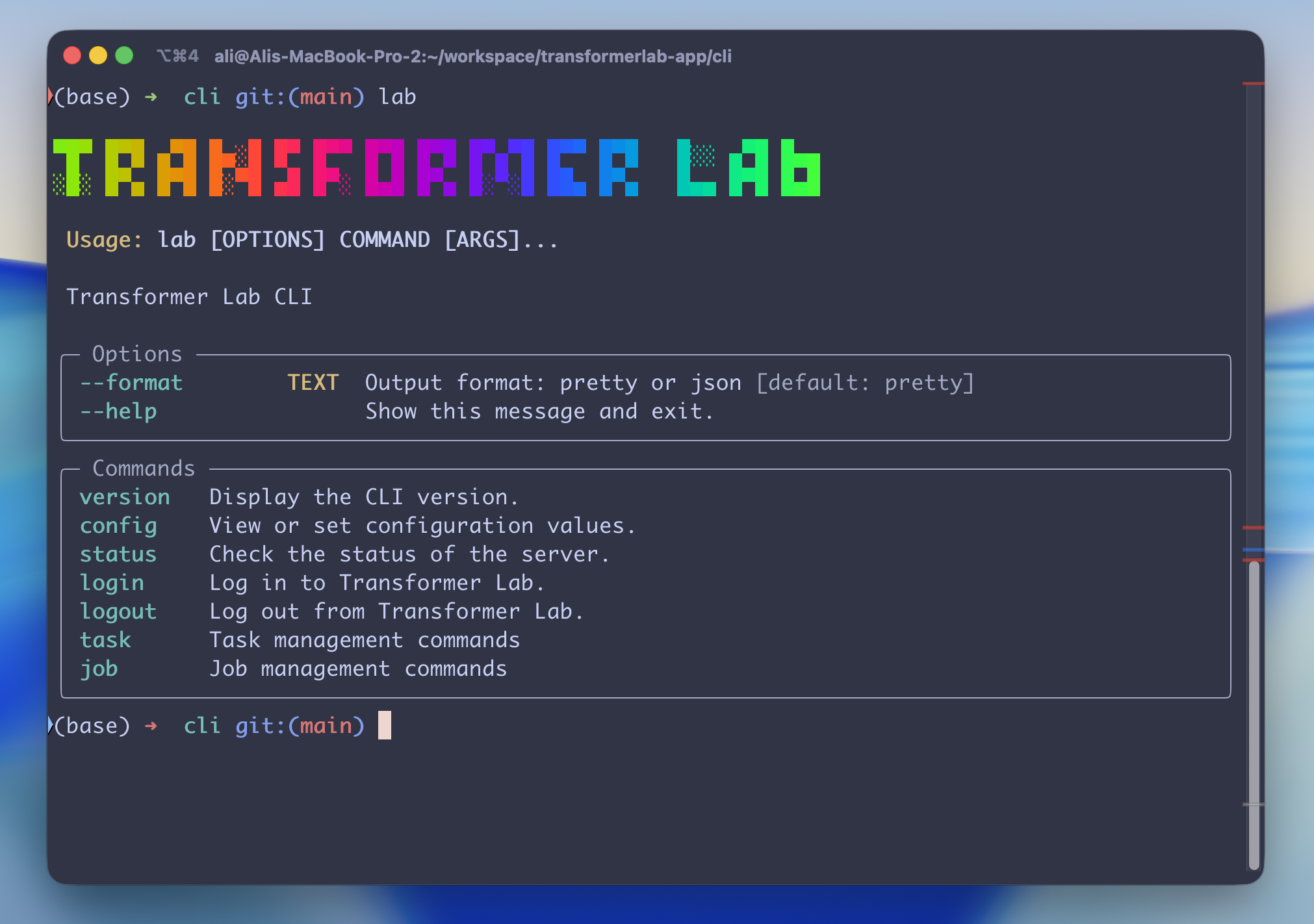
 Usage: lab [OPTIONS] COMMAND [ARGS]...

 Transformer Lab CLI

╭─ Options ────────────────────────────────────────────────────────────────────╮
│ --format        TEXT  Output format: pretty or json [default: pretty]        │
│ --help                Show this message and exit.                            │
╰──────────────────────────────────────────────────────────────────────────────╯
╭─ Commands ───────────────────────────────────────────────────────────────────╮
│ version              Display the CLI version.                                │
│ config               View or set configuration values.                       │
│ status               Check the status of the server.                         │
│ login                Log in to Transformer Lab.                              │
│ logout               Log out from Transformer Lab.                           │
│ whoami               Show the current logged-in user and team.               │
│ task                 Task management commands.                               │
│ job                  Job management commands.                                │
│ notes                Experiment notes commands.                              │
│ provider             Compute provider management commands.                   │
│ server               Server installation and configuration commands.         │
│ dataset              Dataset management commands.                            │
│ model                Model management commands.                              │
│ experiment           Experiment management commands.                         │
│ install-agent-skill  Install the AI agent skill for `lab`.                   │
╰──────────────────────────────────────────────────────────────────────────────╯
Command Reference
For a full list of all commands with detailed options and example usage, see COMMANDS.md.
Claude Code Skill
Want Claude Code (or other AI coding agents) to manage Transformer Lab for you? Install the skill:
lab install-agent-skill
This is a thin wrapper around the underlying installer:
npx skills add transformerlab/transformerlab-app --skill transformerlab-cli
This teaches your AI agent how to use the lab CLI to check job status, stream logs, download artifacts, queue tasks, manage providers, and more. See .agents/skills/transformerlab-cli/ for the full skill definition.
Development
Run (DEV)
uv run src/transformerlab_cli/main.py
Build Locally
Option A — Global install (simple)
uv tool install . --force --reinstall
This installs lab into ~/.local/bin/ so it's available from any shell.
Option B — Editable install into an active venv (recommended for iterative dev)
# Activate the venv you want lab installed into, e.g.
source ~/.transformerlab/envs/general-uv/bin/activate

# From the cli/ directory:
uv pip install -e .
lab will live at <venv>/bin/lab and only resolve while that venv is active. Code changes take effect without reinstalling.
⚠️ Gotcha: if a
cli/.venvdirectory exists,uv pip installtargets it instead of your active$VIRTUAL_ENV, andwhich labwill come up empty. Either delete it (rm -rf cli/.venv) or force the target explicitly:uv pip install -e . --python "$VIRTUAL_ENV/bin/python".
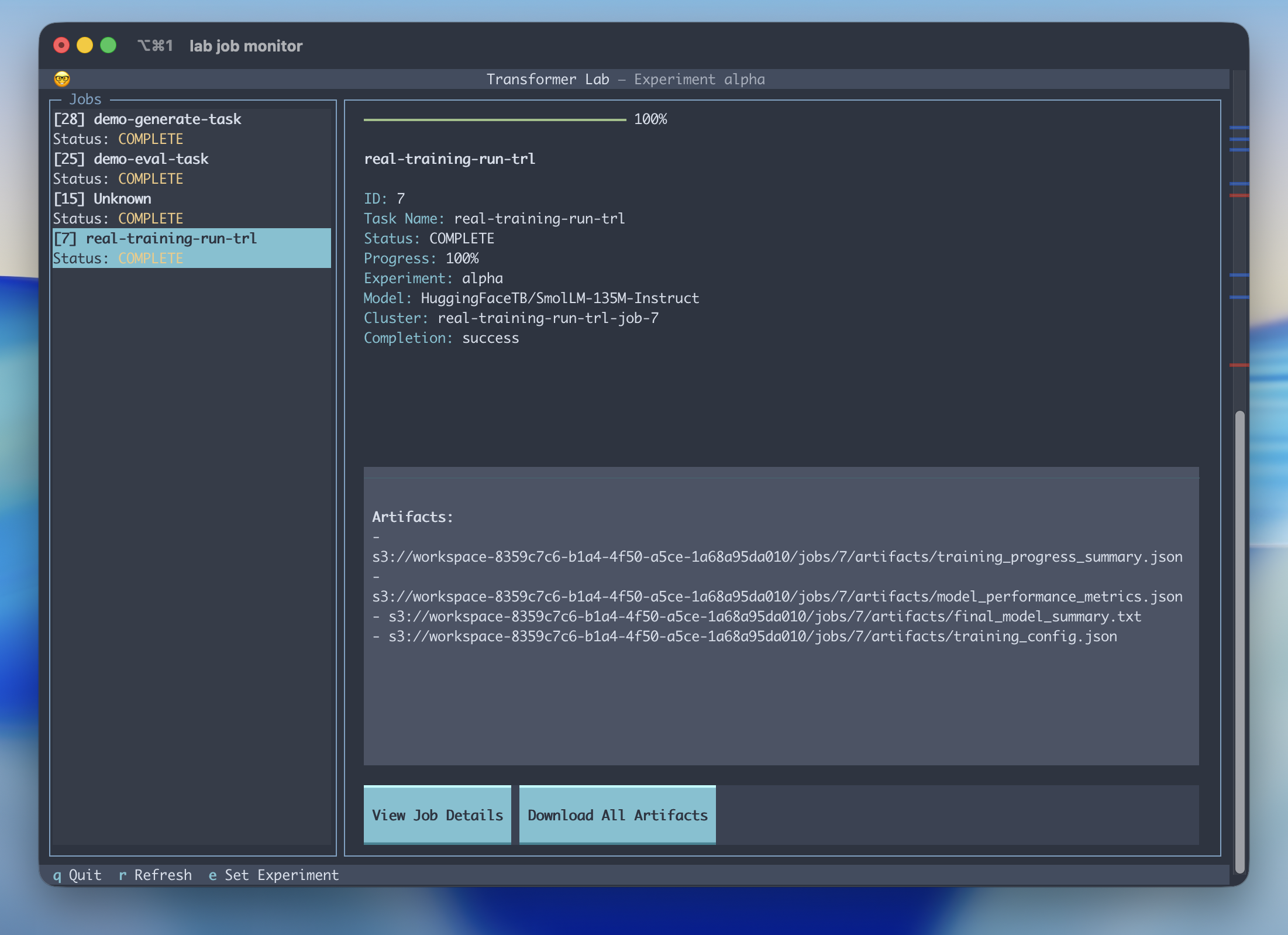
Debug the Job Monitor
Install editable into your active venv (see Option B above), then:
uv run textual run --dev src/transformerlab_cli/commands/job_monitor/job_monitor.py
and then in another window:
textual console -x SYSTEM -x EVENT -x INFO
Run Textual in Browser
uv run textual serve src/transformerlab_cli/commands/job_monitor/job_monitor.py
3 maintainers


Metadata
3 maintainers
Release files for transformerlab-cli 0.0.67
For a detailed explanation of source distributions (sdists) and built distributions (wheels), please see the package formats documentation.
Source distribution (sdist)
| File | Size | Uploaded | |
|---|---|---|---|
| transformerlab_cli-0.0.67.tar.gz | 109.9 kB | Details |
Built distribution (wheel)
| File | Interpreter | ABI | Platform | Reset |
|---|---|---|---|---|
| transformerlab_cli-0.0.67-py3-none-any.whl | Python 3 | none | any | Details |
Total release size: 242.7 kB
Release files / transformerlab_cli-0.0.67.tar.gz
| Download URL | transformerlab_cli-0.0.67.tar.gz |
|---|---|
| Size | 109.9 kB |
| Tags | Source |
|
SHA-256 checksum How to use checksums |
f0c614488ba93c0f251a507dc879fc40ddc7088e0117262bff42a2b4dd187ad2
|
|
BLAKE2b-256 checksum How to use checksums |
a9a740ff4af74a009e9209309f79903716fcfde99ea39564bcdeb7ccc722262a
|
| Upload date | |
|
Uploaded using Trusted Publishing? What is trusted publishing? |
No |
| Uploaded via |
twine/6.1.0 CPython/3.13.12
|
Release files / transformerlab_cli-0.0.67-py3-none-any.whl
| Download URL | transformerlab_cli-0.0.67-py3-none-any.whl |
|---|---|
| Size | 132.8 kB |
| Tags | Python 3 |
|
SHA-256 checksum How to use checksums |
a05623696da501553f57e151d4ef16b72bc81349a129d746853208586c9ad958
|
|
BLAKE2b-256 checksum How to use checksums |
384825c6466ab94c5f8583f50b95d6f761b52ab2b27b7b925b4db80745cf0329
|
| Upload date | |
|
Uploaded using Trusted Publishing? What is trusted publishing? |
No |
| Uploaded via |
twine/6.1.0 CPython/3.13.12
|














