
Transformer Lab CLI


Project description
Transformer Lab CLI
Install
uv tool install transformerlab-cli
Usage
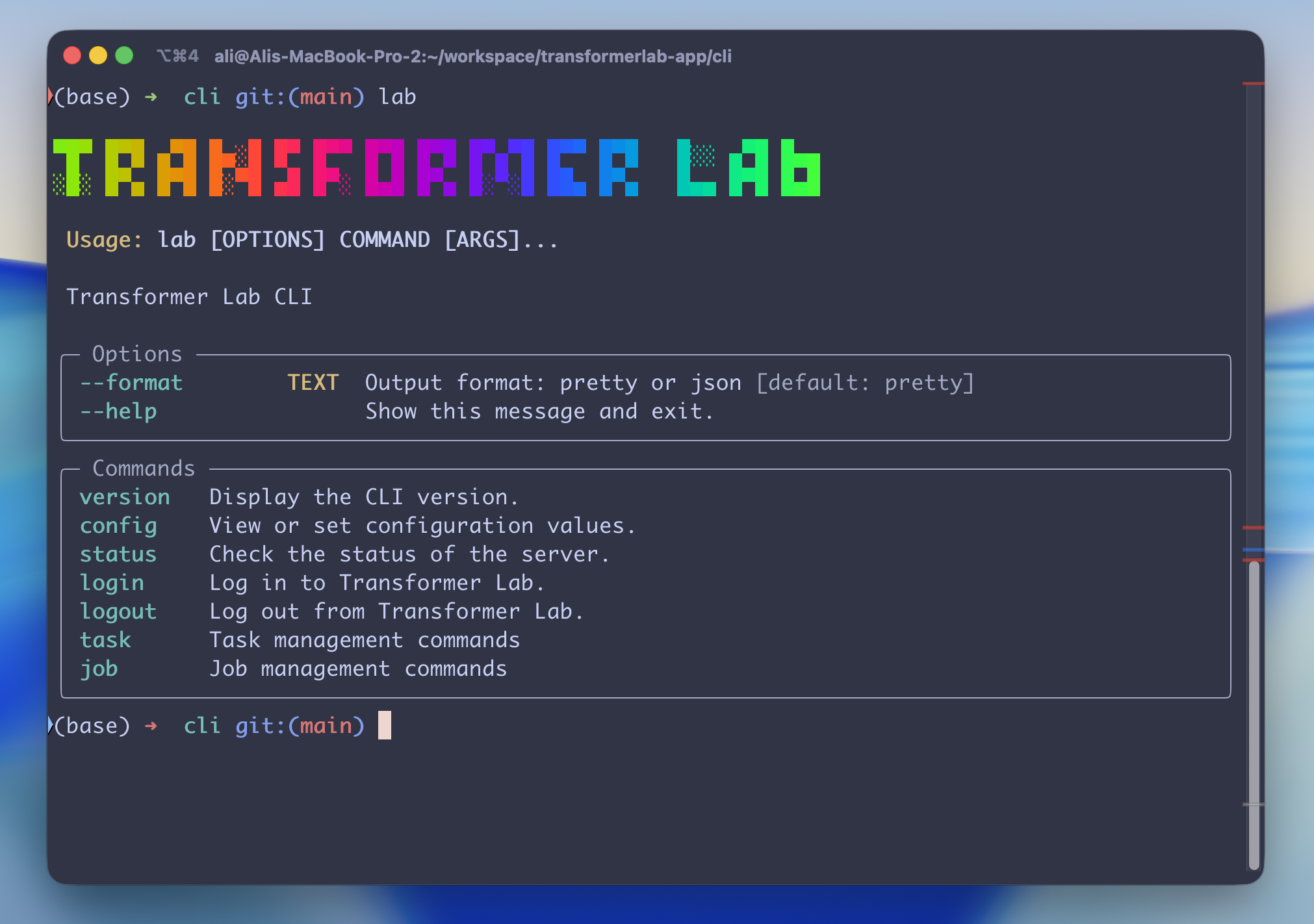
 Usage: lab [OPTIONS] COMMAND [ARGS]...

 Transformer Lab CLI

╭─ Options ────────────────────────────────────────────────────────────────────╮
│ --format        TEXT  Output format: pretty or json [default: pretty]        │
│ --help                Show this message and exit.                            │
╰──────────────────────────────────────────────────────────────────────────────╯
╭─ Commands ───────────────────────────────────────────────────────────────────╮
│ version   Display the CLI version.                                           │
│ config    View or set configuration values.                                  │
│ status    Check the status of the server.                                    │
│ login     Log in to Transformer Lab.                                         │
│ logout    Log out from Transformer Lab.                                      │
│ task      Task management commands                                           │
│ job       Job management commands                                            │
╰──────────────────────────────────────────────────────────────────────────────╯
Command Reference
For a full list of all commands with detailed options and example usage, see COMMANDS.md.
Claude Code Skill
Want Claude Code (or other AI coding agents) to manage Transformer Lab for you? Install the skill:
npx skills add transformerlab/transformerlab-app --skill transformerlab-cli
This teaches your AI agent how to use the lab CLI to check job status, stream logs, download artifacts, queue tasks, manage providers, and more. See .agents/skills/transformerlab-cli/ for the full skill definition.
Development
Run (DEV)
uv run src/transformerlab_cli/main.py
Build Locally
Option A — Global install (simple)
uv tool install . --force --reinstall
This installs lab into ~/.local/bin/ so it's available from any shell.
Option B — Editable install into an active venv (recommended for iterative dev)
# Activate the venv you want lab installed into, e.g.
source ~/.transformerlab/envs/general-uv/bin/activate

# From the cli/ directory:
uv pip install -e .
lab will live at <venv>/bin/lab and only resolve while that venv is active. Code changes take effect without reinstalling.
⚠️ Gotcha: if a
cli/.venvdirectory exists,uv pip installtargets it instead of your active$VIRTUAL_ENV, andwhich labwill come up empty. Either delete it (rm -rf cli/.venv) or force the target explicitly:uv pip install -e . --python "$VIRTUAL_ENV/bin/python".
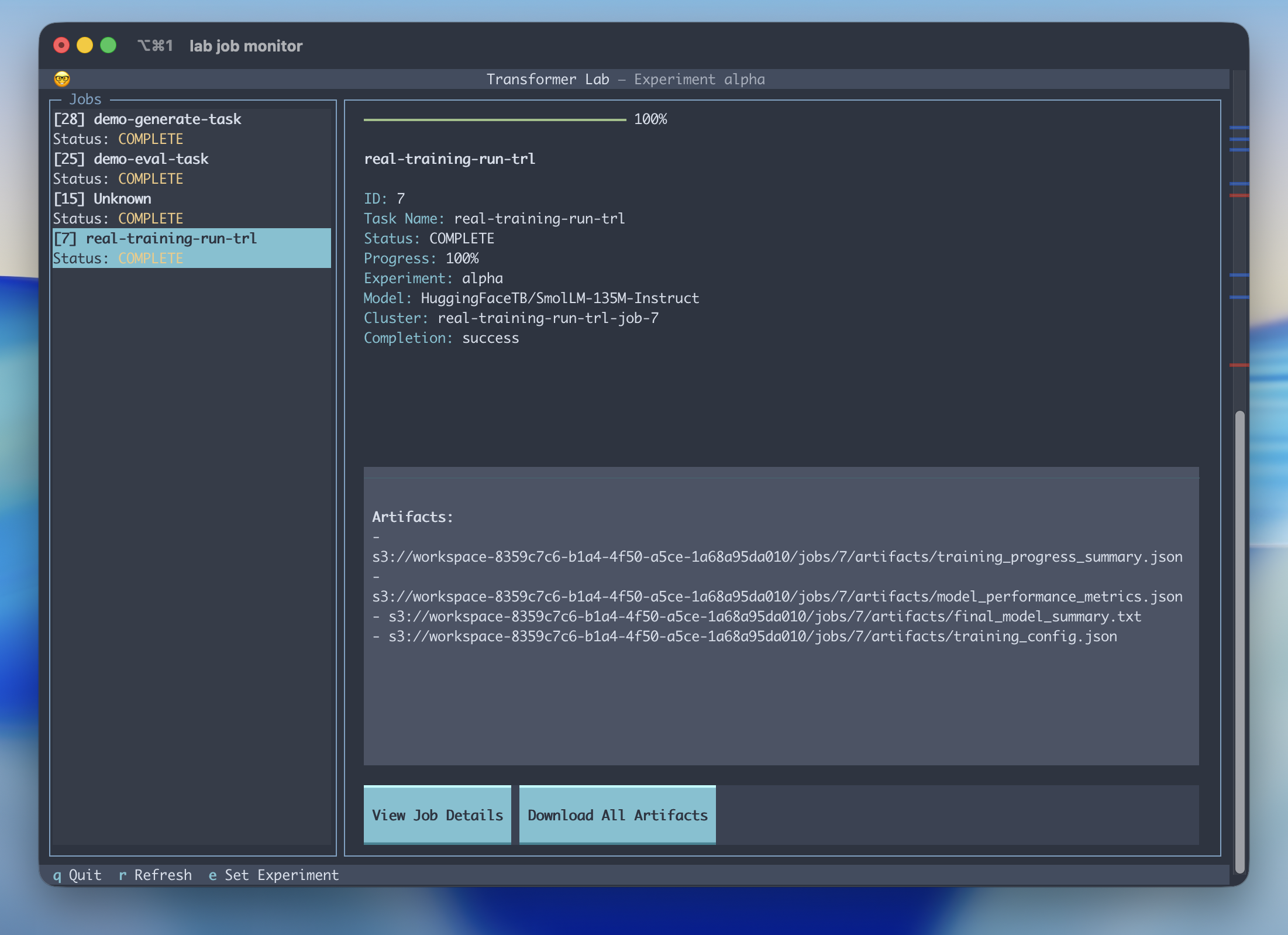
Debug the Job Monitor
Install editable into your active venv (see Option B above), then:
uv run textual run --dev src/transformerlab_cli/commands/job_monitor/job_monitor.py
and then in another window:
textual console -x SYSTEM -x EVENT -x INFO
Run Textual in Browser
uv run textual serve src/transformerlab_cli/commands/job_monitor/job_monitor.py
Release history Release notifications | RSS feed


Download files
Download the file for your platform. If you're not sure which to choose, learn more about installing packages.
Source Distribution
Built Distribution
Filter files by name, interpreter, ABI, and platform.
If you're not sure about the file name format, learn more about wheel file names.
Copy a direct link to the current filters
File details
Details for the file transformerlab_cli-0.0.26.tar.gz.
File metadata
- Download URL: transformerlab_cli-0.0.26.tar.gz
- Upload date:
- Size: 67.4 kB
- Tags: Source
- Uploaded using Trusted Publishing? No
- Uploaded via: twine/6.1.0 CPython/3.13.12
File hashes
| Algorithm | Hash digest | |
|---|---|---|
| SHA256 |
3a994085b9bbe94432557af2feb08399197f9fdea704041d6e6b951624615457
|
|
| MD5 |
cca2d416d70cc83f80404a7c4894a04f
|
|
| BLAKE2b-256 |
59ca8a6f608861ed56b999ce244738663cef2ca8766294e26a6fd9ff7437c97f
|
File details
Details for the file transformerlab_cli-0.0.26-py3-none-any.whl.
File metadata
- Download URL: transformerlab_cli-0.0.26-py3-none-any.whl
- Upload date:
- Size: 81.8 kB
- Tags: Python 3
- Uploaded using Trusted Publishing? No
- Uploaded via: twine/6.1.0 CPython/3.13.12
File hashes
| Algorithm | Hash digest | |
|---|---|---|
| SHA256 |
068e3c7a5e4dd854ad1ed5973956bf0b48dc5514467fdacb8dd7a513058ccb45
|
|
| MD5 |
3a6c5afcb4cd635c51e8f1c64d47a643
|
|
| BLAKE2b-256 |
56a9d5b53c6b2286403debb80c85bff0d1e599e33f06bf7d1129e5cdbc079493
|






