
Convert Python code to JSON and send it to the Voxelamming app.

Project description
voxelamming
This Python library converts Python code into JSON format and sends it to the Voxelamming app using WebSockets, allowing users to create 3D voxel models by writing Python scripts.
What's Voxelamming?
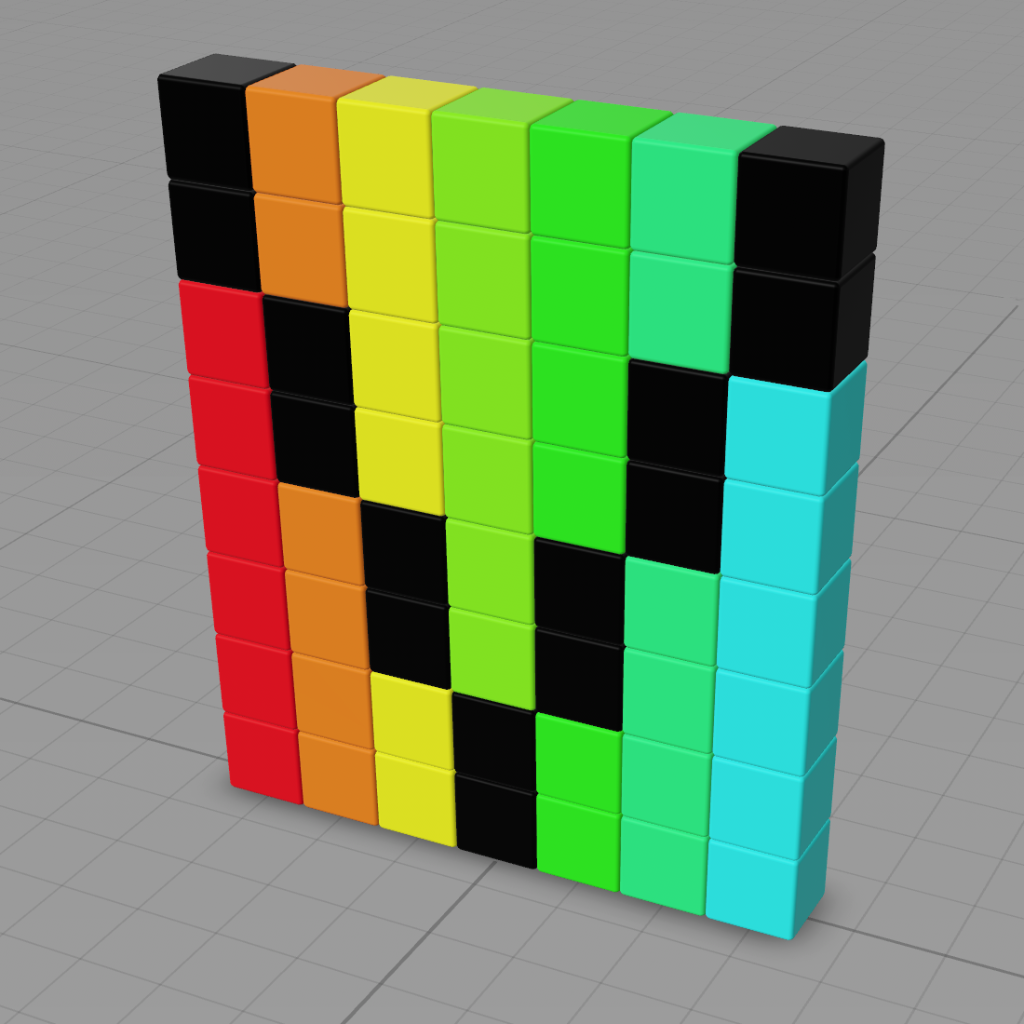
Voxelamming is an AR programming learning app. Even programming beginners can learn programming visually and enjoyably. Voxelamming supports iPhones and iPads with iOS 16 or later, and Apple Vision Pro.
Resources
- Homepage: https://creativival.github.io/voxelamming/index.en
- Samples: https://github.com/creativival/voxelamming/tree/main/sample/python
Installation
pip install voxelamming
Usage
from voxelamming import BuildBox

# Set your room name. This should match the room name displayed in your Voxelamming app.
room_name = "1000"

# Create a BuildBox instance
build_box = BuildBox(room_name)

# Define Python code to create a voxel model
build_box.set_box_size(0.5)
build_box.set_build_interval(0.01)
build_box.tranform(0, 0, 0, pitch=0, yaw=0, roll=0)
build_box.animate(0, 0, 10, pitch=0, yaw=30, roll=0, scale=2, interval= 10)

for i in range(100):
  build_box.create_box(-1, i, 0, r=0, g=1, b=1)
  build_box.create_box(0, i, 0, r=1, g=0, b=0)
  build_box.create_box(1, i, 0, r=1, g=1, b=0)
  build_box.create_box(2, i, 0, r=0, g=1, b=1)

for i in range(50):
  build_box.remove_box(0, i * 2 + 1, 0)
  build_box.remove_box(1, i * 2, 0)

# Send the Python code to the Voxelamming app
build_box.send_data()
This code snippet demonstrates a simple example where a red voxel is created at a specific location. You can use various functions provided by the BuildBox class to build more complex models.
Method description
| Method name | Description | Arguments |
|---|---|---|
set_room_name(room_name) |
Sets the room name for communicating with the device. | room_name: Room name (string) |
set_box_size(size) |
Sets the size of the voxel (default: 1.0). | size: Size (float) |
set_build_interval(interval) |
Sets the placement interval of the voxels (default: 0.01 seconds). | interval: Interval (float) |
change_shape(shape) |
Changes the shape of the voxel. | shape: Shape ("box", "square", "plane") |
change_material(is_metallic, roughness) |
Changes the material of the voxel. | is_metallic: Whether to make it metallic (boolean), roughness: Roughness (float) |
create_box(x, y, z, r, g, b, alpha) |
Places a voxel. | x, y, z: Position (float), r, g, b, alpha: Color (float, 0-1) |
create_box(x, y, z, texture) |
Places a voxel with texture. | x, y, z: Position (float), texture: Texture name (string) |
remove_box(x, y, z) |
Removes a voxel. | x, y, z: Position (float) |
write_sentence(sentence, x, y, z, r, g, b, alpha) |
Draws a string with voxels. | sentence: String (string), x, y, z: Position (float), r, g, b, alpha: Color (float, 0-1) |
set_light(x, y, z, r, g, b, alpha, intensity, interval, light_type) |
Places a light. | x, y, z: Position (float), r, g, b, alpha: Color (float, 0-1), intensity: Intensity (float), interval: Blinking interval (float), light_type: Type of light ("point", "spot", "directional") |
set_command(command) |
Executes a command. | command: Command ("axis", "japaneseCastle", "float", "liteRender") |
draw_line(x1, y1, z1, x2, y2, z2, r, g, b, alpha) |
Draws a line between two points. | x1, y1, z1: Starting point (float), x2, y2, z2: Ending point (float), r, g, b, alpha: Color (float, 0-1) |
send_data(name) |
Sends voxel data to the device; if the name argument is set, the voxel data can be stored and reproduced as history. | |
clear_data() |
Initializes voxel data. | |
tranform(x, y, z, pitch, yaw, roll) |
Moves and rotates the coordinate system of the voxel. | x, y, z: Translation amount (float), pitch, yaw, roll: Rotation amount (float) |
animate(x, y, z, pitch, yaw, roll, scale, interval) |
Animates a voxel. | x, y, z: Translation amount (float), pitch, yaw, roll: Rotation amount (float), scale: Scale (float), interval: Interval (float) |
animate_global(x, y, z, pitch, yaw, roll, scale, interval) |
Animates all voxels. | x, y, z: Translation amount (float), pitch, yaw, roll: Rotation amount (float), scale: Scale (float), interval: Interval (float) |
push_matrix() |
Saves the current coordinate system to the stack. | |
pop_matrix() |
Restores the coordinate system from the stack. | |
frame_in() |
Starts recording a frame. | |
frame_out() |
Ends recording a frame. | |
set_frame_fps(fps) |
Sets the frame rate (default: 2). | fps: Frame rate (int) |
set_frame_repeats(repeats) |
Sets the number of frame repetitions (default: 10). | repeats: Number of repetitions (int) |
Notes
- Ensure that the Voxelamming app is running and connected to the same room name specified in your Python script.
- This library requires Python 3.9 or higher.
- Executing arbitrary Python code can be a security risk. Be cautious when running code from untrusted sources.
This library is under active development. More features and improvements are planned for future releases.
License
Author
creativival
Release history Release notifications | RSS feed


Download files
Download the file for your platform. If you're not sure which to choose, learn more about installing packages.
Source Distributions
Built Distribution
Filter files by name, interpreter, ABI, and platform.
If you're not sure about the file name format, learn more about wheel file names.
Copy a direct link to the current filters
File details
Details for the file voxelamming-0.2.1-py3-none-any.whl.
File metadata
- Download URL: voxelamming-0.2.1-py3-none-any.whl
- Upload date:
- Size: 10.2 kB
- Tags: Python 3
- Uploaded using Trusted Publishing? No
- Uploaded via: twine/5.1.1 CPython/3.9.6
File hashes
| Algorithm | Hash digest | |
|---|---|---|
| SHA256 |
2024b49737ea7fc3ec39a001d073edba3ad91f956ff038c910399e2327f05c1a
|
|
| MD5 |
b83f27ac59837e0565ea34533b39a189
|
|
| BLAKE2b-256 |
1445b602cad4e27374d56dbfc09e794a9a484d3613b367d951e564c8ad7af343
|






