
vunnel ~= 'vulnerability data funnel'

Project description
vunnel
A tool for fetching, transforming, and storing vulnerability data from a variety of sources.
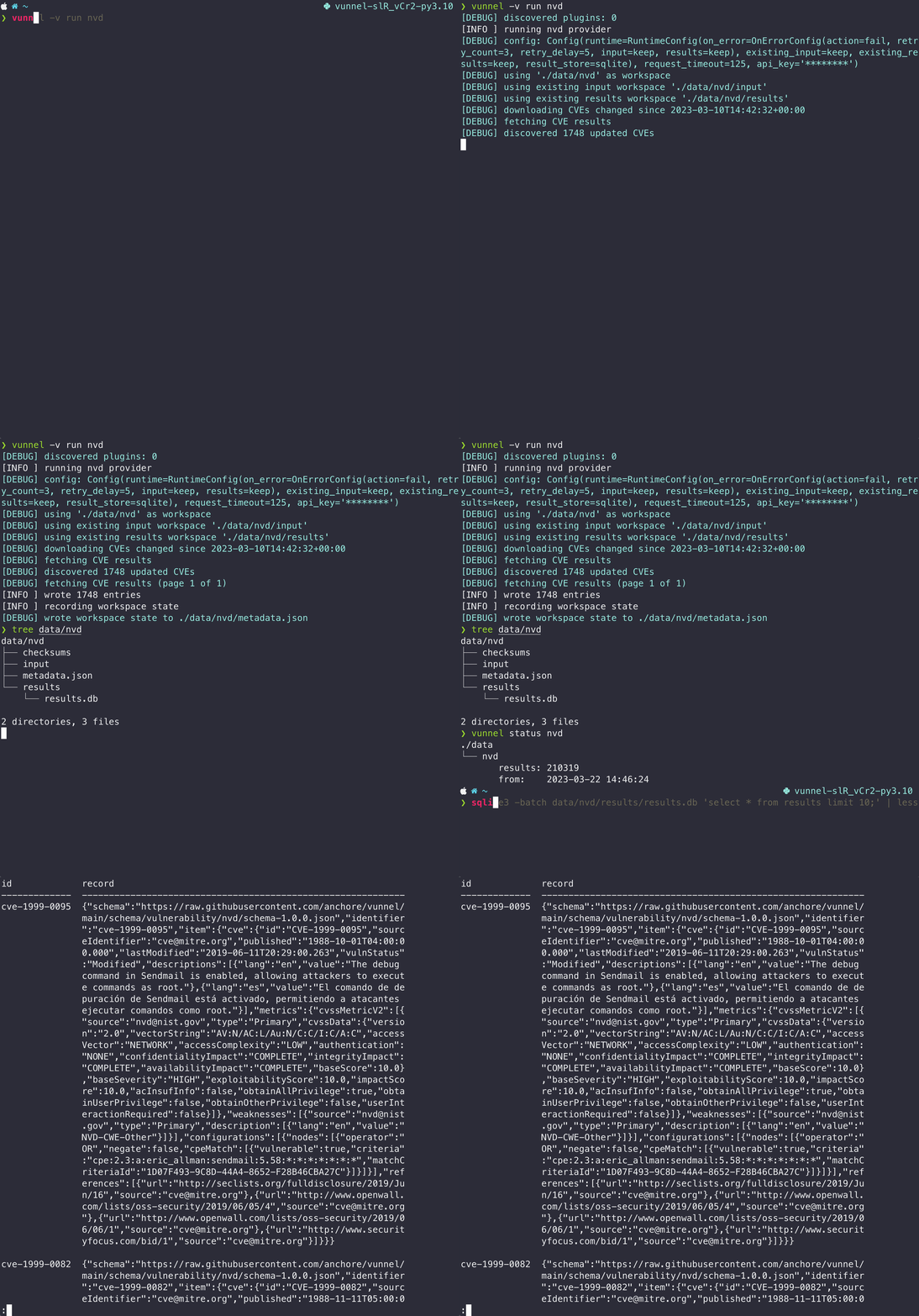
Supported data sources:
- Alpine (https://secdb.alpinelinux.org)
- Amazon (https://alas.aws.amazon.com/AL2/alas.rss & https://alas.aws.amazon.com/AL2022/alas.rss)
- Debian (https://security-tracker.debian.org/tracker/data/json & https://salsa.debian.org/security-tracker-team/security-tracker/raw/master/data/DSA/list)
- GitHub Security Advisories (https://api.github.com/graphql)
- NVD (https://services.nvd.nist.gov/rest/json/cves/2.0)
- Oracle (https://linux.oracle.com/security/oval)
- RedHat (https://www.redhat.com/security/data/oval)
- SLES (https://ftp.suse.com/pub/projects/security/oval)
- Ubuntu (https://launchpad.net/ubuntu-cve-tracker)
- Wolfi (https://packages.wolfi.dev)
Installation
With pip:
pip install vunnel
With docker:
docker run \
  --rm -it \
  -v $(pwd)/data:/data \
  -v $(pwd)/.vunnel.yaml:/.vunnel.yaml \
    ghcr.io/anchore/vunnel:latest  \
      run nvd
Where:
- the
datavolume keeps the processed data on the host - the
.vunnel.yamluses the host application config (if present) - you can swap
latestfor a specific version (same as the git tags)
See the vunnel package for a full listing of available tags.
Getting Started
List the available vulnerability data providers:
$ vunnel list

alpine
amazon
centos
debian
github
nvd
oracle
rhel
sles
ubuntu
wolfi
Download and process a provider:
$ vunnel run wolfi

2023-01-04 13:42:58 root [INFO] running wolfi provider
2023-01-04 13:42:58 wolfi [INFO] downloading Wolfi secdb https://packages.wolfi.dev/os/security.json
2023-01-04 13:42:59 wolfi [INFO] wrote 56 entries
2023-01-04 13:42:59 wolfi [INFO] recording workspace state
You will see the processed vulnerability data in the local ./data directory
$ tree data

data
└── wolfi
    ├── checksums
    ├── metadata.json
    ├── input
    │   └── secdb
    │       └── os
    │           └── security.json
    └── results
        └── wolfi:rolling
            ├── CVE-2016-2781.json
            ├── CVE-2017-8806.json
            ├── CVE-2018-1000156.json
            └── ...
Note: to get more verbose output, use -v, -vv, or -vvv (e.g. vunnel -vv run wolfi)
Delete existing input and result data for one or more providers:
$ vunnel clear wolfi

2023-01-04 13:48:31 root [INFO] clearing wolfi provider state
Example config file for changing application behavior:
# .vunnel.yaml
root: ./processed-data

log:
  level: trace

providers:
  wolfi:
    request_timeout: 125
    runtime:
      existing_input: keep
      existing_results: delete-before-write
      on_error:
        action: fail
        input: keep
        results: keep
        retry_count: 3
        retry_delay: 10
Use vunnel config to get a better idea of all of the possible configuration options.
FAQ
Can I implement a new provider?
Yes you can! See the provider docs for more information.
Why is it called "vunnel"?
This tool "funnels" vulnerability data into a single spot for easy processing... say "vulnerability data funnel" 100x fast enough and eventually it'll slur to "vunnel" :).
Release history Release notifications | RSS feed


Download files
Download the file for your platform. If you're not sure which to choose, learn more about installing packages.
Source Distribution
Built Distribution
Filter files by name, interpreter, ABI, and platform.
If you're not sure about the file name format, learn more about wheel file names.
Copy a direct link to the current filters
File details
Details for the file vunnel-0.17.1.tar.gz.
File metadata
- Download URL: vunnel-0.17.1.tar.gz
- Upload date:
- Size: 92.2 kB
- Tags: Source
- Uploaded using Trusted Publishing? No
- Uploaded via: poetry/1.3.2 CPython/3.10.12 Linux/6.2.0-1012-azure
File hashes
| Algorithm | Hash digest | |
|---|---|---|
| SHA256 |
256c1e2f564d52fc091949ad5c86f2fb0ebf78b0e94a1b7b00c0479af8bc1b1f
|
|
| MD5 |
edcbf425e6627b81efa099644840c513
|
|
| BLAKE2b-256 |
755dad5b3878e30fb13f35073af474e21775115c77f491c64acf82b7cfd23426
|
File details
Details for the file vunnel-0.17.1-py3-none-any.whl.
File metadata
- Download URL: vunnel-0.17.1-py3-none-any.whl
- Upload date:
- Size: 111.6 kB
- Tags: Python 3
- Uploaded using Trusted Publishing? No
- Uploaded via: poetry/1.3.2 CPython/3.10.12 Linux/6.2.0-1012-azure
File hashes
| Algorithm | Hash digest | |
|---|---|---|
| SHA256 |
163bbe1a3aff5443a0fb87ac9d1e31a553ae705bac4fd1af7de7293661371055
|
|
| MD5 |
a9fff06b48739a055380c1f8d2ab43cc
|
|
| BLAKE2b-256 |
69ea6554535f87e5a249f07504523be1a4d5cbeb76c68ddd7174e93b0bdc9c63
|






