
Wandas is an open source library for efficient signal analysis in Python

Project description






Wandas (Waveform Analysis Data Structures) is an open-source Python library for efficient signal analysis. It provides comprehensive signal processing functionalities and seamless integration with Matplotlib for visualization.
Wandas (Waveform Analysis Data Structures)は、Pythonによる効率的な信号解析のためのオープンソースライブラリです。 Wandas は、信号処理のための包括的な機能を提供し、Matplotlibとのシームレスな統合を実現しています。
Features / 機能
-
Comprehensive Signal Processing: Easily perform basic signal processing operations such as filtering (low-pass, high-pass, band-pass, A-weighting), Fourier transforms (FFT, STFT, ISTFT), spectral analysis (Welch, CSD, Coherence, Transfer Function), N-octave analysis, and more.
包括的な信号処理機能: フィルタリング(ローパス、ハイパス、バンドパス、A特性)、 フーリエ変換(FFT、STFT、ISTFT)、 スペクトル分析(Welch法、CSD、コヒーレンス、伝達関数)、 Nオクターブ分析など、基本的な信号処理操作を簡単に実行可能。
-
Intuitive Data Structures: Utilizes
ChannelFramefor time-domain data,SpectralFramefor frequency-domain data, andSpectrogramFramefor time-frequency data, offering a pandas-like experience.直感的なデータ構造: 時間領域データには
ChannelFrame、 周波数領域データにはSpectralFrame、 時間周波数領域データにはSpectrogramFrameを使用し、 pandasライクな操作感を提供。 -
Visualization Integration: Seamless integration with Matplotlib for easy and customizable data visualization. The
.plot()and.describe()methods offer quick insights into your data.可視化ライブラリとの統合: Matplotlibとシームレスに統合し、 簡単かつカスタマイズ可能なデータ可視化を実現。
.plot()や.describe()メソッドで迅速にデータ概要を把握可能。 -
Efficient Large Data Handling: Leverages lazy evaluation with Dask for efficient processing of large datasets.
効率的な大規模データ処理: Daskを活用した遅延評価により、大規模データセットを効率的に処理。
-
Flexible I/O: Supports reading and writing WAV and CSV files. Additionally, it features its own WDF (Wandas Data File) format based on HDF5 for complete data and metadata preservation.
柔軟なI/O: WAVおよびCSVファイルの読み書きをサポート。 さらに、データとメタデータを完全に保存するHDF5ベースの独自形式WDF (Wandas Data File) も搭載。
-
Metadata and History Tracking: Keeps track of processing history and metadata associated with the signals.
メタデータと処理履歴の追跡: 信号に関連する処理履歴とメタデータを記録・管理。
-
Extensible API: Designed for extensibility, allowing users to add custom processing functions.
拡張可能なAPI: ユーザーがカスタム処理関数を追加しやすいように拡張性を考慮した設計。
-
Sample Datasets: Includes sample datasets for testing and demonstration purposes.
Installation
pip install git+https://github.com/endolith/waveform-analysis.git@master
pip install wandas
Quick Start
import wandas as wd

# To run this example, place 'data/summer_streets1.wav' at the root of the repository,
# or change the path accordingly (e.g., 'examples/data/summer_streets1.wav').
# この例を実行するには、リポジトリのルートに 'data/summer_streets1.wav' を配置するか、
# 'examples/data/summer_streets1.wav' のようにパスを適宜変更してください。
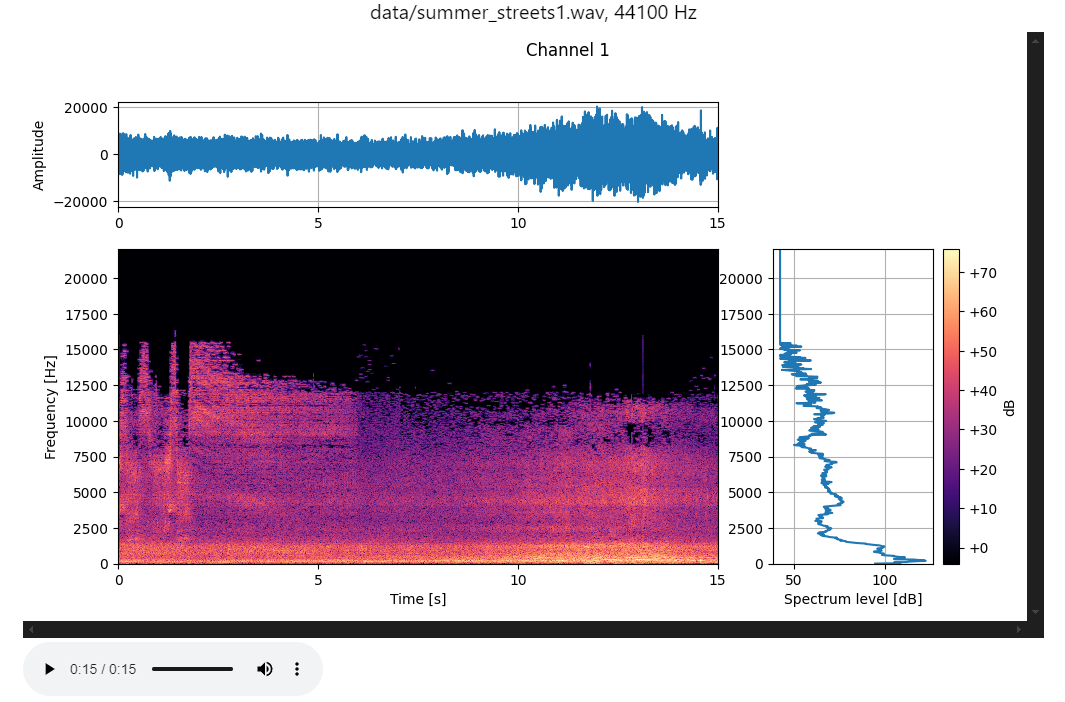
cf = wd.read_wav("data/summer_streets1.wav")
cf.describe()
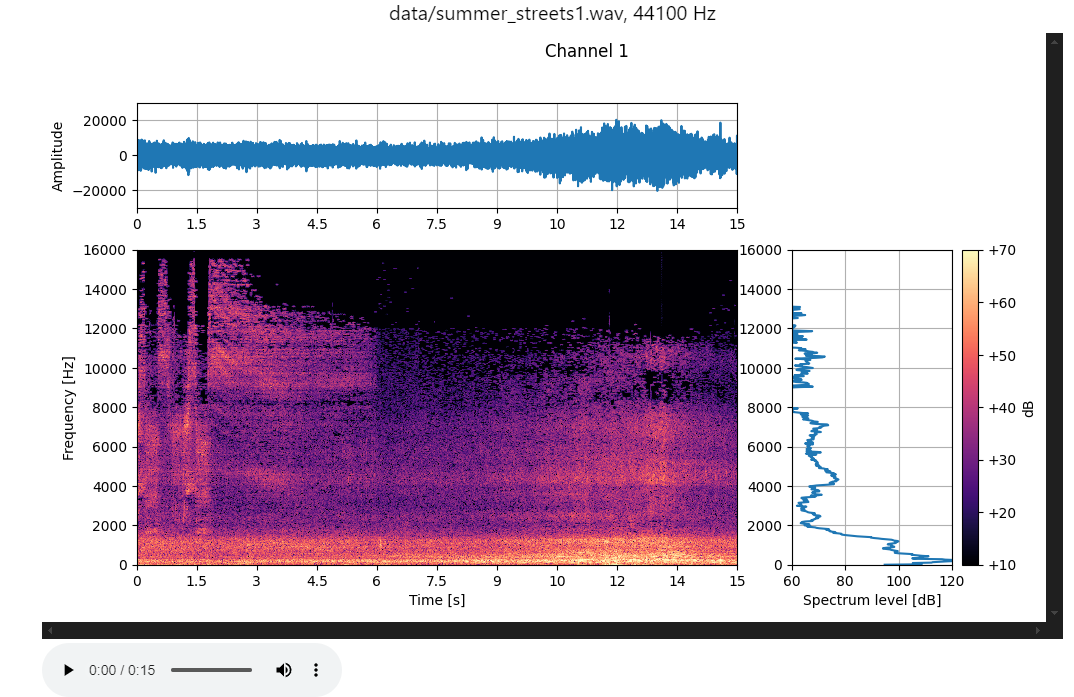
cf.describe(
    axis_config={
        "time_plot": {"xlim": (0, 15), "ylim": (-30000, 30000)},
        "freq_plot": {"xlim": (60, 120), "ylim": (0, 16000)},
    },
    cbar_config={"vmin": 10, "vmax": 70},
)
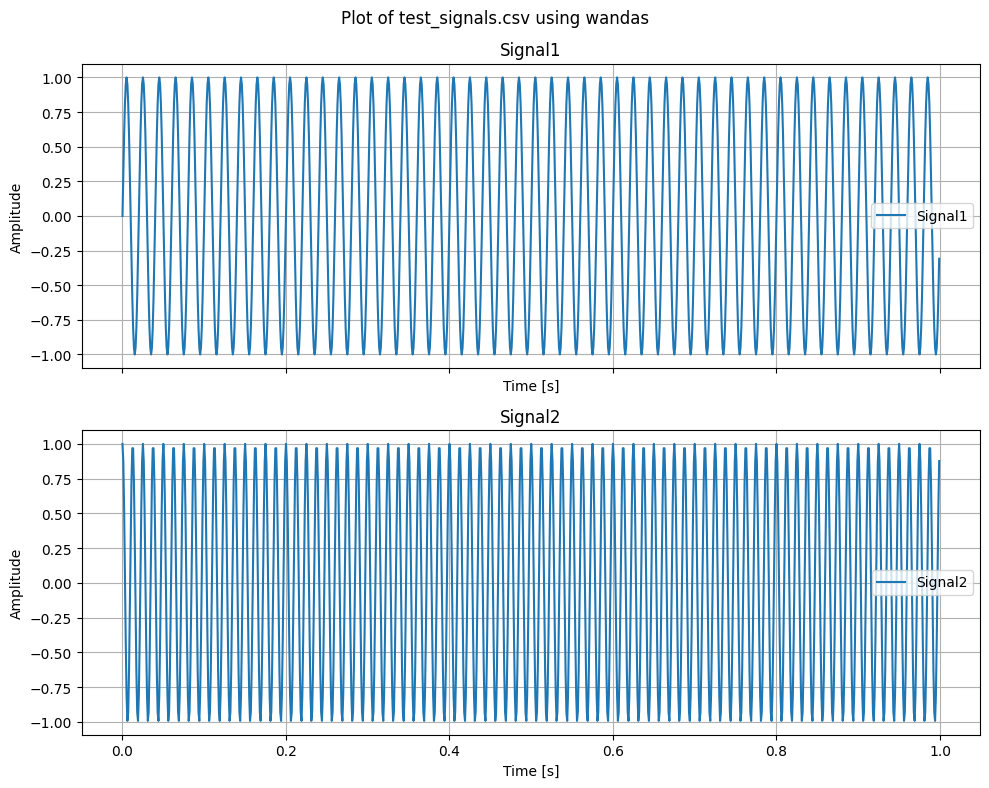
cf = wd.read_csv("data/test_signals.csv", time_column="Time")
cf.plot(title="Plot of test_signals.csv using wandas", overlay=False)
Signal Processing Example
# Example of applying a low-pass filter and plotting its FFT
# ローパスフィルタを適用し、そのFFTをプロットする例
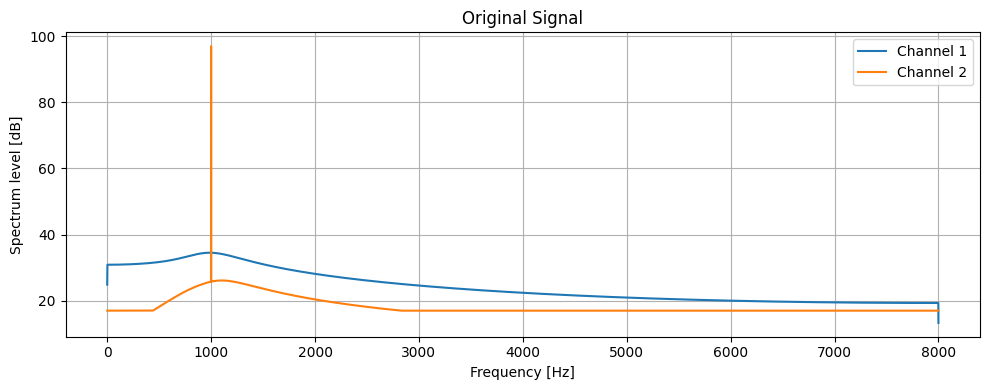
signal = wd.generate_sin(freqs=[5000, 1000], duration=1, sampling_rate=44100)
filtered_signal = signal.low_pass_filter(cutoff=1000)
filtered_signal.fft().plot(title="FFT of Low-pass Filtered Signal")
# Save the filtered signal as a WAV file
# フィルタ済み信号を WAV ファイルに保存
signal.low_pass_filter(cutoff=1000).to_wav('filtered_audio.wav')
# Display audio control
# Audioコントロール表示
signal.to_audio()
Documentation
For more detailed information, API reference, and tutorials, please visit the official documentation site.
より詳細な情報やAPIリファレンス、チュートリアルについては、公式ドキュメントサイト をご覧ください。
Tutorial
For practical usage and advanced examples, see the Tutorial and the Tutorial Index.
より実践的な使い方や応用例については、チュートリアル および チュートリアル一覧 をご覧ください。
Supported Data Formats
- Audio Files: WAV
- Data Files: CSV
- Wandas Data Files: WDF (HDF5-based)
Bug Reports and Feature Requests
-
Bug Reports: Please provide details in the Issue Tracker.
-
Feature Requests: Feel free to open an Issue if you have new features or improvement suggestions.
バグ報告と機能リクエスト
-
バグ報告: Issue Tracker に詳細を記載してください。
-
機能リクエスト: 新機能や改善案があれば、気軽に Issue をオープンしてください。
License
This project is licensed under the MIT License.
Experience efficient signal analysis with Wandas!
Wandas を使って効率的な信号解析体験を!
Release history Release notifications | RSS feed


Download files
Download the file for your platform. If you're not sure which to choose, learn more about installing packages.
Source Distribution
Built Distribution
Filter files by name, interpreter, ABI, and platform.
If you're not sure about the file name format, learn more about wheel file names.
Copy a direct link to the current filters
File details
Details for the file wandas-0.1.5.tar.gz.
File metadata
- Download URL: wandas-0.1.5.tar.gz
- Upload date:
- Size: 26.0 MB
- Tags: Source
- Uploaded using Trusted Publishing? No
- Uploaded via: twine/6.1.0 CPython/3.12.9
File hashes
| Algorithm | Hash digest | |
|---|---|---|
| SHA256 |
a032411e292a6751c5eeed89c210d166a22944e9daf7fc5b460d9e158e06b2f5
|
|
| MD5 |
ed5397417e96c1125da3be5740d8e57c
|
|
| BLAKE2b-256 |
8f0c97c6afdcedd17c1848a210073179eaaeb65245a3b2b2b8b2609b61ccc9a1
|
File details
Details for the file wandas-0.1.5-py3-none-any.whl.
File metadata
- Download URL: wandas-0.1.5-py3-none-any.whl
- Upload date:
- Size: 76.4 kB
- Tags: Python 3
- Uploaded using Trusted Publishing? No
- Uploaded via: twine/6.1.0 CPython/3.12.9
File hashes
| Algorithm | Hash digest | |
|---|---|---|
| SHA256 |
22097288c1aff0fef3e8b9c19a82c74dc3f2500d3ea9a3b4ee127ac9c4ae0ad5
|
|
| MD5 |
dc1970e82a4e0bf29a5bc28907d220c0
|
|
| BLAKE2b-256 |
f6c88d15699cad968513deae1e3032cb3763ae545be7802ce86075f88b50c3ac
|






