

wizolt
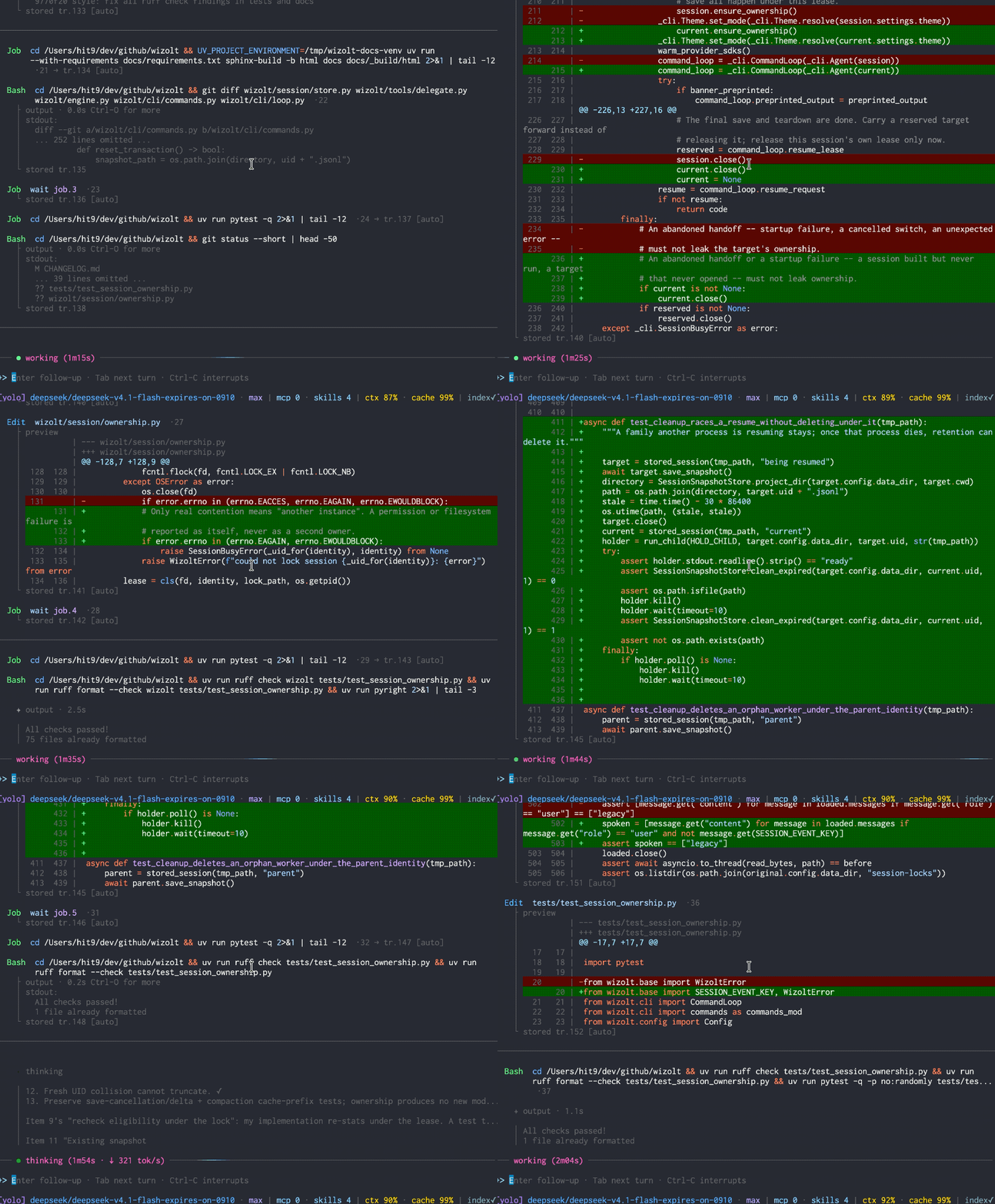
A terminal coding agent. Read code, edit files, run commands — and pick up where you left off.
Highlights
- Keep long tasks going. Automatic context compaction, prompt caching on supported providers, and saved sessions. Resume conversation, tool history, and diffs with
wizolt -c. - Review every change. Edits reject stale or ambiguous targets.
/diffshows the latest round or the whole session. - Steer while it works. Send follow-ups, queue the next task, and let slow commands run as background jobs.
- Mix models. Connect OpenAI-compatible Chat Completions, Responses, or Anthropic Messages APIs. Run parallel subagents with independent conversations and model settings.
- Bring your tools. MCP servers, reusable Markdown skills, and shell hooks for checks and formatters.
- Make it yours. Preview themes, diff colors, statusbars, dividers, and input symbols in
/theme; customize further in your config.
Install
Requires macOS or Linux, Python 3.11+, and uv.
uv tool install wizolt
wizolt --init-config
Add your provider to ~/.wizolt/config.toml:
[provider]
active = "default"

[provider.default]
url = "https://api.deepseek.com"
key = "sk-..."
model = "deepseek-flash"
Start in your project directory:
wizolt
Upgrade with uv tool upgrade wizolt.
No built-in sandbox. wizolt can edit files and run commands. Use a container or VM when you need isolation.
Links
- Documentation — full usage guide and reference.
- Maintainer design notes — architecture, state ownership and known trade-offs.
- Blog post — why and how it was built.
1 maintainer

Metadata
1 maintainer
Release files for wizolt 0.72.0
For a detailed explanation of source distributions (sdists) and built distributions (wheels), please see the package formats documentation.
Source distribution (sdist)
| File | Size | Uploaded | |
|---|---|---|---|
| wizolt-0.72.0.tar.gz | 567.8 kB | Details |
Built distribution (wheel)
| File | Interpreter | ABI | Platform | Reset |
|---|---|---|---|---|
| wizolt-0.72.0-py3-none-any.whl | Python 3 | none | any | Details |
Total release size: 1.2 MB
Release files / wizolt-0.72.0.tar.gz
| Download URL | wizolt-0.72.0.tar.gz |
|---|---|
| Size | 567.8 kB |
| Tags | Source |
|
SHA-256 checksum How to use checksums |
acca1feac8faaeeae541d4d23b99ec290790b9b561fbedbe44817b4de05b9f11
|
|
BLAKE2b-256 checksum How to use checksums |
b96cf9c804be442e8aef1380af7ec5b21e451eae6b93ed898631ac8961738cc2
|
| Upload date | |
|
Uploaded using Trusted Publishing? What is trusted publishing? |
No |
| Uploaded via |
uv/0.12.17 {"installer":{"name":"uv","version":"0.12.17","subcommand":["publish"]},"python":null,"implementation":{"name":null,"version":null},"distro":{"name":"Ubuntu","version":"24.04","id":"noble","libc":null},"system":{"name":null,"release":null},"cpu":null,"openssl_version":null,"setuptools_version":null,"rustc_version":null,"ci":null}
|
Release files / wizolt-0.72.0-py3-none-any.whl
| Download URL | wizolt-0.72.0-py3-none-any.whl |
|---|---|
| Size | 623.2 kB |
| Tags | Python 3 |
|
SHA-256 checksum How to use checksums |
37367d5c796af5688abdd0e2c8ae926f57067205d238be6b34c24f9649de43a8
|
|
BLAKE2b-256 checksum How to use checksums |
060263a28795bf0ef4aa216a9942750fc7dd89424af516d8a1d903ea9a641b6e
|
| Upload date | |
|
Uploaded using Trusted Publishing? What is trusted publishing? |
No |
| Uploaded via |
uv/0.12.17 {"installer":{"name":"uv","version":"0.12.17","subcommand":["publish"]},"python":null,"implementation":{"name":null,"version":null},"distro":{"name":"Ubuntu","version":"24.04","id":"noble","libc":null},"system":{"name":null,"release":null},"cpu":null,"openssl_version":null,"setuptools_version":null,"rustc_version":null,"ci":null}
|














