
Transparent desktop sky viewer with stars, planets, eclipses, and optional real-time satellite cloud overlay.

Project description
zstarview
Zenith Star View is a desktop sky viewer for your chosen location.
It renders an all-sky view with stars, the Sun, Moon, planets, deep-sky objects, and guide overlays. When enabled, it can also add real-time cloud imagery, terrain horizon, urban outlines, night lights, nearby aircraft, and the ISS/JWST/Voyager 1/Voyager 2/Parker artificial satellite overlays. Locations can be set by city or viewpoint name, direct coordinates, online place search, or supported Google Maps URLs.
Screenshots
The first screenshot shows the asterism overlay and also serves as a terrain-horizon example.
The second screenshot shows the aircraft overlay together with the never-rises region.
The third screenshot shows a denser star field rendered with -V10.5 -s4.5.
The fourth screenshot shows zstarview-export-image --search "C/1861 G1" --sixel displaying the Thatcher comet (C/1861 G1 Thatcher) in a sixel terminal.
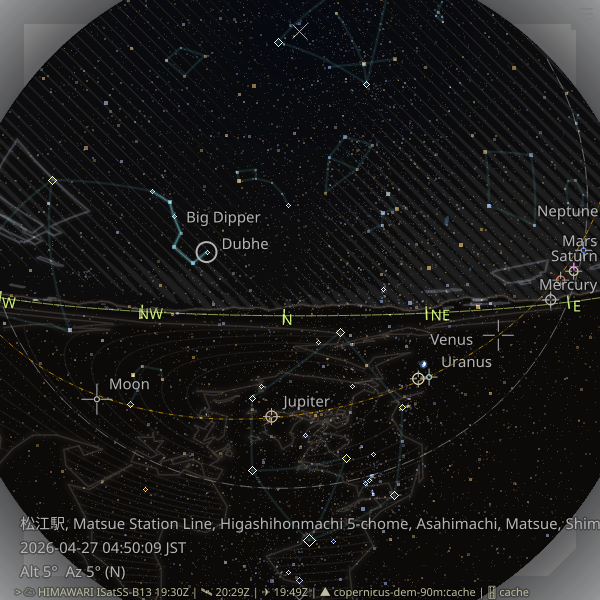
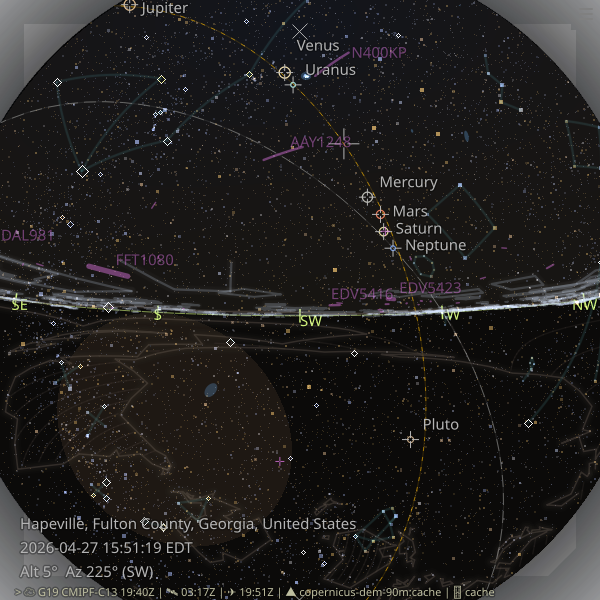
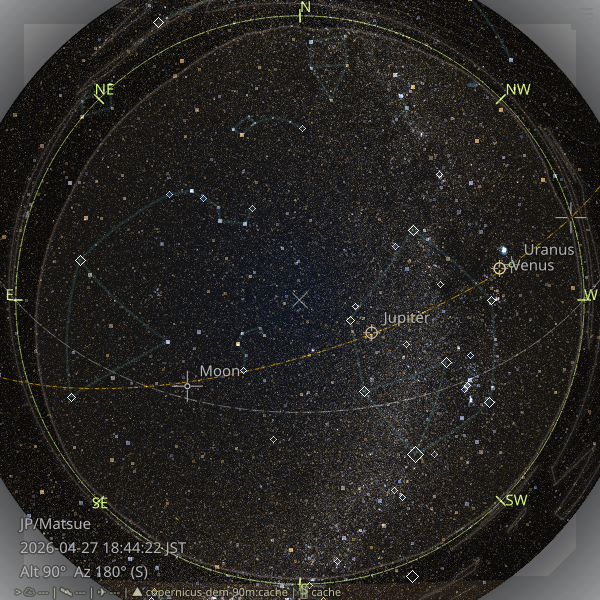
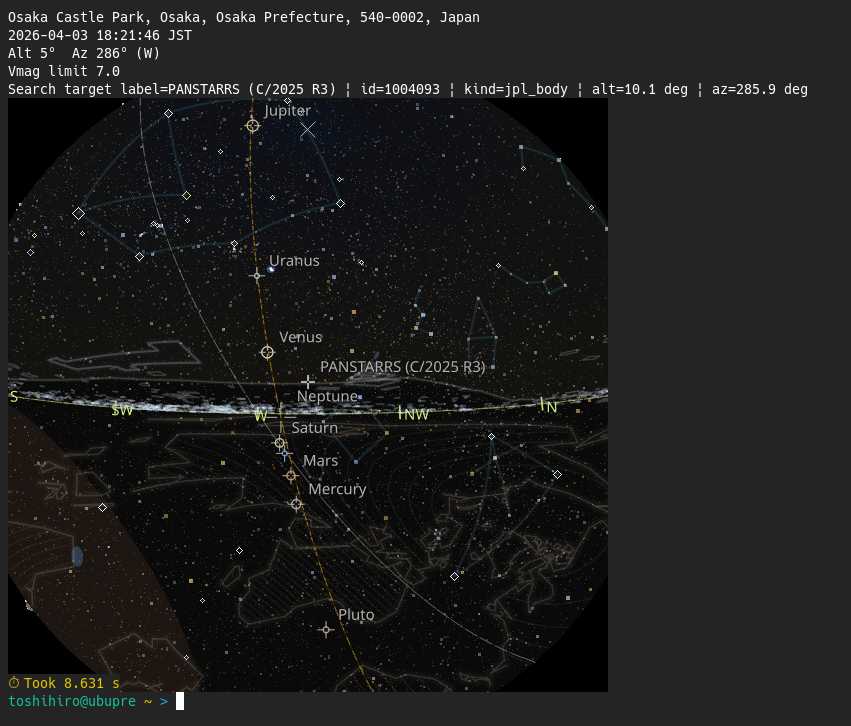
Note: higher magnitude limits increase rendering time. See about magnitude limit.
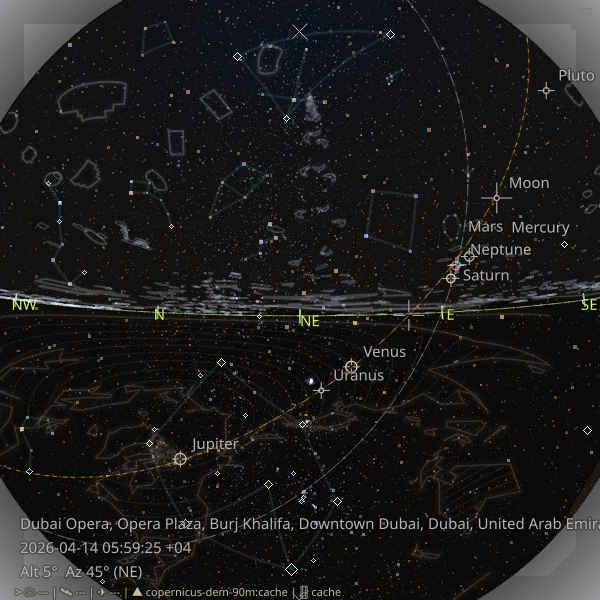
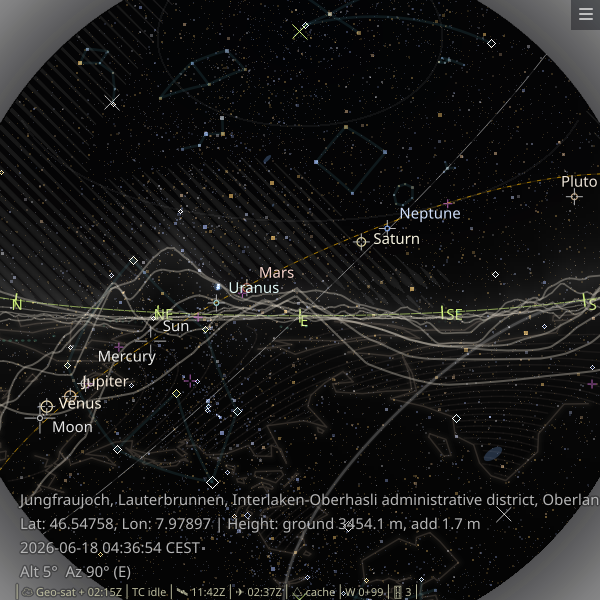
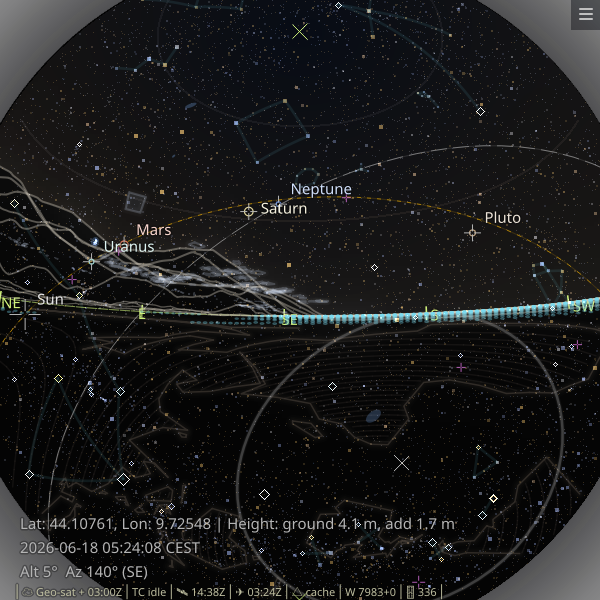
Urban outline and terrain horizon examples from several cities worldwide:
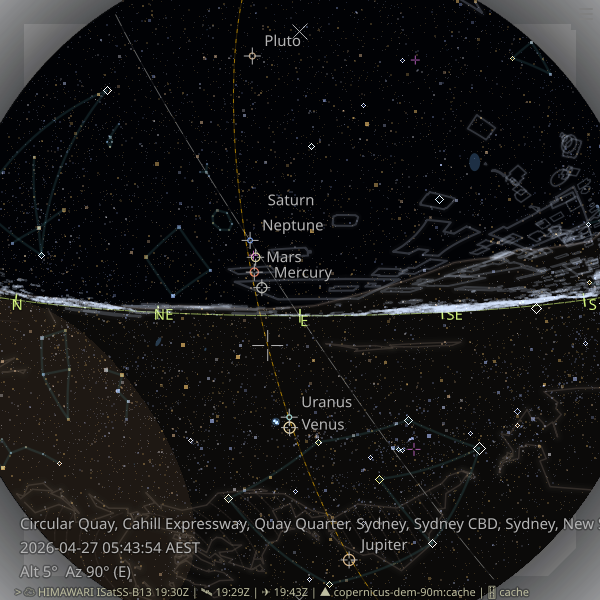 |
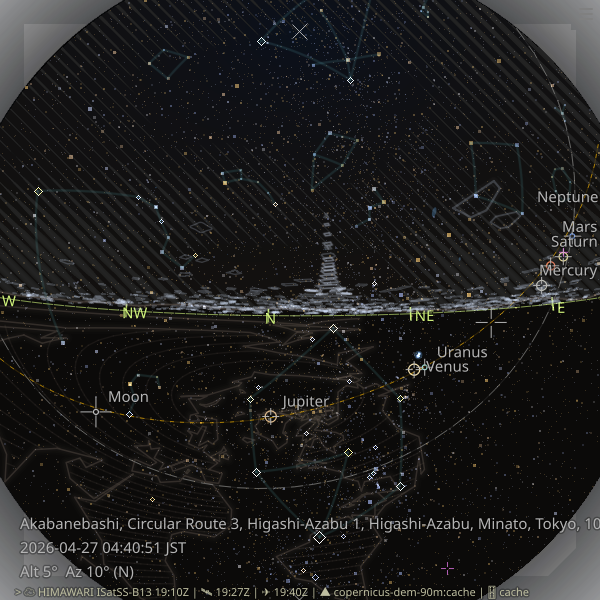 |
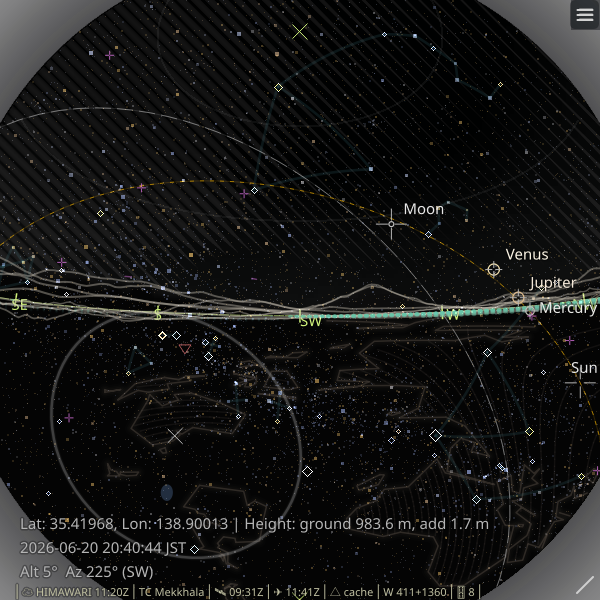 |
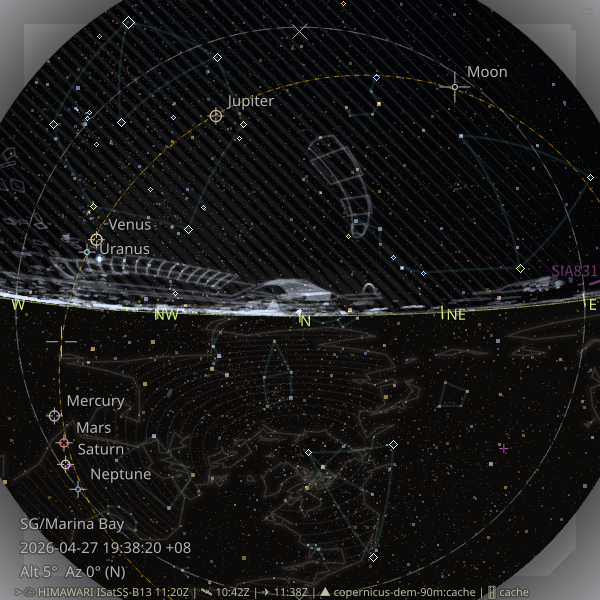 |
| Circular Quay, Sydney | Near Tokyo Tower, Tokyo | View of Mt. Fuji, Japan | Marina Bay, Singapore |
 |
 |
 |
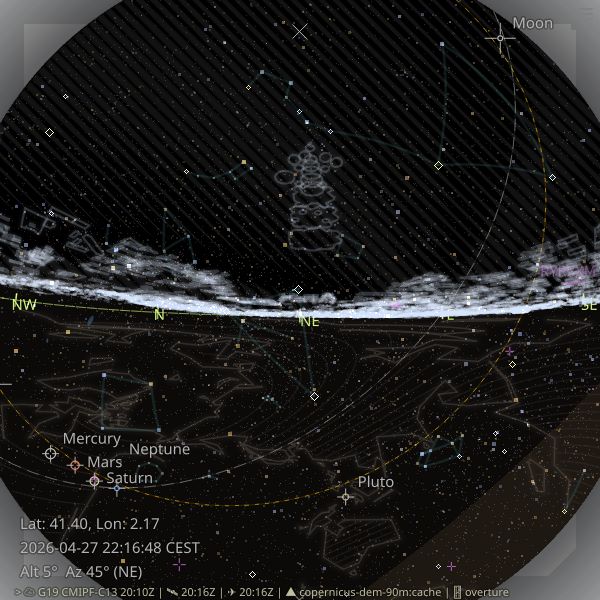 |
| Near Burj Khalifa, Dubai | Jungfraujoch, Switzerland | Manarola, Italy | Sagrada Familia, Barcelona |
Install
Recommended:
Prerequisite for the urban outline overlay: install the overturemaps CLI separately.
Installation: https://pypi.org/project/overturemaps/
Confirm it with:
overturemaps --help
pipx install zstarview
Or with pip:
pip install zstarview
Note: The previous Windows on Arm64 installation blocker has been removed. Installation is now possible there, but Windows Security may still block Python extension modules during startup on some systems. If that happens, see the troubleshooting notes in the main project README.
First run check:
zstarview-gui
This opens the startup dialog first. If you select City as the location
source and press Auto Search, the dialog fills in your current location
automatically.
Highlights
- Stars: the sky view shows stars from the selected catalog, with asterisms and other overlays layered on top.
- Solar-system bodies: supports Sun, Moon, and major planets.
- Deep-sky objects: named galaxies/open clusters/globular clusters are shown as soft blue extents.
- Asterism overlay: popular line patterns are shown as dim guide lines, alongside other sky guides such as the never-rises region, which uses a distinct neutral gray, plus the zenith and celestial pole markers.
- Satellite cloud imagery and sky-color disc: real-time Himawari/GOES satellite data are downloaded and rendered as a stylized hatched overlay, with the sky-color disc still visible beneath the clouds.
- Aircraft and artificial satellite overlays: nearby aircraft from OpenSky can be drawn on the sky view, and ISS, JWST, Voyager 1, Voyager 2, and Parker can be drawn as small purple markers between the planet and aircraft layers. ISS uses
wheretheiss.atwith CelesTrak fallback, while the other four spacecraft use JPL Horizons. - Fresh current caches are reused for up to 24 hours for both the ISS cache and the Horizons-backed spacecraft cache.
- Terrain horizon and earth guide: Copernicus DEM data can be used to render the local terrain skyline and ground region, with a separate below-horizon continental hatch layer for orientation.
- Urban outline overlay: major rooflines are drawn for the current viewpoint, with optional distant skyscrapers in dense urban areas.
- Night lights overlay: NASA Earth at Night / Black Marble 2016 Grayscale 500m GeoTIFF tiles are downloaded on demand, cached locally, and rendered as a separate glow layer above the horizon and terrain ridges.
- Flexible location input: start from a city, tower, mountain, lat/lon, or online place/station search.
- Adjustable view center: change the view center from the CLI or with the arrow keys.
- Python support: routinely tested on CPython 3.10, 3.11, 3.12, 3.13, and 3.14.
Entry Points
This package provides three entry points:
zstarview-guifor the interactive startup dialog and GUI launcher, with its own startup profile separate from the legacy CLI config.zstarviewfor GUI launches driven by command-line options, sharing the same option families described in the main README and the CLI reference docs.zstarview-export-imagefor headless one-shot image export, using the same option families aszstarviewwhere applicable.
Code, Data Licenses, and Credits
- Code: MIT License. See
LICENSE. - Bundled and runtime-fetched data may be subject to their own licenses, attribution rules, or service terms.
- See the main project README for the full credits and third-party data notes.
Links
- Homepage: https://github.com/tos-kamiya/zstarview
- Documentation: https://github.com/tos-kamiya/zstarview#readme
- Issues: https://github.com/tos-kamiya/zstarview/issues
Release history Release notifications | RSS feed


Download files
Download the file for your platform. If you're not sure which to choose, learn more about installing packages.
Source Distribution
Built Distribution
Filter files by name, interpreter, ABI, and platform.
If you're not sure about the file name format, learn more about wheel file names.
Copy a direct link to the current filters
File details
Details for the file zstarview-1.28.7.tar.gz.
File metadata
- Download URL: zstarview-1.28.7.tar.gz
- Upload date:
- Size: 72.1 MB
- Tags: Source
- Uploaded using Trusted Publishing? No
- Uploaded via: Hatch/1.16.5 cpython/3.12.3 HTTPX/0.28.1
File hashes
| Algorithm | Hash digest | |
|---|---|---|
| SHA256 |
ea69831892dc6a567d85637d168636d6c084a3f778cc8001ca0fef055ede5e68
|
|
| MD5 |
cb86191be58f8994626de54bb473de21
|
|
| BLAKE2b-256 |
a0c455fcc8aabdc5e9f972a6df40c5042fffe6a83994a0343301b0d5af5d9792
|
File details
Details for the file zstarview-1.28.7-py3-none-any.whl.
File metadata
- Download URL: zstarview-1.28.7-py3-none-any.whl
- Upload date:
- Size: 64.2 MB
- Tags: Python 3
- Uploaded using Trusted Publishing? No
- Uploaded via: Hatch/1.16.5 cpython/3.12.3 HTTPX/0.28.1
File hashes
| Algorithm | Hash digest | |
|---|---|---|
| SHA256 |
c328509d513f0d41c732a3e11bf5e1063ceb390af58f67ae4c9efc00f8e5fc38
|
|
| MD5 |
a2b9587bb0b911d680724e1f35d7b2cc
|
|
| BLAKE2b-256 |
e00aefa961651bfa3afc5a32682069f121df9050a067b65f6ccfcde67b47d718
|






