
AnimaGeo
GeoGebra → Python → Manim → SVG / MP4




AnimaGeo turns GeoGebra geometric constructions into high-quality figures and
animations. It parses a .ggb file, rebuilds the dependency graph between
elements, renders them through manim, and
exports to static vector formats (SVG, PDF, EPS, TikZ, interactive JSXGraph)
or animated video (MP4, GIF, WebM, PNG).
You can also build constructions directly in a small Python DSL — no GeoGebra file required — and animate them by keyframes or by driving free variables.
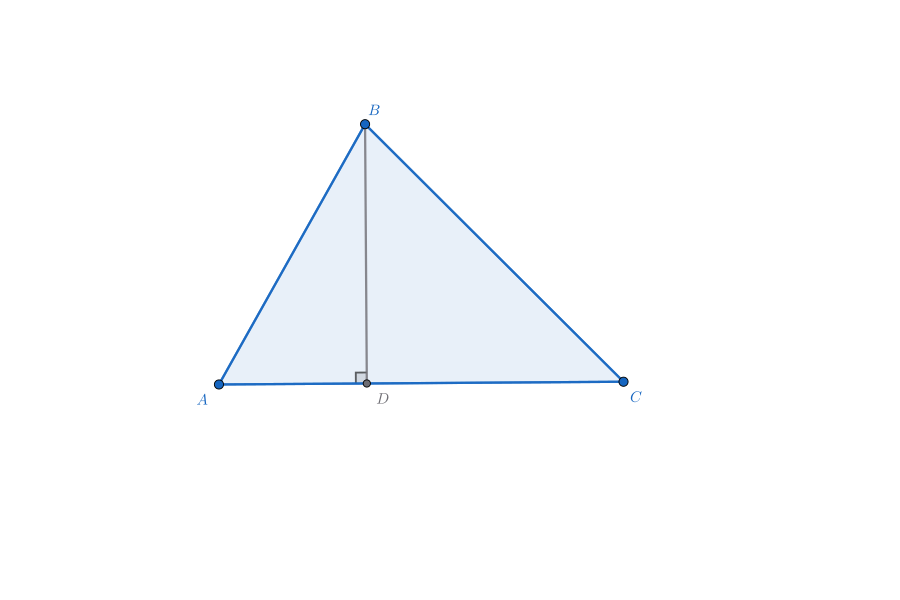
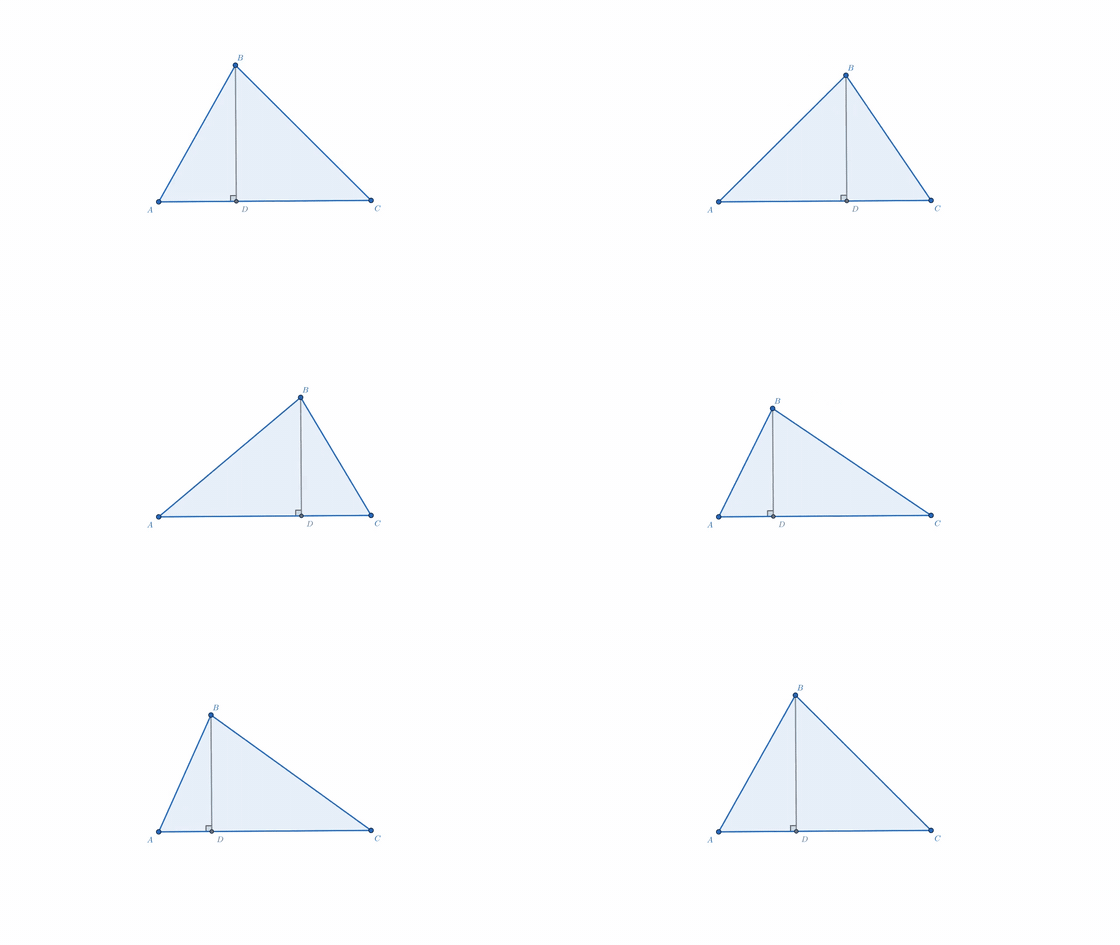
One .ggb file, two commands: animageo triangle.ggb -o triangle.svg · animageo triangle.ggb -o anim.gif --keyframes kf.json
Features
- Faithful GeoGebra import — points, lines, segments, rays, vectors, polygons, angles (incl. right-angle markers), circles, arcs, sectors, and first-class conics, explicit functions, and implicit curves, plus custom tool (macro) expansion. The DSL exposes 99 command factories backed by 433 type-specialized dispatch signatures.
- Pixel-invariant styling — a JSON style system with layered defaults,
per-type / per-name overlays, and a configurable GGB
ImportPolicy. - Automatic label placement — an overlap-avoiding solver with static, keyframe, and per-frame dynamic modes.
- Animation — reveal/hide elements, drive free variables with
ValueTrackers, or render a JSON keyframe sequence. Fast DecimalNumber-backed value labels. - Multiple export targets — SVG/PDF/EPS (Cairo), native semantic TikZ for LaTeX, interactive JSXGraph (with a framework-agnostic web runtime), and MP4/GIF/WebM/PNG via manim.
- AI-agent friendly — a self-sufficient usage guide ships in the package
(
animageo --ai-guide), plus compact construction summaries for LLM styling.
Installation
pip install --upgrade animageo
Requires Python 3.11+. Core dependencies (numpy, manim, pycairo,
sympy, scipy) are installed automatically. The JSXGraph web runtime under
web/ is a separate, optional JS package.
Command line
# SVG (default), 640×480 export canvas
animageo scene.ggb -o scene.svg

# Pick the format explicitly, or let the -o extension imply it
animageo scene.ggb -o figure.tex --standalone      # compilable TikZ
animageo scene.ggb -o board.html                   # interactive JSXGraph
animageo scene.ggb -o anim.mp4 --keyframes kf.json # animation
animageo scene.ggb -o scene.svg -s style.json --export-size 1920 1080
Output format is taken from --format/-f, otherwise inferred from the -o
extension, otherwise SVG. Static vector formats: svg, pdf, eps, tikz,
jsxgraph. Render formats (manim): png, gif, mp4, webm, mov.
usage: animageo [-h] [--ai-guide] [-o OUTPUT]
                [-f {svg,pdf,eps,tikz,jsxgraph,png,gif,mp4,webm,mov}]
                [--standalone] [--dpi DPI] [--keyframes KEYFRAMES] [--fps FPS]
                [--transparent] [--quality {l,m,h,p,k}]
                [--reference-size W H] [--export-size W H]
                [--fit {contain,cover,width,height,none,manual}]
                [--source-rect {source_view,ggb_view,rendered_bounds}]
                [--export-scale SCALE] [--anchor ...] [--offset X Y]
                [--bounds-padding PAD] [--infinite-policy {clip,ignore}]
                [-s STYLE] [--log-level LEVEL] [-v] [-q]
                [ggbfile]
Run animageo --help for the full flag reference, or animageo --ai-guide
to print the packaged AI usage guide.
Using in Python
Write a scene.py:
from animageo import *

class TestScene(AnimaGeoScene):
    def construct(self):
        # Load a GeoGebra construction; `style` provides visual defaults,
        # `export` chooses the physical output size.
        self.loadGGB(
            'scene.ggb',
            style='default.json',
            export={'size': {'width': 800, 'height': 'auto'}},
        )

        # Extend / edit the construction with the Python DSL (additive).
        self.loadCode('scene_code.py')

        # Restyle elements by their GeoGebra / DSL names.
        self.element('a').style['stroke'] = self.style.col
        self.element('A_1').style['fill'] = self.style.col_accent

        # Export a static image.
        self.exportSVG('scene.svg')
        # ...or self.exportTikZ('scene.tex') / self.exportJSXGraph('board.html')

        # Animate: reveal geometry and drive a free variable.
        x = self.addVar('x', 5)
        self.HideAll()
        self.playShow(['A', 'B', 'a'])
        self.addUpdater(x)
        self.play(x.animate.set_value(10), run_time=3)
        self.clearUpdater(x)
and a scene_code.py (the construction DSL):
from animageo.dsl import *   # IDE-only; dropped by the DSL transform at runtime

A = Point(x, 0)
B = Intersect(b, c)
a = Segment(A, B)
Render the animation with manim:
manim 'scene.py' TestScene
For DSL-only scenes (no .ggb) frame the view with
scene.fitView(width, height, padding=…). See
docs/python_dsl.md and
docs/api.md.
Keyframe animation
get_independent_elements() reports every animatable (free) element; feed a
JSON/Python keyframe sequence to play_keyframes(). Use "version": 2 for the
current timeline format:
scene.loadGGB('scene.ggb', style='style.json', export={'size': {'width': 800, 'height': 600}})
independents = scene.get_independent_elements()   # send to a UI, or author by hand
scene.play_keyframes({
    "version": 2,
    "keyframes": [
        {"t": 0, "values": {"A": [0, 0], "x": 35, "D": {"tparam": 0.0}}},
        {"t": 2, "values": {"A": [4, 4], "x": 110},
         "visible": {"line1": True},
         "styles": {"line1": {"stroke": "#d05456", "stroke_width_px": 4}},
         "enter": {"line1": "create"},
         "events": [{"effect": "indicate", "targets": ["A"], "at": 0.4, "duration": 0.6}],
         "easing": "smooth"},
        {"t": 4, "values": {"A": [0, 0], "x": 35}}
    ]
})
Keyframes v2 supports geometry/value tracks, style tracks, absolute visibility
with entrance/exit effects, 17 easing names, @camera pan/zoom, one-shot
emphasis events, reveal_construction(), and apply_keyframes_at() for static
playhead previews. See docs/keyframes.md.
Automatic label placement
scene.loadGGB('scene.ggb', style='style.json', export={'size': {'width': 800, 'height': 600}})
scene.autoPlaceLabels()          # static one-shot; pass dynamic=True for animations
scene.exportSVG('scene.svg')
Placement is opt-in per style file (overlay.label_placement); see the
recommended preset and full parameter reference in
docs/styles.md.
AI-agent usage
If you (or a tool you are driving) are an AI agent, read the self-sufficient guide shipped with the package before writing any code:
python -m animageo --ai-guide # prints the full guide to stdout
It is also in the source tree at animageo/AI_USAGE_PROMPT.md. Written for an
agent with zero prior knowledge of animageo, it covers environment setup,
canonical script skeletons for static SVG and MP4 animation, the viewport /
fitView recipe for DSL-built scenes, verified DSL factory signatures,
construction-correctness rules, marks and labels, the style JSON system, the
animation reference, and a verification protocol. Its recipes were validated
end-to-end by independent AI agents that had no other documentation.
Style system (JSON)
Styles are JSON files with five top-level sections:
presets— named semantic constants (colours, sizes, thicknesses).defaults— per-type baselines, usually referencingpresets.overlay— post-import stylization by type / name, plus automation (angle-radius scaling, label placement).rendering— render / export options (background, line caps, …).import— GGB colour/size remapping + an embeddedImportPolicy.
Every *_px value is in pixels and stays visually invariant across canvas
sizes. Minimal example:
{
    "name": "default",
    "presets": {
        "color": { "main": "#2581b5", "accent": "#ef60ab", "background": "#ffffff" },
        "point_size": { "main": 7 },
        "line_width": { "main": 2 }
    },
    "defaults": {
        "point":   { "size_px": "point_size.main", "fill": "color.main" },
        "segment": { "stroke_width_px": "line_width.main" }
    },
    "rendering": { "background": "color.background", "line_cap": "round" }
}
The full style reference — layers, every key, the ImportPolicy cookbook, and
the label-placement preset — lives in docs/styles.md.
Examples
- examples/showcase/ — runnable scripts with their committed output
- examples/policies/ — ready-made
ImportPolicypresets - examples/ai_style_generation_scene10/ — an end-to-end AI style-generation session
Documentation
- Documentation site — searchable rendered guides and API reference
- docs/index.md — documentation map
- docs/quickstart.md — getting started
- docs/architecture.md — pipeline & module map
- docs/api.md — scene / construction API reference
- docs/keyframes.md — keyframe animation timeline format
- docs/python_dsl.md — the construction DSL
- docs/styles.md — the style system (main reference)
- docs/import_policies.md — configurable GGB import
- docs/field_names.md — field-name mapping across layers
- docs/export_formats.md — SVG/PDF/EPS/TikZ/JSXGraph/video
- docs/tikz_export.md — TikZ export details
- docs/construction_summary.md — compact summary for AI styling
- docs/gotchas.md — pitfalls & workarounds
- docs/roadmap.md — direction & open work
- CHANGELOG.md — release history
Contributions are welcome — see CONTRIBUTING.md. For AI agents and LLM tooling: llms.txt.
License
Apache-2.0 — see LICENSE and NOTICE. Homepage: https://animageo.ru/
1 maintainer

Download files
Download the file for your platform. If you're not sure which to choose, learn more about installing packages.
Source Distribution
Built Distribution
Filter files by name, interpreter, ABI, and platform.
If you're not sure about the file name format, learn more about wheel file names.
Copy a direct link to the current filters
File details
Details for the file animageo-1.7.0.tar.gz.
File metadata
- Download URL: animageo-1.7.0.tar.gz
- Upload date:
- Size: 375.6 kB
- Tags: Source
- Uploaded using Trusted Publishing? No
- Uploaded via:
twine/6.2.0 CPython/3.14.5
File hashes
| Algorithm | Hash digest | |
|---|---|---|
| SHA256 |
65cdcbb62170c51519f7f914c4eb0a3af2f97db188464c512abca71f89275950
|
|
| MD5 |
b87d4ed608e80a1fa85dccf277552446
|
|
| BLAKE2b-256 |
df2aaf46aa5c4c8751f5433fd22f710e4cd0b123d0073f8d6c2acbcd2a4b195c
|
File details
Details for the file animageo-1.7.0-py3-none-any.whl.
File metadata
- Download URL: animageo-1.7.0-py3-none-any.whl
- Upload date:
- Size: 369.8 kB
- Tags: Python 3
- Uploaded using Trusted Publishing? No
- Uploaded via:
twine/6.2.0 CPython/3.14.5
File hashes
| Algorithm | Hash digest | |
|---|---|---|
| SHA256 |
58792df5ea4e2dea0c769b494b314faf9336f39817ed407388f31d2601144bd0
|
|
| MD5 |
2a30568181827a8a78b5e6cc74ca278c
|
|
| BLAKE2b-256 |
267bcc65dc921b03dff3d0f4577b4aec7ba8cd0522e1710794095c6c5b62d5c0
|







