
This release is a pre-release and may not be stable for production use.
ascii_art_python




A powerful and flexible Python library and Command Line Interface (CLI) to convert your images and videos into stunning ASCII art.
ascii_art_python uses advanced edge detection (via OpenCV) and luminosity mapping to generate high-quality ASCII representations. It supports multiprocessing for fast video conversion and even transfers original audio tracks to your ASCII videos!
Preview
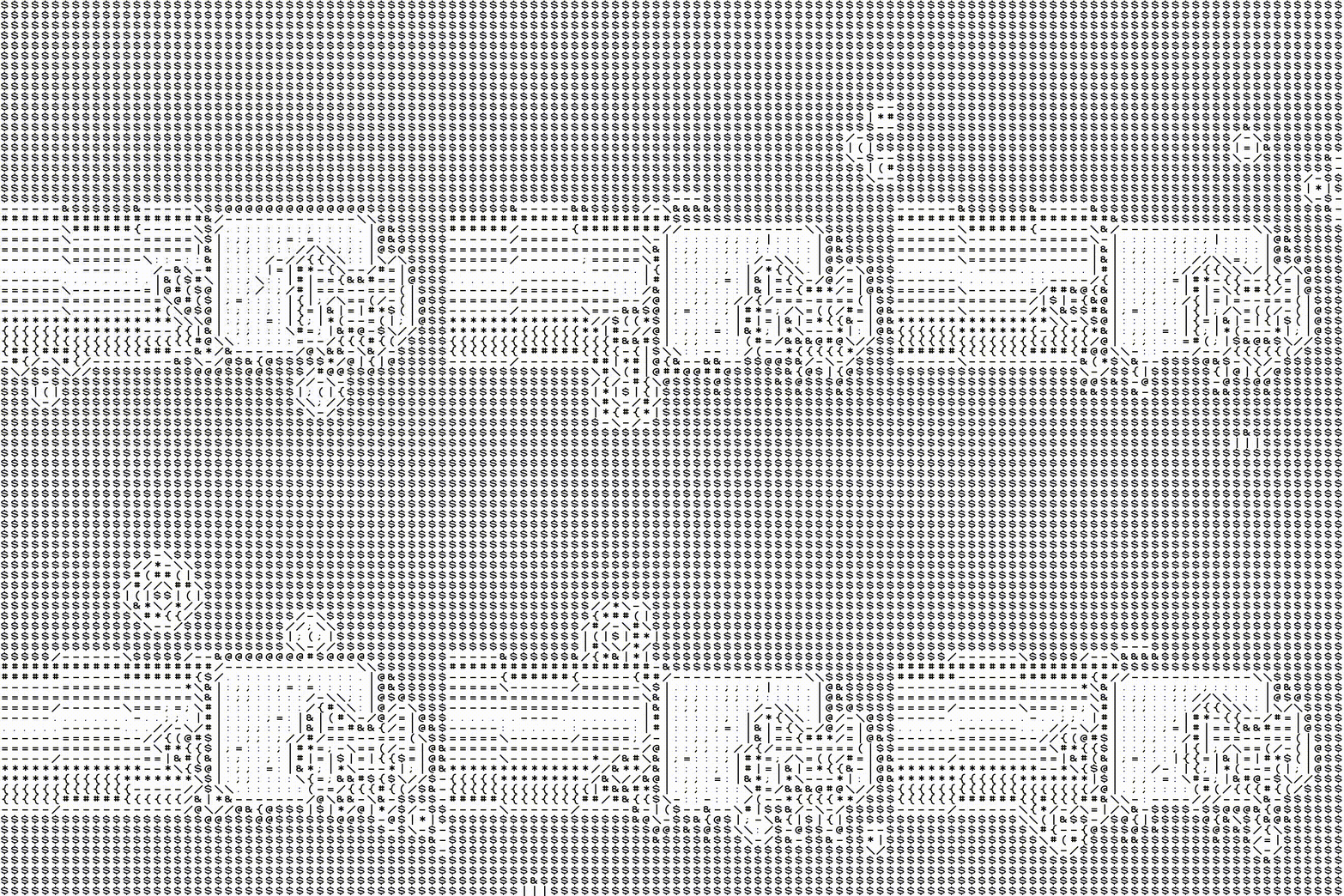
Below is an example of an image featuring the Python logo:
              ||=*|{||#&&&&||||||
              /##--\&&&&&&&&&&$$&\\
            |&&|  |{&&&&&&&&&$$$$\
            |&&\--/&&&&&&&&&$$$$$|
            :\-#####---\&&$$$$$$$|
      ------/;;;;;;;===|$$$$$$$$$|  -----
    /--##&&&&&----------/$$$$$$$$@| .:::::-\\
  //#####&&&&&&&&&&&&$$$$$$$$$$$@| .:::::::\\
  //&####&&&&&&&&&&&$$$$$$$$$$$$$@| .::::::::\
  |####&&&&&&&&&&$$$$$$$$$@@@@@@@//.:::::::::|
  |&#&&&&&&&&&$$-----------------..:::::::::::|
  |&&&&&&&&&&//-.................:::::::::::::|
  |&&&&&&&&&// ..::::::::::::::::::::::::::;;|
  |&&&&&&&$| ::::::::::::::::::::::::::;;;;;/
  \\&&&&&$$| :::::::::::::::::::::::;;;;;;;//
    \\$$$$$@| ::::::::::::::::::;;;;;;;;;;;//
      ------/ ::::::::::...........--------
              ::::::::::\---::::--|/
            |::::::::::::;;/--\;;|
            |\::::::::;;;;;|  |;;|
              \\::::;;;;;;;;\--:;//
              \---:;;;;;;;;;::--/
                  ------------
And below, an example of a video featuring Nyan Cat:
Features
-
Image to ASCII: Convert standard images (JPG, PNG, etc.) to ASCII strings or export them as PNG files.
-
Video to ASCII: Convert entire video files to ASCII animations (MP4 format) with original audio preserved.
-
Command Line Interface: Quickly convert files directly from your terminal.
-
Three Rendering Modes:
-
full_mode: Combines edge detection and background luminosity for highly detailed art. -
old_skool: Uses directional characters based on edge detection (perfect for a "Matrix" look). -
new_skool: Uses background characters mapped by luminosity.
-
-
Terminal Playback: Play ASCII videos or display images directly within your console.
Installation
Install the package easily via pip:
pip install ascii_art_python
Command Line Interface (CLI) Usage
The library provides convenient commands to process your media right from the terminal.
Display directly in the terminal
Automatically resizes the output to fit your current terminal window.
# Display an image (default full_mode)
aap my_image.jpg

# Play a video with the 'old_skool' edges-only style
aap my_video.mp4 -m old_skool

# Play a video with the 'old_skool' edges-only style from Youtube
aap "https://www.youtube.com/watch?v=dQw4w9WgXcQ" -m old_skool
Export to a file
Saves the ASCII output to your disk (.png for images, .mp4 for videos).
# Export an image with a specific width and 'new_skool' mode
aap landscape.jpg -o landscape_ascii -w 150 -m new_skool

# Export a complete video and keep the original audio track
aap music_video.mp4 -o ascii_clip --sound -f 10
Python API Usage
You can also integrate ascii_art_python directly into your own Python scripts.
import ascii_art_python as aap

# --- 1. Image Conversion ---
# Load an image and set a target width
img = aap.Image.from_path("my_image.jpg", width=120)

# Print it to the console
print(img.to_string(old_skool=True, new_skool=True, one_on_two=True))

# Or export it as a PNG file
img.export(filename="my_ascii_image", font_size=15, old_skool=True, new_skool=True)

# --- 2. Video Conversion ---
# Load a video (processing at 15 FPS)
video = aap.Video("my_video.mp4", width=80, wanted_fps=15)

# Export the video with sound (uses multiprocessing for speed)
video.export(filename="my_ascii_video", sound=True, old_skool=True, new_skool=True)
Prerequisites
This program requires ffmpeg to process videos. Before using this script, make sure to install it on your system:
-
macOS:
brew install ffmpeg
-
Windows:
winget install ffmpeg
# or
choco install ffmpeg
-
Linux (Debian/Ubuntu):
sudo apt update && sudo apt install ffmpeg
-
Linux (Fedora/Arch):
sudo dnf install ffmpeg   # Fedora
sudo pacman -S ffmpeg     # Arch Linux
Full Documentation
To check the complete API, class details, and advanced export options, visit: the doc.
License
This project is licensed under the MIT License - see the LICENSE file for details.
1 maintainer

Download files
Download the file for your platform. If you're not sure which to choose, learn more about installing packages.
Source Distribution
Built Distribution
Filter files by name, interpreter, ABI, and platform.
If you're not sure about the file name format, learn more about wheel file names.
Copy a direct link to the current filters
File details
Details for the file ascii_art_python-3.0.0b7.tar.gz.
File metadata
- Download URL: ascii_art_python-3.0.0b7.tar.gz
- Upload date:
- Size: 304.7 kB
- Tags: Source
- Uploaded using Trusted Publishing? No
- Uploaded via:
twine/6.2.0 CPython/3.14.4
File hashes
| Algorithm | Hash digest | |
|---|---|---|
| SHA256 |
abfdd8afe772c36a16f090fe57c1ad9e92048bbc92df950a5329129829528a15
|
|
| MD5 |
07206f0f3800a257c18fbe0bb947dae6
|
|
| BLAKE2b-256 |
613b6385417bc6c5c1d222633cd39a71a1c6c312fed49671172e8982fd5d938b
|
File details
Details for the file ascii_art_python-3.0.0b7-py3-none-any.whl.
File metadata
- Download URL: ascii_art_python-3.0.0b7-py3-none-any.whl
- Upload date:
- Size: 307.5 kB
- Tags: Python 3
- Uploaded using Trusted Publishing? No
- Uploaded via:
twine/6.2.0 CPython/3.14.4
File hashes
| Algorithm | Hash digest | |
|---|---|---|
| SHA256 |
2c637601ba3d550f9db92bb04d2038f0d737538354d787ddcc7bb8491fb79261
|
|
| MD5 |
778494b906bbf3fa3387af1d8ffb5067
|
|
| BLAKE2b-256 |
676fccdc57f6bcae0a9355fabafc606b58c6156654aaf200857973d1d59096c8
|







