
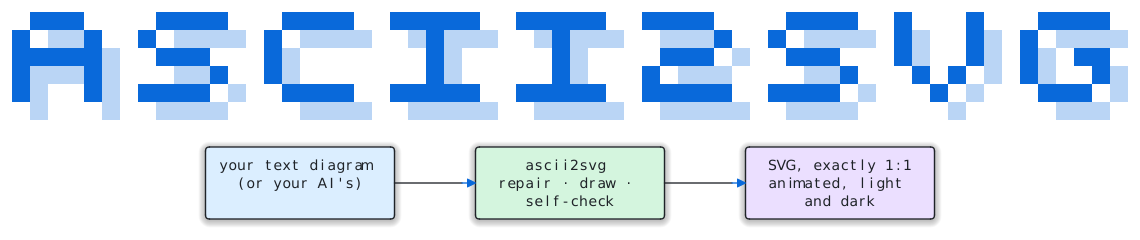
Your text diagrams, drawn properly. Every character stays exactly where you put it.






Playground · Quick start · Gallery · Fix LLM diagrams · For agents · Claude skill
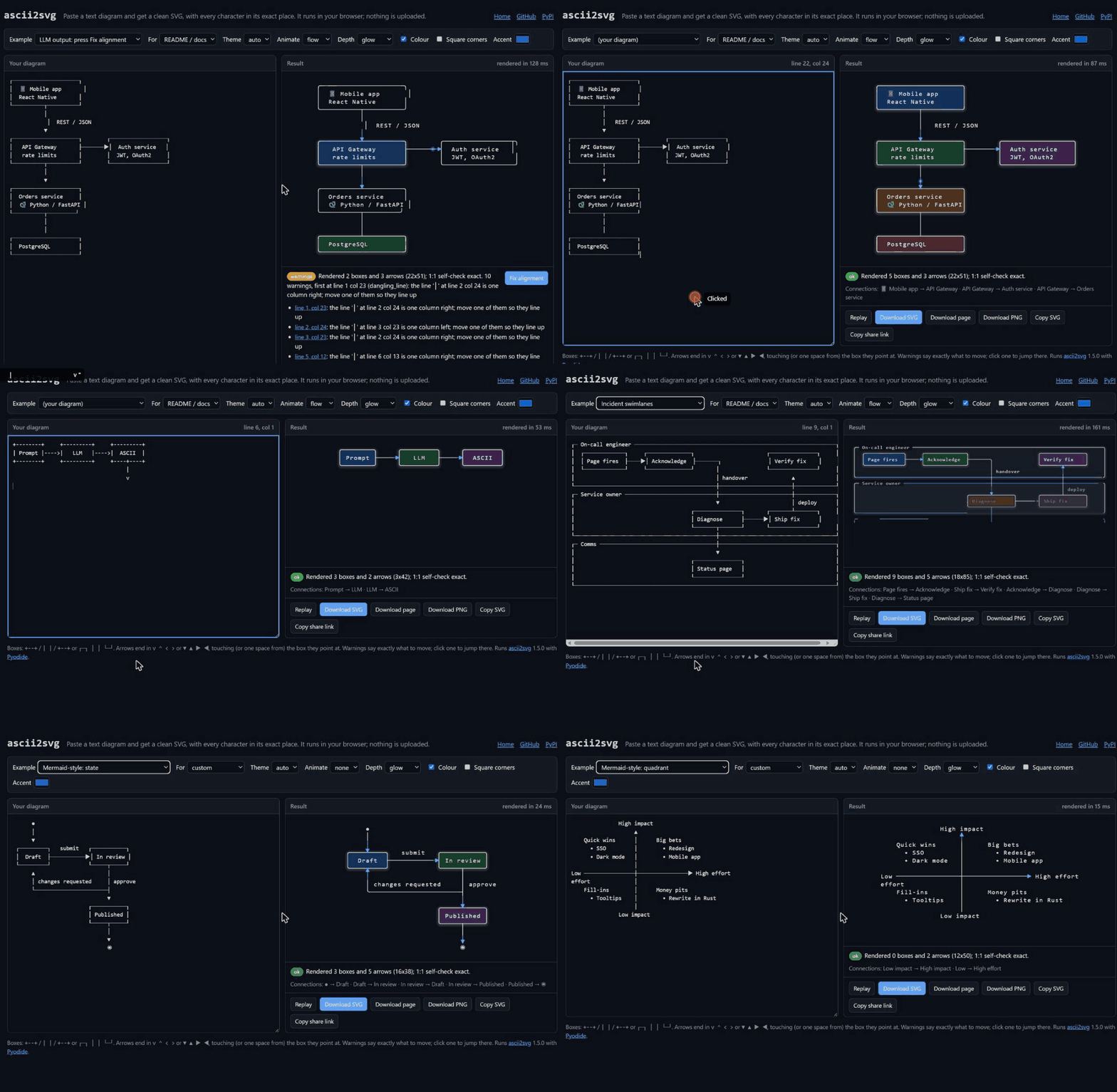
The playground runs entirely in your browser: fix a model's misaligned diagram, type one live, browse the gallery.
You sketch a diagram in plain text: in a README, a code comment, a chat with an AI. It looks right in a monospace font and falls apart everywhere else (Slack, email, Confluence, slides, a phone). ascii2svg turns it into a crisp SVG that draws itself, follows your reader's light or dark mode, and shows data moving along the arrows.
It never guesses. Every run reads its own SVG back and checks it against your text, cell by cell, so what you drew is exactly what you get. And the banner at the top of this page? That's plain text too.
Highlights
- Faithful, provably // every character lands in its exact cell, verified by reading the SVG back. A mismatch is an error, never a quiet surprise.
- Fixes LLM diagrams //
--repairlines up the walls, connectors and arrowheads a chat model got one column wrong, without touching a word. - Alive // lines draw themselves, pulses flow along arrows, tall diagrams unfold as you scroll. Nothing moves for readers who ask for reduced motion.
- More than boxes // flowcharts, sequence and state diagrams, C4, UML, ER crow's feet, Gantt and bar charts, diamonds, dashed lines.
- Agent-native // one JSON report for every outcome, hints that say exactly what to move, an MCP server and a Claude skill.
- Zero dependencies // one Python file for Python 3.9+. The same file runs in your browser via WebAssembly.
Quick start
In your browser, nothing to install: open the playground, paste a diagram, pick where it's going, download SVG, PNG or a web page. Nothing is uploaded.
From the command line:
pip install ascii2svg
ascii2svg diagram.txt -o diagram.svg --preset readme     # colour, light/dark, animation
With Claude: add the skill,
then just ask "turn this diagram into an image for my slides". Or connect the MCP server:
claude mcp add ascii2svg -- ascii2svg --mcp.
Type this…
+------------+     +------------+     +------------+     +-------------+
|    Idea    |---->|   Draft    |---->|   Review   |---->|   Publish   |
+------------+     +------------+     +-----+------+     +-------------+
                         ^                  |
                         |                  |
                         +------------------+
                           needs changes
…get this
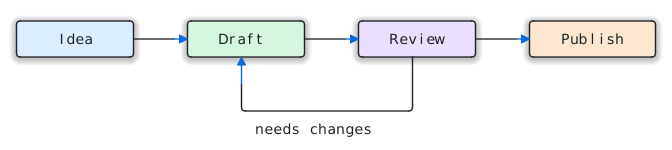
Plain + - | became real lines, v ^ < > became arrowheads, and the words stayed words.
Unicode box characters (┌─┐ │ └─┘ ╭╮ ═║ ▶) work just as well.
LLM diagrams, fixed
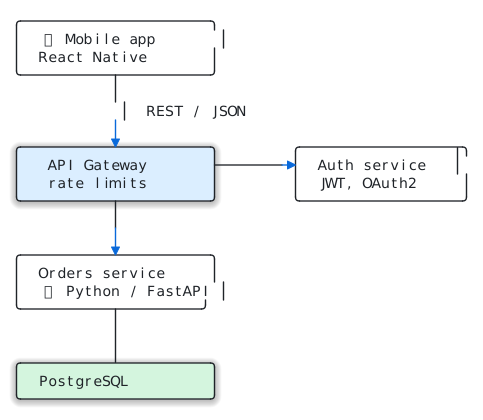
Ask any chat model for an architecture diagram and the boxes rarely line up: an emoji counted
as one column instead of two, a wall one space short, a connector that drifts sideways
between rows. --repair puts them back:
| As the model wrote it | --repair |
|---|---|
 |
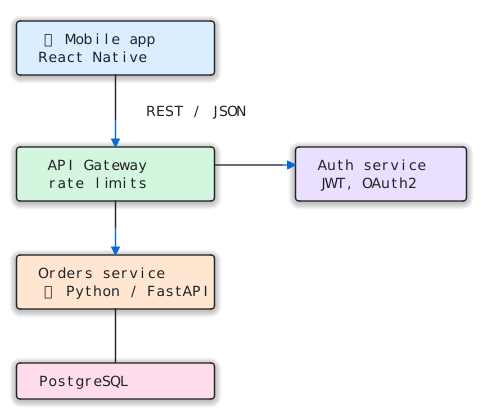 |
| 2 of 5 boxes recognised, 10 warnings | 5 boxes, 0 warnings, 5 fixes |
ascii2svg diagram.txt -o diagram.svg --repair --json
{"status": "ok", "summary": "Repaired 5 misalignments. Rendered 5 boxes and 3 arrows (22x51); 1:1 self-check exact.",
 "repair": {"edits": [{"line": 2, "col": 23, "fix": "moved the right wall '│' 1 col left"},
                      {"line": 6, "col": 12, "fix": "moved '│' 1 col left to line it up"}, "..."],
            "text": "┌─────────────────────┐\n│  📱 Mobile app      │\n..."}}
- What it fixes: ragged right walls (the top corner, every row and the bottom corner vote on where the wall belongs), drifted left walls, edges one character too long or short, connector pieces and arrowheads one or two columns off, arrowheads that stop a cell short, and gaps of one or two cells before a box.
- What it never does: change your words. Only line characters and spaces move or appear, and only into empty cells. A test strips every line character from each row, before and after, and checks that what remains is identical.
- What you get back: every edit with its line and column, and the corrected text in
repair.text, ready to paste back where the diagram came from. Diagrams that were already right come back untouched.
In the playground, a diagram with warnings shows a Fix alignment button.
Gallery
All plain text, all 1:1. The sources are in docs/examples/, and every one is in the playground's example picker.
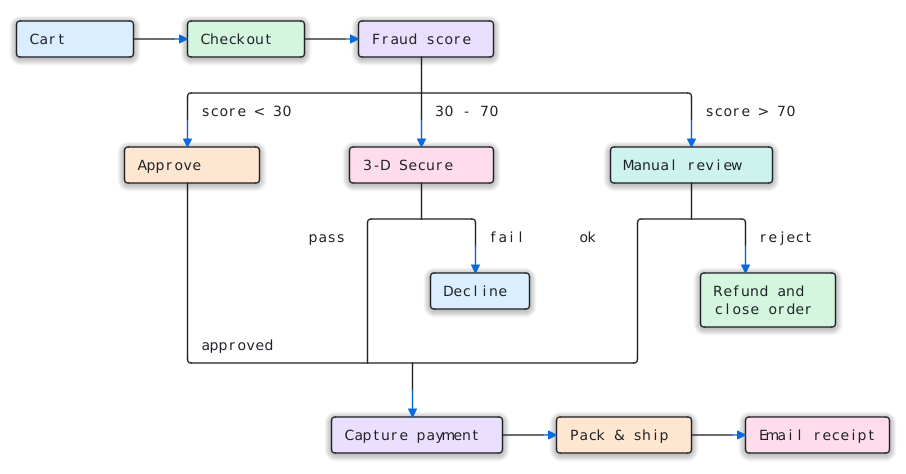 Flow → decision tree → flow |
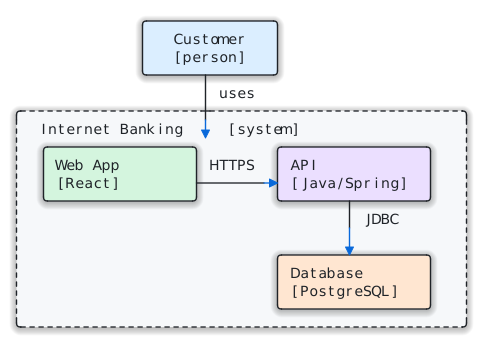 C4 with a dashed boundary |
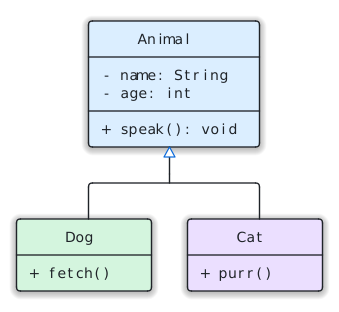 UML inheritance △ |
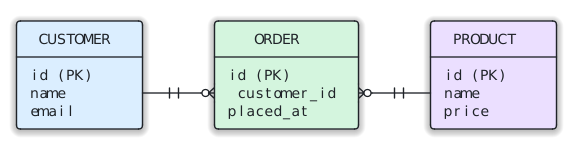 ER crow's feet --||--o< |
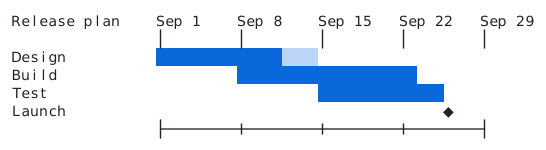 Gantt with block characters ██░░ |
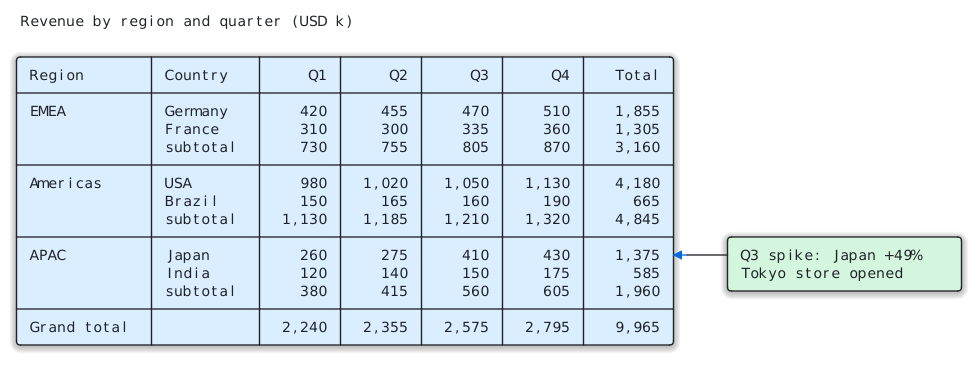 Pivot table with a callout |
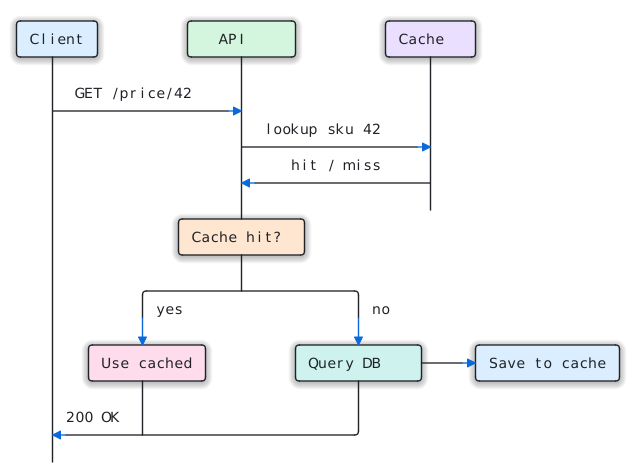 Sequence → decision → reply |
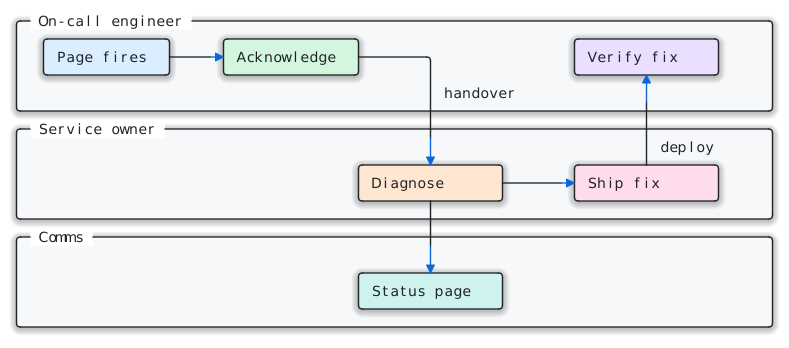 Swimlanes |
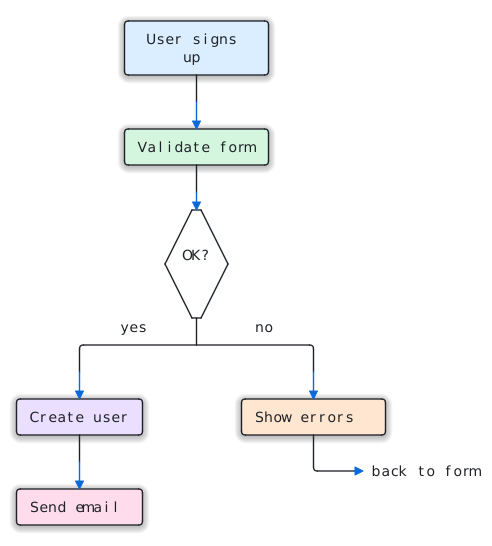 ASCII diamonds / \ |
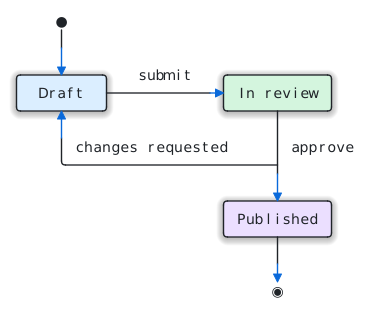 State machine |
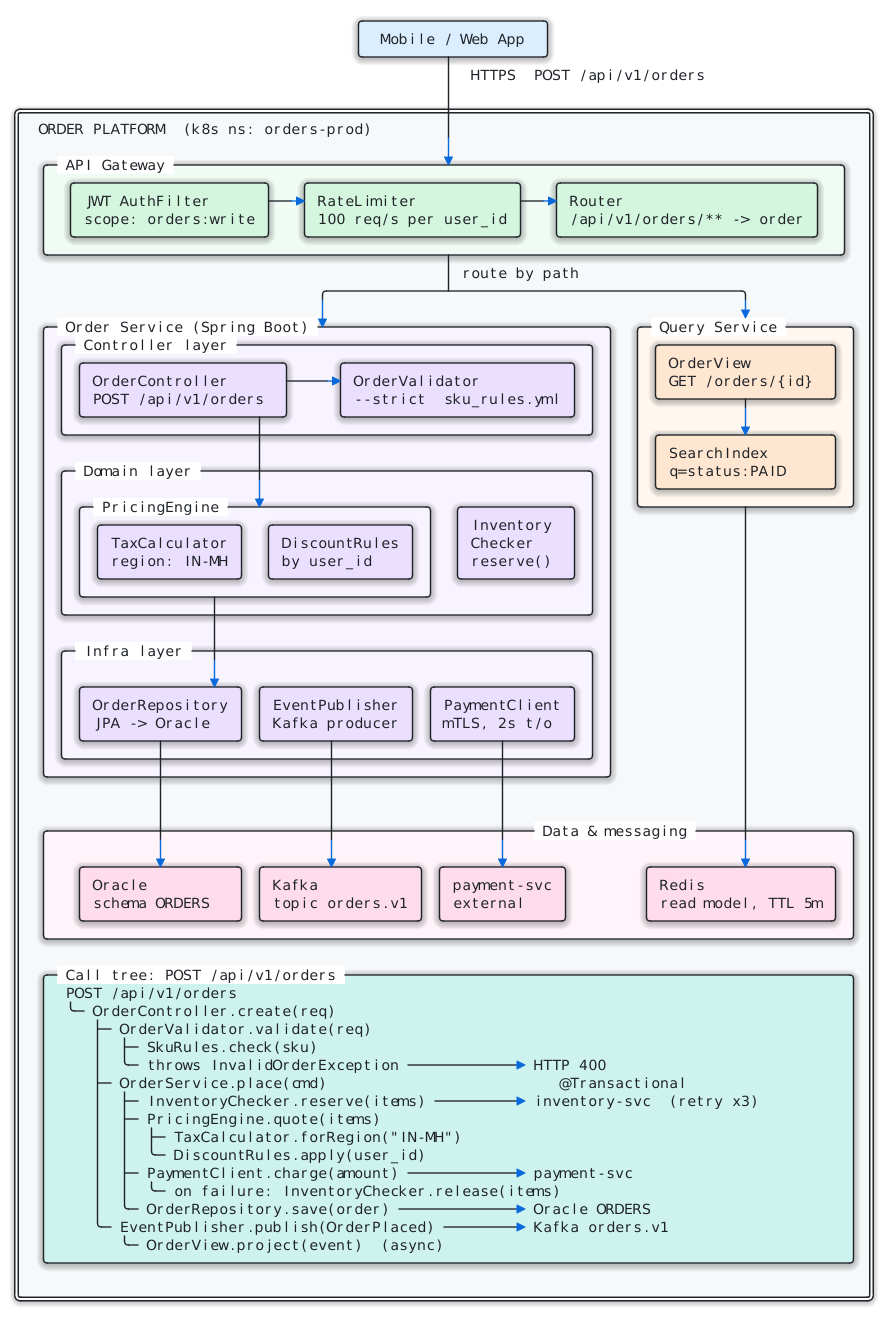
A bigger one: a 72 × 96 architecture diagram with 28 boxes and 18 flowing arrows
The flows follow the real wiring: through junctions, down both branches of a fan-out, and across
the edge of a container. The text is tests/fixtures/complex_unicode.txt.
Pick a look
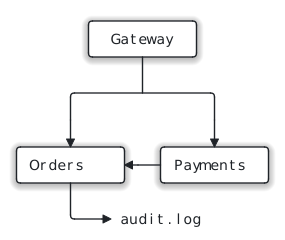
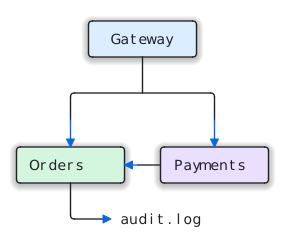
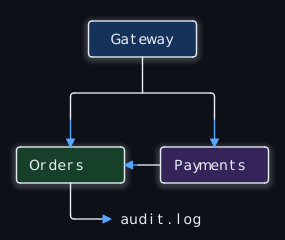
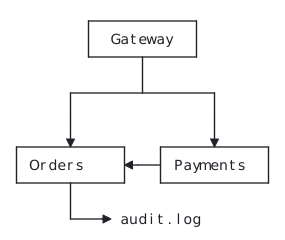
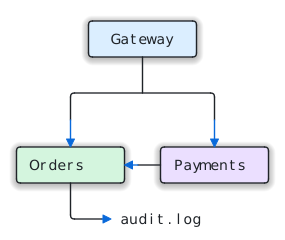
Same diagram, same guarantee, five ways:
| Default | Colour | Dark | Alive | |
|---|---|---|---|---|
 |
 |
 |
 |
 |
| (no options) | --color |
--theme dark--color |
--style flat--square |
--animate--color--theme auto |
Or let the destination decide: --preset readme|slides|chat|print|dark|page.
| Destination | Use |
|---|---|
| GitHub README, docs site | --preset readme (--theme auto --color --animate), then commit the .svg |
| A tall diagram people scroll through | --preset page → an .html page that reveals as you scroll |
| Slides (Keynote, Google Slides, PowerPoint) | --color --animate draw for a live build; --color --png for a still |
| Slack, email, Jira: anywhere SVG isn't shown | --color --png (needs pip install cairosvg) |
| Printed docs, a PDF | --style flat --square |
| Dark-mode apps | --theme dark --color |
Every look option
| Option | What it does |
|---|---|
--color |
Soft tints grouped by what contains what: each top-level group gets its own hue, nested boxes keep it. Arrows turn accent blue. |
--theme light|dark|auto |
auto follows the reader's system light/dark setting, which suits GitHub READMEs and docs sites. |
--animate draw |
The diagram draws itself once, top to bottom: lines are sketched in accent blue and settle to ink, boxes fade in, arrowheads pop, bars grow. |
--animate flow (or bare --animate) |
draw, then glowing pulses keep travelling along every connector toward its arrowhead. |
--animate scroll |
For tall diagrams, as a web page: each part appears as the reader scrolls to it, and long connectors grow with the scroll. |
-o page.html (or --html) |
A standalone web page with the diagram inline. Double-click to open, or email it. |
--style glow|shadow|flat |
Depth under the boxes. The glow shrinks automatically so it never sits behind a label. |
--square |
Keep corners square (they are rounded by default). |
--repair |
Fix typical misalignment first (see LLM diagrams, fixed). |
--accent #hex · --font NAME · --width PX |
Your brand colour for arrows and animation, a font to try first (e.g. JetBrains Mono), and the output width. |
The animation is careful about where it runs:
- It never changes what's drawn. An animated file is the static file plus timing. When the animation ends, you're looking at exactly what the self-check verified; tools that don't play animation (PNG export, most editors) show the finished drawing.
- It respects the reader. With reduce motion turned on in the OS, nothing moves.
drawandflowneed no JavaScript. They use CSS and SVG<animate>only, so they play inside a plain<img>tag, which is how GitHub, Notion and most docs sites show images.scrollis a web page, not just an SVG, because an image can't see how far you've scrolled (and CSS scroll timelines don't drive SVG shapes: we tested it). The page adds about 2 KB of plain JavaScript; the SVG inside it is the same self-checked drawing.
How it compares
| ascii2svg | Diagram DSLs (Mermaid, PlantUML) | A screenshot of the text | |
|---|---|---|---|
| You write | the picture itself, in any editor or chat | code in the tool's language; the layout is automatic | the picture |
| Diagrams you, or an LLM, already have | render as they are | need rewriting in the DSL | work as they are |
| Output | SVG: sharp at any size, light and dark, animated | SVG where the renderer is supported | pixels: blurry when scaled, one theme |
| Proof it's faithful | reads its own SVG back, cell by cell | – | – |
| Misaligned LLM output | --repair fixes it and says what moved |
– | shows the mistakes |
Choose a DSL when you want the layout done for you. Choose ascii2svg when the text diagram already exists, or when an LLM writes it, and you want it to look designed without changing it. Related projects such as svgbob and goat also turn ASCII art into SVG and draw more freeform shapes; ascii2svg focuses on box diagrams, a verified 1:1 result, and agent workflows.
What gets drawn
| Source | Drawn as lines when… | Otherwise |
|---|---|---|
| ─ │ ┌ ┐ └ ┘ ├ ┤ ┬ ┴ ┼ ╭ ╮ ╰ ╯ ═ ║ ╔ ╗ ╚ ╝ ╪ ▼ ▲ ▶︎ ◀︎ | always | – |
| Dashed ╌ ╎ ┄ ┆ ┈ ┊ | always, with 2, 3 or 4 dashes per cell; they join, box and carry arrows like any line | – |
ASCII + - | |
they form a closed box, or attach to one directly or through + junctions |
stay text |
ASCII v ^ < > |
they end a line that is drawn, or point at a box (touching, or one space away) | stay text |
╱ ╲ ╳, and ASCII / \ |
Unicode always; ASCII when two or more run along their own slope, with no letter or digit beside them | stay text |
| UML heads △ ▽ ◁ ▷ ◇ ◆ | a line joins them: triangles touch the parent, diamonds sit on the whole | stay text (bullets, symbols) |
ER marks | o < > { } |
on a connector between two box walls, as in +--||--o<, even with a foot set in the wall |
stay text |
| Block elements █ ▓ ▒ ░ ▀ ▄ ▌ ▐ ▁ ▂ ▃ ▅ ▆ ▇ ▏ ▎ ▍ ▋ ▊ ▉ ▖ ▗ ▘ ▝ ▚ ▞ ▙ ▛ ▜ ▟ | always, as exact rectangles, so bars and shading have no seams | – |
When unsure, a character stays text, so the worst case is the character itself in its own cell,
never a wrong shape. a->b, --dry-run, user_id, C:\temp, yes/no, TCP/IP, markdown
tables and |-- file trees all stay exactly as written.
How 1:1 is guaranteed: every run parses the SVG it just wrote (lines, curves, diagonals,
arrowheads, rectangles, rings, feet, text positions) back into a character grid and compares it
with the input, cell by cell. ASCII characters may only appear as the line they stand for
(-→─, |→│, +→corner or junction, v→▼, /→╱). Any mismatch is exit code 2. This
covers every look, including animated ones and the still frame used for PNGs.
Install
Python 3.9+ and nothing else:
pip install ascii2svg                 # adds the `ascii2svg` command and the `ascii2svg` module
pip install "ascii2svg[width,png]"    # optional: wcwidth (character widths) + cairosvg (--png)
It is a single file with no dependencies, so you can also just copy
scripts/ascii2svg.py into your project.
As a Python library
import ascii2svg

svg, report = ascii2svg.render(open("diagram.txt").read(), color=True, theme="auto", animate="flow")
assert report["roundtrip"] == "exact"          # the 1:1 self-check passed
open("diagram.svg", "w", encoding="utf-8").write(svg)

page, report = ascii2svg.render(text, color=True, animate="scroll", html=True)   # a scroll-reveal page
render() takes the same options as the CLI and returns the markup plus the same report as
--json. It raises ValueError for empty or oversized input and for unknown options.
As a Claude skill
Download ascii2svg.skill
from the latest release (or build it: python3 tools/package_skill.py), then:
- claude.ai / Claude desktop: Customize → Skills → upload
ascii2svg.skill. - Claude Code: unzip it into
~/.claude/skills/(you get~/.claude/skills/ascii2svg/).
SKILL.md tells Claude when to use it, which look fits which destination,
to add --repair for model-drawn diagrams, and how to read the report before handing you the file.
Command-line reference
ascii2svg [INPUT ...] [-o OUT.svg|OUT.html|DIR/] [--preset NAME] [--json] [--check] [--describe] [--brief]
          [--color] [--theme light|dark|auto] [--animate [draw|flow|scroll]] [--html] [--repair]
          [--style glow|shadow|flat] [--square] [--accent #HEX] [--font NAME] [--width PX]
          [--all-blocks] [--block N] [--unescape] [--strict] [--schema] [--mcp]
          [--png [PATH]] [--text TEXT] [--tab-size N] [--title TEXT]
| Input | How |
|---|---|
| File | ascii2svg diagram.txt -o out.svg |
| stdin | cat diagram.txt | ascii2svg > out.svg |
| Inline | ascii2svg --text "$DIAGRAM" --json (the SVG comes back inside the JSON when there's no -o) |
| Markdown | The first ``` code block is used; --all-blocks renders every diagram in the file |
stdout is always exactly one thing: the SVG (or the page, with --html), or (with --json) the
report. A one-line summary goes to stderr.
Built for agents
Every outcome is machine-readable, nothing hangs, and every problem comes with a fix. The loop: draft the diagram, check it, fix what the hints say, then render.
ascii2svg draft.txt --check --describe      # validate + structure; writes nothing
ascii2svg draft.txt -o out.svg --preset readme --json --brief
{"status": "warnings",
 "summary": "Rendered 2 boxes and 0 arrows (8x8); 1:1 self-check exact. 1 warning, first: row 4 col 4 (dangling_line): the arrowhead 'v' at row 5 col 5 is one column right; move one of them so they line up",
 "exit_code": 0, "...": "..."}
- One JSON object on stdout for every outcome with
--json(or--check), including usage errors:{"status": "usage_error", "hint": "'--colour': did you mean --color?"}.statusandsummarycome first, so a truncated report still says what happened. - Warnings you can act on: each has a stable
code, a 1-basedrow/col, the sourceline, and ahint. When a line misses its partner by one cell, the hint says where it is. - No false alarms on well-formed diagrams: a line may end at a label, meet another line
side-on (sequence messages
│───▶│), or stop in open space (axis ticks, lifeline ends). --describesays what the diagram means: boxes (name, title, text, position, parent) and edges (Gateway → Orders), with akindwhere the notation says more:inheritance,aggregation,composition,relationshipwith ERcardinality(["one", "zero or many"]), orlinkfor a plain line.- No hangs: if you forget the input and stdin stays silent, it fails after 5 seconds with
bad_input. --schemaprints every option, preset, exit code, warning code and report field as JSON: enough to build a correct tool definition without reading docs.
As an MCP server (Claude Code, Claude Desktop, Cursor, any MCP client):
claude mcp add ascii2svg -- ascii2svg --mcp
{"mcpServers": {"ascii2svg": {"command": "ascii2svg", "args": ["--mcp"]}}}
Two tools, no dependencies: check_diagram validates and describes, render_diagram writes
.svg or .html with any preset or style option, and both take repair. The diagram travels as a
JSON string, so the escaped-newline problem can't happen. Tested against the official MCP Python SDK.
Report fields, exit codes, batches, and a tool definition for any framework
| Field | Meaning |
|---|---|
status |
ok · warnings · self_check_failed · bad_input · usage_error |
summary |
One sentence to pass on to the user |
exit_code, ok |
See exit codes; ok is false only when the self-check failed |
roundtrip |
exact: the output was read back and matches the input cell for cell |
warnings |
{code, row, col, char, line, issue, hint}; codes: dangling_line, broken_join, unclosed_box, escaped_newlines, no_structure |
diagram |
With --describe: {boxes: [...], edges: [{from, to, kind?, cardinality?}]}; an endpoint is {box, name}, {text} or {cell} |
repair |
With --repair: {edits: [{line, col, fix}], text} |
rows, cols, boxes, arrowheads, flows, text_cells |
What was found |
style, theme, color, animate, html, preset |
The look that was rendered |
normalized |
Every clean-up applied (tabs, odd spaces, zero-width and control characters, colour codes, code fence, indentation, bad UTF-8, --unescape) |
tips |
Suggestions, e.g. --animate scroll when a timed animation would finish off-screen |
svg / html, png |
Output paths, or the markup itself when there is no -o (unless --brief / --check) |
self_check_problems |
Only when roundtrip isn't exact |
| Exit code | Meaning |
|---|---|
| 0 | OK (warnings allowed) |
| 1 | Bad input or usage: read error and hint |
| 2 | Self-check failed: the output is not 1:1. Don't use it |
| 3 | --strict and there were warnings |
Many diagrams at once:
ascii2svg README.md --all-blocks -o diagrams/ --preset readme   # every diagram in the file
ascii2svg docs/*.txt -o out/ --check                            # several files, one report each
ascii2svg README.md --block 3 -o flow.svg                       # just the third code block
Code blocks without lines or boxes are skipped and listed under skipped. Every warning carries
source_line/source_col: its position in the file you passed.
As a tool in any agent framework: pass the diagram on stdin, never through --text
(escaped newlines are the most common way agents break diagrams):
import json, subprocess

def render_ascii_diagram(diagram, output_path, preset="readme", describe=False):
    args = ["ascii2svg", "-", "-o", output_path, "--preset", preset, "--json", "--brief", "--repair"]
    p = subprocess.run(args + (["--describe"] if describe else []), input=diagram.encode(), capture_output=True)
    return json.loads(p.stdout)          # always one JSON object, including on errors
Roadmap
- Boxes, arrows and junctions, in ASCII and Unicode, verified 1:1
- Colour, light/dark/auto themes, draw and flow animation, scroll-reveal pages
- Agent CLI: JSON reports, hints,
--describe, presets,--schema, MCP server, Claude skill - Browser playground (Pyodide), with share links and PNG export
-
--repairfor LLM-drawn diagrams - Block-element charts, diagonals and diamonds, dashed lines, UML heads, ER crow's feet
- Vertical ER connectors, ASCII UML heads (
<|--), ASCII dashed lines (- - ->) - Repairing bigger misalignments (today: pieces up to two cells off, walls up to three)
- ASCII rounded corners (
.-') and free-floating connectors between plain words - A JS/npm port
- Every look checked in Firefox, Safari and cairo (
--png); today: Chromium, with the static look in cairo and resvg
Contributing
Issues and pull requests are welcome, and a diagram that renders wrongly is the most useful bug report there is: paste the text and say what you expected.
python3 tests/test_ascii2svg.py        # 57 tests over 25 test diagrams; or: python3 -m pytest tests
python3 docs/build.py                  # regenerate every image on this page and the playground files
New shapes come with a test diagram in tests/fixtures/, and every fixture
must round-trip exactly in every style and look. That's the one rule: never a wrong picture.
What the tests cover
- round-trip in every style and every look; animation that ends on the static drawing and respects reduced motion
- flow routes that start at the right box; scroll reveal driven by the page, with no script inside the SVG
- colour groups; glow never behind a label; planted faults that must be caught; byte-identical repeat runs
- the ASCII traps; width fallback vs
wcwidth; UTF-8 output on Windows consoles; therender()library API - the agent contract: JSON usage errors, status and summary, near-miss hints, escaped-newline and
broken-box detection,
--describeedges, presets,--schema, no hang on a forgotten input - every diagram in a markdown file, several inputs, positions mapped back to the file, the MCP protocol
- the browser playground runs exactly this module, and every playground example round-trips
- no false alarms on sequence diagrams, timelines, charts and dashed boundaries; real mistakes still warn
--repair: every LLM fixture repaired took, text provably unchanged, good diagrams untouched- block elements as exact rectangles;
/ \only as runs, never insideyes/noorC:\Users - dashed lines keep their dash count, form boxes and carry arrows
- UML triangles and diamonds, ER ticks, rings and crow's feet;
--describenames each relationship and its cardinality
They pass with and without the optional packages.
License
MIT. Use it, change it and ship it, commercially too; keep the copyright notice.
Every diagram on this page was drawn by ascii2svg from plain text, and checked cell by cell against it.
1 maintainer

Release files for ascii2svg 1.8.0
For a detailed explanation of source distributions (sdists) and built distributions (wheels), please see the package formats documentation.
Source distribution (sdist)
| File | Size | Uploaded | |
|---|---|---|---|
| ascii2svg-1.8.0.tar.gz | 83.0 kB | Details |
Built distribution (wheel)
| File | Interpreter | ABI | Platform | Reset |
|---|---|---|---|---|
| ascii2svg-1.8.0-py3-none-any.whl | Python 3 | none | any | Details |
Total release size: 136.5 kB
Release files / ascii2svg-1.8.0.tar.gz
| Download URL | ascii2svg-1.8.0.tar.gz |
|---|---|
| Size | 83.0 kB |
| Tags | Source |
|
SHA-256 checksum How to use checksums |
1e9e4f5bba1030483517bc88bcaf263d2bfb42ee07ed5793d05741e2eeabcfbf
|
|
BLAKE2b-256 checksum How to use checksums |
a7d9294157bf20533ae6d19129aecafa96ae1006751cafc3ba67ca8ea13e9fcd
|
| Upload date | |
|
Uploaded using Trusted Publishing? What is trusted publishing? |
Yes |
| Uploaded via |
twine/7.0.0 CPython/3.13.14
|
Provenance
Provenance describes where a file came from. On PyPI, provenance is shared via attestations, which provide a verifiable record of the build or publishing details. View details, limitations and caveats.


PyPI Publish Attestation
PyPI verified that this artifact, at this checksum, originated from the publisher listed below.
Signed by GitHub Actions, verified by PyPI on Sep 23, 2026.
Transparency logRelease files / ascii2svg-1.8.0-py3-none-any.whl
| Download URL | ascii2svg-1.8.0-py3-none-any.whl |
|---|---|
| Size | 53.5 kB |
| Tags | Python 3 |
|
SHA-256 checksum How to use checksums |
be2d7745954bbf5b6206b422d6676f5809c18c9eea7a580ae084ebd2661abafa
|
|
BLAKE2b-256 checksum How to use checksums |
32d7975daeccb29a908ca90263ed6da253d48674275cac6303c3da4fa2855b9d
|
| Upload date | |
|
Uploaded using Trusted Publishing? What is trusted publishing? |
Yes |
| Uploaded via |
twine/7.0.0 CPython/3.13.14
|
Provenance
Provenance describes where a file came from. On PyPI, provenance is shared via attestations, which provide a verifiable record of the build or publishing details. View details, limitations and caveats.
PyPI Publish Attestation
PyPI verified that this artifact, at this checksum, originated from the publisher listed below.
Signed by GitHub Actions, verified by PyPI on Sep 23, 2026.
Transparency log













