
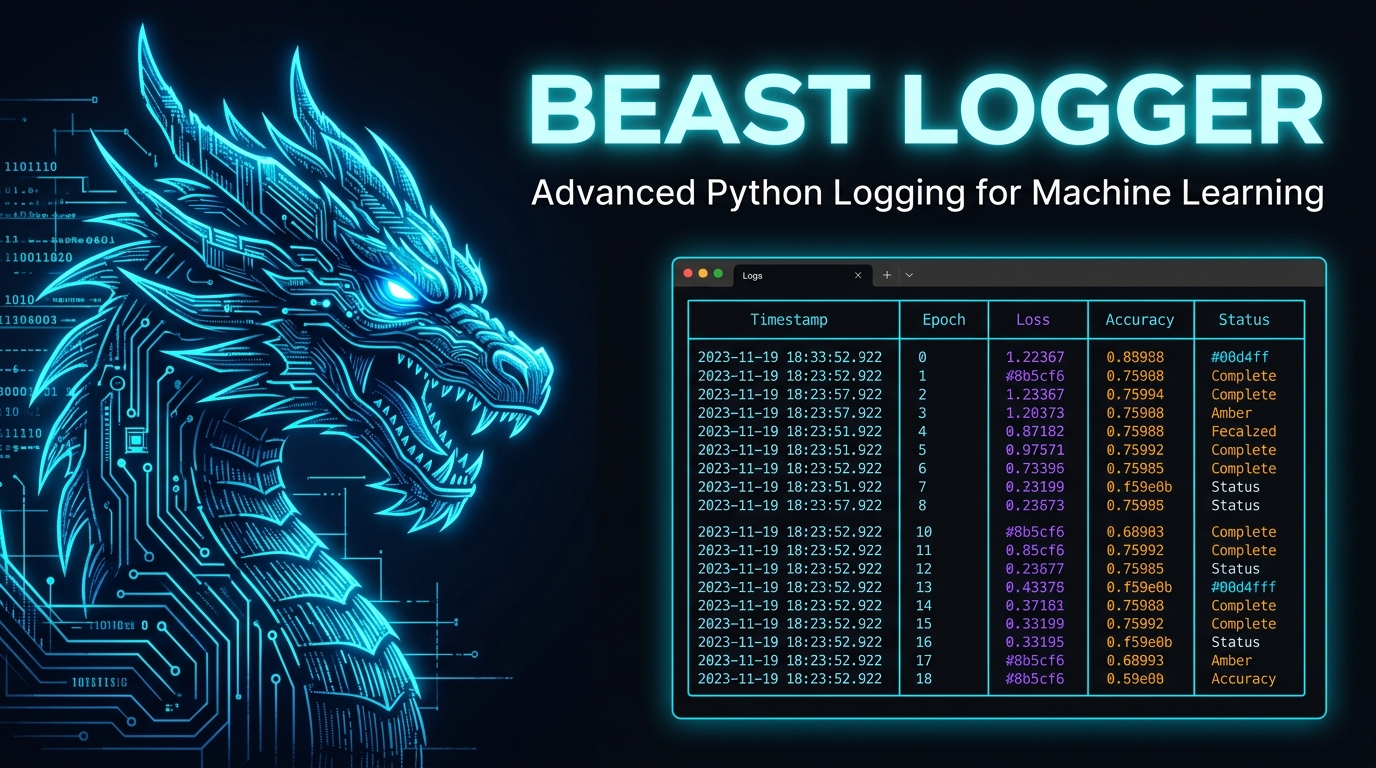

Beast Logger
Advanced Python Logging for Machine Learning



Built for ML researchers who need structured, beautiful, and searchable logs — not walls of unreadable text.
✨ What is Beast Logger?
Beast Logger is a drop-in Python logging library purpose-built for Machine Learning workflows. It transforms raw Python data structures — lists, dicts, tensors, LLM token arrays — into rich, color-coded terminal tables and an interactive web log viewer.
Whether you're training a language model with SFT, RLHF, or GRPO, Beast Logger gives you a structured window into every step of your experiment — with zero overhead and maximum clarity.
Key Capabilities
| Feature | Description |
|---|---|
| Rich Terminal Tables | Renders dicts, lists, nested structures as beautiful terminal widgets |
| Web Log Viewer | Browse, filter, and copy logs from a local web app at localhost:8181 |
| Tensor Logging | Log PyTorch tensor shape, dtype, device, and value previews |
| LLM Token Viewer | Color-coded token-level visualization with hover tooltips |
| Multi-Mod Routing | Route logs to separate files per experiment module |
| Multi-Language | Optimized for English, Chinese, and many other languages |
| Zero Config | One import, one function call — it just works |
📦 Installation
pip install beast-logger
From Aliyun Mirror (China):
pip install beast-logger -i https://mirrors.aliyun.com/pypi/simple/
Build from source
# Clean previous builds
rm -rf build dist web_display_dist
rm -rf web_display/build web_display/dist
rm -rf beast_logger.egg-info

# Build web assets
cd web_display
nvm install 16 && nvm use 16
npm install
npm run build:all
cd ..

# Package and install
mkdir -p web_display_dist
mv web_display/build web_display_dist/build_pub
python setup.py sdist bdist_wheel
pip install dist/beast_logger-*.whl
🚀 Quick Start
from beast_logger import register_logger, print_dict

# Initialize logging — declare which modules to log
register_logger(mods=["train"])

# Log any Python dictionary as a rich table
print_dict(
    {"epoch": 1, "loss": 0.342, "lr": 3e-4, "acc": 0.871},
    mod="train"
)
Terminal output:
╭────────────────────────────────────────────────╮
│ ┌──────────────────────┬─────────────────────┐ │
│ │ epoch                │ 1                   │ │
│ ├──────────────────────┼─────────────────────┤ │
│ │ loss                 │ 0.342               │ │
│ ├──────────────────────┼─────────────────────┤ │
│ │ lr                   │ 0.0003              │ │
│ ├──────────────────────┼─────────────────────┤ │
│ │ acc                  │ 0.871               │ │
│ └──────────────────────┴─────────────────────┘ │
╰────────────────────────────────────────────────╯
📋 API Reference
register_logger()
Initialize the logger before logging anything.
register_logger(
    mods=[],               # Modules logged to console + file
    non_console_mods=[],   # Modules logged to file only (silent)
    base_log_path="logs",  # Root directory for log files
    auto_clean_mods=[],    # Modules whose old logs are deleted on start
    rotation="100 MB"      # Max size per log file before rotation
)
Tip: Use
mod="console"in any print function to log to terminal only, without writing to any file.
Core Logging Methods
print_dict(dict_like, mod, ...)
Log a flat dictionary as a two-column key-value table.
from beast_logger import print_dict

print_dict({"loss": 0.25, "reward": 1.8, "kl": 0.03}, mod="rlhf")
╭────────────────────────────────────────────────╮
│ ┌──────────────────────┬─────────────────────┐ │
│ │ loss                 │ 0.25                │ │
│ ├──────────────────────┼─────────────────────┤ │
│ │ reward               │ 1.8                 │ │
│ ├──────────────────────┼─────────────────────┤ │
│ │ kl                   │ 0.03                │ │
│ └──────────────────────┴─────────────────────┘ │
╰────────────────────────────────────────────────╯
print_list(list_like, mod, ...)
Log a Python list as a single-column table.
from beast_logger import print_list

print_list(["step_1", "step_2", "step_3"], mod="console")
print_listofdict(list_of_dicts, mod, narrow=False, ...)
Log a list of dictionaries as a row-wise table (each dict = one row).
from beast_logger import print_listofdict

print_listofdict([
    {"model": "llama-7b",  "loss": 0.31, "acc": 0.82},
    {"model": "llama-13b", "loss": 0.24, "acc": 0.89},
    {"model": "llama-70b", "loss": 0.18, "acc": 0.94},
], mod="eval", narrow=True)
╭────────────────────────────────────────────────────────╮
│ ┏━━━━━━━━━━━┳━━━━━━━━━━━┳━━━━━━━━━━┳━━━━━━━━━━━━━━━━━┓ │
│ ┃           ┃ model     ┃ loss     ┃ acc             ┃ │
│ ┡━━━━━━━━━━━╇━━━━━━━━━━━╇━━━━━━━━━━╇━━━━━━━━━━━━━━━━━┩ │
│ │ 0         │ llama-7b  │ 0.31     │ 0.82            │ │
│ ├───────────┼───────────┼──────────┼─────────────────┤ │
│ │ 1         │ llama-13b │ 0.24     │ 0.89            │ │
│ ├───────────┼───────────┼──────────┼─────────────────┤ │
│ │ 2         │ llama-70b │ 0.18     │ 0.94            │ │
│ └───────────┴───────────┴──────────┴─────────────────┘ │
╰────────────────────────────────────────────────────────╯
print_dictofdict(dict_of_dicts, mod, header="", attach="", ...)
Log a nested dictionary as a matrix table (outer keys = rows, inner keys = columns).
from beast_logger import print_dictofdict

print_dictofdict(
    {
        "run_1": {"loss": 0.34, "reward": 1.2, "kl": 0.05},
        "run_2": {"loss": 0.28, "reward": 1.6, "kl": 0.03},
    },
    header="GRPO Training Step 100",
    mod="grpo",
    attach="Full config: lr=3e-4, batch=32, clip=0.2"  # Shown as copy button in web viewer
)
╭──────────────── GRPO Training Step 100 ─────────────────╮
│ ┏━━━━━━━━━━━━━━━━━━━━━━┳━━━━━━━━┳━━━━━━━━━┳━━━━━━━━━━━━┓ │
│ ┃                      ┃ loss   ┃ reward  ┃ kl         ┃ │
│ ┡━━━━━━━━━━━━━━━━━━━━━━╇━━━━━━━━╇━━━━━━━━━╇━━━━━━━━━━━━┩ │
│ │ run_1                │ 0.34   │ 1.2     │ 0.05       │ │
│ ├──────────────────────┼────────┼─────────┼────────────┤ │
│ │ run_2                │ 0.28   │ 1.6     │ 0.03       │ │
│ └──────────────────────┴────────┴─────────┴────────────┘ │
╰─────────────────────────────────────────────────────────╯
Tensor Logging Methods
Requires
torchto be installed.
print_tensor(tensor, mod, ...)
Log shape, dtype, device, and a value preview for a single tensor.
import torch
from beast_logger import print_tensor

t = torch.randn(4, 512)
print_tensor(t, mod="debug")
print_tensor_dict({name: tensor, ...}, mod, ...)
Log a dictionary of tensors in a single compact table. Handles missing or malformed entries gracefully.
from beast_logger import print_tensor_dict

print_tensor_dict(
    {"input_ids": input_ids, "attention_mask": mask, "labels": labels},
    mod="sft"
)
LLM Token Logging
Log and visualize complex LLM token arrays with per-token metadata.
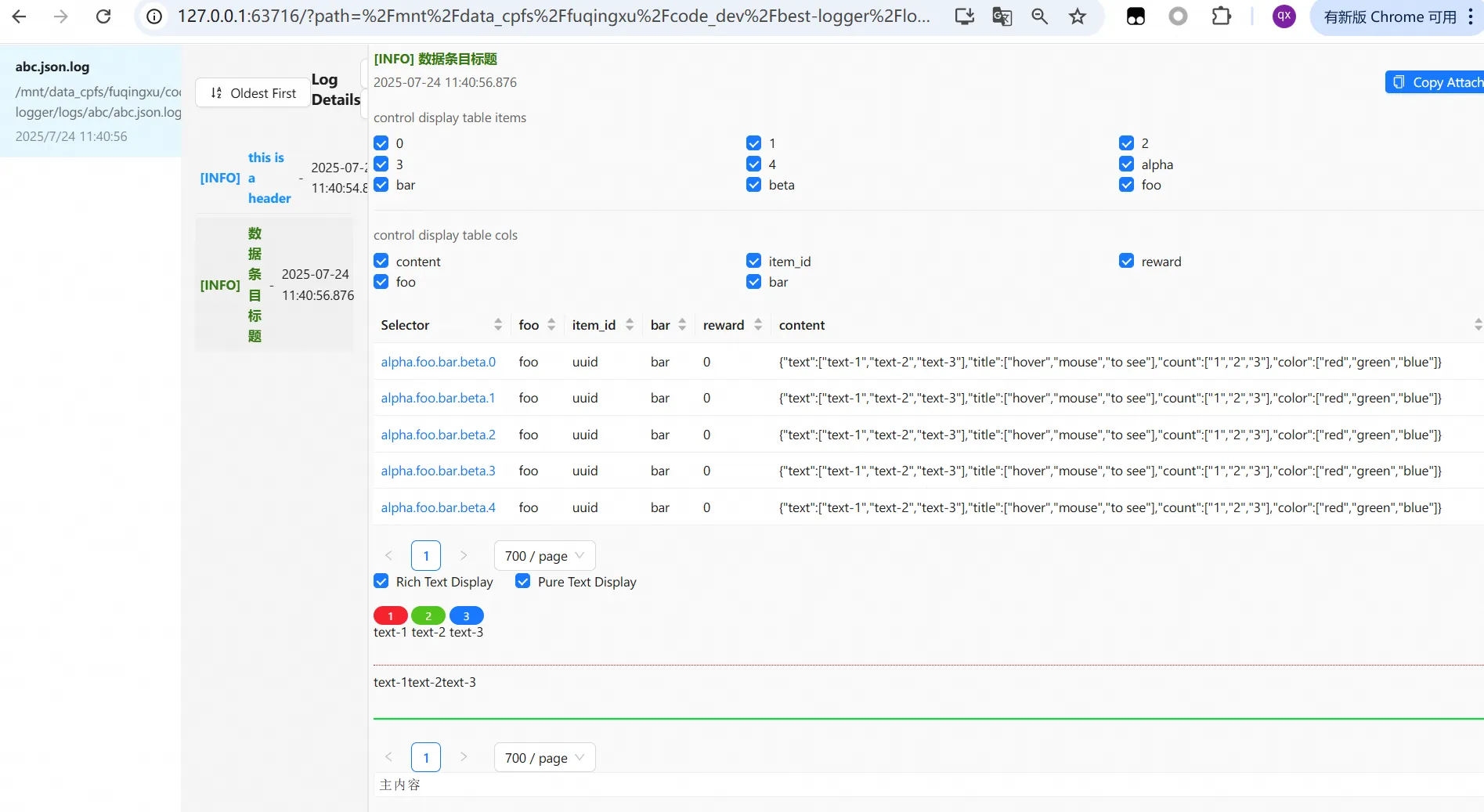
from beast_logger import register_logger, print_nested, NestedJsonItem, SeqItem

register_logger(mods=["rlhf"], base_log_path="./logs")

samples = {}
for i in range(5):
    samples[f"rollout.{i}"] = NestedJsonItem(
        item_id=f"sample_{i}",
        reward=round(1.2 + i * 0.1, 2),
        step=100,
        # Token-level visualization
        content=SeqItem(
            text=[f"Hello", f"world", f"<|im_end|>", f"Answer:", f"42"],
            title=[f"tok_{j}" for j in range(5)],   # Hover tooltip
            count=[str(j) for j in range(5)],        # Token index
            color=["blue", "blue", "red", "green", "green"]
        )
    )

print_nested(
    samples,
    main_content="RLHF Rollout Visualization",
    header="Step 100 — Batch 0",
    mod="rlhf",
    narrow=True,
    attach="Copy this entry to clipboard"
)
🌐 Web Log Viewer
Beast Logger ships with a built-in interactive web log viewer — no extra setup needed.
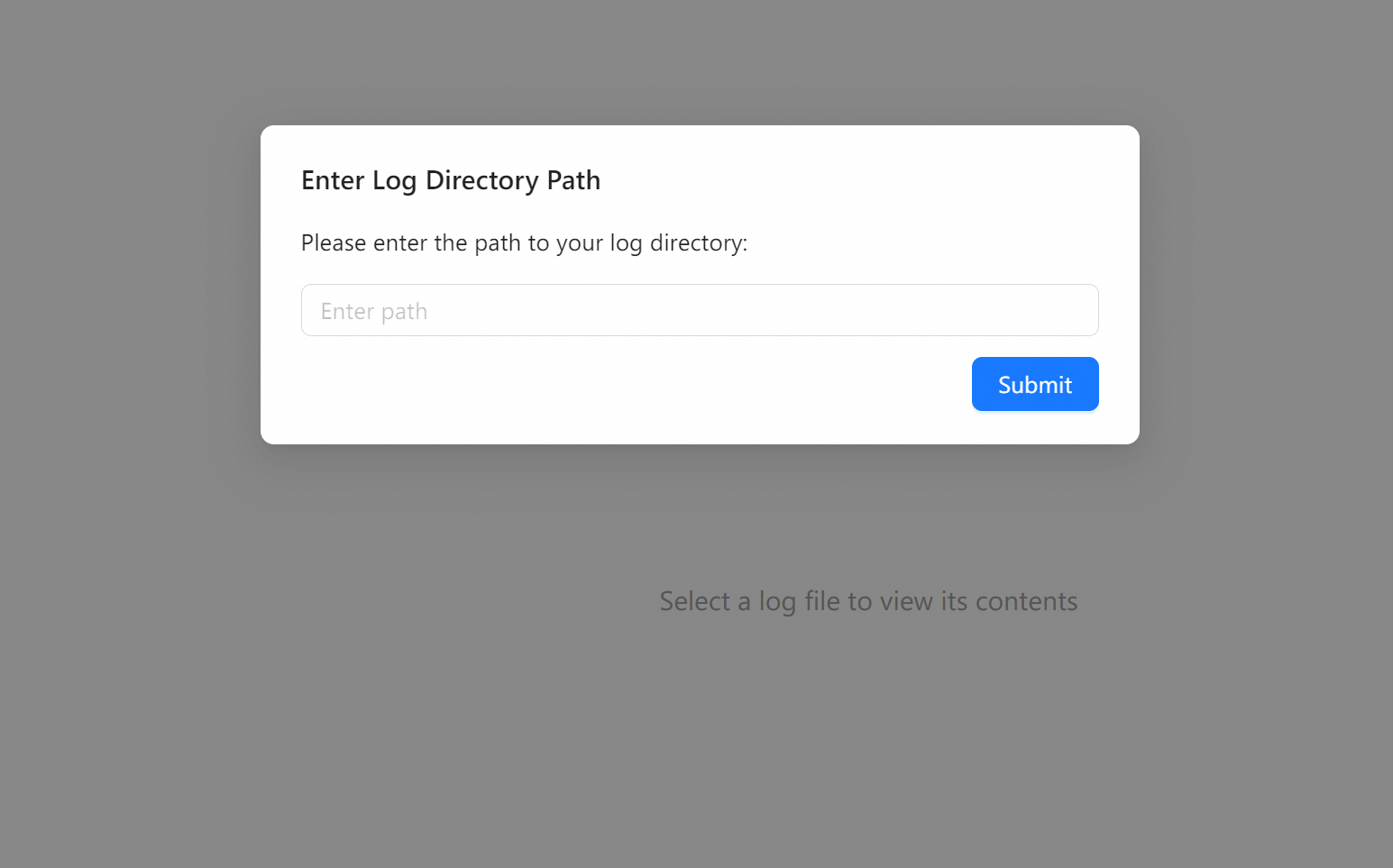
Start the Viewer
beast_logger_go
Then open http://localhost:8181 in your browser.
Features
- Directory Browser — Select any log directory (absolute path)
- Module Filter — Switch between different
modstreams - One-Click Copy — Copy any log entry with the
attachfield to clipboard - Token Viewer — Interactive per-token hover details for LLM logs
- Remote Access — Set
BEAST_LOGGER_WEB_SERVICE_URLto serve logs over a network
Remote Log Serving
export BEAST_LOGGER_WEB_SERVICE_URL="http://your-server:8181/"
python your_training_script.py
Beast Logger will print the full URL to access your logs remotely.
🔧 Advanced Configuration
Multiple Modules
Route different log streams to separate files:
register_logger(
    mods=["train", "eval"],          # Console + file
    non_console_mods=["debug"],       # File only (silent)
    base_log_path="./experiment_001",
    auto_clean_mods=["debug"],        # Delete old debug logs on start
    rotation="50 MB"
)
Log files will be organized as:
experiment_001/
├── regular/
│   └── regular.log
├── train/
│   ├── train.log
│   └── train.json.log
├── eval/
│   ├── eval.log
│   └── eval.json.log
└── debug/
    ├── debug.log
    └── debug.json.log
Change Log Path at Runtime
from beast_logger import change_base_log_path

change_base_log_path("./experiment_002")
Disable Console Colors
LOGURU_COLORIZE=NO python train.py
🧪 ML Training Integration
SFT Training Loop
from beast_logger import register_logger, print_dict, print_tensor_dict

register_logger(mods=["sft"], base_log_path="./logs/sft_run_001")

for step, batch in enumerate(dataloader):
    loss = model(batch)

    if step % 10 == 0:
        print_dict(
            {"step": step, "loss": loss.item(), "lr": scheduler.get_last_lr()[0]},
            mod="sft"
        )

    if step % 100 == 0:
        print_tensor_dict(
            {"input_ids": batch["input_ids"], "labels": batch["labels"]},
            mod="sft"
        )
GRPO / RLHF Reward Logging
from beast_logger import print_dictofdict

print_dictofdict(
    {
        f"sample_{i}": {
            "reward": rewards[i],
            "kl_div": kl_divs[i],
            "ref_logp": ref_logps[i],
        }
        for i in range(len(rewards))
    },
    header=f"GRPO Step {global_step}",
    mod="rlhf",
    attach=f"prompt={prompts[0][:80]}..."
)
📁 Project Structure
beast-logger/
├── beast_logger/
│   ├── __init__.py           # Public API exports
│   ├── register.py           # Logger initialization & mod routing
│   ├── print_basic.py        # print_dict, print_list, print_listofdict, print_dictofdict
│   ├── print_tensor.py       # print_tensor, print_tensor_dict
│   ├── print_nested.py       # print_nested, NestedJsonItem, SeqItem
│   ├── log_json.py           # JSON log writer
│   ├── serve_log_files.py    # File serving backend
│   └── web_launcher.py       # Web viewer launcher
├── web_display/              # React frontend for web log viewer
├── tests/                    # Test suite
├── requirements.txt
└── setup.py
📊 Dependencies
| Package | Purpose |
|---|---|
loguru |
Structured file logging with rotation |
rich |
Terminal table rendering |
jieba |
Chinese word segmentation |
pydantic |
Data validation for log entries |
fastapi |
Web viewer backend API |
uvicorn |
ASGI server for web viewer |
🤝 Contributing
- Fork the repository
- Create a feature branch:
git checkout -b feature/my-feature - Run the test suite:
python -m pytest tests/ - Submit a Pull Request
For development setup, see DEV.md.
📄 License
MIT License — see LICENSE for details.
1 maintainer

Metadata
1 maintainer
Release files for beast-logger 0.1.8
For a detailed explanation of source distributions (sdists) and built distributions (wheels), please see the package formats documentation.
Source distribution (sdist)
| File | Size | Uploaded | |
|---|---|---|---|
| beast_logger-0.1.8.tar.gz | 2.3 MB | Details |
Built distribution (wheel)
| File | Interpreter | ABI | Platform | Reset |
|---|---|---|---|---|
| beast_logger-0.1.8-py3-none-any.whl | Python 3 | none | any | Details |
Total release size: 4.7 MB
Release files / beast_logger-0.1.8.tar.gz
| Download URL | beast_logger-0.1.8.tar.gz |
|---|---|
| Size | 2.3 MB |
| Tags | Source |
|
SHA-256 checksum How to use checksums |
9b88d95d783c1e37ef97f5b0dfd45934b4ab812b32b2f1b3afe22d6aaefe4e9f
|
|
BLAKE2b-256 checksum How to use checksums |
bcc8ce8316e19c49b235afe34eda3ce5d5c4bdac9a31242e399f58bb7f09ab7a
|
| Upload date | |
|
Uploaded using Trusted Publishing? What is trusted publishing? |
No |
| Uploaded via |
twine/6.2.0 CPython/3.12.3
|
Release files / beast_logger-0.1.8-py3-none-any.whl
| Download URL | beast_logger-0.1.8-py3-none-any.whl |
|---|---|
| Size | 2.4 MB |
| Tags | Python 3 |
|
SHA-256 checksum How to use checksums |
313bb495c4884a45f4d1b9fd81084c5f1e6df12fdbe9b3d43569a663d5c26722
|
|
BLAKE2b-256 checksum How to use checksums |
d8d8d026656fd4b1cedc1c46ba5f8c91dc9965b32496a207181ffe9c44537c74
|
| Upload date | |
|
Uploaded using Trusted Publishing? What is trusted publishing? |
No |
| Uploaded via |
twine/6.2.0 CPython/3.12.3
|














