
A package for advanced logging and visualization of Python objects, especially tensors.

Project description
Beast Logger
〔Introduction〕
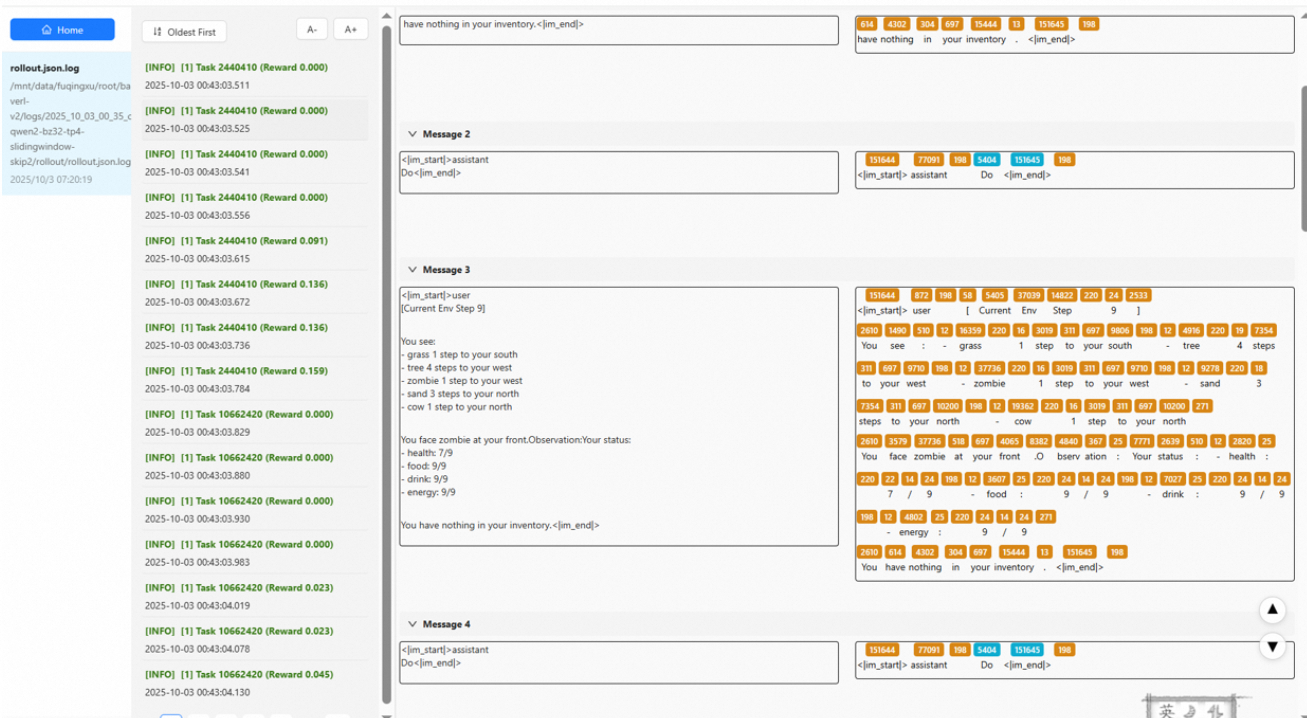
Beast Logger is a simple but advanced logging module for Python data structures and tensors. It is built for, but not limited to, tracing the progress of all kind of Machine Learning (ML) algorithms, such as SFT, RLHF and GRPO.
Beast Logger renders all kinds of data (lists, dictionaries, list of dictionaries, dictionary of dictionaries, llm token array, etc) as rich, compact widgets in your terminal and web-based log interfaces. Additionally, it enables users to extract customizable text from each log entry, thereby enhancing reproducibility and simplifying debugging processes.
Beast Logger is optimized for English, Chinese and many other languages for best reading experience.
〔Demo〕
〔Installation〕
Just run pip install beast-logger to install both beast-logger and its web viewer.
1. Install from PyPI
pip install beast-logger -i https://pypi.org/simple
2. Install from Aliyun PyPI Mirror
pip install beast-logger -i https://mirrors.aliyun.com/pypi/simple/
3. Install from source (click to expand)
rm -rf build dist web_display_dist
rm -rf web_display/build web_display/dist
rm -rf beast_logger.egg-info best_logger.egg-info

# Build web assets
cd web_display
nvm install 16
nvm use 16
npm install
npm run build:all
cd ..

# Build wheel
mkdir -p web_display_dist
mv web_display/build web_display_dist/build_pub
python setup.py sdist bdist_wheel

# Install wheel
pip install dist/dist/beast_logger-{VERSION}-py3-none-any.whl
〔Write Logs〕: A Basic Example
-
Import and configure logging
from beast_logger import register_logger, print_dict
register_logger(mods=["demo"])
# register_logger(
#   mods=[],                # declare mods that you want to log to [console + file]
#   non_console_mods=[],    # declare mods that you want to log to [file] only
#   base_log_path="logs",   # where should the logs save to
#   auto_clean_mods=[],     # declare mods that you want to delete from disk (create new log rather than append to old log)
#   rotation="100 MB"       # max size of a single log file
# ):
print_dict(
    {
        "a": 1,
        "b": 2,
        "c": 3,
    },
    mod="demo"  # declare which mod (choose one of the sub log directory & decide whether to print to console), use mod='console' if you do not want to log to any file at all
)
# ╭────────────────────────────────────────────────╮
# │ ┌──────────────────────┬─────────────────────┐ │
# │ │ a                    │ 1                   │ │
# │ ├──────────────────────┼─────────────────────┤ │
# │ │ b                    │ 2                   │ │
# │ ├──────────────────────┼─────────────────────┤ │
# │ │ c                    │ 3                   │ │
# │ └──────────────────────┴─────────────────────┘ │
# ╰────────────────────────────────────────────────╯
〔Read Logs〕: The Usage of the Web Log Viewer
Browse your logs in a local web app and copy structured entries with one click.
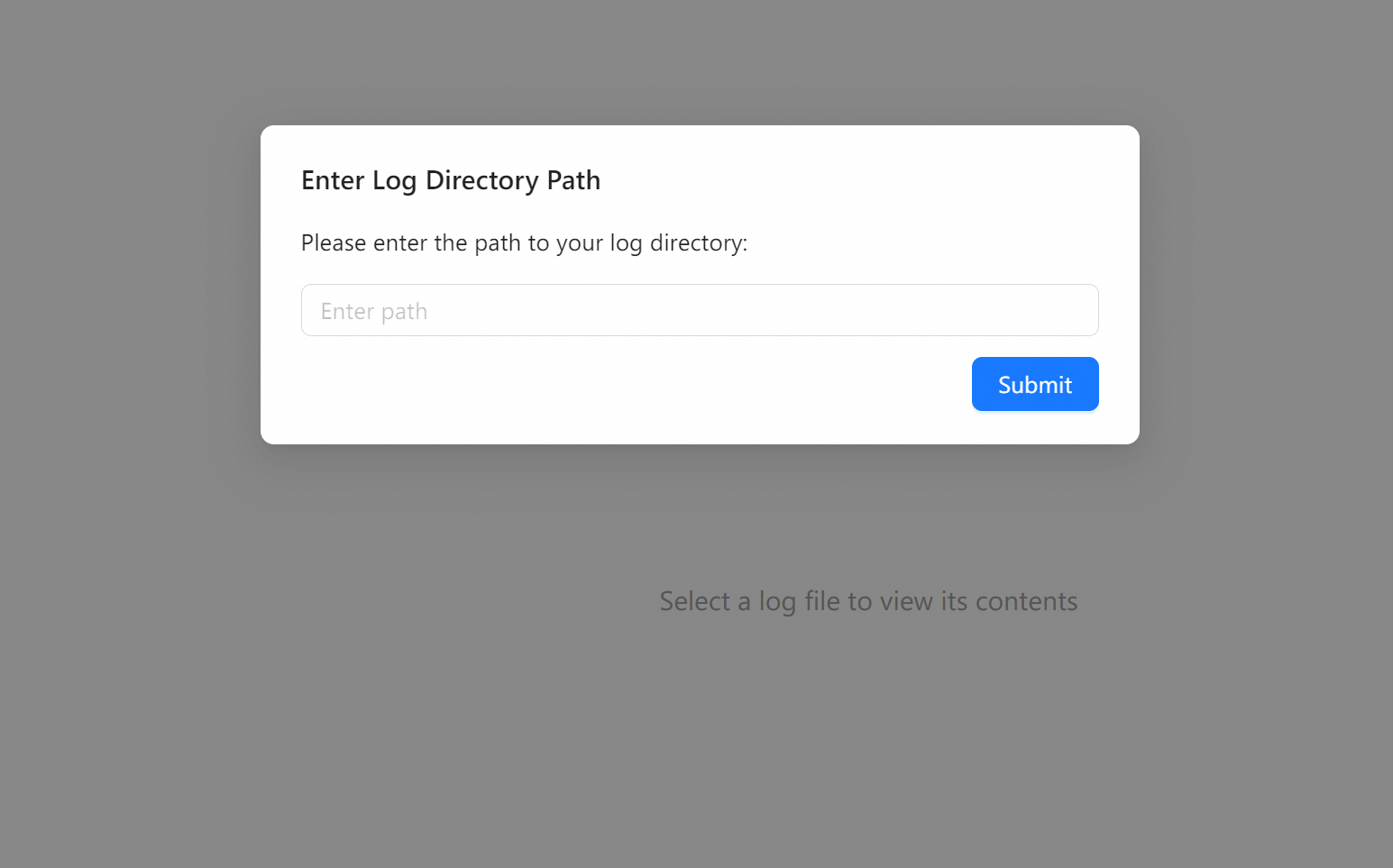
- Start the viewer: run
beast_logger_goon the machine containing log files. - Open in browser:
http://localhost:8181 - In the web UI, select your log directory (absolute path containing log files, the log path is defined in
register_logger(...)).
〔API Overview〕
Simple logging methods
-
print_list(list_like, ...)Log a Python list as a table. -
print_dict(dict_like, ...)Log a flat dictionary as a two-column table.print_dict( { 'a': 1, 'b': 2, 'c': 3 }, mod="abc" ) # ╭────────────────────────────────────────────────╮ # │ ┌──────────────────────┬─────────────────────┐ │ # │ │ a │ 1 │ │ # │ ├──────────────────────┼─────────────────────┤ │ # │ │ b │ 2 │ │ # │ ├──────────────────────┼─────────────────────┤ │ # │ │ c │ 3 │ │ # │ └──────────────────────┴─────────────────────┘ │ # ╰────────────────────────────────────────────────╯
-
print_listofdict(list_of_dicts, ...)Log a list of dictionaries as a row-wise table.print_listofdict([ { 'a': 1, 'b': 2, 'c': 3 }, { 'a': 4, 'b': 5, 'c': 6 }, ], narrow=True) # ╭────────────────────────────────────────────────╮ # │ ┏━━━━━━━━━━━┳━━━━━━━━━━┳━━━━━━━━━━┳━━━━━━━━━━┓ │ # │ ┃ ┃ a ┃ b ┃ c ┃ │ # │ ┡━━━━━━━━━━━╇━━━━━━━━━━╇━━━━━━━━━━╇━━━━━━━━━━┩ │ # │ │ 0 │ 1 │ 2 │ 3 │ │ # │ ├───────────┼──────────┼──────────┼──────────┤ │ # │ │ 1 │ 4 │ 5 │ 6 │ │ # │ └───────────┴──────────┴──────────┴──────────┘ │ # ╰────────────────────────────────────────────────╯
-
print_dictofdict(dict_of_dicts, ...)Log a nested dictionary (outer keys as rows, inner keys as columns).# === log nested dictionaries as a table === print_dictofdict( { 'sample-1': { 'a': 1, 'b': 2, 'c': 3, }, 'sample-2': { 'a': 4, 'b': 5, 'c': 6, } }, header="this is a header", mod="", attach="create a copy button in web log viewer, when clicked, copy this message into clipboard" ) # ╭─────────────── this is a header ───────────────╮ # │ ┏━━━━━━━━━━━━━━━━━━━━━━┳━━━━━━━┳━━━━━━┳━━━━━━┓ │ # │ ┃ ┃ a ┃ b ┃ c ┃ │ # │ ┡━━━━━━━━━━━━━━━━━━━━━━╇━━━━━━━╇━━━━━━╇━━━━━━┩ │ # │ │ sample-1 │ 1 │ 2 │ 3 │ │ # │ ├──────────────────────┼───────┼──────┼──────┤ │ # │ │ sample-2 │ 4 │ 5 │ 6 │ │ # │ └──────────────────────┴───────┴──────┴──────┘ │ # ╰────────────────────────────────────────────────╯
-
print_tensor(t, ...)Logs shape, dtype, device, and a small preview. -
print_tensor_dict({name: tensor, ...}, ...)Logs a dictionary of tensors; handles bad entries gracefully.
Note: Requires torch installed if you use these functions.
Token Logger Method
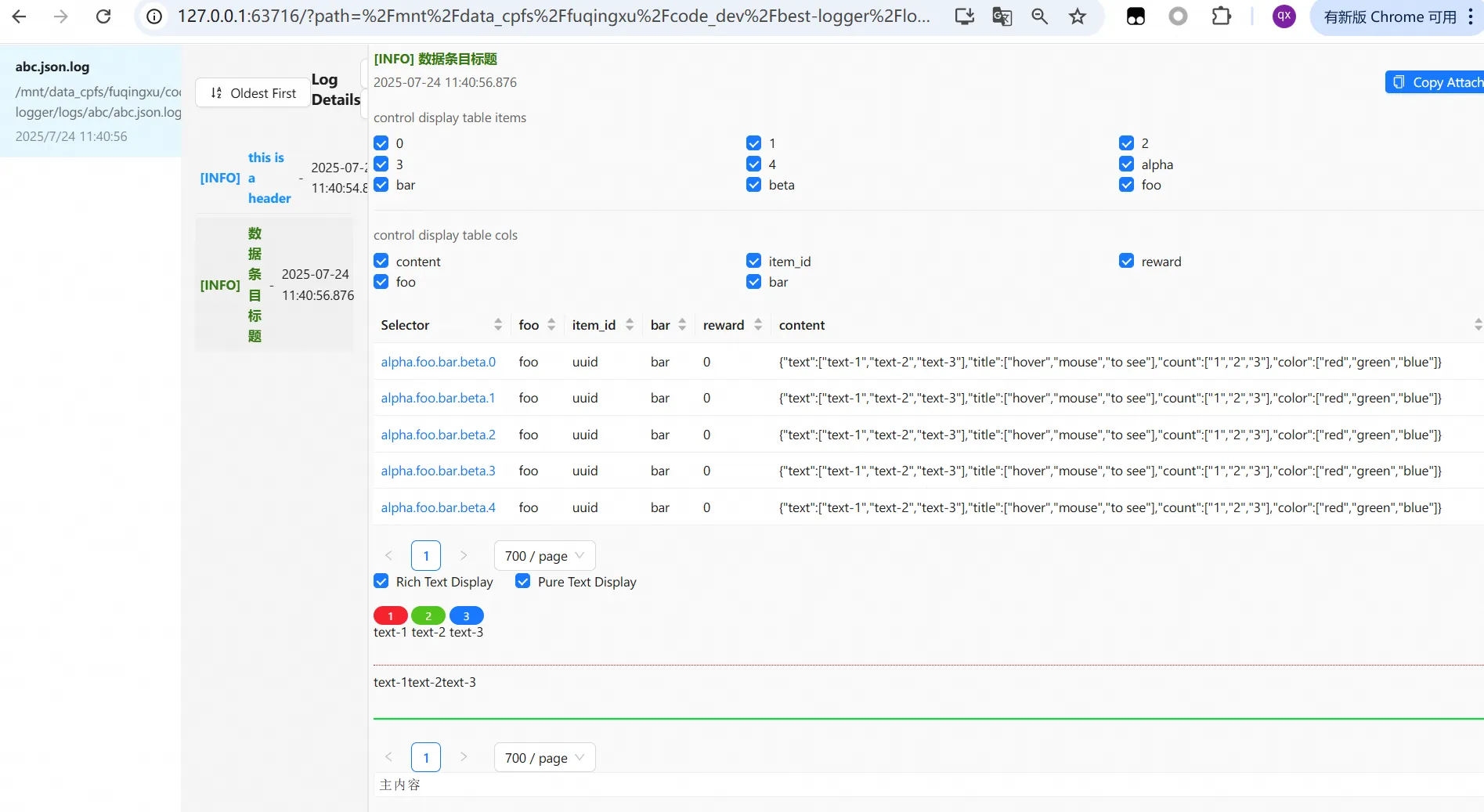
- Log and view complex llm token arrays.
# pip install beast-logger>=0.0.15
from best_logger import *
# Define a log path named 'abc'
register_logger(mods=["abc"], base_log_path="./logs")
# Collect items into a dictionary
nested_items = {}
for i in range(5):
    # [ alpha.foo.bar.beta.0 ] These are dot-separated selectors; the web UI will automatically create checkboxes from these keys
    # [ alpha.foo.bar.beta.0 ] is a row in the main table
    nested_items[f"alpha.foo.bar.beta.{i}"] = NestedJsonItem(
        # Add any attributes here. Here we define item_id, reward, foo, bar, which become columns in the main table
        item_id=f"uuid",
        reward=0,
        foo='foo',
        step=24,
        bar='bar',
        # Define token-level details
        content=SeqItem(
            text=[f"text-1", f"text-2", f"text-3"], # Paragraphs are automatically split when encountering <|im_end|> or blank-line separators
            title=[f"hover", f"mouse", f"to see"],
            count=["1", "2", "3"],
            color=["red", "green", "blue"]
        )
    )
# Save to the path
print_nested(
    nested_items,
    main_content="Main content",
    header="Data entry title",
    mod="abc",
    narrow=True,
    attach="Click the button in the top-right to copy the attach field to the clipboard"
)
〔License〕
-
Alibaba Tongyi, 阿里巴巴通义
-
Qingxu Fu, Contact: fuqingxu.fqx@alibaba-inc.com
Release history Release notifications | RSS feed


Download files
Download the file for your platform. If you're not sure which to choose, learn more about installing packages.
Source Distribution
Built Distribution
Filter files by name, interpreter, ABI, and platform.
If you're not sure about the file name format, learn more about wheel file names.
Copy a direct link to the current filters
File details
Details for the file beast_logger-0.1.1.tar.gz.
File metadata
- Download URL: beast_logger-0.1.1.tar.gz
- Upload date:
- Size: 2.3 MB
- Tags: Source
- Uploaded using Trusted Publishing? No
- Uploaded via: twine/6.2.0 CPython/3.10.16
File hashes
| Algorithm | Hash digest | |
|---|---|---|
| SHA256 |
354aeaa989bbadceb48785bab17574ce81038cbeea937d5640dd6bd70a65814d
|
|
| MD5 |
a76e37b6ab1ce186864b6695f623ebd0
|
|
| BLAKE2b-256 |
f413d943c1cfecc3735c271e6dbc291a4727071d22086d7769ab647357cc496a
|
File details
Details for the file beast_logger-0.1.1-py3-none-any.whl.
File metadata
- Download URL: beast_logger-0.1.1-py3-none-any.whl
- Upload date:
- Size: 2.3 MB
- Tags: Python 3
- Uploaded using Trusted Publishing? No
- Uploaded via: twine/6.2.0 CPython/3.10.16
File hashes
| Algorithm | Hash digest | |
|---|---|---|
| SHA256 |
99d153fbe86880a99e32f2a34a3bf7d956dd2f613e89eb05241dcd9effb6fe8a
|
|
| MD5 |
f695f03b1e8e49a802936c19c4b2cc59
|
|
| BLAKE2b-256 |
ef821edafe2c02f31fcaa97bef1157cfc535869636d6a2bcfa16e2b3d7c618c3
|






