
A package for advanced logging and visualization of Python objects, especially tensors.

Project description
Core features
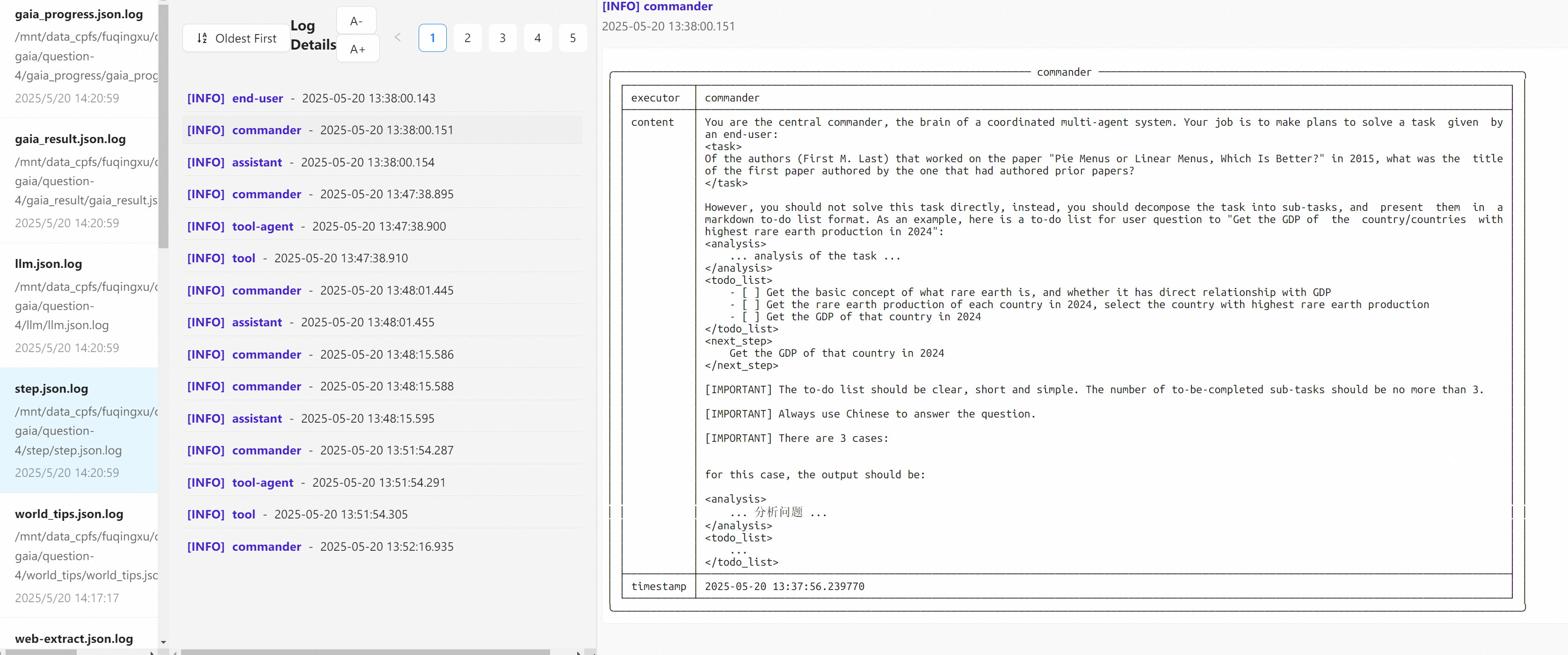
Log data as tables, and then render them as entries in web log viewer with extremely simple functions !
Additional Features
best_logger.print_basic
- Format and log lists, dictionaries, nested dictionaries, and other structures using richly styled tables.
- Functions:
print_list: Log lists in a structured table format.print_dict: Log flat dictionaries with keys and values.print_listofdict: Log a list of dictionaries as rows in a table.print_dictofdict: Log nested dictionaries as a table.sprintf_nested_structure: View nested structures hierarchically in plain text.
best_logger.print_tensor
- Specialized features for PyTorch tensors:
print_tensor: Log tensor attributes (shape, dtype, device) with a preview.print_tensor_dict: Log a dictionary of tensors with detailed attributes (handles exceptions gracefully).
- Automatically limits preview content for long tensors.
from best_logger import *

# === log nested dictionaries as table ===
print_dictofdict({
    'sample-1':{
        "a": 1,
        "b": 2,
        "c": 3,
    },
    'sample-2':{
        "a": 4,
        "b": 5,
        "c": 6,
    }
}, narrow=True, header="this is a header", mod="", attach="create a copy button in web log viewer, when clicked, copy this message into clipboard")

# ╭─────────────── this is a header ───────────────╮
# │ ┏━━━━━━━━━━━━━━━━━━━━━━┳━━━━━━━┳━━━━━━┳━━━━━━┓ │
# │ ┃                      ┃ a     ┃ b    ┃ c    ┃ │
# │ ┡━━━━━━━━━━━━━━━━━━━━━━╇━━━━━━━╇━━━━━━╇━━━━━━┩ │
# │ │ sample-1             │ 1     │ 2    │ 3    │ │
# │ ├──────────────────────┼───────┼──────┼──────┤ │
# │ │ sample-2             │ 4     │ 5    │ 6    │ │
# │ └──────────────────────┴───────┴──────┴──────┘ │
# ╰────────────────────────────────────────────────╯
# === log a list of dictionaries as table ===
print_listofdict(
    [{
        "a": 1,
        "b": 2,
        "c": 3,
    },
    {
        "a": 4,
        "b": 5,
        "c": 6,
    }], narrow=True)

# ╭────────────────────────────────────────────────╮
# │ ┏━━━━━━━━━━━┳━━━━━━━━━━┳━━━━━━━━━━┳━━━━━━━━━━┓ │
# │ ┃           ┃ a        ┃ b        ┃ c        ┃ │
# │ ┡━━━━━━━━━━━╇━━━━━━━━━━╇━━━━━━━━━━╇━━━━━━━━━━┩ │
# │ │ 0         │ 1        │ 2        │ 3        │ │
# │ ├───────────┼──────────┼──────────┼──────────┤ │
# │ │ 1         │ 4        │ 5        │ 6        │ │
# │ └───────────┴──────────┴──────────┴──────────┘ │
# ╰────────────────────────────────────────────────╯
# === log dictionary as table ===
print_dict({
    "a": 1,
    "b": 2,
    "c": 3,
}, mod="abc")

# ╭────────────────────────────────────────────────╮
# │ ┌──────────────────────┬─────────────────────┐ │
# │ │ a                    │ 1                   │ │
# │ ├──────────────────────┼─────────────────────┤ │
# │ │ b                    │ 2                   │ │
# │ ├──────────────────────┼─────────────────────┤ │
# │ │ c                    │ 3                   │ │
# │ └──────────────────────┴─────────────────────┘ │
# ╰────────────────────────────────────────────────╯
Quick Start
-
install:
pip install beast-logger -i https://pypi.org/simple -
import
from best_logger import *
-
register file handler
def register_logger(mods=[], non_console_mods=[], base_log_path="logs", auto_clean_mods=[]):
    """ mods: 需要注册的模块名列表,同时向终端和文件输出
        non_console_mods: 需要注册的模块名列表,只向文件输出
        base_log_path: 日志文件存放的根目录
        auto_clean_mods: 需要自动删除旧日志的模块名列表
"""
-
begin logging
from best_logger import *
register_logger(mods=["abc"])
print_dict({
    "a": 1,
    "b": 2,
    "c": 3,
}, mod="abc")
-
install nvm
wget -qO- https://raw.githubusercontent.com/nvm-sh/nvm/v0.40.3/install.sh | bash -
launch web display on port 8181 (first time)
python -m web_display.install 8181or simplybeast_logger_install -
launch web display on port 8181 (skip npm install)
python -m web_display.go 8181or simplybeast_logger_go -
open in browser
http://localhost:8181
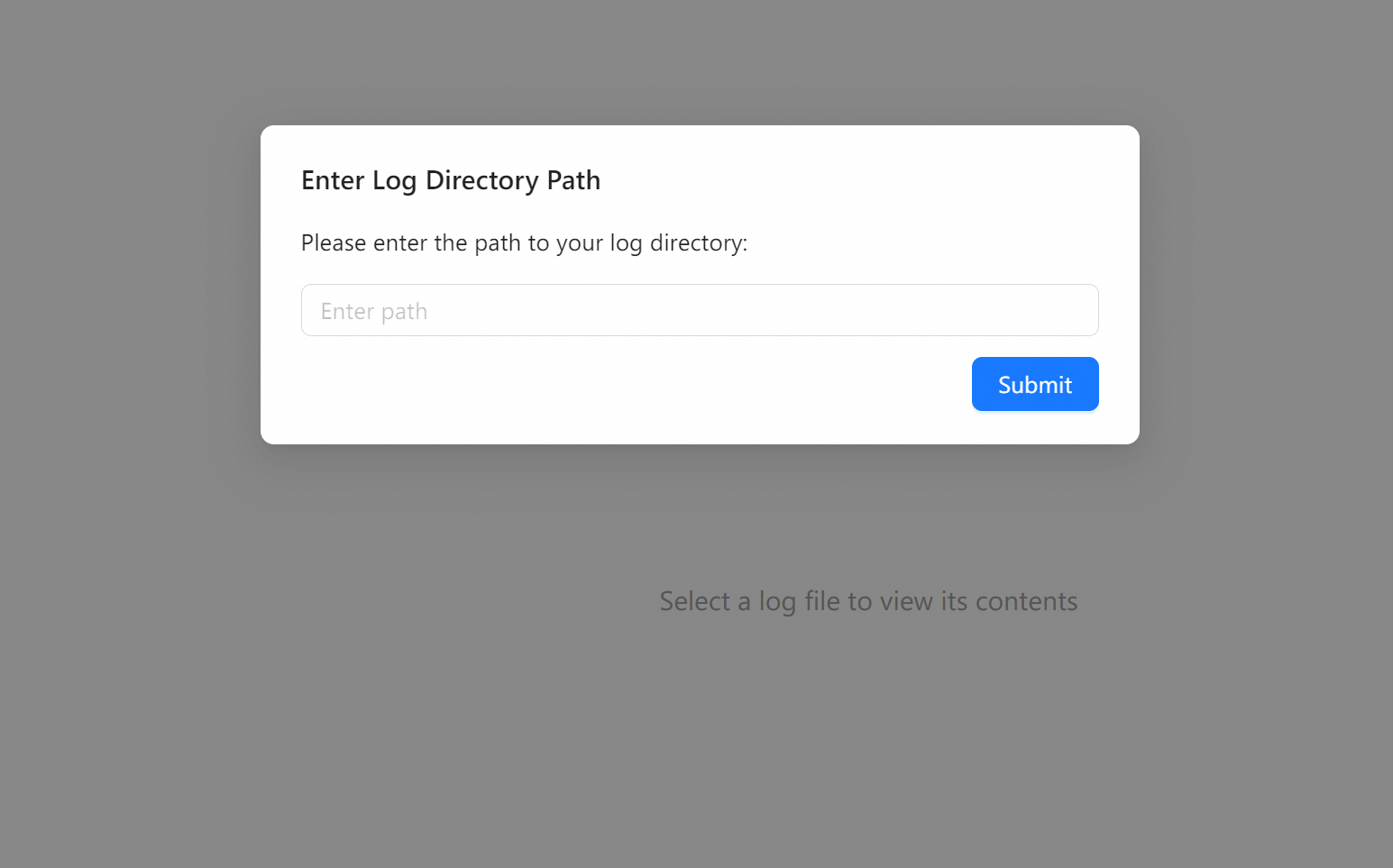
- test program and enter log dir (absolute path) into web log viewer.
from best_logger import *
register_logger(mods=["abc"])
print_dict({
    "a": 1,
    "b": 2,
    "c": 3,
}, mod="abc")
Release history Release notifications | RSS feed


Download files
Download the file for your platform. If you're not sure which to choose, learn more about installing packages.
Source Distribution
Built Distribution
Filter files by name, interpreter, ABI, and platform.
If you're not sure about the file name format, learn more about wheel file names.
Copy a direct link to the current filters
File details
Details for the file beast_logger-0.0.16.tar.gz.
File metadata
- Download URL: beast_logger-0.0.16.tar.gz
- Upload date:
- Size: 740.9 kB
- Tags: Source
- Uploaded using Trusted Publishing? No
- Uploaded via: twine/6.1.0 CPython/3.11.11
File hashes
| Algorithm | Hash digest | |
|---|---|---|
| SHA256 |
7b748f2d87fc1d91484ee2ab01159d3a58f7fdfbe8a352afb3510e3e974a56d4
|
|
| MD5 |
a2f79bffd445f46050bfdd79c5e2ecc1
|
|
| BLAKE2b-256 |
a5abf0397ea63646c5bf1ea1b636fffaef7064ef506f0a76e7e8fb5e53f070b3
|
File details
Details for the file beast_logger-0.0.16-py3-none-any.whl.
File metadata
- Download URL: beast_logger-0.0.16-py3-none-any.whl
- Upload date:
- Size: 683.3 kB
- Tags: Python 3
- Uploaded using Trusted Publishing? No
- Uploaded via: twine/6.1.0 CPython/3.11.11
File hashes
| Algorithm | Hash digest | |
|---|---|---|
| SHA256 |
37d39c233bb9b2bada77ac127e6bf258d17371d1b350c55ea1d3b7dc868778f3
|
|
| MD5 |
152445bb6cfef8511a51002a75ed741d
|
|
| BLAKE2b-256 |
7d878082e27ccc2006cea70874453a8b1fa5884c090d97528377acb7ec2d42f7
|






