
A package for advanced logging and visualization of Python objects, especially tensors.

Project description
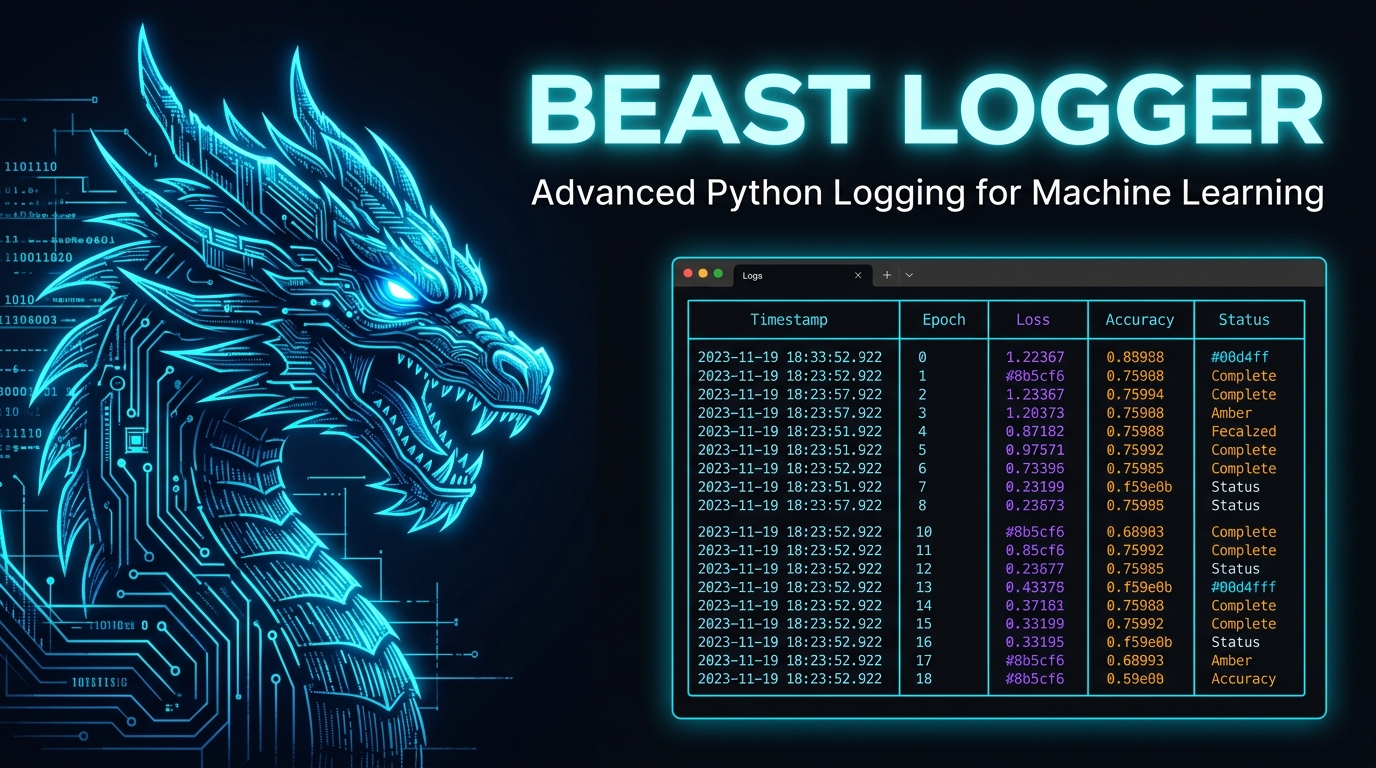

Beast Logger
Advanced Python Logging for Machine Learning



Built for ML researchers who need structured, beautiful, and searchable logs — not walls of unreadable text.
✨ What is Beast Logger?
Beast Logger is a drop-in Python logging library purpose-built for Machine Learning workflows. It transforms raw Python data structures — lists, dicts, tensors, LLM token arrays — into rich, color-coded terminal tables and an interactive web log viewer.
Whether you're training a language model with SFT, RLHF, or GRPO, Beast Logger gives you a structured window into every step of your experiment — with zero overhead and maximum clarity.
Key Capabilities
| Feature | Description |
|---|---|
| Rich Terminal Tables | Renders dicts, lists, nested structures as beautiful terminal widgets |
| Web Log Viewer | Browse, filter, and copy logs from a local web app at localhost:8181 |
| Tensor Logging | Log PyTorch tensor shape, dtype, device, and value previews |
| LLM Token Viewer | Color-coded token-level visualization with hover tooltips |
| Multi-Mod Routing | Route logs to separate files per experiment module |
| Multi-Language | Optimized for English, Chinese, and many other languages |
| Zero Config | One import, one function call — it just works |
📦 Installation
pip install beast-logger
From Aliyun Mirror (China):
pip install beast-logger -i https://mirrors.aliyun.com/pypi/simple/
Build from source
# Clean previous builds
rm -rf build dist web_display_dist
rm -rf web_display/build web_display/dist
rm -rf beast_logger.egg-info

# Build web assets
cd web_display
nvm install 16 && nvm use 16
npm install
npm run build:all
cd ..

# Package and install
mkdir -p web_display_dist
mv web_display/build web_display_dist/build_pub
python setup.py sdist bdist_wheel
pip install dist/beast_logger-*.whl
🚀 Quick Start
from beast_logger import register_logger, print_dict

# Initialize logging — declare which modules to log
register_logger(mods=["train"])

# Log any Python dictionary as a rich table
print_dict(
    {"epoch": 1, "loss": 0.342, "lr": 3e-4, "acc": 0.871},
    mod="train"
)
Terminal output:
╭────────────────────────────────────────────────╮
│ ┌──────────────────────┬─────────────────────┐ │
│ │ epoch                │ 1                   │ │
│ ├──────────────────────┼─────────────────────┤ │
│ │ loss                 │ 0.342               │ │
│ ├──────────────────────┼─────────────────────┤ │
│ │ lr                   │ 0.0003              │ │
│ ├──────────────────────┼─────────────────────┤ │
│ │ acc                  │ 0.871               │ │
│ └──────────────────────┴─────────────────────┘ │
╰────────────────────────────────────────────────╯
📋 API Reference
register_logger()
Initialize the logger before logging anything.
register_logger(
    mods=[],               # Modules logged to console + file
    non_console_mods=[],   # Modules logged to file only (silent)
    base_log_path="logs",  # Root directory for log files
    auto_clean_mods=[],    # Modules whose old logs are deleted on start
    rotation="100 MB"      # Max size per log file before rotation
)
Tip: Use
mod="console"in any print function to log to terminal only, without writing to any file.
Core Logging Methods
print_dict(dict_like, mod, ...)
Log a flat dictionary as a two-column key-value table.
from beast_logger import print_dict

print_dict({"loss": 0.25, "reward": 1.8, "kl": 0.03}, mod="rlhf")
╭────────────────────────────────────────────────╮
│ ┌──────────────────────┬─────────────────────┐ │
│ │ loss                 │ 0.25                │ │
│ ├──────────────────────┼─────────────────────┤ │
│ │ reward               │ 1.8                 │ │
│ ├──────────────────────┼─────────────────────┤ │
│ │ kl                   │ 0.03                │ │
│ └──────────────────────┴─────────────────────┘ │
╰────────────────────────────────────────────────╯
print_list(list_like, mod, ...)
Log a Python list as a single-column table.
from beast_logger import print_list

print_list(["step_1", "step_2", "step_3"], mod="console")
print_listofdict(list_of_dicts, mod, narrow=False, ...)
Log a list of dictionaries as a row-wise table (each dict = one row).
from beast_logger import print_listofdict

print_listofdict([
    {"model": "llama-7b",  "loss": 0.31, "acc": 0.82},
    {"model": "llama-13b", "loss": 0.24, "acc": 0.89},
    {"model": "llama-70b", "loss": 0.18, "acc": 0.94},
], mod="eval", narrow=True)
╭────────────────────────────────────────────────────────╮
│ ┏━━━━━━━━━━━┳━━━━━━━━━━━┳━━━━━━━━━━┳━━━━━━━━━━━━━━━━━┓ │
│ ┃           ┃ model     ┃ loss     ┃ acc             ┃ │
│ ┡━━━━━━━━━━━╇━━━━━━━━━━━╇━━━━━━━━━━╇━━━━━━━━━━━━━━━━━┩ │
│ │ 0         │ llama-7b  │ 0.31     │ 0.82            │ │
│ ├───────────┼───────────┼──────────┼─────────────────┤ │
│ │ 1         │ llama-13b │ 0.24     │ 0.89            │ │
│ ├───────────┼───────────┼──────────┼─────────────────┤ │
│ │ 2         │ llama-70b │ 0.18     │ 0.94            │ │
│ └───────────┴───────────┴──────────┴─────────────────┘ │
╰────────────────────────────────────────────────────────╯
print_dictofdict(dict_of_dicts, mod, header="", attach="", ...)
Log a nested dictionary as a matrix table (outer keys = rows, inner keys = columns).
from beast_logger import print_dictofdict

print_dictofdict(
    {
        "run_1": {"loss": 0.34, "reward": 1.2, "kl": 0.05},
        "run_2": {"loss": 0.28, "reward": 1.6, "kl": 0.03},
    },
    header="GRPO Training Step 100",
    mod="grpo",
    attach="Full config: lr=3e-4, batch=32, clip=0.2"  # Shown as copy button in web viewer
)
╭──────────────── GRPO Training Step 100 ─────────────────╮
│ ┏━━━━━━━━━━━━━━━━━━━━━━┳━━━━━━━━┳━━━━━━━━━┳━━━━━━━━━━━━┓ │
│ ┃                      ┃ loss   ┃ reward  ┃ kl         ┃ │
│ ┡━━━━━━━━━━━━━━━━━━━━━━╇━━━━━━━━╇━━━━━━━━━╇━━━━━━━━━━━━┩ │
│ │ run_1                │ 0.34   │ 1.2     │ 0.05       │ │
│ ├──────────────────────┼────────┼─────────┼────────────┤ │
│ │ run_2                │ 0.28   │ 1.6     │ 0.03       │ │
│ └──────────────────────┴────────┴─────────┴────────────┘ │
╰─────────────────────────────────────────────────────────╯
Tensor Logging Methods
Requires
torchto be installed.
print_tensor(tensor, mod, ...)
Log shape, dtype, device, and a value preview for a single tensor.
import torch
from beast_logger import print_tensor

t = torch.randn(4, 512)
print_tensor(t, mod="debug")
print_tensor_dict({name: tensor, ...}, mod, ...)
Log a dictionary of tensors in a single compact table. Handles missing or malformed entries gracefully.
from beast_logger import print_tensor_dict

print_tensor_dict(
    {"input_ids": input_ids, "attention_mask": mask, "labels": labels},
    mod="sft"
)
LLM Token Logging
Log and visualize complex LLM token arrays with per-token metadata.
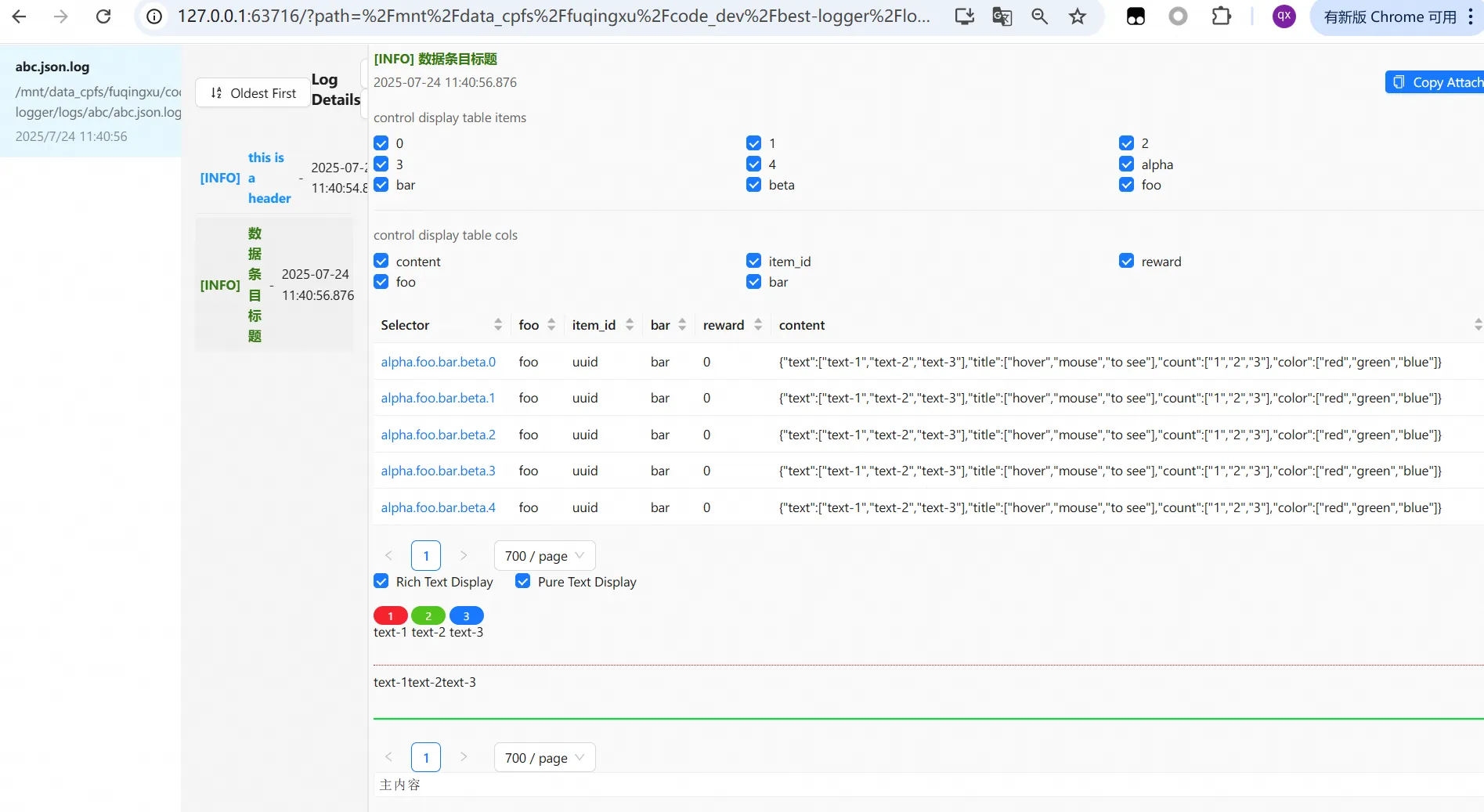
from beast_logger import register_logger, print_nested, NestedJsonItem, SeqItem

register_logger(mods=["rlhf"], base_log_path="./logs")

samples = {}
for i in range(5):
    samples[f"rollout.{i}"] = NestedJsonItem(
        item_id=f"sample_{i}",
        reward=round(1.2 + i * 0.1, 2),
        step=100,
        # Token-level visualization
        content=SeqItem(
            text=[f"Hello", f"world", f"<|im_end|>", f"Answer:", f"42"],
            title=[f"tok_{j}" for j in range(5)],   # Hover tooltip
            count=[str(j) for j in range(5)],        # Token index
            color=["blue", "blue", "red", "green", "green"]
        )
    )

print_nested(
    samples,
    main_content="RLHF Rollout Visualization",
    header="Step 100 — Batch 0",
    mod="rlhf",
    narrow=True,
    attach="Copy this entry to clipboard"
)
🌐 Web Log Viewer
Beast Logger ships with a built-in interactive web log viewer — no extra setup needed.
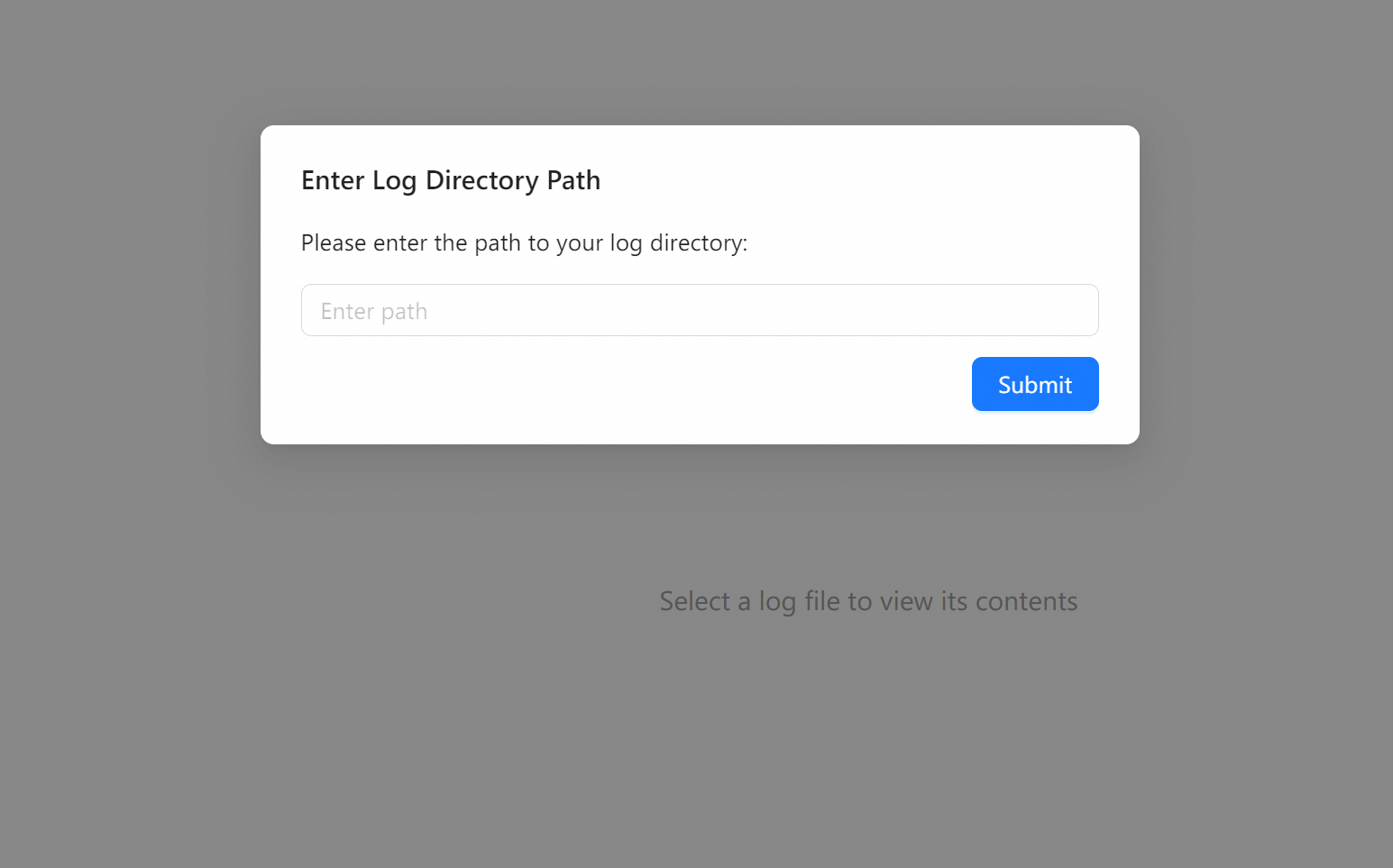
Start the Viewer
beast_logger_go
Then open http://localhost:8181 in your browser.
Features
- Directory Browser — Select any log directory (absolute path)
- Module Filter — Switch between different
modstreams - One-Click Copy — Copy any log entry with the
attachfield to clipboard - Token Viewer — Interactive per-token hover details for LLM logs
- Remote Access — Set
beast_logger_WEB_SERVICE_URLto serve logs over a network
Remote Log Serving
export beast_logger_WEB_SERVICE_URL="http://your-server:8181/"
python your_training_script.py
Beast Logger will print the full URL to access your logs remotely.
🔧 Advanced Configuration
Multiple Modules
Route different log streams to separate files:
register_logger(
    mods=["train", "eval"],          # Console + file
    non_console_mods=["debug"],       # File only (silent)
    base_log_path="./experiment_001",
    auto_clean_mods=["debug"],        # Delete old debug logs on start
    rotation="50 MB"
)
Log files will be organized as:
experiment_001/
├── regular/
│   └── regular.log
├── train/
│   ├── train.log
│   └── train.json.log
├── eval/
│   ├── eval.log
│   └── eval.json.log
└── debug/
    ├── debug.log
    └── debug.json.log
Change Log Path at Runtime
from beast_logger import change_base_log_path

change_base_log_path("./experiment_002")
Disable Console Colors
LOGURU_COLORIZE=NO python train.py
🧪 ML Training Integration
SFT Training Loop
from beast_logger import register_logger, print_dict, print_tensor_dict

register_logger(mods=["sft"], base_log_path="./logs/sft_run_001")

for step, batch in enumerate(dataloader):
    loss = model(batch)

    if step % 10 == 0:
        print_dict(
            {"step": step, "loss": loss.item(), "lr": scheduler.get_last_lr()[0]},
            mod="sft"
        )

    if step % 100 == 0:
        print_tensor_dict(
            {"input_ids": batch["input_ids"], "labels": batch["labels"]},
            mod="sft"
        )
GRPO / RLHF Reward Logging
from beast_logger import print_dictofdict

print_dictofdict(
    {
        f"sample_{i}": {
            "reward": rewards[i],
            "kl_div": kl_divs[i],
            "ref_logp": ref_logps[i],
        }
        for i in range(len(rewards))
    },
    header=f"GRPO Step {global_step}",
    mod="rlhf",
    attach=f"prompt={prompts[0][:80]}..."
)
📁 Project Structure
beast-logger/
├── beast_logger/
│   ├── __init__.py           # Public API exports
│   ├── register.py           # Logger initialization & mod routing
│   ├── print_basic.py        # print_dict, print_list, print_listofdict, print_dictofdict
│   ├── print_tensor.py       # print_tensor, print_tensor_dict
│   ├── print_nested.py       # print_nested, NestedJsonItem, SeqItem
│   ├── log_json.py           # JSON log writer
│   ├── serve_log_files.py    # File serving backend
│   └── web_launcher.py       # Web viewer launcher
├── web_display/              # React frontend for web log viewer
├── tests/                    # Test suite
├── requirements.txt
└── setup.py
📊 Dependencies
| Package | Purpose |
|---|---|
loguru |
Structured file logging with rotation |
rich |
Terminal table rendering |
jieba |
Chinese word segmentation |
pydantic |
Data validation for log entries |
fastapi |
Web viewer backend API |
uvicorn |
ASGI server for web viewer |
🤝 Contributing
- Fork the repository
- Create a feature branch:
git checkout -b feature/my-feature - Run the test suite:
python -m pytest tests/ - Submit a Pull Request
For development setup, see DEV.md.
📄 License
MIT License — see LICENSE for details.
Release history Release notifications | RSS feed


Download files
Download the file for your platform. If you're not sure which to choose, learn more about installing packages.
Source Distribution
Built Distribution
Filter files by name, interpreter, ABI, and platform.
If you're not sure about the file name format, learn more about wheel file names.
Copy a direct link to the current filters
File details
Details for the file beast_logger-0.1.5.tar.gz.
File metadata
- Download URL: beast_logger-0.1.5.tar.gz
- Upload date:
- Size: 2.3 MB
- Tags: Source
- Uploaded using Trusted Publishing? No
- Uploaded via: twine/6.2.0 CPython/3.12.3
File hashes
| Algorithm | Hash digest | |
|---|---|---|
| SHA256 |
d653c3a1263dfd212a2436fad20e5d43a63b194c5fa6e3996bcb7e61aa53124c
|
|
| MD5 |
517e42e706d2641ee9bfbd26cd496470
|
|
| BLAKE2b-256 |
7d13bed40a8096346031413fdb699e6291d3649a4352dfd2d198712d820c31db
|
File details
Details for the file beast_logger-0.1.5-py3-none-any.whl.
File metadata
- Download URL: beast_logger-0.1.5-py3-none-any.whl
- Upload date:
- Size: 2.4 MB
- Tags: Python 3
- Uploaded using Trusted Publishing? No
- Uploaded via: twine/6.2.0 CPython/3.12.3
File hashes
| Algorithm | Hash digest | |
|---|---|---|
| SHA256 |
431691e85121d13d2ae728e9fbce2f9c16f6bd4033e334284b5069972c5d7832
|
|
| MD5 |
2f7999c52acec6eae51b191b91fdc3c7
|
|
| BLAKE2b-256 |
7ae7f95d416c740b856ed155bbc8232b92052fa03fb3606d32a5ce1ebe7b4b8e
|






