
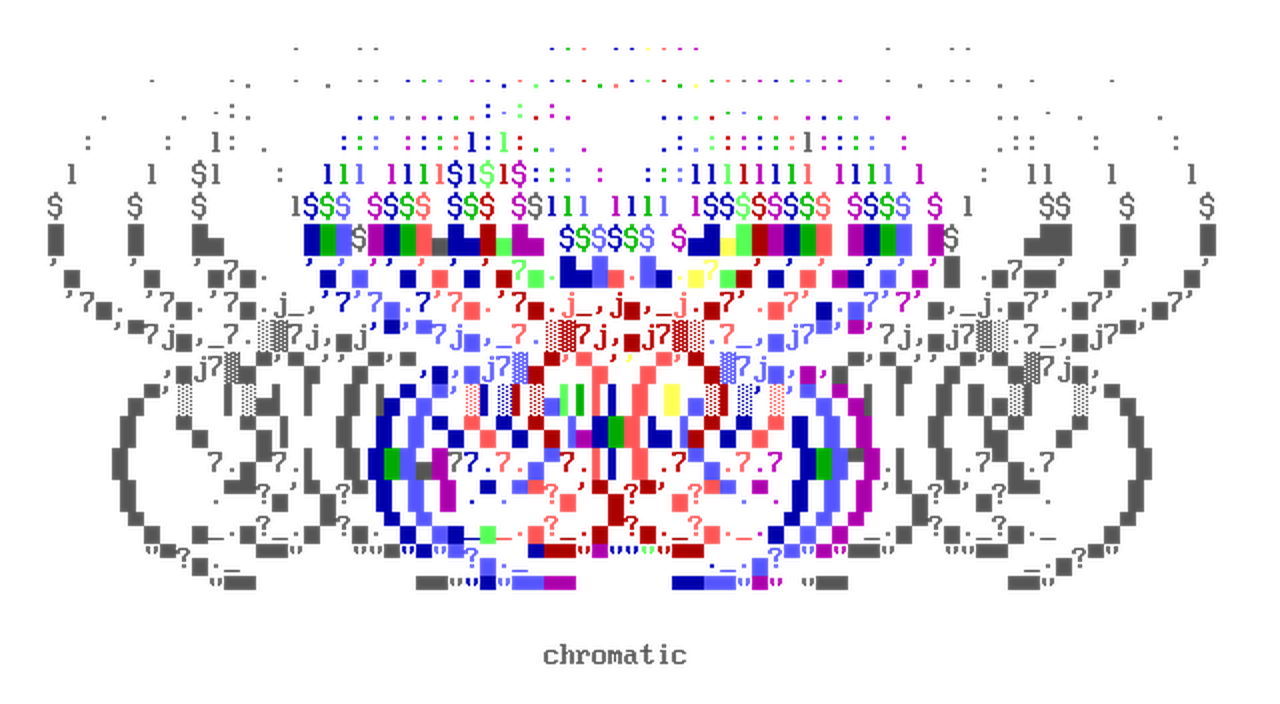




Chromatic is a library for ANSI art image processing and colored terminal text.
It offers a collection of algorithms and types for a variety of use cases:
- Image-to-ASCII / Image-to-ANSI conversions.
- ANSI art rendering, with support for user-defined fonts.
- A
ColorStrtype for low-level control over ANSI SGR strings. - colorama-style wrappers (
Fore,Back,Style). - Conversion between 16-color, 256-color, and true-color (RGB) ANSI colorspace via the
colorbytestype. - Et Cetera 😲
Usage
color_chain
A color_chain is a printable sequence of colored text that round-trips with a NumPy array:
from chromatic import color_chain, ColorStr

cc = color_chain(
    [ColorStr("hello", fg=0xFF0000), ColorStr(" world", fg=0x00FF00)], ansi_type="8b"
)

# parsed from a raw SGR string — no ansi_type needed
cc2 = color_chain("\x1b[38;5;196mhello\x1b[38;5;46m world")

assert cc == cc2

# red "hello", green " world"
print(cc)

# a structured ndarray of dtype [('char', '<U1'), ('sgr', '<u8'), ('rgb', 'u1', (2, 4))]
arr = cc.term_array()

assert str(color_chain.fromarray(arr)) == str(cc)
img2ansi
img2ansi reads an image and returns a color_chain:
from chromatic import img2ansi
from chromatic.data import userfonts

font = userfonts["vga437"]

# the image, as ANSI art
cc = img2ansi("input.png", font, factor=200)
print(cc)

# or the raw ndarray
arr = img2ansi("input.png", font, factor=200, outarray=True)
ansi2img
ansi2img renders a color_chain (or array) back to an image:
from chromatic import img2ansi, ansi2img
from chromatic.data import userfonts

font = userfonts["vga437"]

cc = img2ansi("input.png", font, factor=200)

# a PIL.Image.Image
img = ansi2img(cc, font, font_size=16)
img.show()
ansify
ansify runs both steps at once, returning the rendered image with its array on Image.info:
from chromatic import ansify
from chromatic.data import userfonts

font = userfonts["vga437"]

img = ansify("input.png", font, font_size=16, factor=200)
img.show()

# the ndarray it rendered from
arr = img.info["ansi_array"]
Animated images
An animated image becomes a list of color_chain frames, one per frame — so a GIF plays straight to the terminal:
import sys
import time

from chromatic import img2ansi
from chromatic.data import userfonts

font = userfonts["vga437"]

# list[color_chain], one per frame
frames = img2ansi("input.gif", font, factor=200)

for cc in frames:
    # redraw each frame in place
    sys.stdout.write(f"\x1b[H{cc}")
    time.sleep(0.1)
ansify renders the same GIF back to an animated image, and chromatic image ansify input.gif --stdout plays it in the terminal for you.
ColorStr
ColorStr is a str subclass that carries its SGR color as metadata; the escape codes only surface when you render it:
from chromatic import ColorStr

cs = ColorStr("hello world", fg=0xFF0000, ansi_type="8b")

assert isinstance(cs, str)

# the codes aren't part of the string itself
assert cs.base_str == "hello world"
assert len(cs) == len("hello world")

# they surface when you print / str() it
assert str(cs) == "\x1b[38;5;196mhello world\x1b[0m"
assert cs.ansi == b"\x1b[38;5;196m"
Installation
Install the package using pip:
pip install chromatic-python
Credits
Banner artwork: main rules by Crasher (2002)
1 maintainer

Metadata
1 maintainer
Release files for chromatic-python 0.9.0
For a detailed explanation of source distributions (sdists) and built distributions (wheels), please see the package formats documentation.
Source distribution (sdist)
| File | Size | Uploaded | Provenance | Actions |
|---|---|---|---|---|
| chromatic_python-0.9.0.tar.gz | 338.1 kB | With provenance | Details for chromatic_python-0.9.0.tar.gz |
Built distribution (wheel)
| File | Interpreter | ABI | Platform | Actions Reset |
|---|---|---|---|---|
| chromatic_python-0.9.0-py3-none-any.whl | Python 3 | none | any | Details for chromatic_python-0.9.0-py3-none-any.whl |
Total release size: 422.7 kB
Release files / chromatic_python-0.9.0.tar.gz
| Download URL | chromatic_python-0.9.0.tar.gz |
|---|---|
| Size | 338.1 kB |
| Tags | Source |
|
SHA-256 checksum How to use checksums |
4ad5bac5f95e72546e835cc22bad073a24c5a8af03019afde07fdf008a092357
|
|
BLAKE2b-256 checksum How to use checksums |
f6249f5f19096caabc206ff5f5f304852b2e11a93c2a2877540eee057ae45698
|
| Upload date | |
|
Uploaded using Trusted Publishing? What is trusted publishing? |
Yes |
| Uploaded via |
twine/7.0.0 CPython/3.13.14
|
Provenance
Provenance describes where a file came from. On PyPI, provenance is shared via attestations, which provide a verifiable record of the build or publishing details. View details, limitations and caveats.


PyPI Publish Attestation
PyPI verified that this artifact, at this checksum, originated from the publisher listed below.
Signed by GitHub Actions, verified by PyPI on Sep 17, 2026.
Transparency logRelease files / chromatic_python-0.9.0-py3-none-any.whl
| Download URL | chromatic_python-0.9.0-py3-none-any.whl |
|---|---|
| Size | 84.6 kB |
| Tags | Python 3 |
|
SHA-256 checksum How to use checksums |
2feea60eae84f456df8fc754e6a8661e0a3dabe9e6c27f1c7fc31d0c419ce23a
|
|
BLAKE2b-256 checksum How to use checksums |
27939804158eb42348af6fc7b0d3a1692a72b4aeda9af4ee23aa9e72f4fe52c1
|
| Upload date | |
|
Uploaded using Trusted Publishing? What is trusted publishing? |
Yes |
| Uploaded via |
twine/7.0.0 CPython/3.13.14
|
Provenance
Provenance describes where a file came from. On PyPI, provenance is shared via attestations, which provide a verifiable record of the build or publishing details. View details, limitations and caveats.
PyPI Publish Attestation
PyPI verified that this artifact, at this checksum, originated from the publisher listed below.
Signed by GitHub Actions, verified by PyPI on Sep 17, 2026.
Transparency logSecurity for chromatic-python 0.9.0
Provenance
Provenance describes where a file came from. On PyPI, provenance is shared via attestations, which provide a verifiable record of the build or publishing details. View details, limitations and caveats.
Full provenance
All 2 files in this release have been uploaded with provenance metadata.
Attestation for chromatic_python-0.9.0.tar.gz
PyPI Publish Attestation
PyPI verified that this artifact, at this checksum, originated from the publisher listed below.
Signed by GitHub Actions, verified by PyPI on Sep 17, 2026.
Transparency logA note on package security
PyPI is a repository for distributing packages, not a service for auditing them. While third-party security researchers and our staff do their best to detect and remove malicious packages, PyPI cannot guarantee the quality, security or suitability of any given package.
To learn more about protecting yourself from malicious actors, visit our package security documentation.














