
Lightweight status bar monitor for Claude AI token usage

Project description
Claude Status Bar





Lightweight Claude Code status-line monitor. Shows your 5h / 7d rate-limit usage, reset timers, current model, context window, prompt-cache freshness, and (optionally) session cost — in a single compact line driven by Claude Code's statusLine hook.
5h[ 27% ]⏰1h28m | 7d[ 79% ]⏰11h28m | Opus 4.7(350.0k/1.0M) | cache 4m23s
3 styles × 7 themes, configurable in one command. Auto-updates from PyPI. New in v3.2: a daemon mode that drops 1 Hz refresh CPU from ~6% to ~2% — same status line, ~5× cheaper.
Contents
- What's new in v3.2
- What it shows
- Install
- Styles & themes
- Configuration
- Fast mode (daemon)
- Slash commands
cs doctor— self-diagnostic- Usage cheatsheet
- Environment variables
- Troubleshooting
- Upgrading
- Integrations
- Contributing
- Acknowledgments
What's new in v3.2
- Daemon fast-mode —
cs --setup --fastswaps the statusLine command tocs renderbacked by a long-livedcs daemon. AtrefreshInterval: 1this cuts continuous CPU from ~6% to ~2%, render wall-clock from ~60ms to ~5ms. Crash-safe (auto-falls-back to inline render if the daemon dies; lazy-respawns). - OS-managed daemon —
cs daemon installinstalls a launchd agent (macOS) or systemd user unit (Linux) so the daemon auto-starts on login and is restarted on crash by the OS. cache 4m23scountdown — opt-in viacs config set show_cache_age true. Counts down to Anthropic's prompt-cache expiry (default 5min TTL); flips through green → yellow (<1min) → redcache COLD. Configurable TTL viacs config set cache_ttl_seconds 3600for users on the 1-hour extended cache. The cache itself makes follow-up requests ~10× cheaper input-token cost — the widget tells you whether your next prompt will hit warm cache or pay full price.cs doctor1Hz hint — detectsrefreshInterval ≤ 2swith the inline command and recommendscs --setup --fast.- Import-shaving on the inline path — even users who don't opt into daemon mode get ~30% faster renders.
Existing users: nothing changes by default. Daemon mode is opt-in.
What it shows
5h[ 27% ]⏰1h28m | 7d[ 79% ]⏰11h28m | Opus 4.7(350.0k/1.0M) | cache 4m23s | $ 1.42
| Segment | Meaning |
|---|---|
5h[27%] |
5-hour rate-limit usage (rolling window from Anthropic API headers) |
⏰1h28m |
Time until the 5-hour window resets |
7d[79%] |
7-day rate-limit usage |
⏰11h28m |
Time until the 7-day window resets |
Opus 4.7(350.0k/1.0M) |
Model name + current context window usage |
cache 4m23s / cache COLD |
Countdown to prompt-cache expiry (5min TTL by default). Green when comfortable, yellow under 1min, red on COLD. Cache hits cost ~10× less input tokens, so this tells you whether your next prompt is cheap. Opt-in: cs config set show_cache_age true |
$ 1.42 |
Session cost so far in USD (opt-in: cs config set show_cost true) |
📚 EN:6.0↑ JA:5.0→ |
IELTS band progress (requires prompt-language-coach) |
Colors default to green / yellow / red at 30% and 70% — both thresholds configurable.
Install
One-line install (recommended)
curl -fsSL "https://raw.githubusercontent.com/leeguooooo/claude-code-usage-bar/main/web-install.sh?v=$(date +%s)" | bash
Installs the package, configures Claude Code's statusLine, sets up shell aliases. Restart Claude Code to see the bar.
Package managers
pip install claude-statusbar     # pip
uv tool install claude-statusbar # uv
pipx install claude-statusbar    # pipx
Then add to ~/.claude/settings.json:
{
  "statusLine": {
    "type": "command",
    "command": "cs",
    "refreshInterval": 30
  }
}
refreshInterval is in seconds. Set it to 1 if you enable show_cache_age and want the cache timer to tick visibly — and pair that with fast mode.
Styles & themes
The default style (classic) stays the same forever. Two alternative styles, plus a palette of seven themes, are opt-in.
cs --style capsule  --theme graphite   # try once
cs --style hairline --theme twilight   # try once
cs config set style capsule            # persist
cs config set theme twilight
cs styles                              # list available styles
cs themes                              # list available themes
cs preview                             # render every style × theme together
Styles
| Style | Look |
|---|---|
classic |
Original [bar] | pipe engineering layout. Default. |
capsule |
Each metric is a colored pill — type badge (◷ 5H / ☷ 7D / ◆ / 📚) on the left, value, severity dot on the right. Subway-signage feel. |
hairline |
One-character mini-bar (▁▃▆█) per metric, dashed ┊ separators, tight typography. Maximally calm. |
Capsule — graphite · twilight · nord · dracula · sakura · linen · mono


Hairline — same theme set, different layout


Classic — kept identical to the pre-v2.7 look

Themes
| Theme | Vibe |
|---|---|
graphite |
Cool dark graphite — default, fits most dark terminals |
twilight |
Soft purples/roses — warm dark |
linen |
Cream/beige — for light terminal themes |
nord |
Nord palette — familiar Arctic blue |
dracula |
Dracula palette — high-contrast purple/black |
sakura |
Pink/cream — soft, light backgrounds |
mono |
Pure grayscale — no chromatic distraction |
Style and theme are independent: any of the 3 styles × 7 themes = 21 combinations.
Slash commands inside Claude Code
After running cs --setup (or cs install-commands), the following slash commands work inside Claude Code:
| Slash command | What it does |
|---|---|
/statusbar |
Show current config + lists styles/themes |
/statusbar-preview |
Render every style × theme combination using your real data |
/statusbar-style <name> |
Switch style (classic / capsule / hairline) |
/statusbar-theme <name> |
Switch theme (graphite / twilight / linen / nord / dracula / sakura / mono) |
/statusbar-doctor |
Self-diagnostic — paste output in bug reports |
/statusbar-reset |
Wipe config back to defaults |
Configuration file
Persisted to ~/.claude/claude-statusbar.json:
{
  "style": "capsule",
  "theme": "twilight",
  "density": "regular",
  "auto_compact_width": 100,
  "show_weekly": true,
  "show_language": true,
  "show_cost": false,
  "show_cache_age": false
}
| Key | Values | What it does |
|---|---|---|
style |
classic / capsule / hairline |
Layout |
theme |
graphite / twilight / linen / nord / dracula / sakura / mono |
Colors |
density |
compact / regular / cozy |
Padding around segments (capsule + hairline only) |
auto_compact_width |
integer (e.g. 100) |
Force hairline when terminal narrower than this. 0 = disabled |
show_weekly, show_language |
bool | Hide individual segments |
show_cost |
bool, default false |
Append a $ X.XX segment with the current session's cost (from Claude Code's stdin payload). Opt-in because the "session" boundary is what Claude Code reports — not necessarily what you intuitively call one |
show_cache_age |
bool, default false |
Append a cache 4m23s countdown to Anthropic's prompt-cache expiry. Three-level color: green (>1min remaining), yellow (<1min), red cache COLD (expired). Cache hits cost ~10× less input tokens, so the widget answers "will my next prompt be cheap?". Requires "refreshInterval": N in your ~/.claude/settings.json statusLine block (e.g. 30, or 1 for live ticking — pair with fast mode at 1Hz). Original implementation contributed by @marcwimmer in #9. |
cache_ttl_seconds |
int, default 300 |
TTL the show_cache_age segment uses to decide warm vs. COLD. Defaults to Anthropic's 5-minute prompt cache. Set to 3600 if you've enabled the 1-hour extended cache via ENABLE_PROMPT_CACHING_1H. |
Set via cs config set <key> <value>. Wipe everything back to defaults with cs config reset.
Override per-invocation via --style / --theme flags or CLAUDE_STATUSBAR_STYLE / CLAUDE_STATUSBAR_THEME env vars.
Fast mode — for refreshInterval: 1
If you've set "refreshInterval": 1 in settings.json (so the cache-age widget ticks every second), the default cs command runs ~45ms per render = ~4% CPU continuously. Fast mode brings that down to ~3-5ms per render = under 1% CPU by keeping a long-lived cs daemon that pre-renders into ~/.cache/claude-statusbar/rendered.ansi. The statusLine command becomes cs render — a thin reader that just cats the file.
cs --setup --fast        # writes settings.json + spins up the daemon
cs daemon status         # check it's alive
cs daemon stop           # stop the daemon (statusLine falls back to inline)
cs daemon start          # start it again
Crash safety: if the daemon dies or freezes, cs render notices rendered.meta.json is older than 5s and falls back to inline render — and lazily re-spawns the daemon in the background. You never see a frozen status line.
To revert: cs --setup (no --fast) restores the bare-cs legacy command.
Optional: auto-start on login (launchd / systemd)
Lazy-spawn (above) covers most cases — the daemon comes up on first cs render. If you want stronger guarantees (auto-start at login, OS restarts the daemon on crash, survives reboots without cs render needing to fire first):
cs daemon install        # installs ~/Library/LaunchAgents (macOS) or
                          # ~/.config/systemd/user (Linux), starts the daemon
cs daemon service        # report whether the OS-level service is registered
cs daemon uninstall      # remove the LaunchAgent / systemd unit
On macOS, the LaunchAgent has KeepAlive=true and ThrottleInterval=10 — kill the daemon and launchd respawns it within 10 seconds. On Linux, the systemd user unit uses Restart=always (you may need loginctl enable-linger $USER for the daemon to survive logout).
cs doctor — self-diagnostic
If the status bar isn't behaving the way you expect, run:
cs doctor
It prints (with red ✗ for anything off):
- Which
csbinary the OS will resolve, plus its version + Python interpreter - Whether
~/.claude/settings.jsonhas our statusLine entry (vs missing / vs another tool's) - How fresh
~/.cache/claude-statusbar/last_stdin.jsonis (so you can tell if Claude Code is actually pushing data) - If the daemon is running (fast mode) — its pid and how stale
rendered.ansiis - Terminal size and
TERM - Current resolved
style/theme/ allshow_*toggles - Slash commands installed under
~/.claude/commands/
Paste the output verbatim in any bug report — it's almost always enough to diagnose remotely.
Install as a Claude Code plugin
The repo ships a .claude-plugin/plugin.json, distributed via the leeguooooo/plugins marketplace. Inside Claude Code:
/plugin marketplace add leeguooooo/plugins
/plugin install claude-statusbar@leeguooooo-plugins
You still need the cs CLI (pip install claude-statusbar or uv tool install claude-statusbar) — the plugin only carries the slash commands; the heavy lifting is the Python package.
Usage
cs                              # render the status line (default command)
cs --style capsule              # render with a one-off style
cs --theme twilight             # render with a one-off theme

# Configuration
cs config show                  # show all persistent config
cs config set style hairline    # persist style → ~/.claude/claude-statusbar.json
cs config set theme linen       # persist theme
cs config set show_cost true    # session $ cost segment
cs config set show_cache_age true   # prompt-cache age segment (needs refreshInterval)
cs config set cache_ttl_seconds 3600  # for users on Anthropic's 1h cache
cs config reset                 # wipe config back to defaults

# Discovery
cs styles                       # list available styles
cs themes                       # list available themes
cs preview                      # render every style × theme with YOUR real data

# Daemon mode (v3.2+, opt-in)
cs --setup --fast               # switch statusLine to `cs render` + start daemon
cs daemon start                 # start daemon (manual)
cs daemon stop                  # stop daemon
cs daemon status                # pid + rendered.ansi freshness
cs daemon install               # install LaunchAgent (macOS) / systemd unit (Linux)
cs daemon uninstall             # remove the OS-level service
cs daemon service               # report whether the OS service is registered

# Diagnostics + flags
cs doctor                       # self-diagnostic — paste output in bug reports
cs --json-output                # machine-readable JSON
cs --no-color                   # disable ANSI colors
cs --warning-threshold 40 --critical-threshold 85
cs --no-auto-update             # skip the per-day PyPI version check
--plan still exists for older scripts, but is deprecated and no longer changes the rendered output.
Environment variables
| Variable | Effect |
|---|---|
CLAUDE_STATUSBAR_STYLE=capsule |
Render with this style (overrides config file) |
CLAUDE_STATUSBAR_THEME=twilight |
Render with this theme (overrides config file) |
CLAUDE_STATUSBAR_NO_UPDATE=1 |
Disable automatic update checks |
CLAUDE_STATUSBAR_WARNING_THRESHOLD=40 |
Switch from green to yellow at 40% |
CLAUDE_STATUSBAR_CRITICAL_THRESHOLD=85 |
Switch from yellow to red at 85% |
NO_COLOR=1 |
Disable ANSI colors |
CLAUDE_PLAN is still accepted for legacy compatibility, but it no longer changes the rendered status line.
JSON output
Use --json-output if you want a machine-readable payload instead of the formatted status line:
cs --json-output
Data source
Rate-limit percentages come directly from Anthropic's official API headers, surfaced into the JSON payload Claude Code injects on stdin to every statusLine command. Context-window usage comes from the same payload. The optional cache 4m23s countdown is computed locally by tail-reading the active transcript JSONL — Anthropic's prompt cache TTL is 5 minutes by default (Mar 2026 change) or 1 hour with ENABLE_PROMPT_CACHING_1H.
Requires Claude Code v2.1.80+.
Troubleshooting
Status line doesn't appear after install — Restart Claude Code (settings.json is read at session start). If still missing, run cs doctor and check the statusLine entry row.
cs doctor says "missing" — A Claude Code upgrade can wipe statusLine from ~/.claude/settings.json. Run cs --setup (or cs --setup --fast if you want daemon mode) to restore it. The package also self-heals once per day automatically.
Numbers stuck / not updating — Two possibilities:
refreshIntervalnot set — Claude Code only re-renders on activity. Add"refreshInterval": 30(or1for live cache-age).- Daemon mode running stale data —
cs daemon stop && cs daemon start. Or justcs doctorand checkdaemonrow freshness.
Cache-age segment shows cache 0s and never moves — refreshInterval is unset; Claude Code only re-invokes the statusLine on each user/assistant turn. Set "refreshInterval": 1 in settings.json. For 1Hz refresh you'll also want cs --setup --fast so the per-second invocation stays cheap.
cs --setup --fast then daemon shows wrong rate-limits — Fixed in v3.2.1. Upgrade with pip install -U claude-statusbar.
Auto-update is annoying / blocked — export CLAUDE_STATUSBAR_NO_UPDATE=1 in your shell rc.
For anything else: open a GitHub issue with the output of cs doctor attached — it captures version, paths, settings.json state, daemon state, and recent cache freshness in one paste.
Upgrading
Auto-updates once per day from PyPI. To upgrade manually:
pip install -U claude-statusbar
# or
uv tool upgrade claude-statusbar
To disable auto-updates: export CLAUDE_STATUSBAR_NO_UPDATE=1
Integrations
prompt-language-coach
Install the prompt-language-coach Claude Code plugin to get IELTS band progress tracking. After setup, the status bar automatically shows your current writing level and trend:
... | Opus 4.7(350k/1M) | 📚 EN:6.0↑ JA:5.0→
↑improved from last session ·↓dropped ·→no change- No configuration needed — the segment appears automatically when
~/.claude/language-progress.jsonexists.
Contributing
PRs welcome. Quick guide:
git clone https://github.com/leeguooooo/claude-code-usage-bar
cd claude-code-usage-bar
pip install -e .                    # editable install
pytest                              # 240+ tests, all should pass
PYTHONPATH=src python3 -m pytest -q tests/test_import_perf.py  # perf regression guards
A few conventions to know:
- Render path is hot — every module loaded at import time multiplies its cost by
60×/minatrefreshInterval: 1.tests/test_import_perf.pypins this; if your change adds a heavy stdlib import on the path, the test fails. - Atomic file writes use the helper in
cache.py(atomic_write_text) — neverpath.write_text(...)for state files. - The daemon path (
daemon.py+render_thin.py) is opt-in. The legacy inline path (core.py:main()) must stay working without the daemon. - New config keys: bump
config.StatusbarConfig,VALID_KEYS, the_*_KEYSsets, and document in this README.
Acknowledgments
- @marcwimmer — original
show_cache_agewidget (#9) - claude-monitor — token-usage analysis library used as the optional fast-path data source
License
MIT
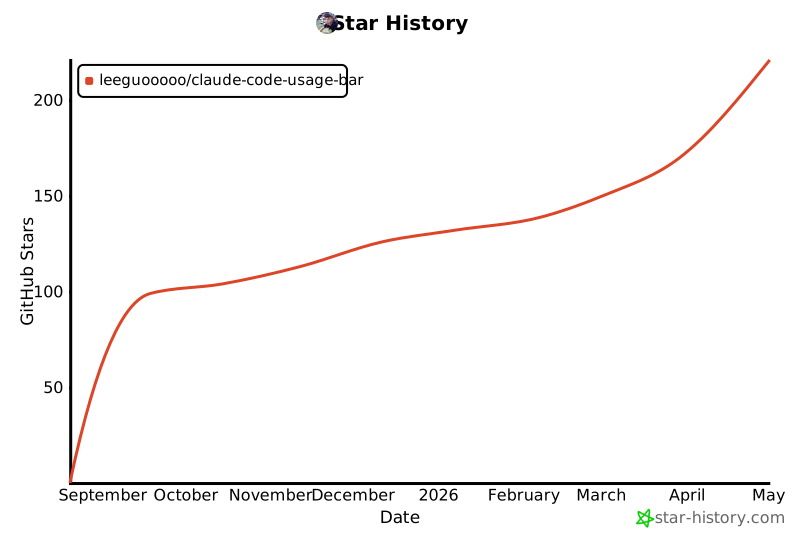
Star History
Release history Release notifications | RSS feed


Download files
Download the file for your platform. If you're not sure which to choose, learn more about installing packages.
Source Distribution
Built Distribution
Filter files by name, interpreter, ABI, and platform.
If you're not sure about the file name format, learn more about wheel file names.
Copy a direct link to the current filters
File details
Details for the file claude_statusbar-3.2.2.tar.gz.
File metadata
- Download URL: claude_statusbar-3.2.2.tar.gz
- Upload date:
- Size: 88.9 kB
- Tags: Source
- Uploaded using Trusted Publishing? No
- Uploaded via: twine/6.2.0 CPython/3.13.5
File hashes
| Algorithm | Hash digest | |
|---|---|---|
| SHA256 |
aa9bf84a3da08ebcdccd65d603be727a8f147dd8d854c2cde809ce21f956233a
|
|
| MD5 |
3318e2eab7acaff648c7d56088762064
|
|
| BLAKE2b-256 |
e3bd7eb350ef243fbc2103f0562d43207af1f83110cf32cb28f2877fbb6075c3
|
File details
Details for the file claude_statusbar-3.2.2-py3-none-any.whl.
File metadata
- Download URL: claude_statusbar-3.2.2-py3-none-any.whl
- Upload date:
- Size: 67.3 kB
- Tags: Python 3
- Uploaded using Trusted Publishing? No
- Uploaded via: twine/6.2.0 CPython/3.13.5
File hashes
| Algorithm | Hash digest | |
|---|---|---|
| SHA256 |
e28a383b31c359be72f51a0dbf5fc761b5e0d9d2284dac6a9f98c0cb61ddbf66
|
|
| MD5 |
273193a362d371d1f9f952506d352059
|
|
| BLAKE2b-256 |
01cc25ea5716ff31827e4f4fe1217e548c081e483babaf75ab0025b17c9a731f
|






