
Automatically fix hard-to-read text colors by making your website readable without changing your original color theme—simple Python API and CLI.

Project description
CM-Colors 🎨✨




Color contrast that works for everyone
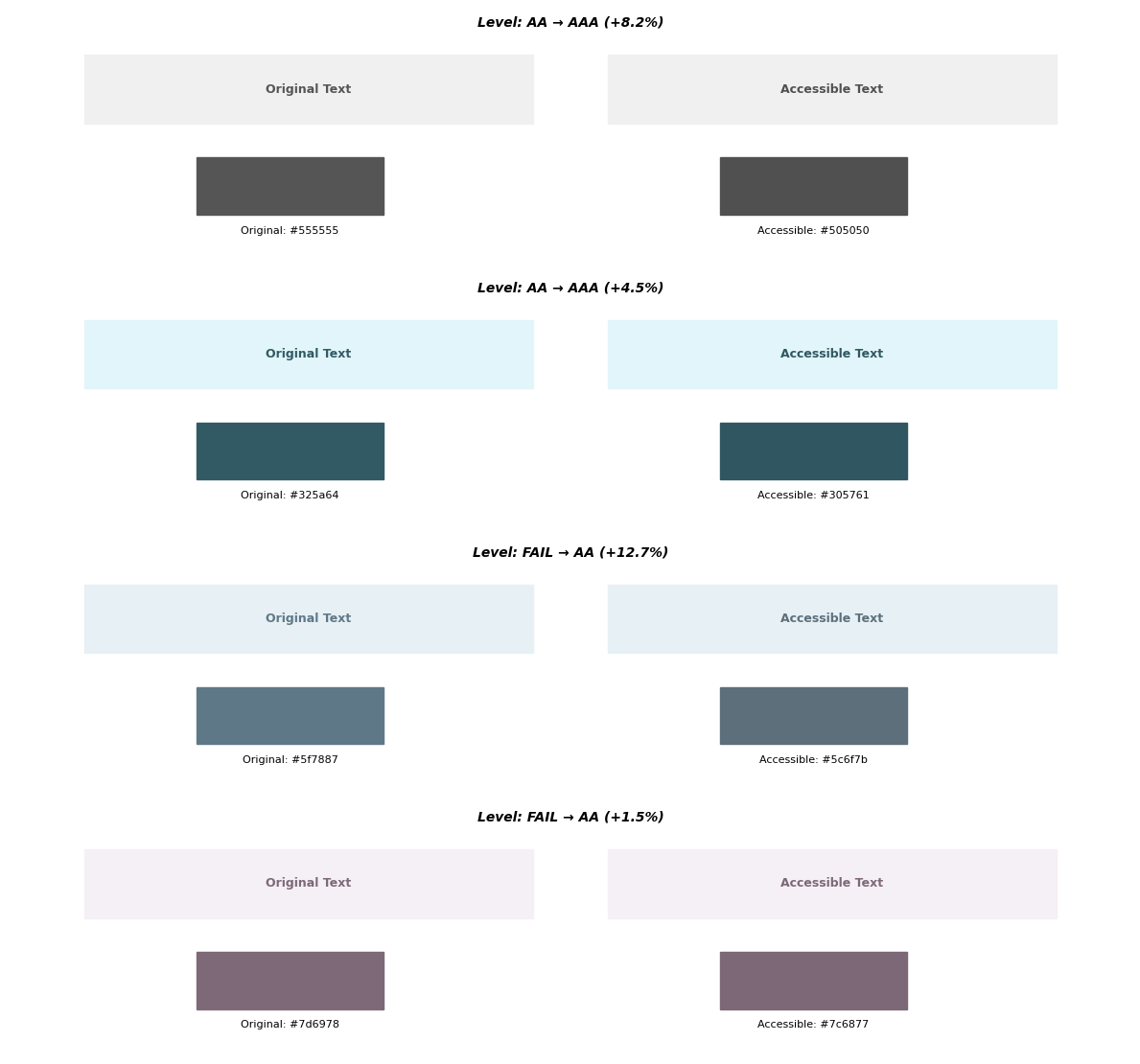
CM-Colors automatically fixes your colors so they are easy to read. It finds similar colors that work for everyone, so you don't have to guess.
"Fortunately, there's a tool that's just come out that's going to change your life: CM-Colors. You give it your colors, and it automatically adjusts them so they're accessible, all while changing the shades as little as possible to keep your design intact."
The percentage shows how much easier the text is to read:
Overview
Spending too much time adjusting colors? CM-Colors handles it for you. It automatically finds colors that look like your brand but are readable for all your visitors.
What it does:
- Fixes colors automatically: No more manual tweaking.
- Works everywhere: Fix Python code or CSS files.
- Keeps your style: Changes colors as little as possible.
- Saves you time: Fix your whole project in seconds.
Installation
pip install cm-colors
Quick Start
Fix a single color
from cm_colors import ColorPair

# Your colors
pair = ColorPair("#999999", "#ffffff")

# Fix them and preview in the terminal
fixed_color, success = pair.make_readable(show=True)

print(f"Use {fixed_color} instead of #999999")
# Output: Use #8e8e8e instead of #999999
Fix many colors at once
from cm_colors import make_readable_bulk

my_colors = [
    ("#777", "#fff"),
    ("#888", "#000"),
]

results = make_readable_bulk(my_colors)

for color, status in results:
    print(f"{color} is {status}")
Fix CSS files
Run this in your terminal to fix all colors in a CSS file:
cm-colors styles.css
This creates styles_cm.css with readable colors which you can preview before you modify your original css
Documentation
For more details, see the full documentation.
License
GNU General Public License v3.0
Support
Found a problem? Let us know.
Stop guessing, start building.
Project details
Release history Release notifications | RSS feed


Download files
Download the file for your platform. If you're not sure which to choose, learn more about installing packages.
Source Distribution
Built Distribution
Filter files by name, interpreter, ABI, and platform.
If you're not sure about the file name format, learn more about wheel file names.
Copy a direct link to the current filters
File details
Details for the file cm_colors-1.0.0.tar.gz.
File metadata
- Download URL: cm_colors-1.0.0.tar.gz
- Upload date:
- Size: 42.5 kB
- Tags: Source
- Uploaded using Trusted Publishing? No
- Uploaded via: twine/6.2.0 CPython/3.14.6
File hashes
| Algorithm | Hash digest | |
|---|---|---|
| SHA256 |
b35c8a8b681b3eb94c876670e7789928efd91b16b790e472199fc096080948c3
|
|
| MD5 |
b2cde37ae917fdc056a6e28870964d3c
|
|
| BLAKE2b-256 |
0e9a2849d941e472e4825cf6e773d3dd0626fb4a45fe987faa4f2d63c4a03051
|
File details
Details for the file cm_colors-1.0.0-py3-none-any.whl.
File metadata
- Download URL: cm_colors-1.0.0-py3-none-any.whl
- Upload date:
- Size: 50.6 kB
- Tags: Python 3
- Uploaded using Trusted Publishing? No
- Uploaded via: twine/6.2.0 CPython/3.14.6
File hashes
| Algorithm | Hash digest | |
|---|---|---|
| SHA256 |
5c398546eea752a7b5895a145a12e34a22a207134c988921b139a3d67960cddb
|
|
| MD5 |
843d5e5fad8043715432070721f8db7f
|
|
| BLAKE2b-256 |
168a04765ff31c61ec02a40f8a73f2d7ceb8376a09a03249ce6e02477d95bde4
|






