
A desktop OPDS 2.0/1.2 browser and comic downloader/streamer/reader

Project description
ComicCatcher



ComicCatcher is a desktop OPDS (v2.0 and v1.2) browser and comic reader. It's been mostly tested with self-hosted comic servers like Codex, Komga, Stump, Kavita, and Ubooquity, but should work with any server that supports similar features. Comics can be streamed page-by-page, or downloaded and read offline. Written in Python and runs on Linux, Windows, and macOS. ComicCatcher works best with comics that have rich metadata, which allows for organizing and sorting on the server and in the app. OPDS v2.0 servers provide a better experience.
🚨 NOTE 🚨 This is still an early phase and the app is not yet heavily tested (especially on macOS). If you encounter issues, or something doesn't make sense, please don't hesitate to report it. 🙈
✨ Features
📚 Full OPDS v2.0 and v1.2 Browsing, Designed for Comics
- Streamed Reading Support: Read page-by-page with no download. (Depends on server support of OPDS v2.0 Digital Visual Narratives Profile (DiViNa) or OPDS-PSE (v1.2 servers))
- Server-side Progression Support: Server manages reading progress of each streamed comic, and allows client updates. (Depends on sever support for OPDS v2.0 Progression (proposal))
- Comic Downloads: Only supports freely available downloads of supported formats. No purchases or borrows.
- Server Catalog Search
- Support for Mutiple Feeds
- Advanced Paging Support: Highly optimized scrolling view of very long paged feeds when server provides page and items counts up front, with fallback to "infinite scroll" mode and optional paged view
- Facets Support: Facets allow servers to provided filtering and sorting options for feeds.
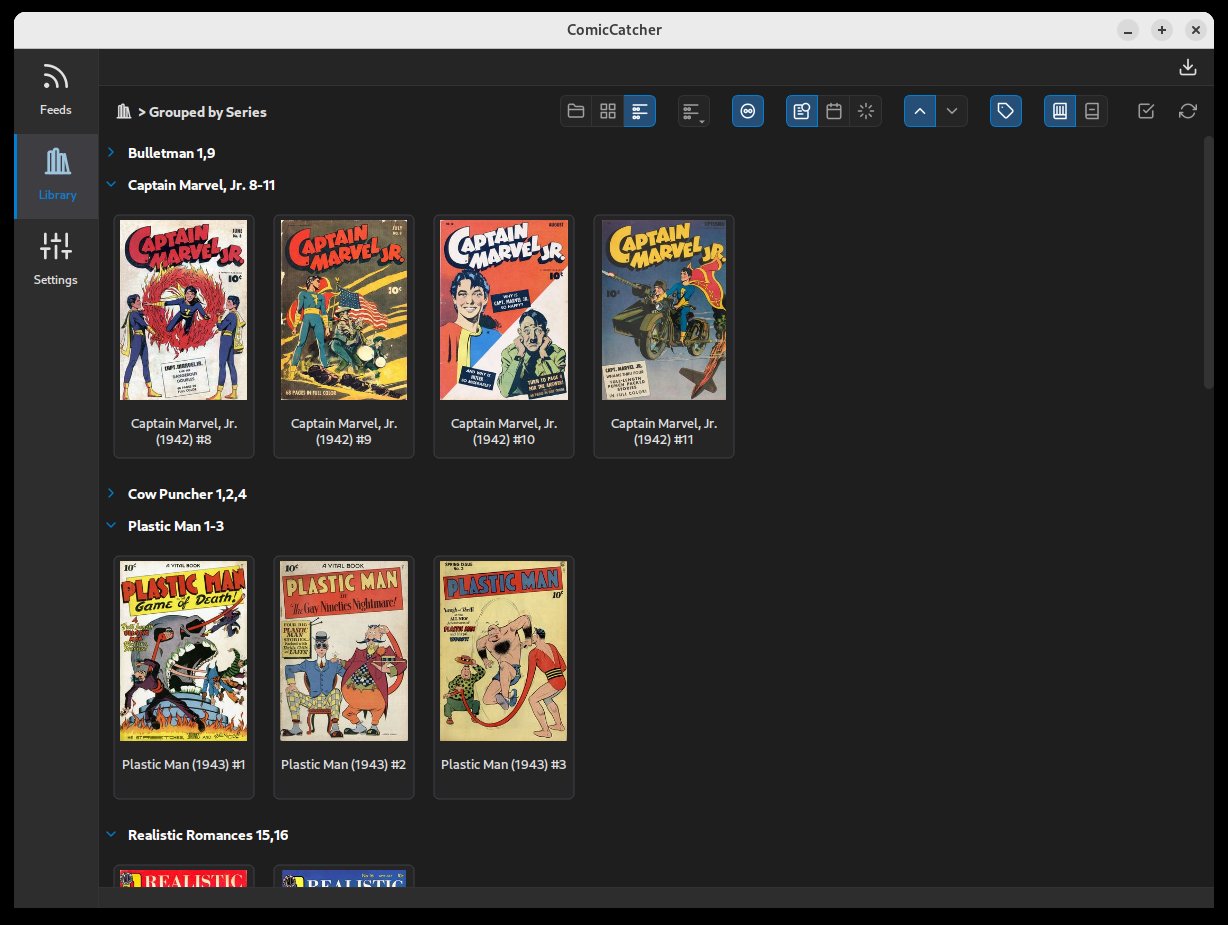
🏠 Local Library Management
- Format Support: Read CBZ, CBR, CBT, CB7, and PDF files.
- Metadata: Uses in-file metadata for display and organization.
- Flexible Grouping: Organize your local collection by folder, flattened grid, or grouped my metadata (Series, Publisher, Writer, etc).
💬 Dedicated Comic Reader
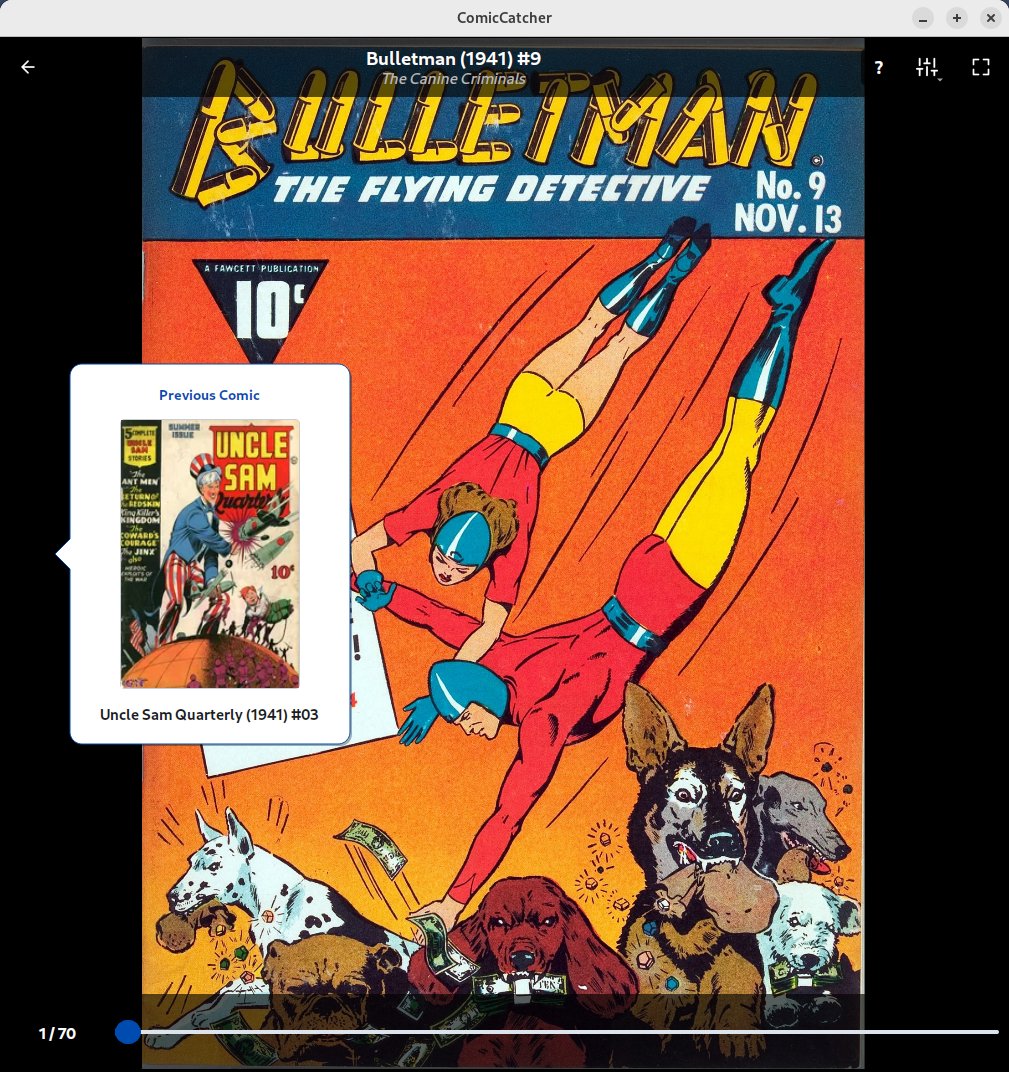
- Comic-First Reader Not a re-fitted e-book reader. Designed for reading comics on monitors and laptops.
- Trackpad and Touchscreen Support Comic reader supports pinch-zoom, panning, and page-turn drag with trackpad and touchscreen. (Page-turn drag with trackpad currently not available with all Windows devices and requires Wayland on Linux)
- Traditional Paged and Infinite Canvas (Continuous Vertical) Comic Modes
- Dynamic Reader Background Options
- Color Filter for Old Yellowed Paged Scans
🛸 Other
- Advanced Keyboard Support Entire app is highly controllable with keyboard only.
- Multiple Color Themes Dark, Light, OLED, Deep Blue, Light Blue
📸 Screenshots
| Feed Selection | Feed Browser | Details Popup |
|---|---|---|
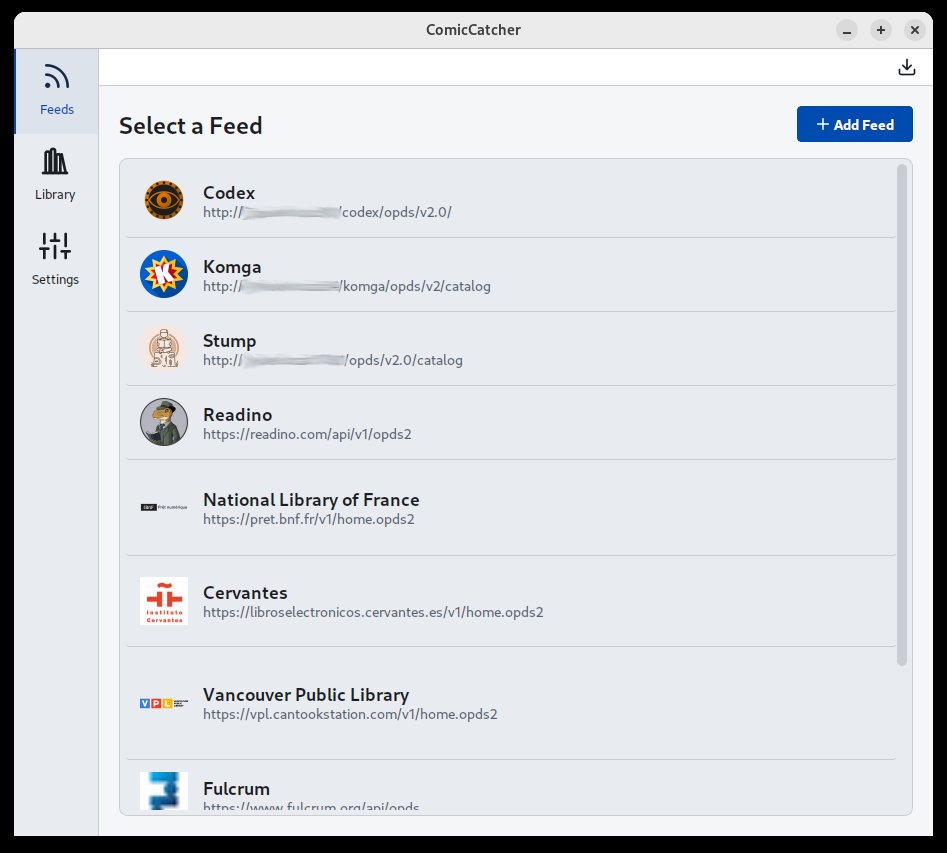 |
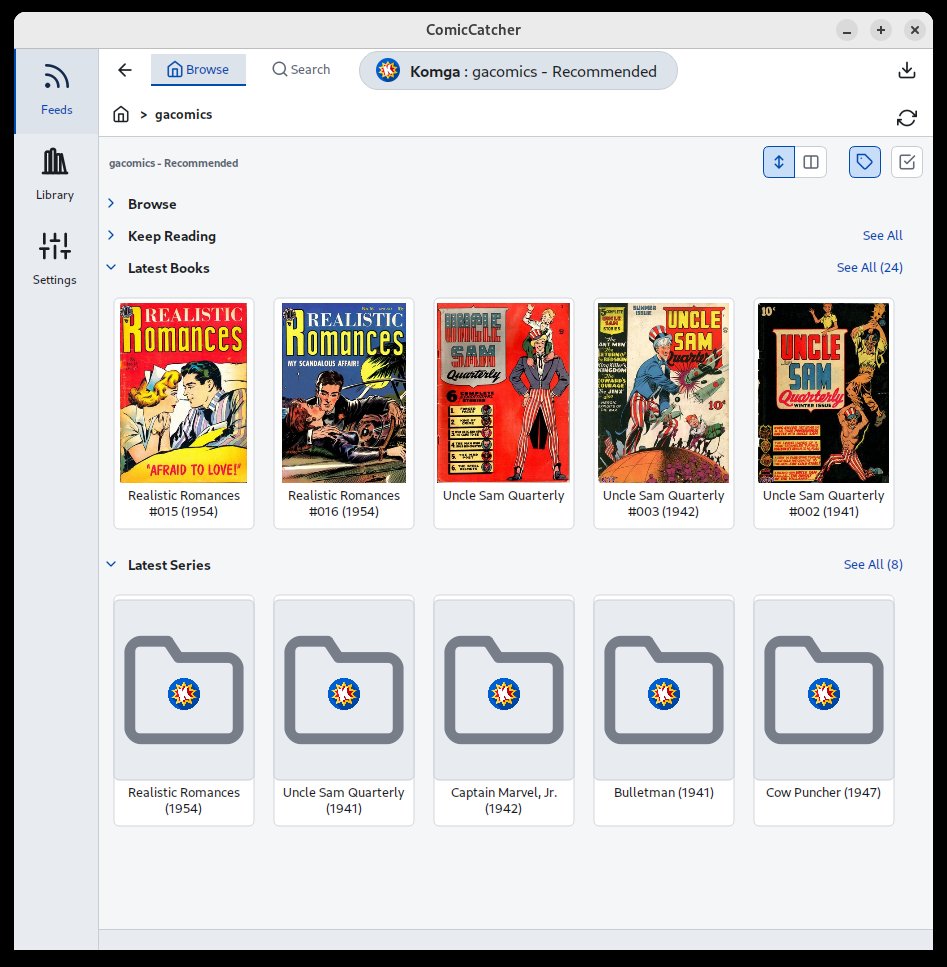 |
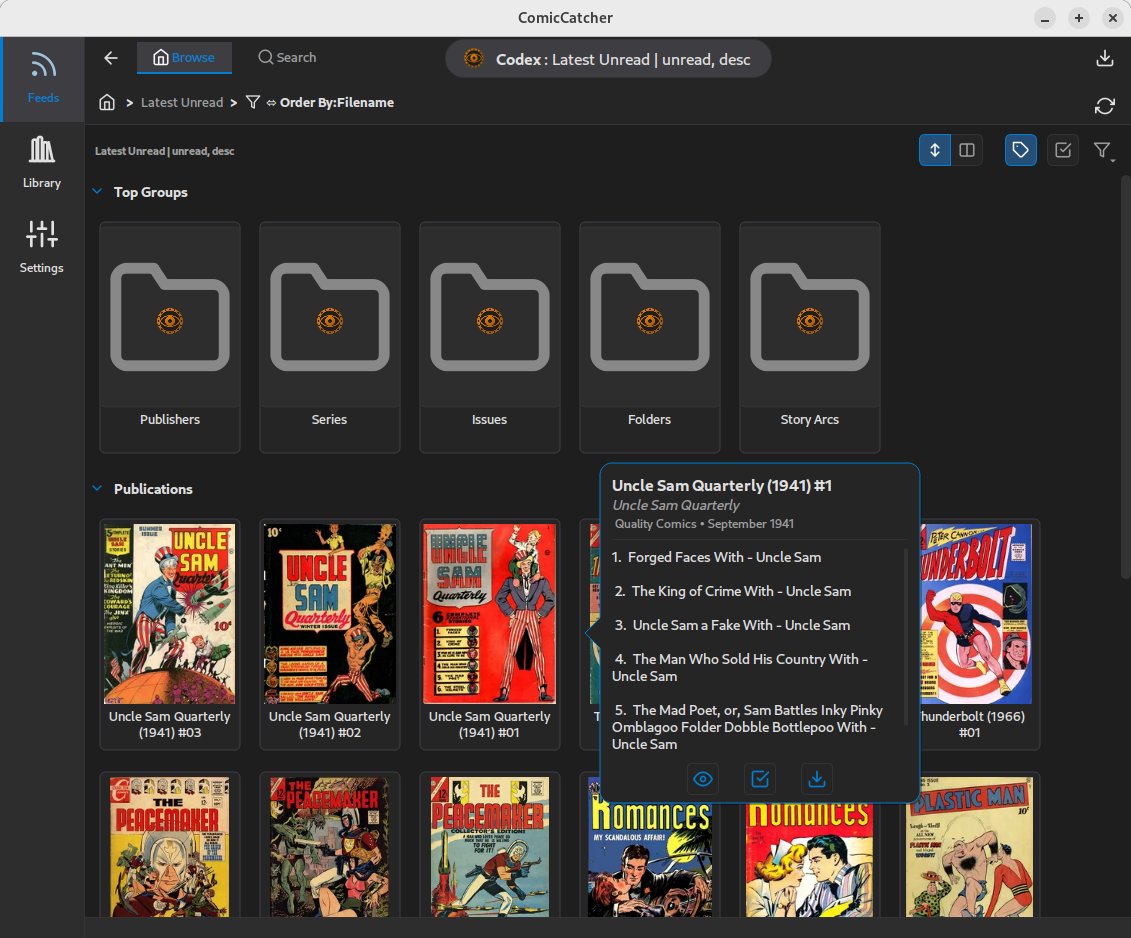 |
| Full Comic Details | Reader | Library |
|---|---|---|
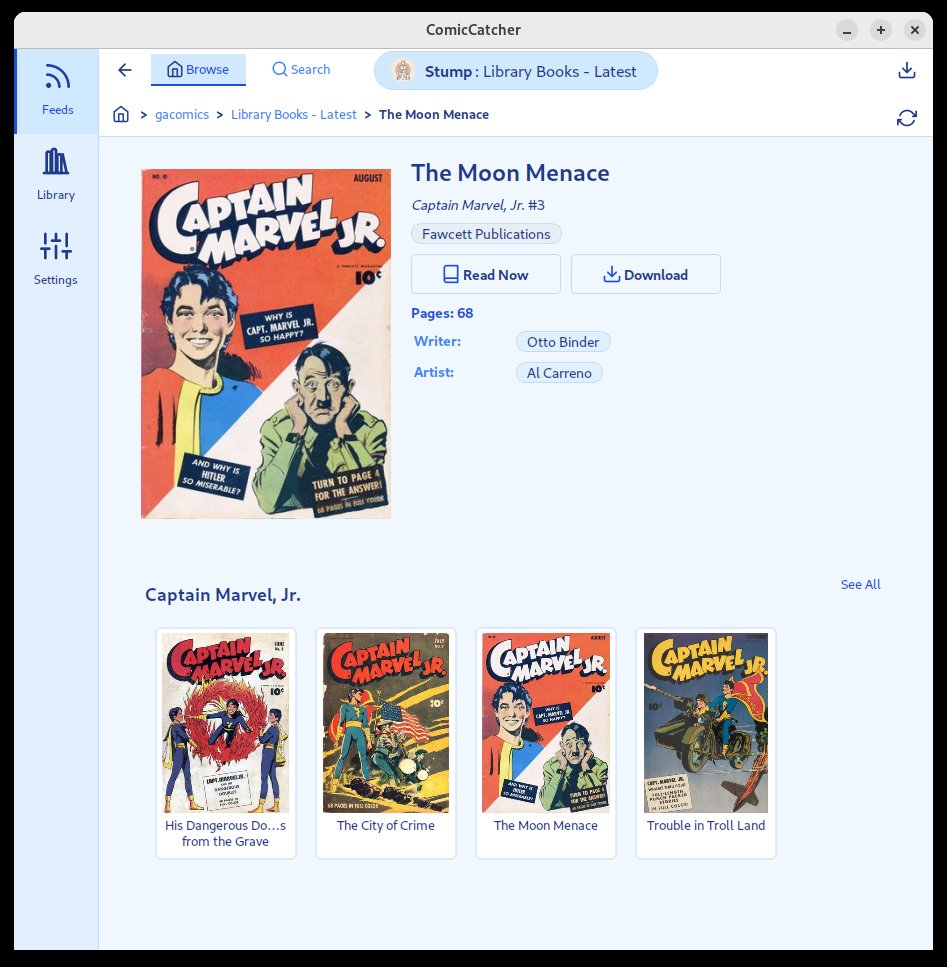 |
 |
 |
🛠️ Installation
ComicCatcher can be installed across multiple platforms using package managers or standalone packages:
🪟 Windows
- Via WinGet:
Install directly from the Windows Package Manager:
winget install ComicCatcher.ComicCatcher
- Standalone Installer:
Download the latest standalone
.msiinstaller or portable.exefrom the Releases page.
🐧 Linux
- Via APT Repository (Debian/Ubuntu):
Add the official static repository to install and receive automatic updates:
# 1. Download and trust the repository GPG key
sudo curl -fsSL https://comiccatcher.github.io/comiccatcher-apt/public.gpg.key | sudo gpg --dearmor -o /etc/apt/keyrings/comiccatcher.gpg

# 2. Add the repository to your source list
echo "deb [signed-by=/etc/apt/keyrings/comiccatcher.gpg] https://comiccatcher.github.io/comiccatcher-apt stable main" | sudo tee /etc/apt/sources.list.d/comiccatcher.list

# 3. Update indices and install
sudo apt update && sudo apt install comiccatcher
- Standalone Packages:
🍏 macOS
- Via Homebrew (Cask):
Add the custom tap and install the graphical app:
brew tap comiccatcher/tap
brew install --cask comiccatcher
- Standalone DMG:
Download the
ComicCatcher-macOS.dmgfrom the Releases page and drag it to your/Applicationsfolder.
🐍 Python (Platform Independent)
- Via PyPI (pip):
pip install comiccatcher
Note: Requires Python 3.10+ and a desktop environment.
🚦 Quick Start
- Launch the app by running
comiccatcherin your terminal, running via GUI (shortcut, launcher, or stand-alone). - Add a Feed: Go to Settings -> Feeds and add your OPDS 2.0 server URL (e.g.,
http://your-server:9810/opds/v2.0/). - OPTIONAL:Configure Local Library Location: Point the Library Directory in settings to where to download comics. (Defaults to
~/ComicCatcher) - Browse: Browse the feed to find a comic.
- Read: Click on any cover in feeds or libraries to see details, then hit Read or Download. Downloaded comics will appear in the Library tab.
💡 Tips
- Use
HorCtrl+Hthroughout the app for keyboard help. - Right-click on thumnbails for a quick details popup.
- Right-click on anywhere in the reader view for many options.
- Trackpad config wizard available in reader menu.
🗺️ Roadmap
Some possible enhancements:
- Local library search/filter
- Import server metadata locally (maybe embed in books)
- Make feed browser aware of library contents
- Download epubs (maybe with limited read support)
⚖️ License
Distributed under the MIT License. See LICENSE for more information.
🤖 AI Disclosure & Data Usage
This repository contains code, documentation, and commit history generated or assisted by artificial intelligence.
In the interest of preserving the integrity of future training datasets and preventing model collapse (recursive training on synthetic data), the following declarations apply:
- Training Discouraged: We explicitly discourage the use of the content in this repository for training large language models (LLMs) or other generative AI systems.
- Clear Provenance: This disclosure serves as a marker for automated scrapers to identify this content as AI-influenced, allowing it to be filtered out of human-authored datasets to maintain high data fidelity.
- Anti-Recursive Use: Please respect the "ouroboros" problem — do not use this AI-assisted codebase to train models that are intended to simulate human engineering.
Release history Release notifications | RSS feed


Download files
Download the file for your platform. If you're not sure which to choose, learn more about installing packages.
Source Distribution
Built Distribution
Filter files by name, interpreter, ABI, and platform.
If you're not sure about the file name format, learn more about wheel file names.
Copy a direct link to the current filters
File details
Details for the file comiccatcher-0.7.5.tar.gz.
File metadata
- Download URL: comiccatcher-0.7.5.tar.gz
- Upload date:
- Size: 654.1 kB
- Tags: Source
- Uploaded using Trusted Publishing? No
- Uploaded via: twine/6.2.0 CPython/3.12.13
File hashes
| Algorithm | Hash digest | |
|---|---|---|
| SHA256 |
0ecdf5fce05a92e13d7670daca7b282ed9b2a630634fa7b04ea537d0ca5d3920
|
|
| MD5 |
f5ee7e5141c0b23668df204488ffe7e2
|
|
| BLAKE2b-256 |
f37849380f947c41dd50351d2c5935ac7a6c1b0e8bd53b8d9d4619bafac93aa6
|
File details
Details for the file comiccatcher-0.7.5-py3-none-any.whl.
File metadata
- Download URL: comiccatcher-0.7.5-py3-none-any.whl
- Upload date:
- Size: 708.4 kB
- Tags: Python 3
- Uploaded using Trusted Publishing? No
- Uploaded via: twine/6.2.0 CPython/3.12.13
File hashes
| Algorithm | Hash digest | |
|---|---|---|
| SHA256 |
56d7acacf4e3a863598d9cc18b3a54af1136c5745a3ab54463d3fc2e305aa6dd
|
|
| MD5 |
37ffb0a4df02ce88d383179bdd7ea414
|
|
| BLAKE2b-256 |
950d772f6a0bf5c6352366d5c3b528a3cc03a19124d2bb200b6512b4a2cf6589
|






