
czitools






This repository provides tools for reading CZI (Carl Zeiss Image) pixel data and metadata in Python, interpreting CZI well plates as an HCS Plate → Well → Field model, and converting CZI data to OME-Zarr. It is available as a Python package on PyPI.
For full documentation see sebi06.github.io/czitools.
Installation
Basic Installation
Install the core package from PyPI:
pip install czitools
Optional Features
Install with additional functionality using optional extras:
# OME-Zarr export (conversion + validation)
pip install "czitools[omezarr]"

# OME-Zarr export with GUI converter application
pip install "czitools[omezarr-gui]"

# HCS plate analysis and visualization
pip install "czitools[analysis]"

# Everything (all optional dependencies)
pip install "czitools[all]"
Development Installation
For development or to get the latest unreleased features:
# Clone the repository
git clone https://github.com/sebi06/czitools.git
cd czitools

# Install in editable mode with all extras
pip install -e ".[all]"
Conda/Pixi Development Environment
The cloned repository includes both a conda environment file and a Pixi workspace:
# Create the provided conda environment
conda env create -f env_czitools.yml
conda activate czitools
python -m pip install -e ".[all]"

# Or install the locked Pixi workspace (Windows and Linux)
pixi install
For more details see the Installation docs.
Quick Start
from czitools.metadata_tools import CziMetadata
from czitools.read_tools import read_6darray, read_stacks_list

# Read metadata without loading pixels.
mdata = CziMetadata("path/to/file.czi")
print(mdata.image_required.SizeC)
print(mdata.scale_required.X)

# Read regular, equal-sized scenes eagerly as a labelled STCZYX(A) array.
array6d, mdata = read_6darray("path/to/file.czi", use_xarray=True)

# For irregular scenes, keep genuinely lazy reads as a list.
scenes, dims, scene_count, mdata = read_stacks_list(
    "path/to/file.czi",
    use_dask=True,
    use_xarray=True,
)
first_plane = scenes[0].isel(T=0, C=0, Z=0).compute()
read_6darray(..., use_dask=True) also provides genuinely lazy pixel access
when the CZI has equal-sized scenes and consistent pixel types.
read_stacks(..., use_dask=True) groups up to 64 planes per task by default to
reduce file-open and scheduler overhead. Set lazy_read_strategy="plane" for
the finest-grained random access, or tune the group with planes_per_chunk.
For gigapixel CZIs (single planes over ~256 MB uncompressed) read_stacks
automatically activates spatial Y/X tiling: each dask chunk becomes one
ROI-based read via pylibCZIrw, so viewers such as napari only load the tiles
that intersect the visible viewport instead of full planes. Tune the tile edge
with tile_size (default 4096) or the trigger threshold with
chunk_memory_limit. Small planes keep the fast whole-plane path.
For interactive viewers that need a multiscale pyramid (napari's
add_image(..., multiscale=True), gigapixel whole-slide display, etc.) use
read_stacks_multiscale:
from czitools.read_tools import get_pyramid_zooms, read_stacks_multiscale

# Inspect the stored pyramid without reading pixels.
print(get_pyramid_zooms("path/to/large.czi"))
# -> [1.0, 0.5, 0.25, 0.125, 0.0625]   (standard 2x pyramid)

# One lazy dask array per level, ready for napari.
levels, infos, dims, num_stacks, mdata = read_stacks_multiscale(
    "path/to/large.czi",
    max_coarse_edge=8192,   # force coarser synthetic levels if needed
)
Levels detected on disk are served directly from their subblocks (no
resampling). If the coarsest stored level is still larger than
max_coarse_edge on any edge, additional coarser levels are synthesized
via libCZI's C++ downsampler so the top of the pyramid always fits in one
GPU texture.
For detailed usage examples see the Usage docs.
Features
CZI Well Plates and OME-Zarr HCS
from czitools.export_tools import convert_czi2hcs_ngff, validate_ome_zarr
from czitools.metadata_tools import CziMetadata
from czitools.read_tools import read_field

filepath = "path/to/plate.czi"
mdata = CziMetadata(filepath)

if mdata.hcs is None:
    raise ValueError(mdata.hcs_status.reason)

well = mdata.hcs.get_well("B04")
field, _ = read_field(filepath, well="B04", field=0)

# Requires: pip install "czitools[omezarr]"
output = convert_czi2hcs_ngff(filepath, overwrite=True)
assert validate_ome_zarr(output)
Well names accept forms such as B4, b04, and B/4. Field indices are
zero-based within a well. The OME-Zarr converter writes the HCS hierarchy
plate → well → field image → multiscale level.
OME-Zarr Converter GUI
The experimental converter GUI exports individual CZI images and HCS plates
using either ome-zarr-py or ngff-zarr. It provides controls for compression,
legacy OME-NGFF v0.4/Zarr v2 output, supported single-file .ozx workflows,
parallel I/O, and optional napari viewing. The metadata preview lets you verify
the detected dimensions and scenes before starting the conversion, while the
log panel shows its progress.
Install and launch it with:
pip install "czitools[omezarr-gui]"
czitools-omezarr-gui
From the repository's Pixi environment, use the equivalent task:
pixi run omezarr-gui
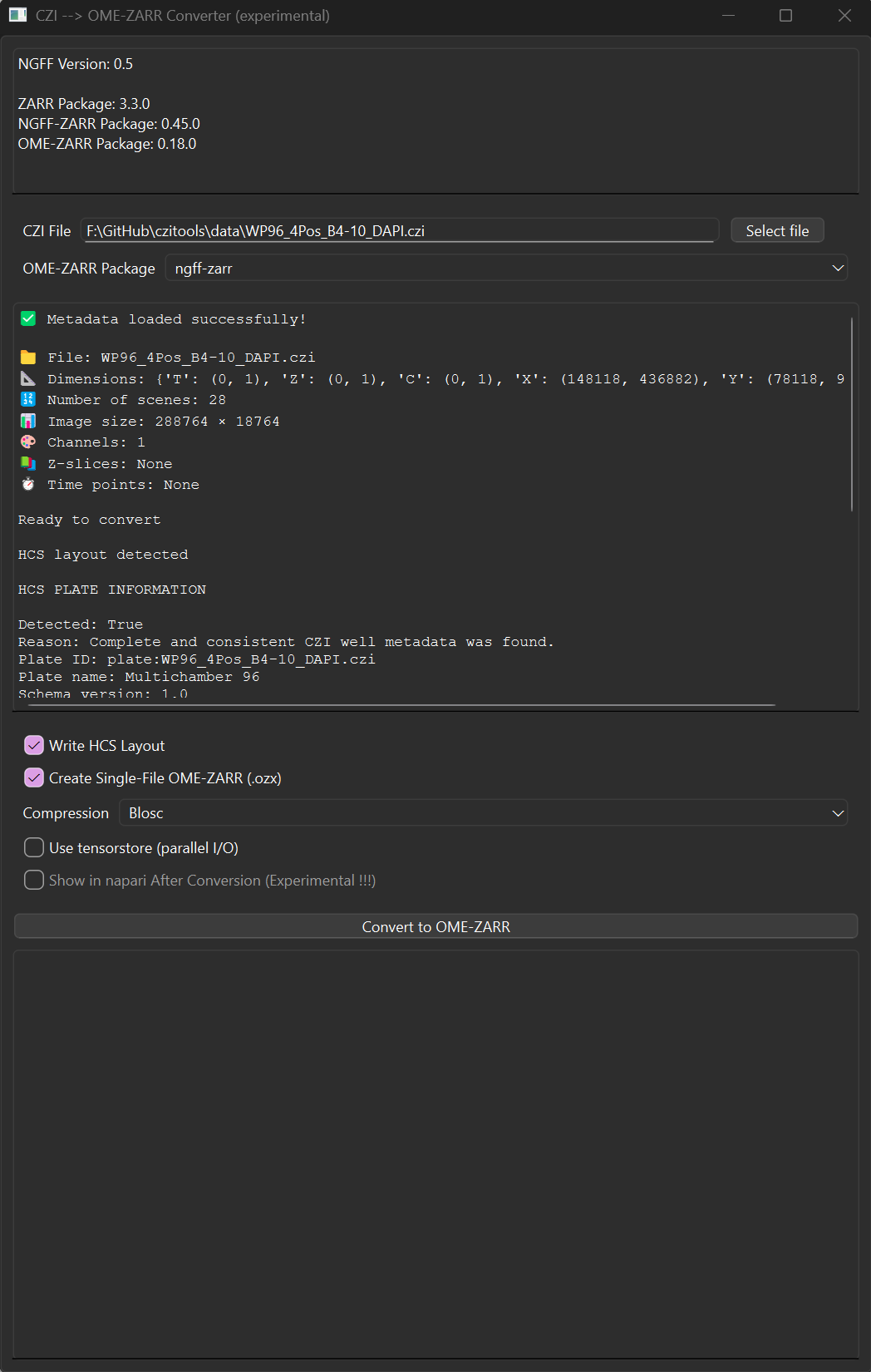
See the usage documentation for the workflow and Python/napari integration examples.
Analysis Tools
The analysis_tools package provides image processing and HCS plate analysis utilities:
from czitools.analysis_tools import ArrayProcessor, process_hcs_omezarr, create_well_plate_heatmap

# Process 2D images with filters and object detection
proc = ArrayProcessor(image_2d)
filtered = proc.apply_gaussian_filter(sigma=2)
binary = ArrayProcessor(filtered).apply_threshold(value=100)
labelled, count, props = ArrayProcessor(binary).label_objects(
    min_size=50,
    measure_params=True,
)

# Analyze HCS OME-Zarr plates
results = process_hcs_omezarr("plate.ome.zarr", channel2analyze=0)

# Visualize results as heatmap
fig = create_well_plate_heatmap(results, num_rows=8, num_cols=12)
Requires: pip install "czitools[analysis]"
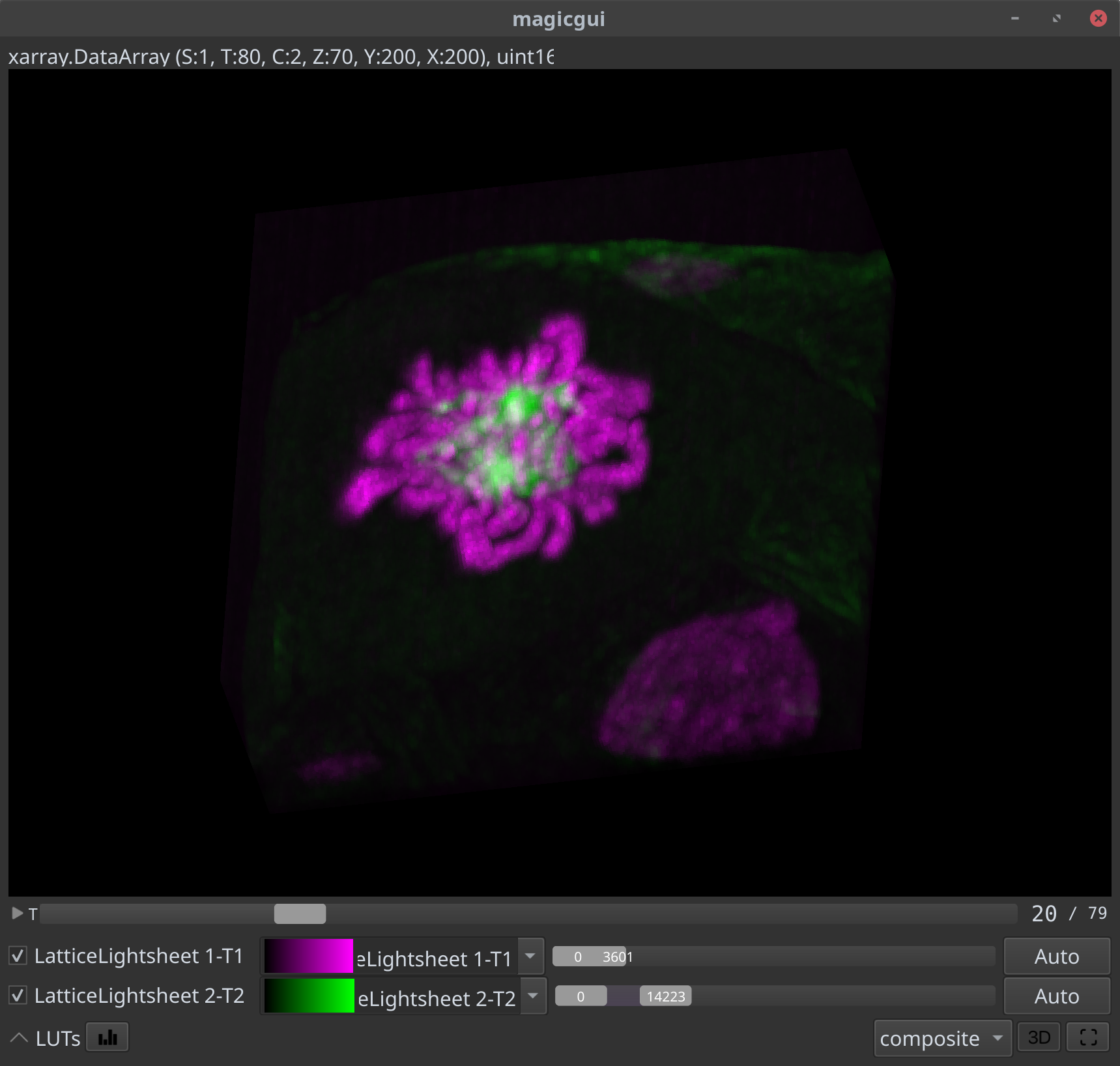
CZI inside NDV
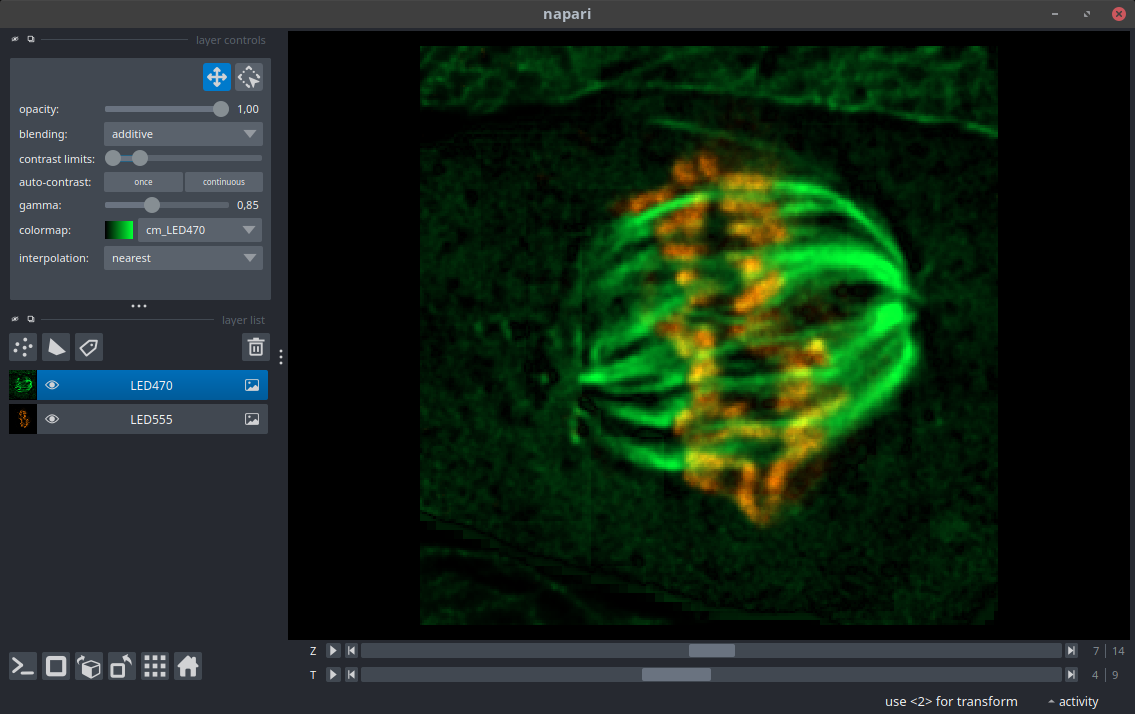
CZI inside Napari
Colab Notebooks
| Topic | Link |
|---|---|
| General usage czitools |  |
| Read CZI metadata | |
| Read CZI pixel data | |
| Read CZI well-plate data | |
| Process OME-Zarr HCS plate | |
| Show planetable as surface | |
| Segment with Voronoi-Otsu | |
Contributing
The Pixi workspace is the recommended development setup on Windows and Linux. After cloning the repository, install the locked environment and run the local quality checks:
pixi install
pixi run lint
pixi run test-no-net
Please keep changes focused, add or update tests for behavioral changes, and open an issue before starting a large API or dependency change.
1 maintainer

Metadata
1 maintainer
Release files for czitools 0.21.1
For a detailed explanation of source distributions (sdists) and built distributions (wheels), please see the package formats documentation.
Source distribution (sdist)
| File | Size | Uploaded | |
|---|---|---|---|
| czitools-0.21.1.tar.gz | 27.4 MB | Details |
Built distribution (wheel)
| File | Interpreter | ABI | Platform | Reset |
|---|---|---|---|---|
| czitools-0.21.1-py3-none-any.whl | Python 3 | none | any | Details |
Total release size: 27.5 MB
Release files / czitools-0.21.1.tar.gz
| Download URL | czitools-0.21.1.tar.gz |
|---|---|
| Size | 27.4 MB |
| Tags | Source |
|
SHA-256 checksum How to use checksums |
030af8a86cf9e5649465dea36b97f16d18991029b2ee25e6f444b98ba100efc0
|
|
BLAKE2b-256 checksum How to use checksums |
756605570a0620a32fcf23e090fbfcfbb0b664e7dbc056b26987bca71a494d12
|
| Upload date | |
|
Uploaded using Trusted Publishing? What is trusted publishing? |
No |
| Uploaded via |
twine/7.0.0 CPython/3.13.14
|
Release files / czitools-0.21.1-py3-none-any.whl
| Download URL | czitools-0.21.1-py3-none-any.whl |
|---|---|
| Size | 153.0 kB |
| Tags | Python 3 |
|
SHA-256 checksum How to use checksums |
6d467fd3c8e863206c62be26dac438fcf0845b4a387359316518bff37eb86616
|
|
BLAKE2b-256 checksum How to use checksums |
f4362e120fae6a8a52a9a2a5e314a85912deb164b66379b756486334d128da1d
|
| Upload date | |
|
Uploaded using Trusted Publishing? What is trusted publishing? |
No |
| Uploaded via |
twine/7.0.0 CPython/3.13.14
|














