
Visualize FastAPI application's routing tree and dependencies

Project description



This repo is still in early stage, it supports pydantic v2 only
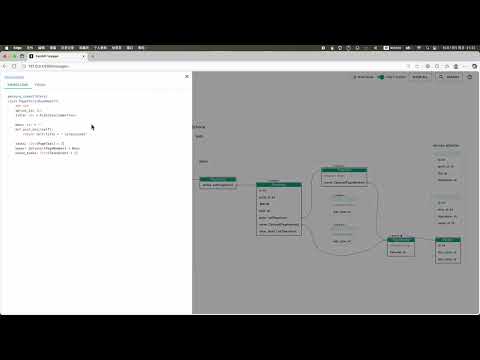
Inspect your API interactively!
visit online demo of project: composition oriented development pattern

Installation
pip install fastapi-voyager
# or
uv add fastapi-voyager
voyager -m path.to.your.app.module --server
Feature
For scenarios of using FastAPI as internal API integration endpoints, fastapi-voyager helps to visualize the dependencies.
It is also an architecture inspection tool that can identify issues in data relationships through visualization during the design phase.
If the process of building the view model follows the ER model, the full potential of fastapi-voyager can be realized. It allows for quick identification of APIs that use entities, as well as which entities are used by a specific API
git clone https://github.com/allmonday/fastapi-voyager.git
cd fastapi-voyager

voyager -m tests.demo
           --server --port=8001
           --module_color=tests.service:blue
           --module_color=tests.demo:tomato
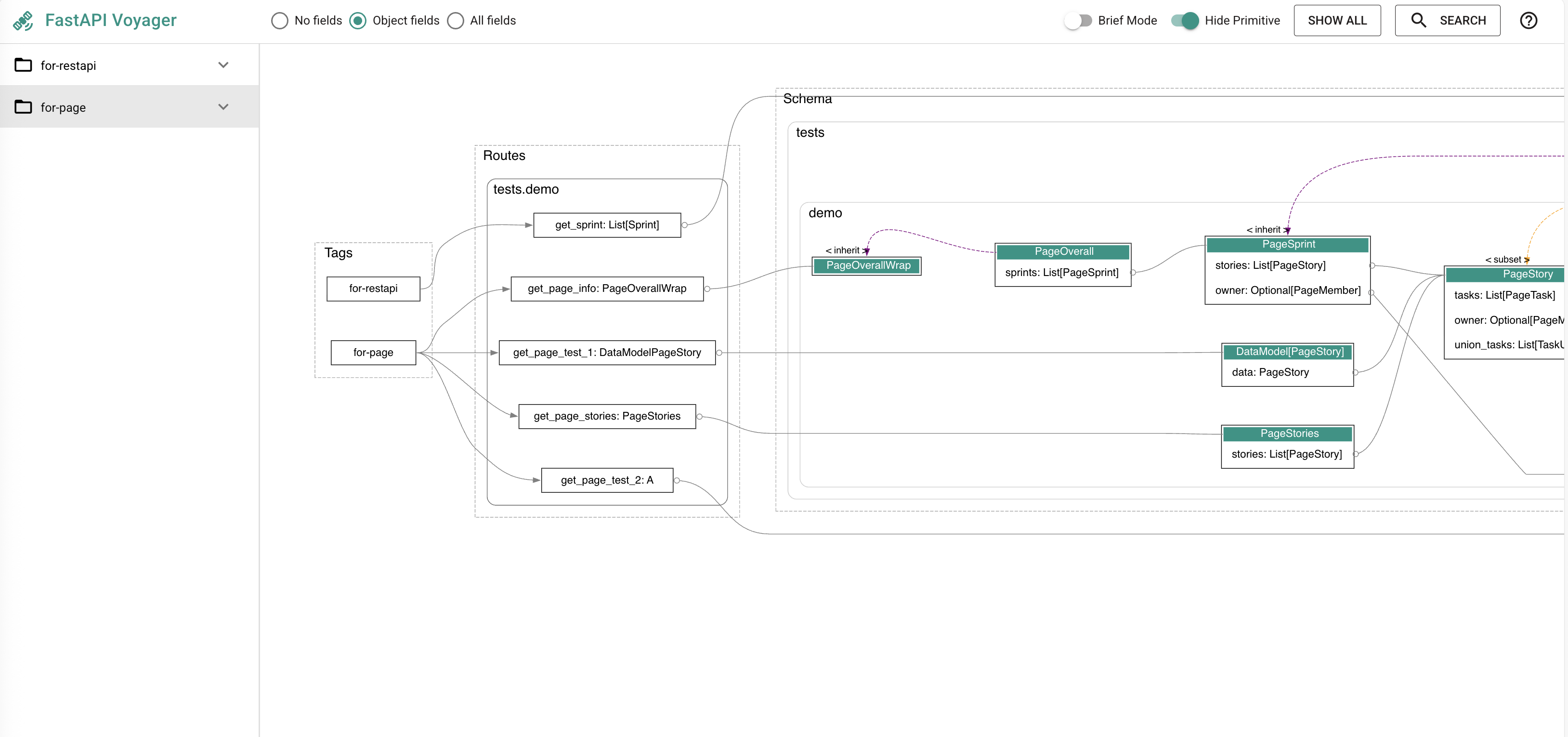
generate the graph
after initialization, pick tag, rotue to render graph
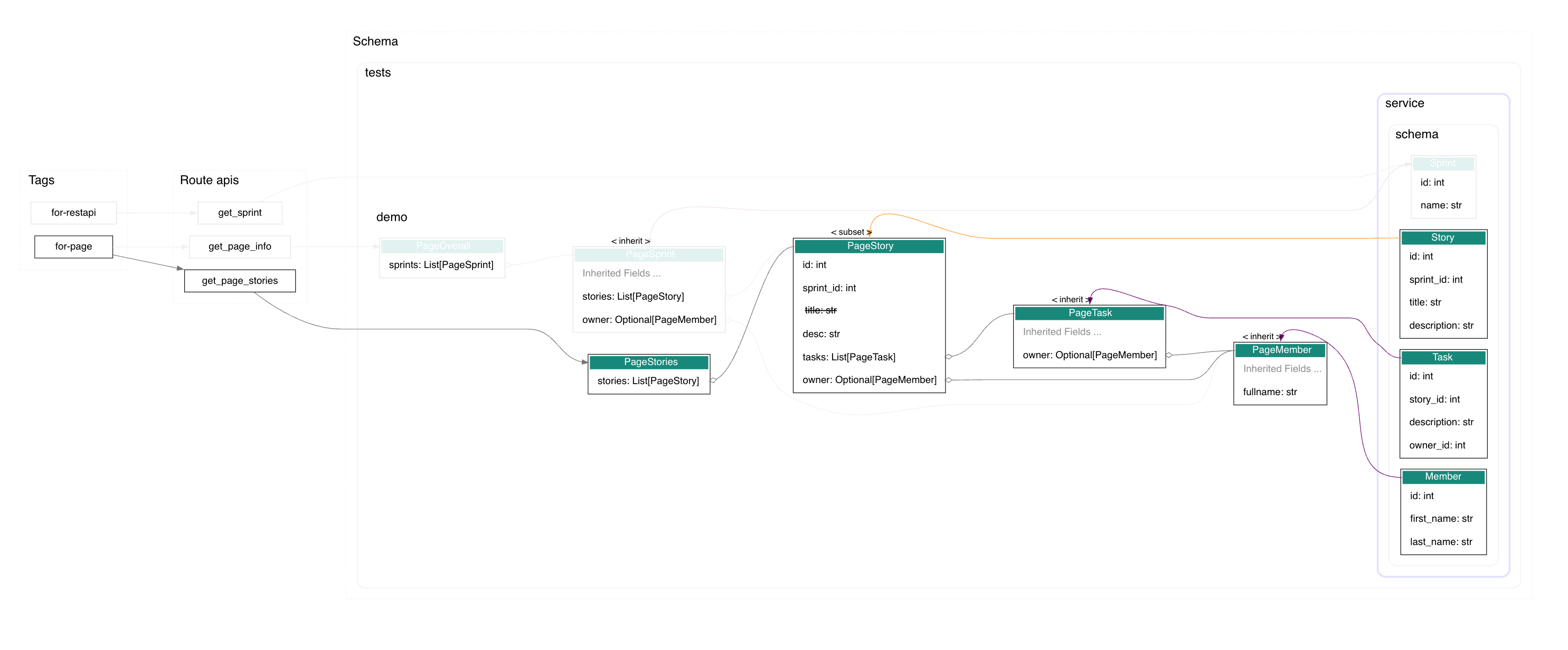
highlight
click a node to highlight it's upperstream and downstream nodes. figure out the related models of one page, or homw many pages are related with one model.
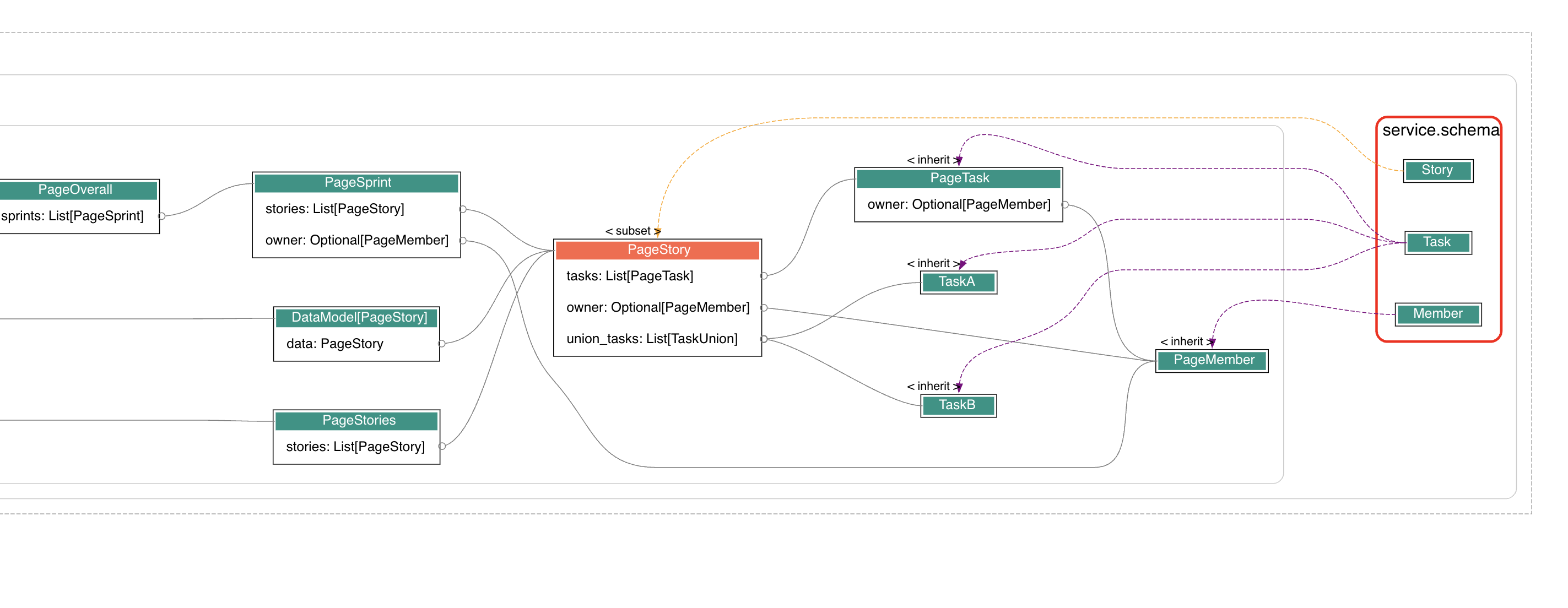
filter related nodes
shift click a node to check related node, pick a field to narrow the result, picked node is marked as red.
view source code
alt click a node to show source code or open file in vscode.
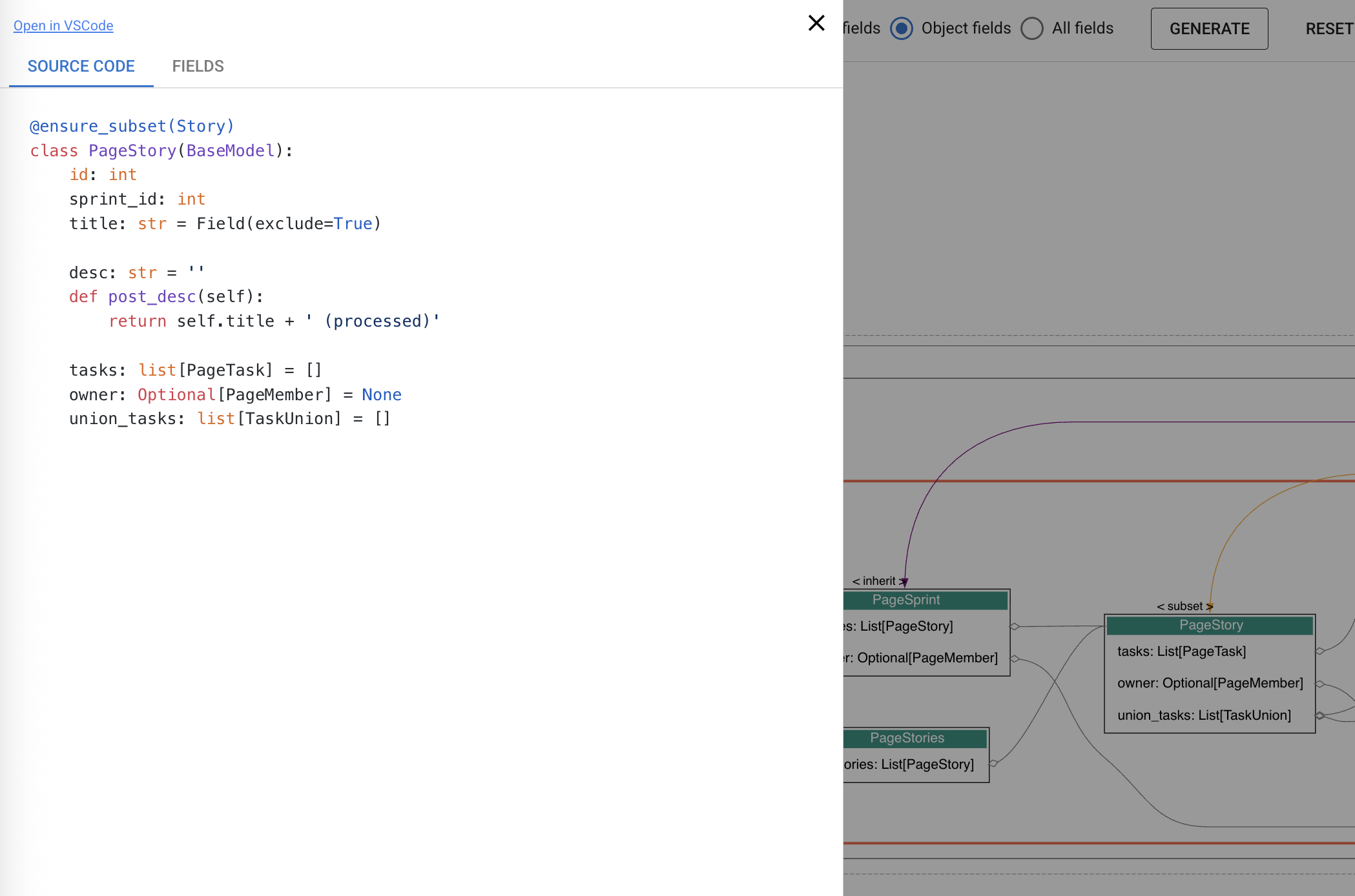
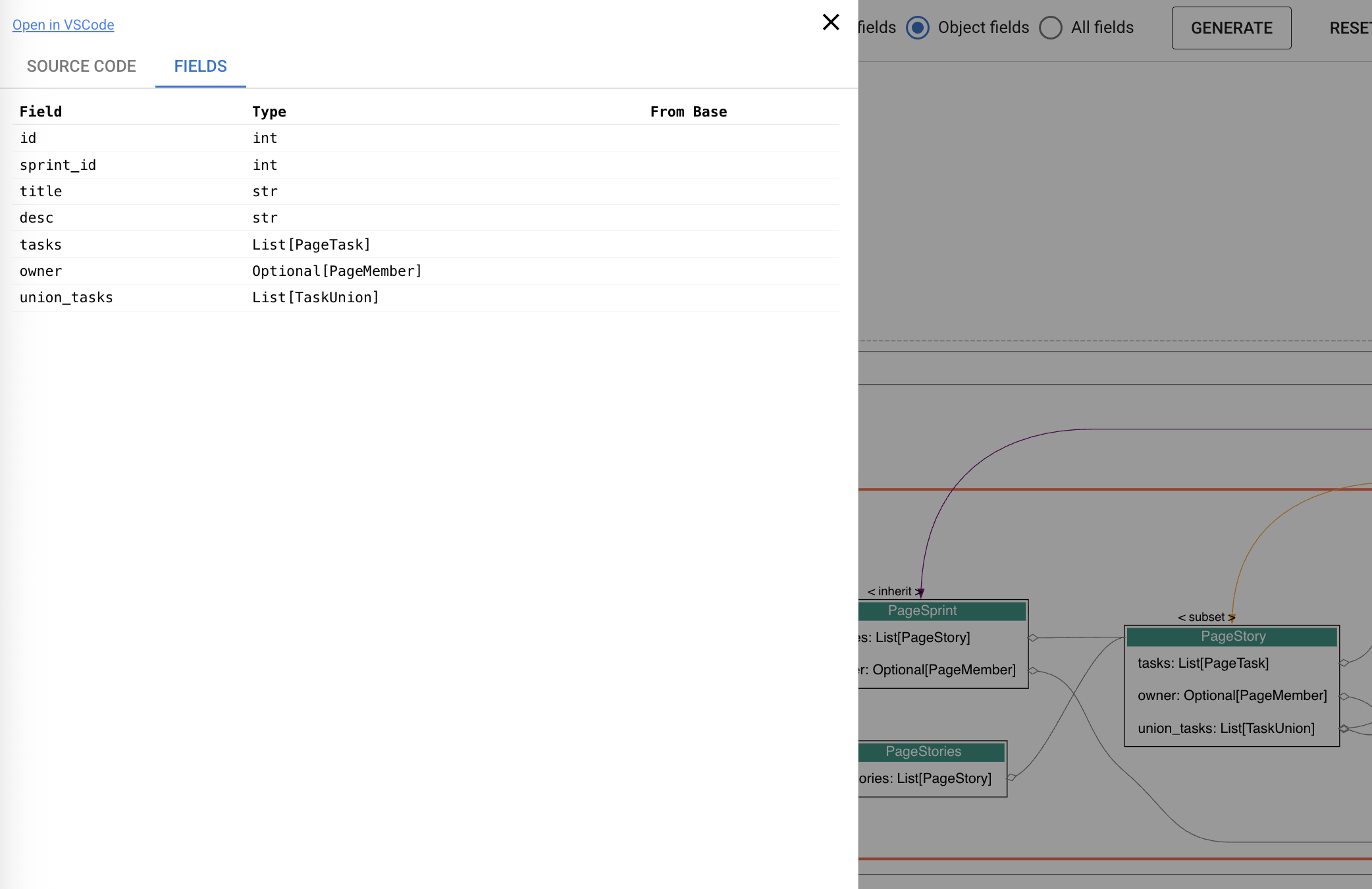
alt click a route to show source code or open file in vscode
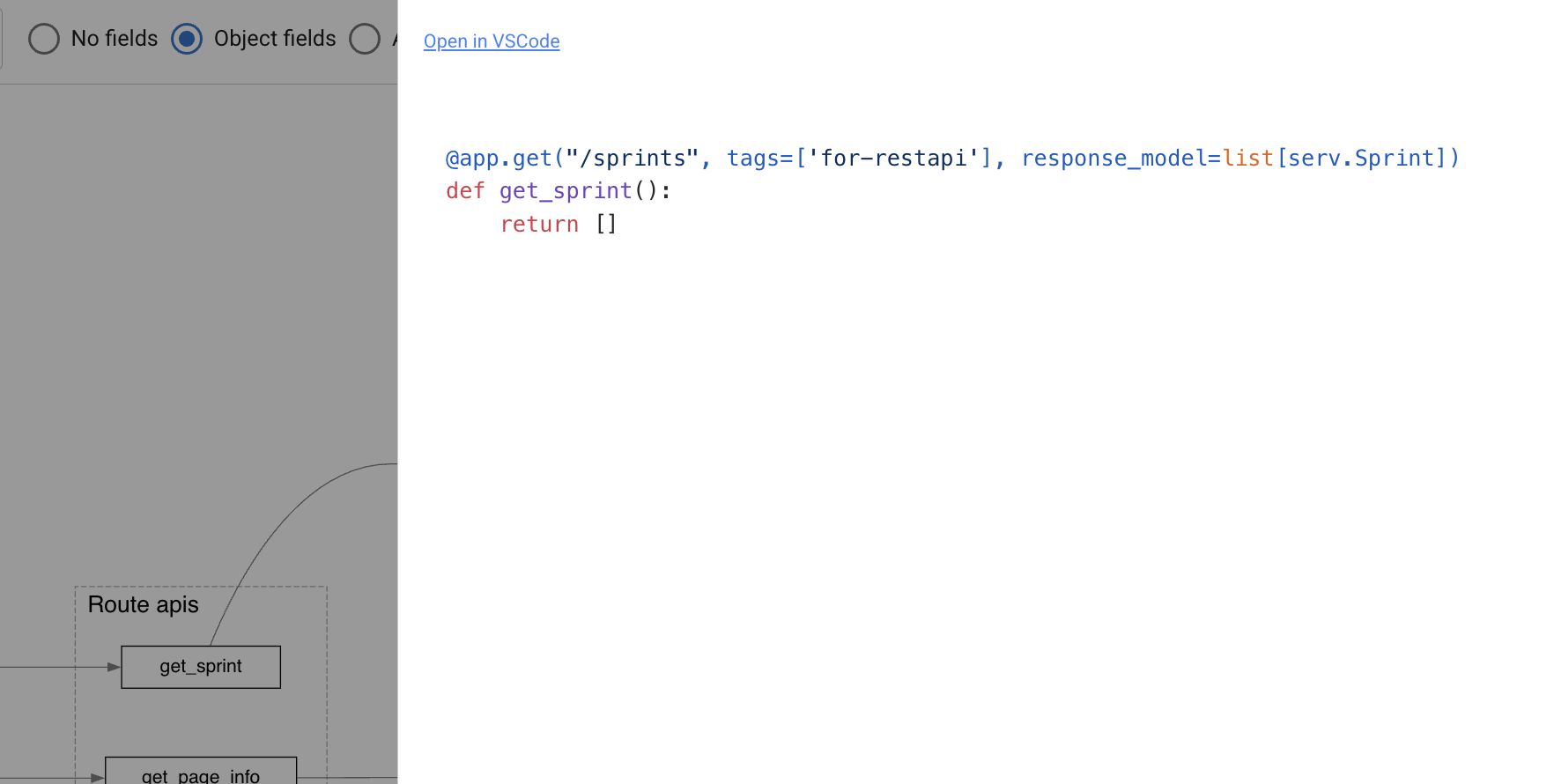
Mount to target project
from fastapi import FastAPI
from fastapi_voyager import create_voyager
from tests.demo import app

app.mount('/voyager', create_voyager(
    app,
    module_color={"tests.service": "red"},
    module_prefix="tests.service"))
more about sub application
Command Line Usage
open in browser
# open in browser
voyager -m tests.demo --server

voyager -m tests.demo --server --port=8002
generate the dot file
# generate .dot file
voyager -m tests.demo

voyager -m tests.demo --app my_app

voyager -m tests.demo --schema Task

voyager -m tests.demo --show_fields all

voyager -m tests.demo --module_color=tests.demo:red --module_color=tests.service:tomato

voyager -m tests.demo -o my_visualization.dot

voyager --version
The tool will generate a DOT file that you can render using Graphviz:
# Install graphviz
brew install graphviz  # macOS
apt-get install graphviz  # Ubuntu/Debian

# Render the graph
dot -Tpng router_viz.dot -o router_viz.png

# Or view online at: https://dreampuf.github.io/GraphvizOnline/
or you can open router_viz.dot with vscode extension graphviz interactive preview
Plan before v1.0
backlog
- user can generate nodes/edges manually and connect to generated ones
- eg: add owner
- add extra info for schema
- display standard ER diagram
hard- display potential invalid links
- optimize static resource (allow manually config url)
- improve search dialog
- add route/tag list
- type alias should not be kept as node instead of compiling to original type
- how to correctly handle the generic type ?
in analysis
- click field to highlight links
- animation effect for edges
- customrized right click panel
- show own dependencies
plan:
<0.9:
- group schemas by module hierarchy
- module-based coloring via Analytics(module_color={...})
- view in web browser
- config params
- make a explorer dashboard, provide list of routes, schemas, to make it easy to switch and search
- support programmatic usage
- better schema /router node appearance
- hide fields duplicated with parent's (show
parent fieldsinstead) - refactor the frontend to vue, and tweak the build process
- find dependency based on picked schema and it's field.
- optimize static resource (cdn -> local)
- add configuration for highlight (optional)
- alt+click to show field details
- display source code of routes (including response_model)
- handle excluded field
- add tooltips
- route
- group routes by module hierarchy
- add response_model in route
- fixed left bar show tag/ route
- export voyager core data into json (for better debugging)
- add api to rebuild core data from json, and render it
- fix Generic case
test_generic.py - show tips for routes not return pydantic type.
- fix duplicated link from class and parent class, it also break clicking highlight
- refactor: abstract render module
0.9
- refactor: server.py
- rename create_app_with_fastapi -> create_voyager
- add doc for parameters
- improve initialization time cost
- query route / schema info through realtime api
- adjust fe
- 0.9.3
- adjust layout
- show field detail in right panel
- show route info in bottom
- adjust layout
- 0.9.4
- close schema sidebar when switch tag/route
- schema detail panel show fields by default
- adjust schema panel's height
- show from base information in subset case
- 0.9.5
- route list should have a max height
0.10
- 0.10.1
- refactor voyager.py tag -> route structure
- fix missing route (tag has only one route which return primitive value)
- make right panel resizable by dragging
- allow closing tag expansion item
- hide brief mode if not configured
- add focus button to only show related nodes under current route/tag graph in dialog
- 0.10.2
- fix graph height
- show version in title
- 0.10.3
- fix focus in brief-mode
- ui: adjust focus position
- refactor naming
- 0.10.4
- fix: when focus is on, should ensure changes from other params not broken.
- 0.10.5
- double click to show details, and highlight as tomato
0.11
- enable/disable module cluster (to save space)
- fix layout issue when rendering huge graph
- logging information
- support opening route in swagger
- config docs path
- add tests
- fix: focus should reset zoom
- sort field name
- set max limit for fields
- add info icon alone with schema node
- add loading for field detail panel
0.12
- integration with pydantic-resolve
- show hint for resolve, post fields
- display loader as edges
0.13
- config release pipeline
Using with pydantic-resolve
WIP: ...
pydantic-resolve's @ensure_subset decorator is helpful to pick fields from source class in safe.
Credits
- https://apis.guru/graphql-voyager/, thanks for inspiration.
- https://github.com/tintinweb/vscode-interactive-graphviz, thanks for web visualization.
Dependencies
- FastAPI
- pydantic-resolve
- Quasar
Release history Release notifications | RSS feed


Download files
Download the file for your platform. If you're not sure which to choose, learn more about installing packages.
Source Distribution
Built Distribution
Filter files by name, interpreter, ABI, and platform.
If you're not sure about the file name format, learn more about wheel file names.
Copy a direct link to the current filters
File details
Details for the file fastapi_voyager-0.10.5.tar.gz.
File metadata
- Download URL: fastapi_voyager-0.10.5.tar.gz
- Upload date:
- Size: 578.6 kB
- Tags: Source
- Uploaded using Trusted Publishing? No
- Uploaded via: uv/0.8.13
File hashes
| Algorithm | Hash digest | |
|---|---|---|
| SHA256 |
322dc809aebb1de4caab7149711b53a236b98f63a2ace4c45f014952996d4b31
|
|
| MD5 |
a89dc07e5ecc20888c6ed0f747220027
|
|
| BLAKE2b-256 |
890f79e921a68d92e778a0919be87ad1f0140b30bd03ccb62730abdc53ff3e39
|
File details
Details for the file fastapi_voyager-0.10.5-py3-none-any.whl.
File metadata
- Download URL: fastapi_voyager-0.10.5-py3-none-any.whl
- Upload date:
- Size: 527.8 kB
- Tags: Python 3
- Uploaded using Trusted Publishing? No
- Uploaded via: uv/0.8.13
File hashes
| Algorithm | Hash digest | |
|---|---|---|
| SHA256 |
1374200dee663dcc19cfb31b4860aa225675f923cfad7911b64836ed1e1ab056
|
|
| MD5 |
9cd379c0af4752a8eafe91489256ba29
|
|
| BLAKE2b-256 |
6881b6b859c44005e6d86790153b406d5f4fce70730188619eee9d54319fe428
|






