
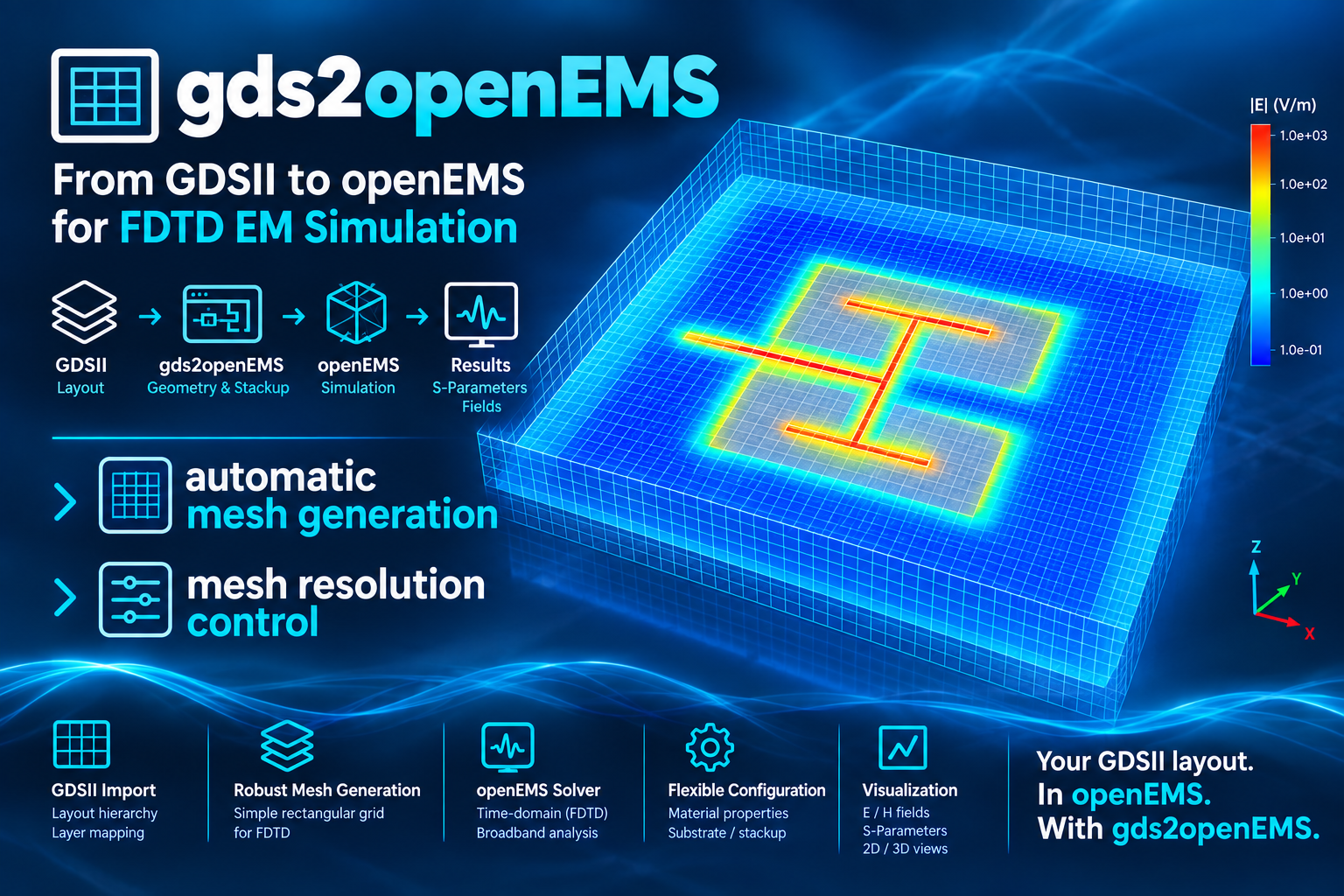
gds2openEMS: FDTD simulation workflow for RFIC
The files provided here enable openEMS EM simulation with layouts created for the IHP SG13G2 RFIC technology.
Install
pip install gds2openEMS
Full documentation, installation guide, and usage walkthrough: https://github.com/VolkerMuehlhaus/gds2openEMS
Recent changes
31-Oct-2026 (0.6.7)
Ports with several polygons: several separate polygons on one port layer are now the elements of one port, in parallel, e.g. for a terminal on several transistor fingers. Each element gets N·Z0, so the port is terminated with Z0; the port voltage is the mean of the element voltages, the port current their sum. Touching polygons are one element. Before, every polygon became a port of its own with the same number: openEMS stopped with "a probe named port_ut_1 already exists", or, in older openEMS versions, ran with the port terminated by Z0/N and wrong S-parameters. Resonance estimation and deembed_openEMS.py (element inductances in parallel) know the elements. See "Ports with several polygons" in the user's guide.
31-Oct-2026 (0.6.6)
Bugfix: direction='-z' did not reverse a via port: the sign only swapped the port's x and y extent, and the port
kept the polarity of 'z'. A via port with '-z' now runs from its upper to its lower metal, the opposite polarity of
'z'. In-plane ports ('-x', '-y') are unchanged. Models that use '-z' get the opposite sign for that port's
S-parameters than before.
The core_transistor_3port_bce example now explains how to use the 5-port result in a circuit simulator: the
transistor model at ports 3, 4 and 5, inductors for the DC bias, and the 0 Hz point. See
its README.
26-Oct-2026
New option settings['engine'] to choose the openEMS engine, e.g. the new GPU engine of openEMS (Metal on macOS, HIP on AMD and NVIDIA GPUs):
settings['engine'] = 'gpu'
Without it, nothing changes: openEMS uses its default multithreaded CPU engine. The GPU engine is not in an openEMS release yet (v0.37.0 doesn't have it): openEMS has to be built from its current source code. openEMS without the GPU engine ignores 'gpu' and runs on the CPU; gds2openEMS warns about that. See Running on the GPU in the user's guide.
New tool convert2settings: converts model scripts in the older loose-variable syntax (fstart = 0e9, ..., setupSimulation(excite_ports, simulation_ports, FDTD, ...)) to the settings[] syntax of the current examples, and switches the imports of a local modules folder to the installed gds2openEMS package.
It is installed together with gds2openEMS. Run it in a terminal (Windows: Command Prompt or PowerShell) in which the Python environment with gds2openEMS is active, the same one you use to run your models, for example:
convert2settings my_model.py
convert2settings my_model.py --engine gpu       # also run on the GPU
convert2settings models_folder --dry-run        # show the changes, write nothing
convert2settings --gui my_model.py              # preview side by side in a window, then convert
The converted model is written to my_model_settings.py next to the original; the original and existing files are never overwritten. A variable is only moved into settings[] when its meaning is certain, everything else stays a variable, and models that can't be converted safely are refused with the reason. See Converting older models in the user's guide.
Bugfix: if openEMS failed during setup, gds2openEMS still reported "FDTD simulation completed successfully". It now stops with an error.
Bugfix: with settings['resonance_estimation'] = True, numpy could print "RuntimeWarning: overflow encountered in power" during a run. The results were not affected. The warning no longer appears.
Version 0.6.5 (the GPU option and both bugfixes were already in 0.6.4).
Full history: CHANGES.md
Note: the gds2openEMS PyPI package itself only requires:
- gdspy>1.6.0
- CSXCAD
- openEMS
- numpy
- shapely
- PySide6
(Other Python modules mentioned above are only needed to run the example/model scripts in this repository, not to use the installed package.)
1 maintainer

Metadata
1 maintainer
Release files for gds2openEMS 0.6.7
For a detailed explanation of source distributions (sdists) and built distributions (wheels), please see the package formats documentation.
Source distribution (sdist)
| File | Size | Uploaded | Provenance | Actions |
|---|---|---|---|---|
| gds2openems-0.6.7.tar.gz | 231.8 kB | Without provenance | Details for gds2openems-0.6.7.tar.gz |
Built distribution (wheel)
| File | Interpreter | ABI | Platform | Actions Reset |
|---|---|---|---|---|
| gds2openems-0.6.7-py3-none-any.whl | Python 3 | none | any | Details for gds2openems-0.6.7-py3-none-any.whl |
Total release size: 462.4 kB
Release files / gds2openems-0.6.7.tar.gz
| Download URL | gds2openems-0.6.7.tar.gz |
|---|---|
| Size | 231.8 kB |
| Tags | Source |
|
SHA-256 checksum How to use checksums |
8122d9b1638c469605db99c7f94d9ac3e466aedc7d2909e0b328003f7a0a4aaa
|
|
BLAKE2b-256 checksum How to use checksums |
88ff71d4719d85520bef46983931df307617244af928b971ef2667f9cd3ecb75
|
| Upload date | |
|
Uploaded using Trusted Publishing? What is trusted publishing? |
No |
| Uploaded via |
twine/7.0.0 CPython/3.13.14
|
Release files / gds2openems-0.6.7-py3-none-any.whl
| Download URL | gds2openems-0.6.7-py3-none-any.whl |
|---|---|
| Size | 230.6 kB |
| Tags | Python 3 |
|
SHA-256 checksum How to use checksums |
e40957179f7190ab9e813d8260bf678cf91045031ff99e5f528245acbb7458ce
|
|
BLAKE2b-256 checksum How to use checksums |
f1978c277373fe00d1adb19ae363ab74a7a7535ec6c37bffd6044279b6440549
|
| Upload date | |
|
Uploaded using Trusted Publishing? What is trusted publishing? |
No |
| Uploaded via |
twine/7.0.0 CPython/3.13.14
|
Security for gds2openEMS 0.6.7
Provenance
Provenance describes where a file came from. On PyPI, provenance is shared via attestations, which provide a verifiable record of the build or publishing details. View details, limitations and caveats.
No provenance found
None of the files in this release were uploaded with provenance metadata.
A note on package security
PyPI is a repository for distributing packages, not a service for auditing them. While third-party security researchers and our staff do their best to detect and remove malicious packages, PyPI cannot guarantee the quality, security or suitability of any given package.
To learn more about protecting yourself from malicious actors, visit our package security documentation.














