
Jupyter Storage Explorer
There's no place like Jupyter: explore your data lake without leaving home






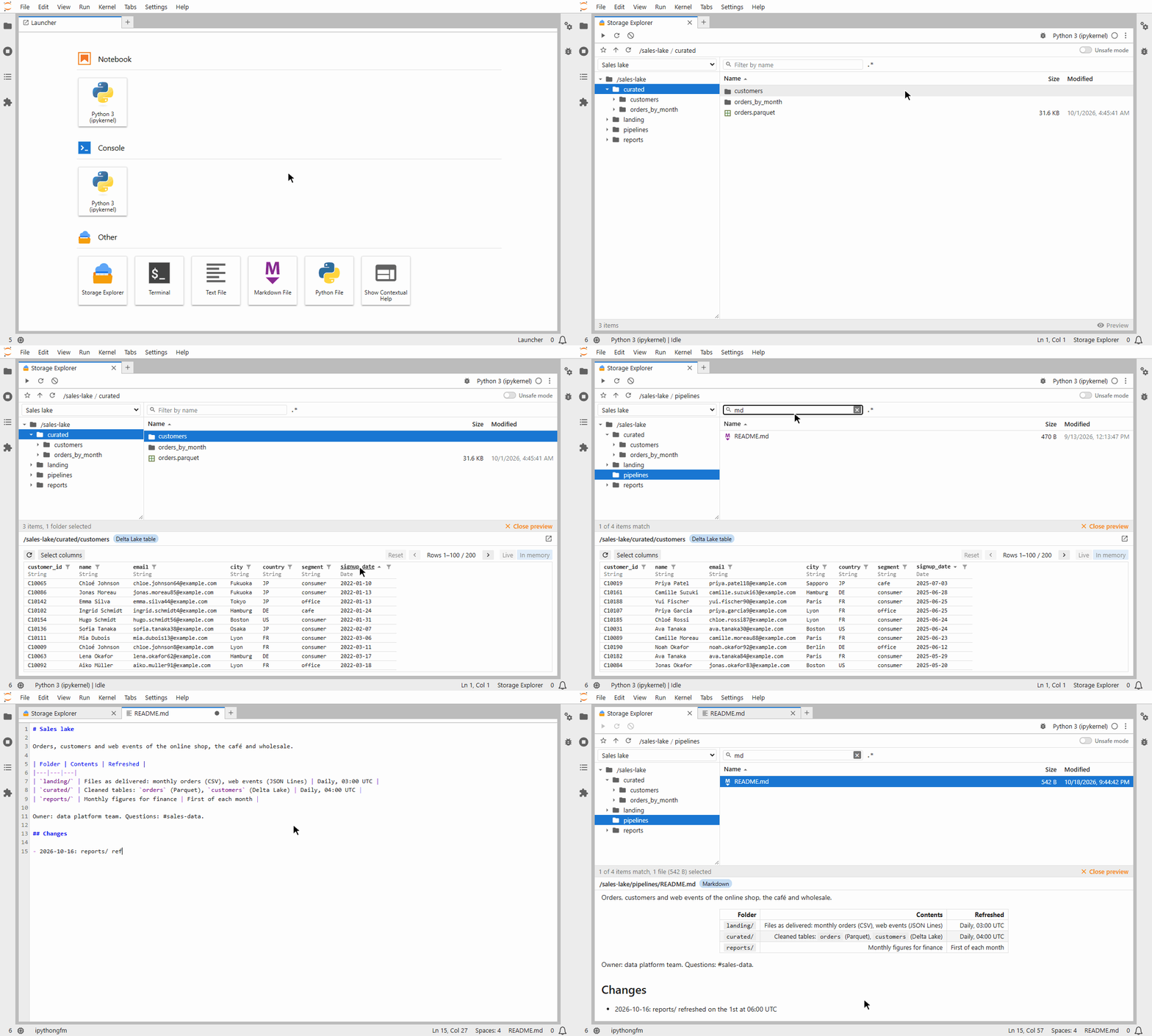
StorageExplorer is a file explorer for cloud storage and data lakes, right inside Jupyter, in the spirit of Azure
Storage Explorer. It is built on fsspec, so it reaches every storage fsspec
does: S3, Azure, Google Cloud Storage, SFTP, Hugging Face and many more. See
Using the explorer.
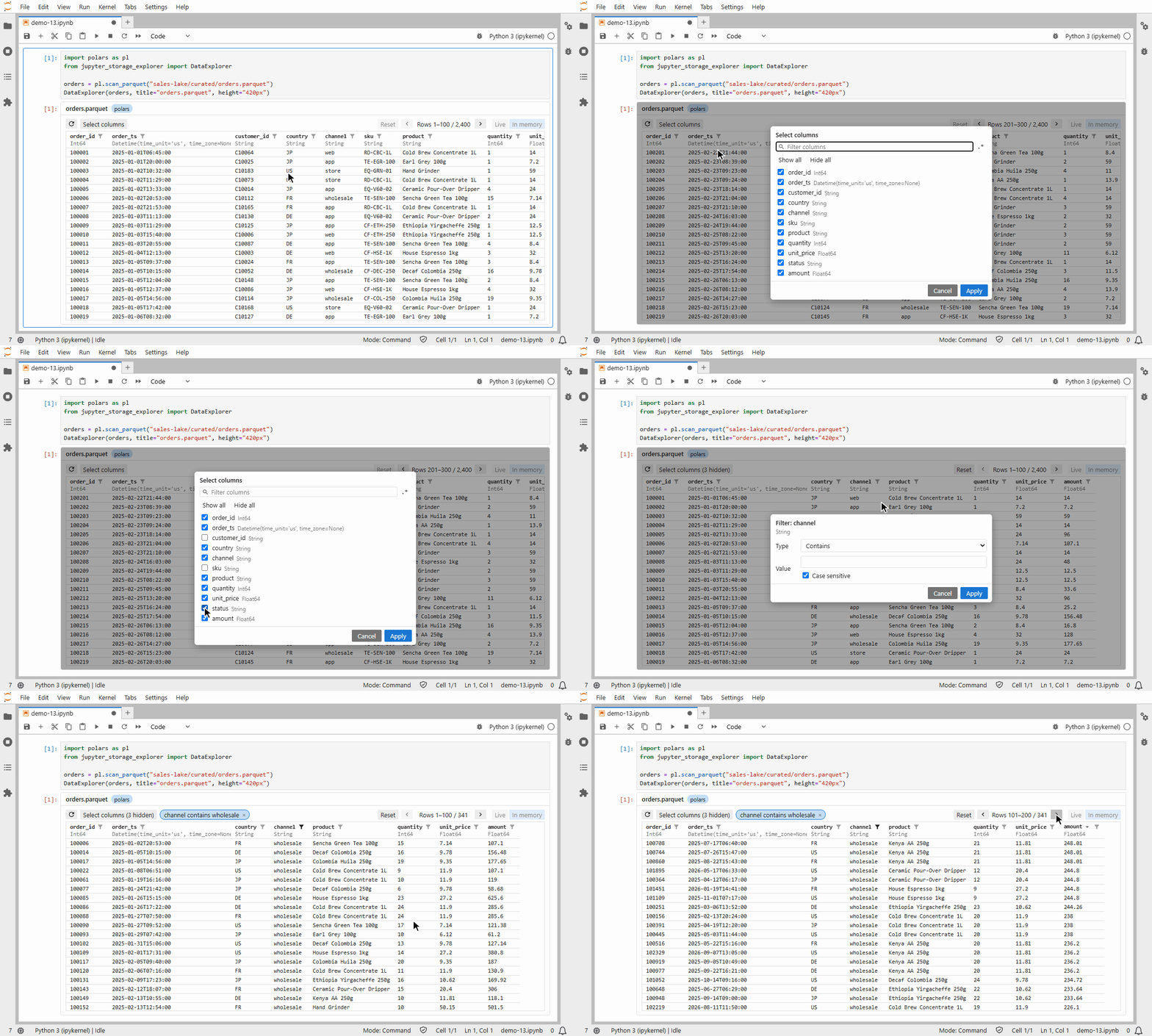
DataExplorer browses any dataframe in your notebook: pandas, polars, Spark, DuckDB and more, through
narwhals. See
Using the data browser.
Highlights
StorageExplorer: one explorer to browse them all.- Local disks, cloud storage and every other storage fsspec implements.
- Several storages side by side in one explorer.
DataExplorer: a table widget for your dataframes, more than meets the eye.- Page, sort and filter large tables in your data lake.
- Live mode: browse terabytes of data in Jupyter. Each page is a query run where the data is, so only the rows shown come back, never the whole table.
- Get the result back in code.
- Launcher: right at home in
your Jupyter.
- Open the explorer in a tab or in the side panel.
- Edit storage files in JupyterLab's editors.
- Copy and paste, or drag and drop, files between explorers.
- Previews: look before you load.
- Delta Lake, Parquet, CSV, JSON, Excel, DuckDB databases, text and images open at a click.
- Ready-to-run code loads them into your notebook.
- Multi-engine support: data professionals, start your engines.
- Plug in your favourite data library: Polars, pandas, DuckDB, PySpark or Dask.
- Browse data with it on the fly, and switch engines at any time.
- Get code for each engine installed.
- Actions and plugins: your explorer, your way.
- Another data library, or code snippets of your own? Write a few functions as actions, offered beside the explorer's own.
- A chart or a map of a file? Return any Jupyter widget from an action: the explorer shows it.
- A complete extension, for another storage or data framework? Develop a plugin with your AI assistant: its guide is written for both of you.
- Safe file operations: keep calm and copy on.
- Copy, move and delete large folders in the background, with progress and Cancel.
- Folder operations wait for Unsafe mode.
- Transfer rules keep data where it may go.
- Bookmarks: there and back again.
- Bookmarks bring you back to your folders.
- Remembered queries bring back your sorting and filters.
Requirements
- Python 3.11 or later.
- JupyterLab 4.0 or later. Other Jupyter frontends show the widgets, without drag and drop from JupyterLab's file browser.
- For querying data: an engine plugin, e.g.
jupyter-storage-explorer[polars](Polars, tested with 2.0).
Quick start
Try it without installing anything: open the demo on Binder, a made-up data lake in a notebook and in the launcher's tab. It may take a minute to start.
From the JupyterLab launcher
jupyter-storage-explorer-launcher
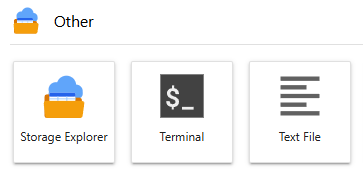
adds Storage Explorer to JupyterLab's launcher, opening the explorer in its own tab, and to the left side bar:
pip install "jupyter-storage-explorer-launcher[polars]"
See the launcher's Installation for more details.
From Python code
pip install "jupyter-storage-explorer[polars]"
This installs only the widgets, for notebooks. The integration with JupyterLab's UI, e.g. drag and drop with its file browser, comes with the launcher package above.
[polars] adds the Polars plugin with Polars itself. Other engines and storages are extras too:
Plugins lists all of them.
from jupyter_storage_explorer import StorageExplorer

StorageExplorer("s3://my-bucket/data")
Keyword arguments after the address go to fsspec, e.g. profile="analytics" for S3.
The notebooks folder has a demo of each
widget on sample data.
See Installation for more details.
Documentation
- StorageExplorer: the file browser.
- DataExplorer: the table widget for dataframes.
- Launcher: StorageExplorer integrated into JupyterLab.
- Plugins: the engines and storages you can add, with their extras.
- Writing actions: menu items of your own, for views, code snippets and more.
- Writing plugins: distribution packages of actions, filesystem support and more.
- Development: building, releasing, and custom icons.
Technologies
Storage Explorer is made possible by these open-source projects. Our thanks to their authors and contributors.
- fsspec: filesystem interfaces for Python. Used for all storage access.
- narwhals: a compatibility layer between dataframe libraries. Used for the data browser's queries.
- anywidget: a framework for custom Jupyter widgets. Used for both explorers' frontends.
License
MIT. To contribute, see Development; to report a vulnerability, see Security.
1 maintainer

Metadata
1 maintainer
Release files for jupyter-storage-explorer 0.25.1
For a detailed explanation of source distributions (sdists) and built distributions (wheels), please see the package formats documentation.
Source distribution (sdist)
| File | Size | Uploaded | Provenance | Actions |
|---|---|---|---|---|
| jupyter_storage_explorer-0.25.1.tar.gz | 2.4 MB | With provenance | Details for jupyter_storage_explorer-0.25.1.tar.gz |
Built distribution (wheel)
| File | Interpreter | ABI | Platform | Actions Reset |
|---|---|---|---|---|
| jupyter_storage_explorer-0.25.1-py3-none-any.whl | Python 3 | none | any | Details for jupyter_storage_explorer-0.25.1-py3-none-any.whl |
Total release size: 2.7 MB
Release files / jupyter_storage_explorer-0.25.1.tar.gz
| Download URL | jupyter_storage_explorer-0.25.1.tar.gz |
|---|---|
| Size | 2.4 MB |
| Tags | Source |
|
SHA-256 checksum How to use checksums |
a01356c82945648d027aa337a549c7fdcef353527119b2bfd9a0f881275ec798
|
|
BLAKE2b-256 checksum How to use checksums |
39bf3d1724d501f40ebd1411285fe9e21e8223a1818383f779e69e911358c3c1
|
| Upload date | |
|
Uploaded using Trusted Publishing? What is trusted publishing? |
Yes |
| Uploaded via |
twine/7.0.0 CPython/3.13.16
|
Provenance
Provenance describes where a file came from. On PyPI, provenance is shared via attestations, which provide a verifiable record of the build or publishing details. View details, limitations and caveats.


PyPI Publish Attestation
PyPI verified that this artifact, at this checksum, originated from the publisher listed below.
Signed by GitHub Actions, verified by PyPI on Oct 27, 2026.
Transparency logRelease files / jupyter_storage_explorer-0.25.1-py3-none-any.whl
| Download URL | jupyter_storage_explorer-0.25.1-py3-none-any.whl |
|---|---|
| Size | 371.2 kB |
| Tags | Python 3 |
|
SHA-256 checksum How to use checksums |
b4292abc2b547ea4aa9f6511a4c08bfdf6c5f51b26e75345144d50815474138d
|
|
BLAKE2b-256 checksum How to use checksums |
a4b6de2fd266909a0dfee73a613be451a55a4551bb4cafda848682a9272aaa2a
|
| Upload date | |
|
Uploaded using Trusted Publishing? What is trusted publishing? |
Yes |
| Uploaded via |
twine/7.0.0 CPython/3.13.16
|
Provenance
Provenance describes where a file came from. On PyPI, provenance is shared via attestations, which provide a verifiable record of the build or publishing details. View details, limitations and caveats.
PyPI Publish Attestation
PyPI verified that this artifact, at this checksum, originated from the publisher listed below.
Signed by GitHub Actions, verified by PyPI on Oct 27, 2026.
Transparency logSecurity for jupyter-storage-explorer 0.25.1
Provenance
Provenance describes where a file came from. On PyPI, provenance is shared via attestations, which provide a verifiable record of the build or publishing details. View details, limitations and caveats.
Full provenance
All 2 files in this release have been uploaded with provenance metadata.
Attestation for jupyter_storage_explorer-0.25.1.tar.gz
PyPI Publish Attestation
PyPI verified that this artifact, at this checksum, originated from the publisher listed below.
Signed by GitHub Actions, verified by PyPI on Oct 27, 2026.
Transparency logA note on package security
PyPI is a repository for distributing packages, not a service for auditing them. While third-party security researchers and our staff do their best to detect and remove malicious packages, PyPI cannot guarantee the quality, security or suitability of any given package.
To learn more about protecting yourself from malicious actors, visit our package security documentation.














