
- napari-czitools
- Disclaimer
napari-czitools








Plugin to read CZI image file and metadata
This napari plugin was generated with copier using the napari-plugin-template.
Installation
You can install napari-czitools via pip:
pip install napari-czitools
The current release requires Python 3.12 or 3.13 and czitools>=0.20.0.
To install latest development version :
pip install git+https://github.com/sebi06/napari-czitools.git
Supported Operating Systems
The test suite runs on Python 3.12 and 3.13 for:
- Linux
- Windows
- macOS
Usage - Core Functionalities
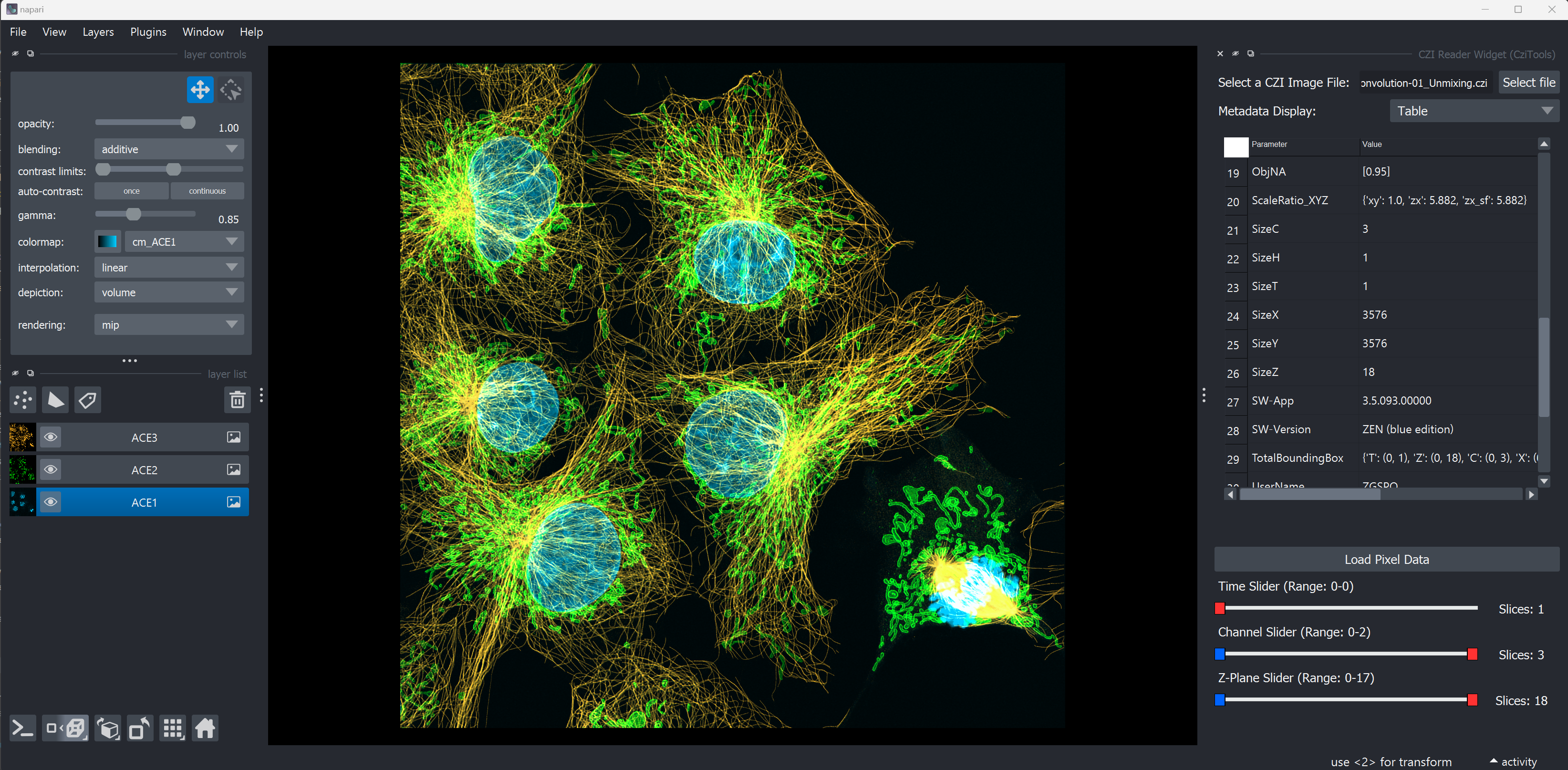
The plugin provides a reader for CZI files and allows to load the image data into napari. It also reads the metadata from the CZI file and displays it in the metadata panel of napari.
Open Complete CZI Files
- Open complete CZI Files and display the metadata in Napari using the czitools package
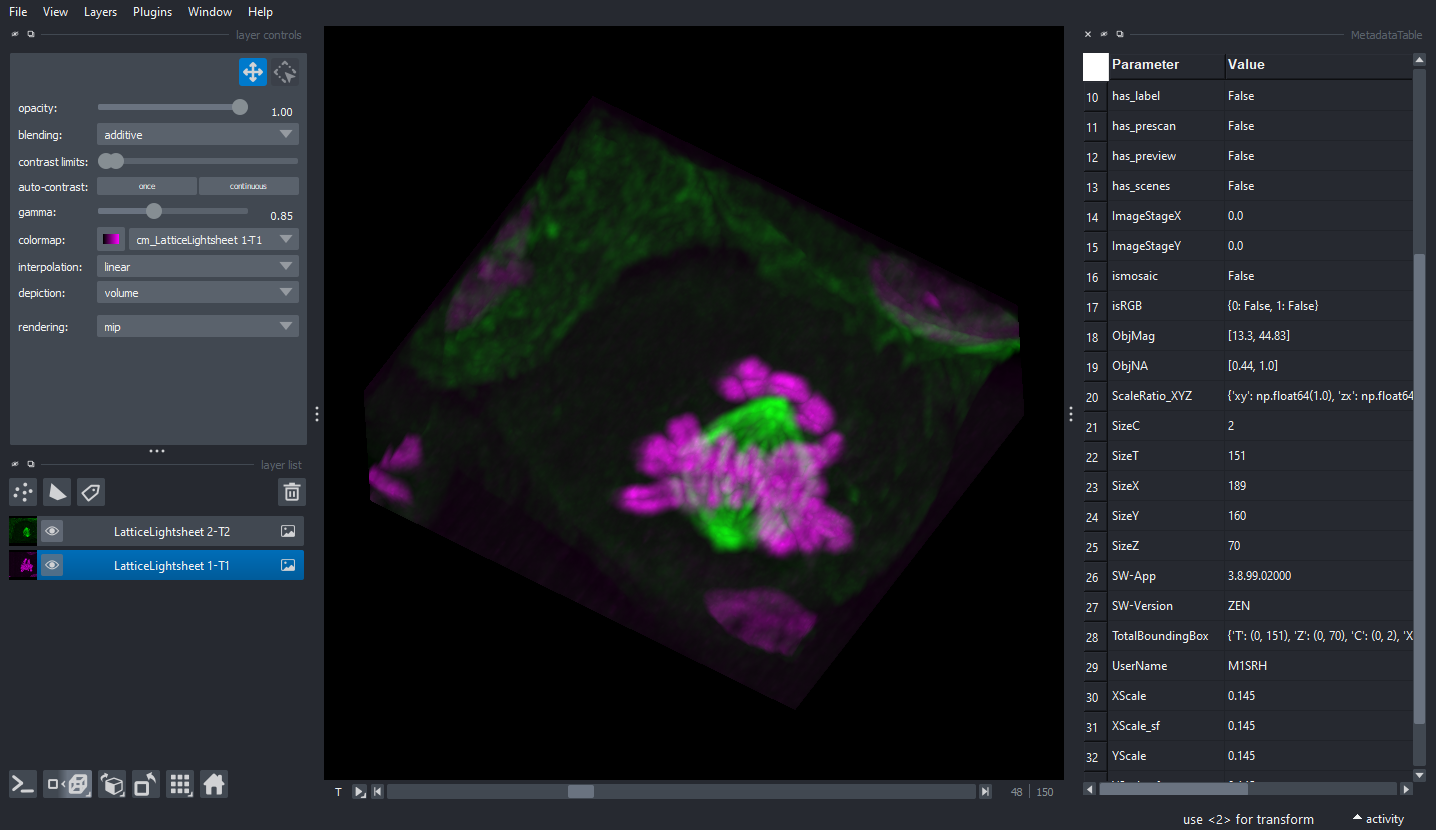
- Open different CZI Image sample data
- if not found locally in current directory
../src/napari_czitools/sample_datait will be opened from remote repository (might be slow)
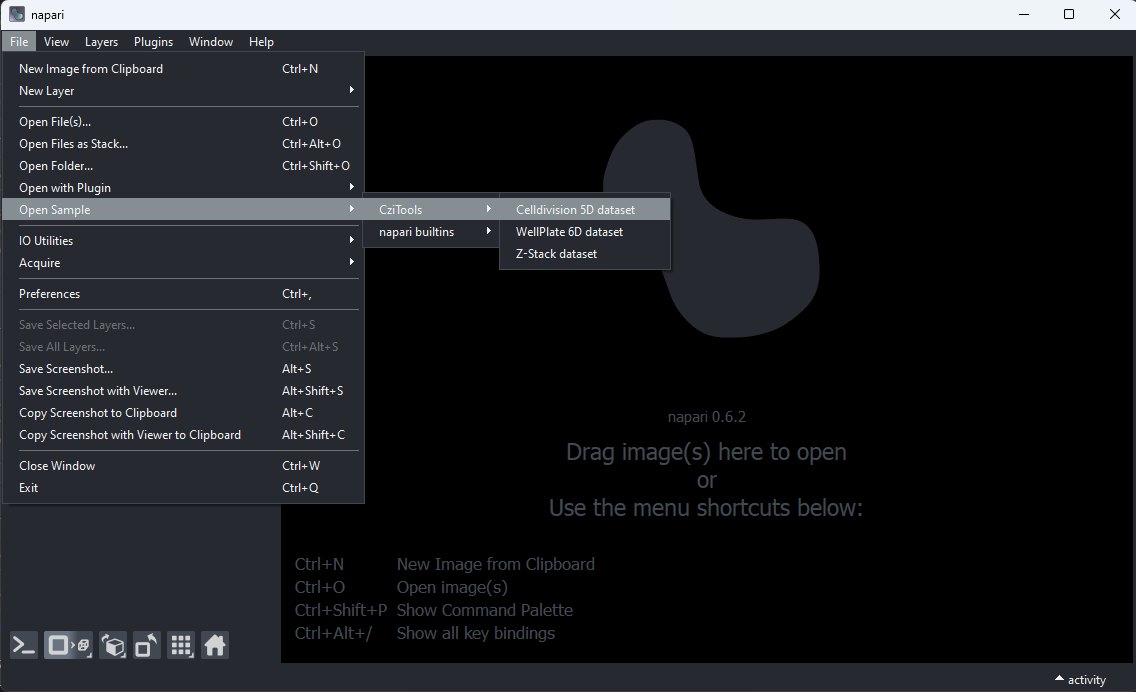
Open CZI Sample Data
CellDivision 5D Stack
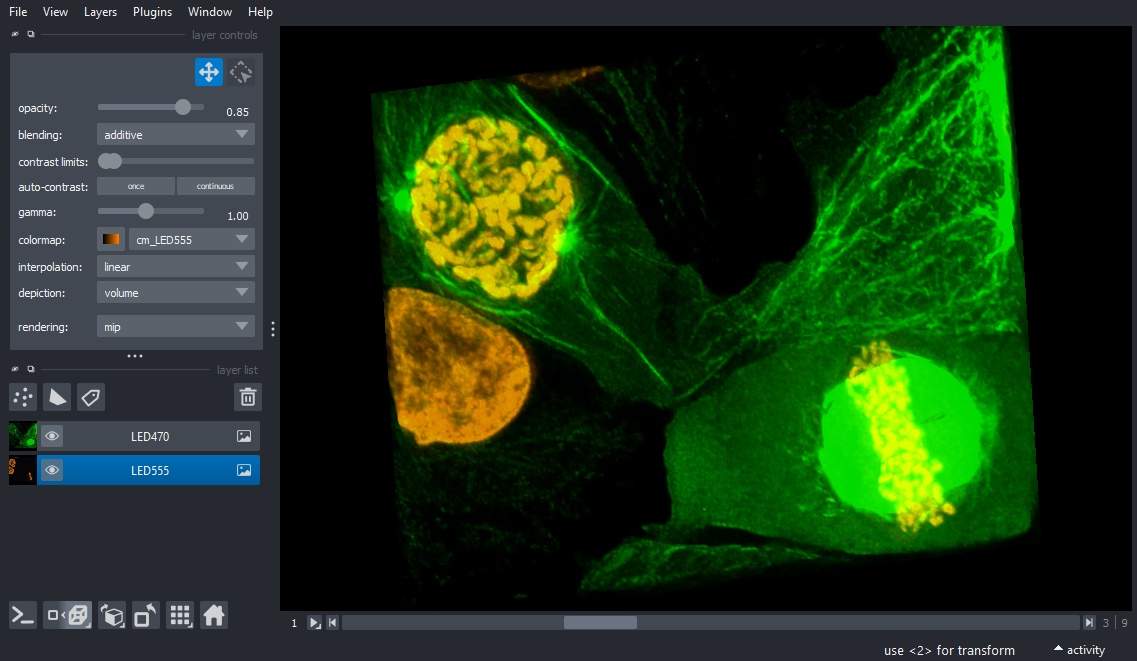
Neurons 3D Stack
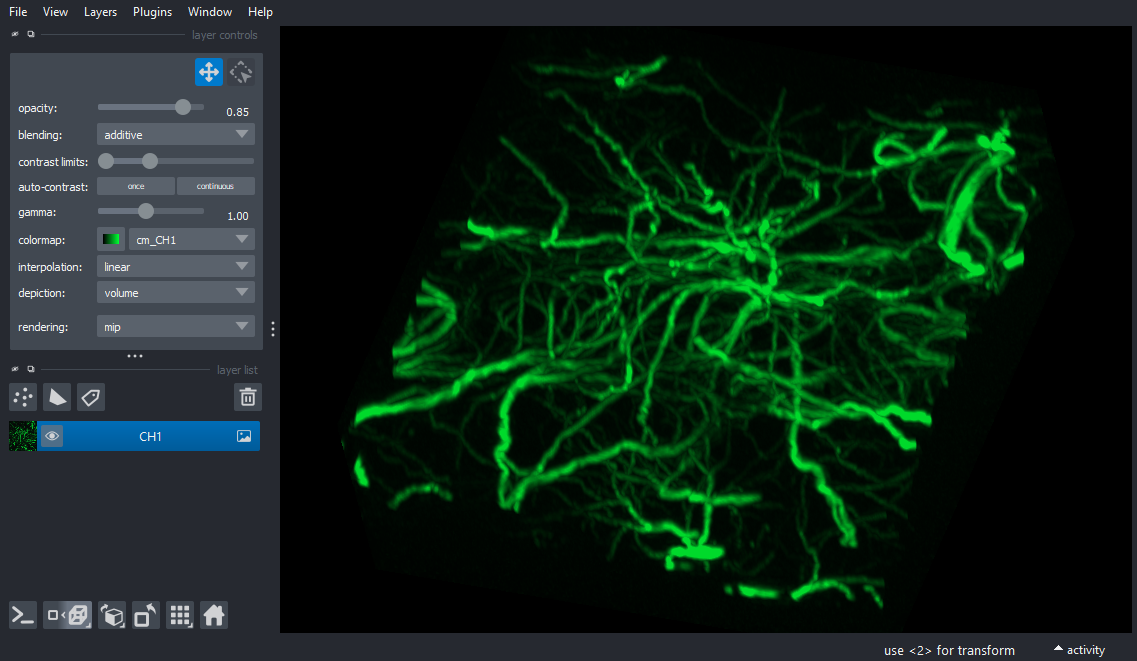
AiryScan 3D Stack
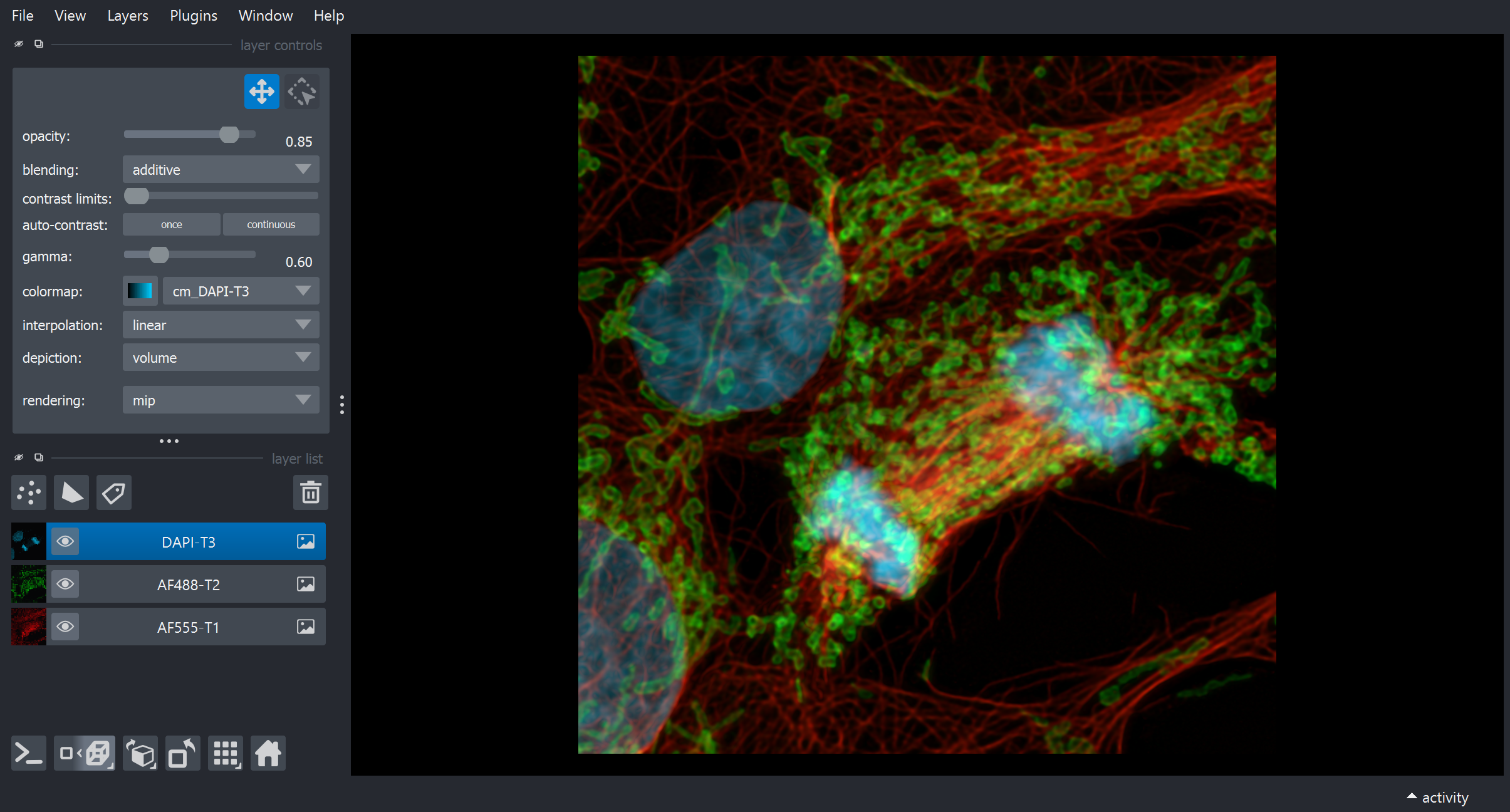
Wellplate Data
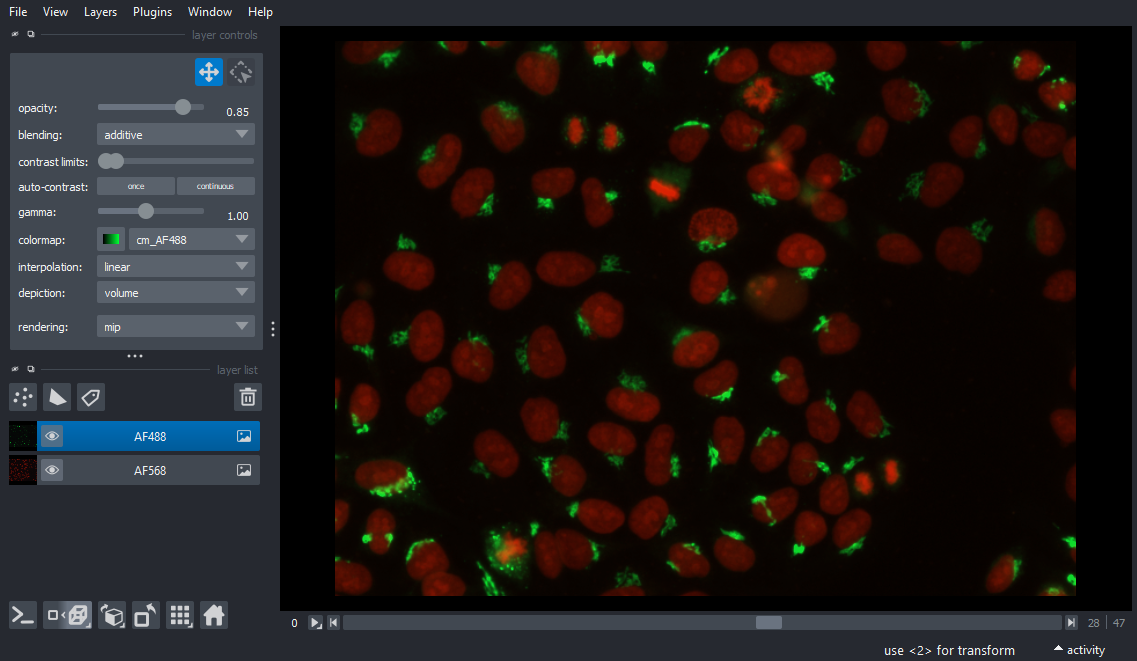
Advanced CZI Reader (CziReadTools) plugin
Select the plugin to show the UI in the right panel of the Napari UI via "Plugins > Advanced CZI Reader (CziReadTools)"
- Select the CZI file to read its metadata
- Once the metadata are read the display can be toggled between a table and a tree view
- The metadata will update the dimension range sliders (powered by superqt's
QLabeledRangeSlider) and enable reading the pixel data
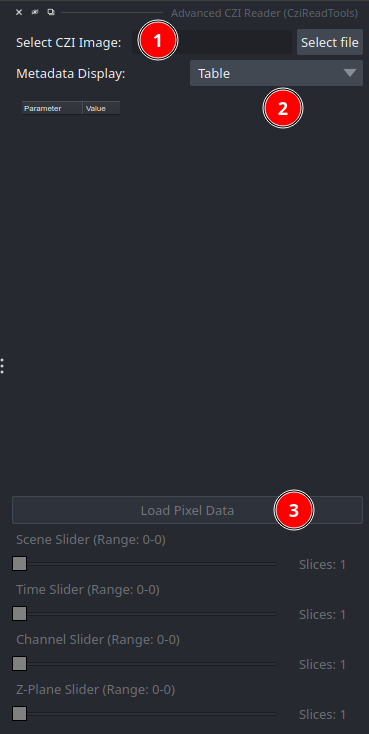
- Metadata will be shown as a table or as a tree view
- The Load Pixel Data button will be enabled once the metadata is read
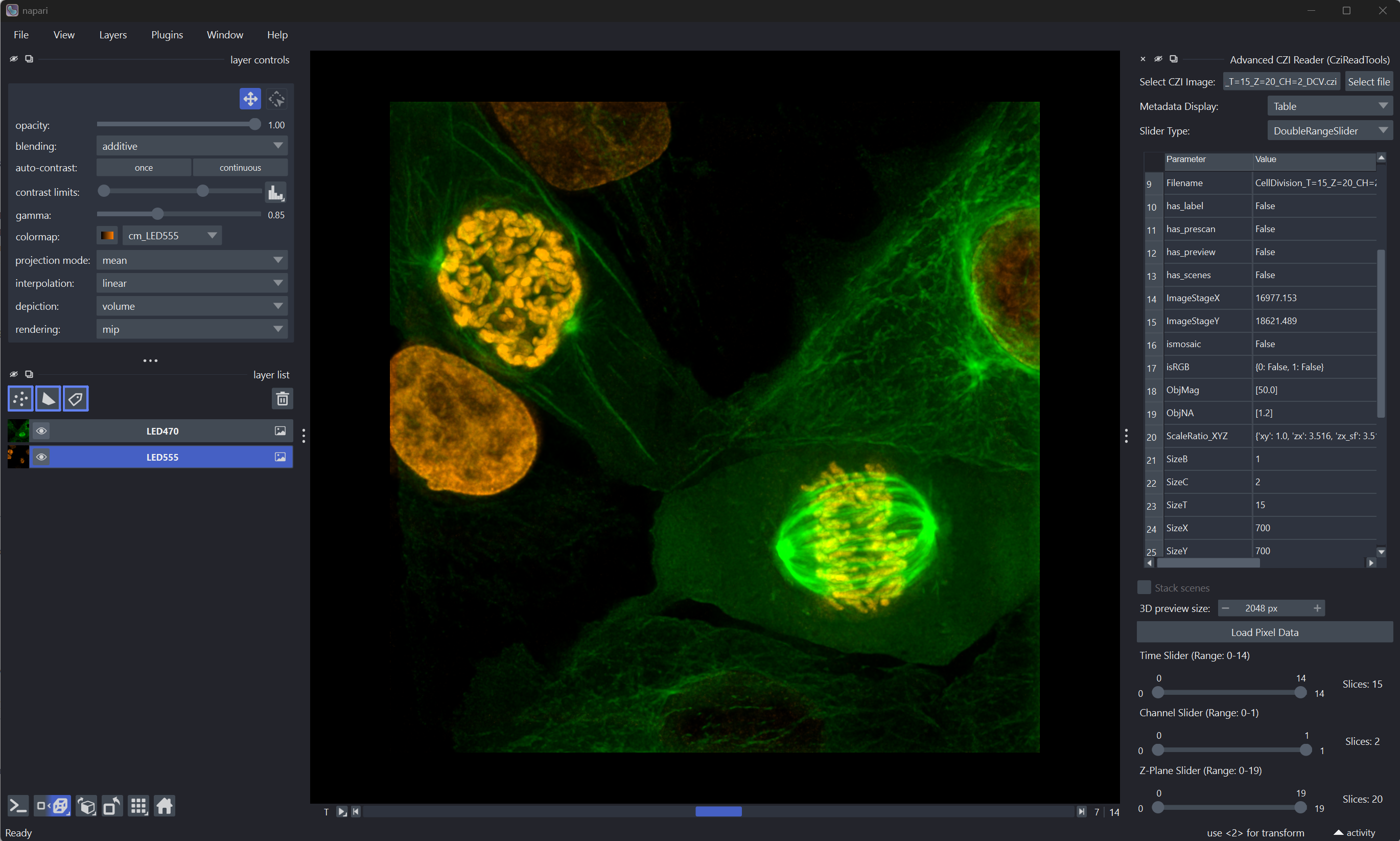
- The Dimension Sliders (using superqt's dual-handle range slider) will be enabled and allow to select a range to be read for all available dimensions. Both handles can be set to the same value for single-slice selection (e.g. 3-3)
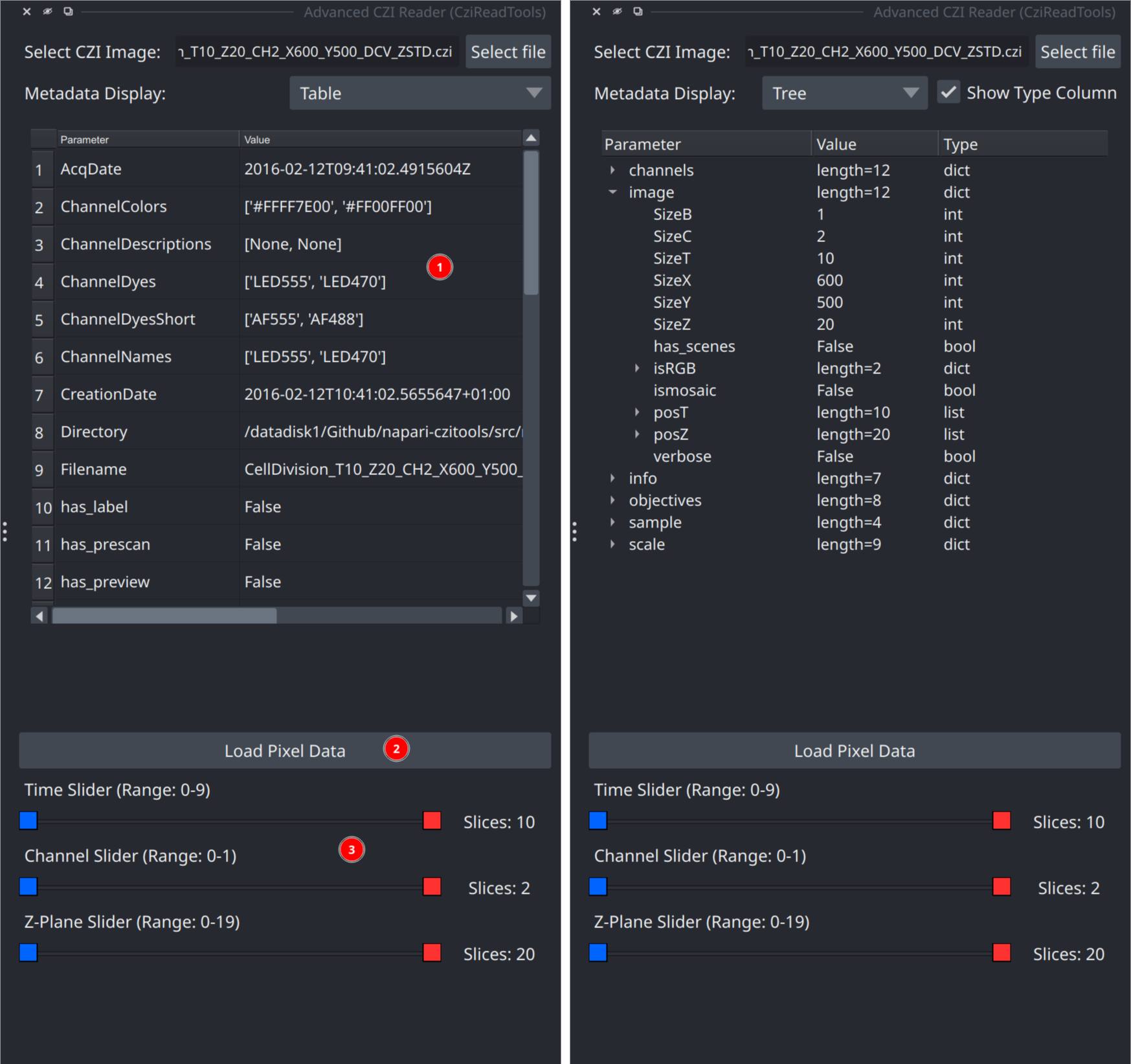
- The dimension range sliders (from superqt) allow to define the size of a CZI subset to be read
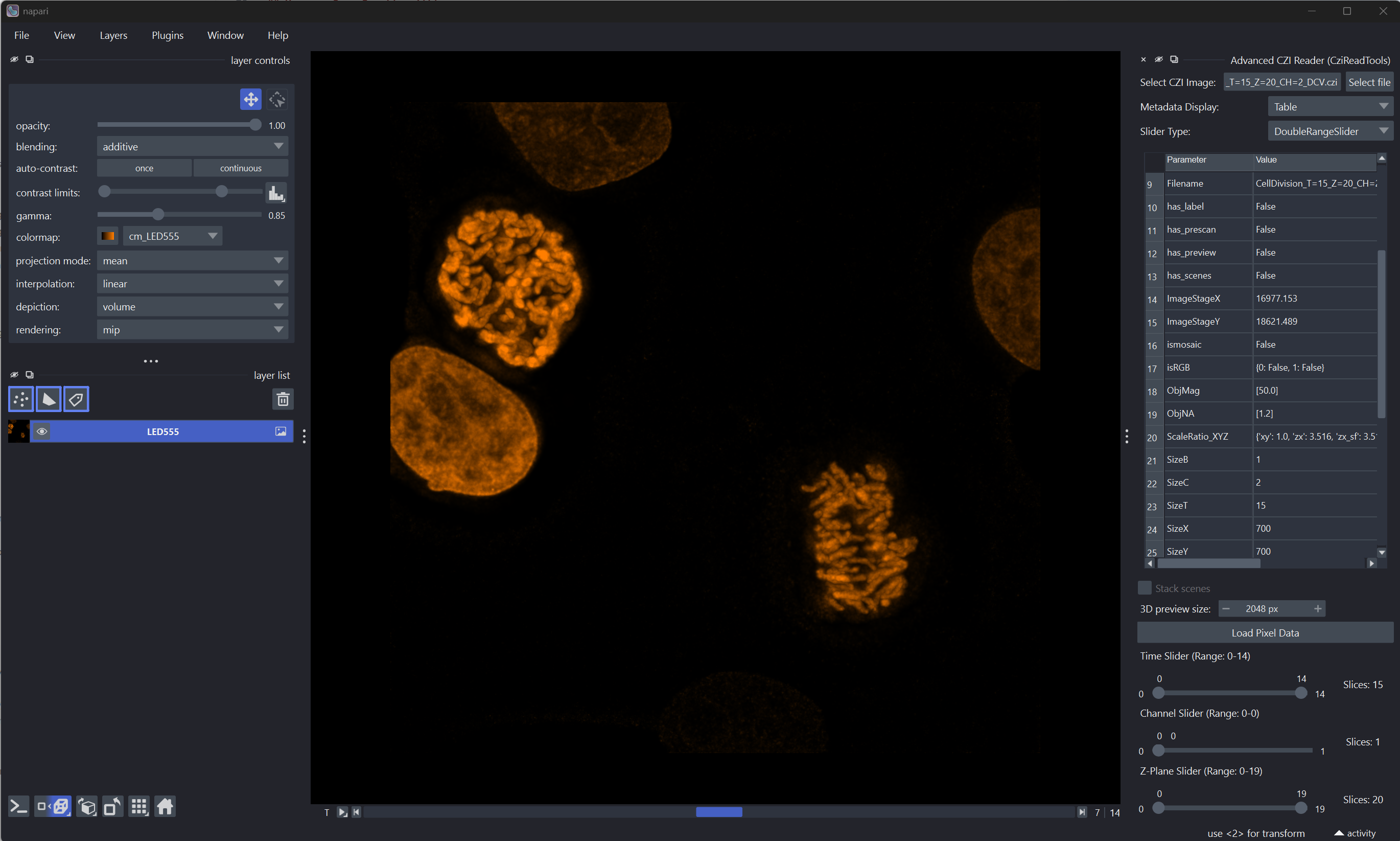
- This allows to read parts of a CZI image dataset
- Important - when reading a subset the metadata will still reflects the size of the complete CZI
- Example for reading a subset
- Timepoints (4-7): 4 slices or T=4
- Channels (0-0): 1 slice or CH=1
- Z-Plane (7-10): 4 slices or Z=4
Lazy Loading
The Lazy Loading checkbox is enabled by default. It controls which
czitools reader is used after Load Pixel Data is pressed:
- Enabled: the plugin calls
read_tools.read_stackswithuse_dask=Trueand the selected scene, time, channel, and Z ranges. This scene-aware path returns Dask-backed xarray stacks — one per equal-sized scene group, or a list when scene shapes differ. Pixel planes are read only when napari asks for them. The plugin creates one napari image layer per channel and appends a scene suffix to layer names when separate scene stacks are returned. - Disabled: the plugin calls
read_tools.read_6darrayand constructs one regular NumPy array inSTCZYX(A)order. This eager path loads every selected plane into RAM and requires the selected scenes to have compatible shapes.
Gigapixel CZIs (whole-slide, large 2D scans)
For files whose individual 2D planes are larger than about 256 MB uncompressed
(for example a 93,555 × 138,996 uint16 plane ≈ 24 GB), czitools
automatically switches to spatial Y/X tiling: each Dask chunk becomes one
ROI-based read via pylibCZIrw, so napari only fetches the tiles that
intersect the current viewport instead of full planes. Small planes keep the
faster whole-plane path.
On top of tiling, lazy mode also enables multiscale rendering. The plugin
calls czitools.read_tools.read_stacks_multiscale to detect the CZI's stored
pyramid levels (via pylibCZIrw subblock enumeration) and hands napari one
lazy Dask array per level as viewer.add_image(..., multiscale=True). This
lets napari render the coarsest level immediately from a single GPU texture
and stream finer tiles on zoom. If the coarsest stored level is still larger
than the GPU texture limit (~16k px per edge), extra synthetic coarser
levels are added on the fly using libCZI's C++ resampler. Files without any
on-disk pyramid degrade transparently to a single-level "pyramid" and behave
as before.
To keep opening these files usable, the plugin also passes an explicit
contrast_limits argument to viewer.add_image (derived from the CZI's
embedded display settings). Without this, napari would auto-scan every chunk
of the Dask array to determine the display range and materialize the entire
plane in RAM before the first pixel is shown.
Advanced Python usage
The Python reader API forwards the same lazy behaviour:
from napari_czitools._reader import reader_function_adv

reader_function_adv(
    "image.czi",
    use_lazy=True,        # widget checkbox — read_stacks path
    use_dask=True,        # required for on-demand reads
    use_multiscale=True,  # napari renders coarse-level tiles first
    max_coarse_edge=8192, # coarsest pyramid edge target (px)
)
With use_lazy=True, czitools reads the CZI metadata and builds Dask task
graphs first — individual pixel planes are not loaded at that point. When
use_multiscale=True (the default) the plugin also constructs a per-level
pyramid so napari can render gigapixel planes without materialising layer 0.
Disabling use_lazy, even with use_dask=True, still reads all pixels
eagerly before wrapping the result in a Dask array.
Current Limitations
The plugin is still in its early stages; expect bugs and breaking changes.
- opening the sample CZI files will not display the CZI metadata right now
Future plans
- upgrade pylibCZIrw to allow use bioio-czi for even better reading
- export of metadata table
Feedback is always welcome!
Contributing
Contributions are very welcome. Tests can be run with tox, please ensure the coverage at least stays the same before you submit a pull request.
Running Tests
Install test dependencies first (recommended for full local coverage):
pip install -e ".[testing]"
This installs pytest-qt, which provides the qtbot fixture used by
napari/Qt tests.
Windows/macOS:
pytest
Linux (recommended - use tox):
tox -e py312-linux
(Replace py312 with your Python version: py312 or py313)
Linux (direct pytest):
pytest -v --forked --color=yes
Note: The --forked flag is required on Linux to prevent CZI + Qt crashes by running each test in its own process. This flag is not available on Windows.
Recent Compatibility Notes
czitools>=0.20.0is required.read_tools.read_stacksreturns(arrays_or_list, dims, num_stacks, metadata). The plugin handles both a single stacked xarray object and a list containing one xarray stack per scene.- Channel extraction uses positional indexing to support channel coordinates
represented by names (for example
"DAPI","EGFP") instead of numeric labels. - URL metadata tests can be affected by transient remote read failures (for example GitHub/network hiccups). The test suite retries and skips these network-dependent checks if remote headers cannot be read reliably.
- The custom dual-handle
DoubleRangeSliderhas been replaced with wrappers around superqt'sQLabeledRangeSliderandQRangeSlider, reducing custom painting/mouse handling code and using a well-tested community component. The public slider API (low(),high(),setLow(),setHigh(), single-value mode) is unchanged. - A small internal patch (
_allow_handle_overlap) is applied to every superqt range slider so that both handles can sit on the same value, enabling single-frame extraction (e.g. T=4-4 to read one timepoint).
License
Distributed under the terms of the MIT license, "napari-czitools" is free and open source software
Issues
If you encounter any problems, please file an issue along with a detailed description.
Disclaimer
The software & scripts are free to use for everybody. The author undertakes no warranty concerning the use of this plugins and scripts. Use them on your own risk.
By using this plugin you agree to this disclaimer.
1 maintainer

Download files
Download the file for your platform. If you're not sure which to choose, learn more about installing packages.
Source Distribution
Built Distribution
Filter files by name, interpreter, ABI, and platform.
If you're not sure about the file name format, learn more about wheel file names.
Copy a direct link to the current filters
File details
Details for the file napari_czitools-0.12.1.tar.gz.
File metadata
- Download URL: napari_czitools-0.12.1.tar.gz
- Upload date:
- Size: 10.6 MB
- Tags: Source
- Uploaded using Trusted Publishing? Yes
- Uploaded via:
twine/7.0.0 CPython/3.13.14
File hashes
| Algorithm | Hash digest | |
|---|---|---|
| SHA256 |
0f4ea7eb410960570b7d4ef96837062d9899f6385e4a914440939b4c5f39d34d
|
|
| MD5 |
1799d15280a1951dacc22035b61cf5db
|
|
| BLAKE2b-256 |
47830ef491eeaeb4da1cc6424e474f0e56fa3432afb04c2dfe11b1776da5a0dc
|
File details
Details for the file napari_czitools-0.12.1-py3-none-any.whl.
File metadata
- Download URL: napari_czitools-0.12.1-py3-none-any.whl
- Upload date:
- Size: 63.0 kB
- Tags: Python 3
- Uploaded using Trusted Publishing? Yes
- Uploaded via:
twine/7.0.0 CPython/3.13.14
File hashes
| Algorithm | Hash digest | |
|---|---|---|
| SHA256 |
b82fd6a9aab57bd2413f01f0730f1f046e5d9343dd1f6e02af83671ac2f8688d
|
|
| MD5 |
020bc05839baecd45300ec45550705aa
|
|
| BLAKE2b-256 |
8fdc6714b9f0ce0b0491cc3bf35a3c87b0bae56055b339d4cbd997eced7a13d8
|














