
Try OpenDPD Studio in your browser →
No installation. Explore example data or upload your own CSV, train PA/DPD models on shared CUDA compute, and download your checkpoints. During the trial, 2 hours without user activity clears that IP’s temporary workspaces; all data is deleted within 12 hours.
OpenDPD


Model a power amplifier. Train a digital predistorter. Understand the result.
OpenDPD is a PyTorch framework for power amplifier (PA) modeling and digital predistortion (DPD), developed by the Efficient Machine Intelligence Lab at TU Delft. Use OpenDPD Studio in the browser or locally for a guided workflow, or automate experiments with the CLI and Python API. All three use the original OpenDPD training core.



Documentation · Studio walkthrough · Examples & Colab · Papers & citation
What's new
OpenDPD 2.3.0 adds DPD Arena on APA_200MHz_b: compare 23 DPD model entries across parameter budgets using test EVM, output ACLR, arithmetic cost and Pareto fronts. Results are predictions through one frozen PA model, not new hardware measurements. It includes the import, session and GPU security improvements from 2.2.18.
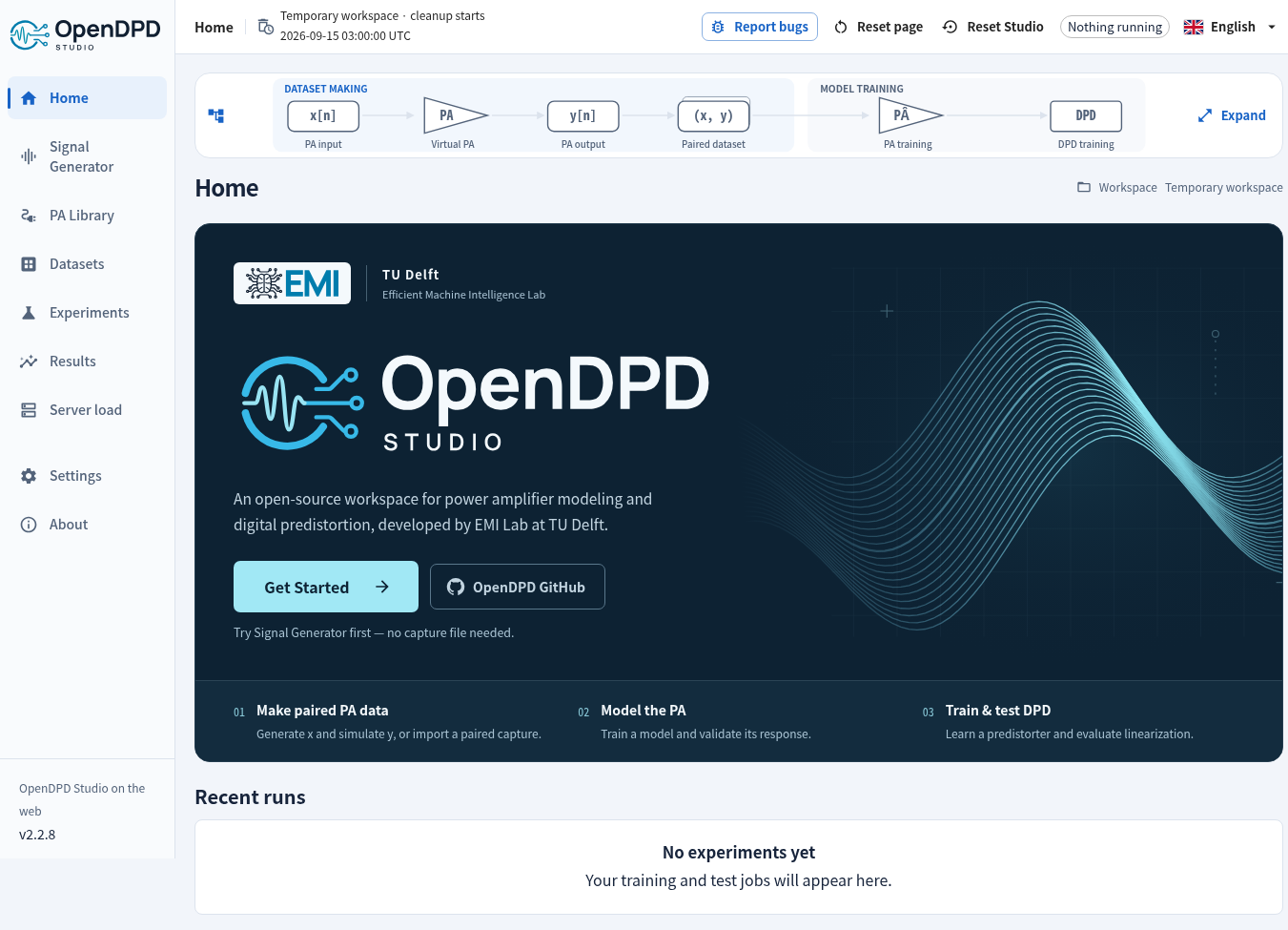
Signal Generator → PA Library → PA training → DPD training/testing. Generate a PA input, simulate its output with one of nine Virtual PAs, or use existing input/output data. Standard presets are uncoded engineering stimuli; each capture keeps its own sample rate and length.
2.3.0 release notes · Signal Generator · Signal Analyzer. During the hosted trial, 2 hours of inactivity clears that IP’s temporary workspaces; the top bar shows the expiry time.
Feature history · Verified platform status
Get started with Studio
Use Studio on the web, or install locally:
1. Install uv (then open a new terminal).
macOS / Linux:
curl -LsSf https://astral.sh/uv/install.sh | sh
Windows PowerShell:
powershell -ExecutionPolicy ByPass -c "irm https://astral.sh/uv/install.ps1 | iex"
2. Create an environment, install, and launch (same commands on all three platforms):
mkdir opendpd-lab
cd opendpd-lab
uv venv --python 3.12
uv pip install --python .venv "opendpd==2.3.0" --torch-backend=auto
uv run --no-project --python .venv opendpd gui
PyTorch, Studio and pywebview install together; no Node.js is needed. uv selects a PyTorch backend for the detected platform/drivers. Studio prefers available CUDA or Apple MPS, then CPU. Keep the terminal running. A 127.0.0.1 link opens on the computer running OpenDPD; for SSH, use the port-forwarding instructions.
Click Get Started → Signal Generator, or Use an existing dataset. See Installation for drivers, Linux system libraries, native-window troubleshooting and pip; Studio walkthrough for your first experiment.
Studio 2.3 adds DPD Arena with Rank, Submit and Rules pages. The benchmark uses only APA_200MHz_b. Compare individual DPD configurations through one frozen TRes-GRU PA, using complete-symbol EVM, output ACLR and fixed-reference complexity FoM across a 250–2,000-parameter sweep. Inspect PA validation/test accuracy, actual parameter and operation counts, and four Pareto plots, or evaluate a validated custom backbone in your workspace. PA and DPD training, validation and test inputs come only from original measured captures; cascade outputs are PA-model predictions.
Develop from source (Git and Node.js 22.22+ required)
git clone https://github.com/lab-emi/OpenDPD.git
cd OpenDPD
uv venv --python 3.12
uv pip install --python .venv -e ".[dev]" --torch-backend=auto
npm --prefix frontend ci
npm --prefix frontend run build
uv run --no-project --python .venv opendpd gui
The PA → DPD workflow
| Step | What you do | What you learn |
|---|---|---|
| 1. Make or select data | Generate x → configure a Virtual PA → simulate y → create a paired dataset; or open existing x/y data. | Input/output provenance, signal quality and data splits. |
| 2. Model the PA | Train a behavioral model, then test it on held-out data. | How closely it predicts the dataset response, measured or explicitly synthetic. |
| 3. Train DPD | Place a predistorter before the trained PA model. | Whether the simulated cascade becomes more linear. |
| 4. Test & export | Compare results and export the predistorted I/Q signal. | A PA input signal ready for a separate measurement experiment. |
A DPD result evaluated through a PA model is a simulation. Exported u = DPD(x) is the PA input; a physical PA measurement is needed to establish measured linearization performance. See the Studio walkthrough and measured DPD guide.
PA Library guide · Reading signal-chain PSD plots

Choose your next step
| I want to… | Read |
|---|---|
| Run the same workspace experiments from a terminal | Headless CLI |
| Train from Python or try a notebook | Examples · API reference |
| Understand the original training pipeline and quantization | Training guide |
| Use my own I/Q measurements through Python or the CLI | Dataset formats · Import & preprocessing |
| Configure plots, animations and dashboards | Visualization guide |
| Compare models or reproduce a paper | Benchmark · Reproduction guide |
| Evaluate waveforms, streaming or hardware export | Advanced guides |
| Resolve installation or signal-metric questions | FAQ |
Contribute & cite
Contributions of models, tests and documentation are welcome. Start with CONTRIBUTING.md; see testing and how we maintain the docs.
If you use OpenDPD in research, cite the OpenDPD paper. BibTeX and related papers · CITATION.cff
Chang Gao — Project Leader · Yizhuo Wu — Leading Developer. Meet the team · EMI Lab
1 maintainer

Metadata
1 maintainer
Release files for opendpd 2.3.0
For a detailed explanation of source distributions (sdists) and built distributions (wheels), please see the package formats documentation.
Source distribution (sdist)
| File | Size | Uploaded | |
|---|---|---|---|
| opendpd-2.3.0.tar.gz | 29.4 MB | Details |
Built distribution (wheel)
| File | Interpreter | ABI | Platform | Reset |
|---|---|---|---|---|
| opendpd-2.3.0-py3-none-any.whl | Python 3 | none | any | Details |
Total release size: 59.2 MB
Release files / opendpd-2.3.0.tar.gz
| Download URL | opendpd-2.3.0.tar.gz |
|---|---|
| Size | 29.4 MB |
| Tags | Source |
|
SHA-256 checksum How to use checksums |
f9f85643732679ba5c63c4acf7bd9d4b26db861b085994dc4aa7fc067e0e440b
|
|
BLAKE2b-256 checksum How to use checksums |
79b75f08676b31e2e8d3337497d441f47e69a10b8c9c6d05ab8c18d3ef712a92
|
| Upload date | |
|
Uploaded using Trusted Publishing? What is trusted publishing? |
Yes |
| Uploaded via |
twine/7.0.0 CPython/3.13.14
|
Provenance
Provenance describes where a file came from. On PyPI, provenance is shared via attestations, which provide a verifiable record of the build or publishing details. View details, limitations and caveats.


PyPI Publish Attestation
PyPI verified that this artifact, at this checksum, originated from the publisher listed below.
Signed by GitHub Actions, verified by PyPI on Oct 1, 2026.
Transparency logRelease files / opendpd-2.3.0-py3-none-any.whl
| Download URL | opendpd-2.3.0-py3-none-any.whl |
|---|---|
| Size | 29.8 MB |
| Tags | Python 3 |
|
SHA-256 checksum How to use checksums |
d80baa4ea8c391958c3fb7e6b6e7a4e54f52e5320a610c222490fb4bdb5a4729
|
|
BLAKE2b-256 checksum How to use checksums |
d91936e4beb93c3c5bf8f0a5c1b29e9be7c7700b3fc0ae319e97036f93382376
|
| Upload date | |
|
Uploaded using Trusted Publishing? What is trusted publishing? |
Yes |
| Uploaded via |
twine/7.0.0 CPython/3.13.14
|
Provenance
Provenance describes where a file came from. On PyPI, provenance is shared via attestations, which provide a verifiable record of the build or publishing details. View details, limitations and caveats.
PyPI Publish Attestation
PyPI verified that this artifact, at this checksum, originated from the publisher listed below.
Signed by GitHub Actions, verified by PyPI on Oct 1, 2026.
Transparency log













