
1. 前言
orcacal 是一个用于通过 Python 调用 ORCA 软件进行计算的库。它封装了常用的计算方法,方便用户在化学计算和模拟中使用。该库旨在简化用户与 ORCA 之间的交互,并提供一个直观的接口来进行各种化学计算。
本人撰写的 ORCA 教程,包含 orcacal 使用示例:https://blog.csdn.net/weixin_45756789/article/details/143421047
ORCA 和 orcacal 的视频教程:https://space.bilibili.com/123772272
1.1. 特性
- 封装 ORCA 常用计算方法,便于调用和使用
- 提供方便的数据获取、处理和化学特性计算
- 简化的 API 设计,易于上手
2. 安装
pip install orcacal --upgrade
3. 使用示例
假如你需要在 H2O_1 文件夹内计算:
H2O_1/
│── input.inp
代码
3.1. 简单运行和获取输出
import os
import orcacal
from Test.Goble.GSet import GSet_init

GSet = GSet_init()

input_file_path = os.path.join(
	GSet.ORCA_cal_test_structure, os.path.splitext(os.path.basename(__file__))[0]
)
# %%

project = orcacal.init(GSet.ORCA_ins_path, input_file_path)  # 初始化计算类

calfun = '! HF DEF2-SVP LARGEPRINT'  # 设置计算方法
maxcore = 400  # 设置每个核心的最大内存使用量
nprocs = -1  # 设置使用的核心数
location = orcacal.generate_xyzLocation('C(Cl)(Cl)C')  # 设置原子位置

project.general_set({
	'calfun': calfun,
	'nprocs': nprocs,
	'maxcore': maxcore,
	'location': location
})

# 一样的方法,只不过分开设置了
# project.set_calfun(calfun)
# project.set_location(location)
# project.set_nprocs(nprocs)
# project.set_maxcore(maxcore)

project.run()

# %%

# 获取 [HOMO, LUMO]
[HOMO, LUMO] = project.get.homo_Lumo_eV()
print(f'HOMO: {HOMO} eV, LUMO: {LUMO} eV')
# 获取单点能
single_point_energy_Debye = project.get.single_point_energy_Debye()
print(f'single_point_energy_Debye: {single_point_energy_Debye:.5f} Debye')
# 获取偶极矩
dipolemoment_Debye = project.get.dipolemoment_Debye()
print(f'dipolemoment_Debye:\nTotal--{dipolemoment_Debye[0]:.5f}, X-{dipolemoment_Debye[1]:.5f}, Y-{dipolemoment_Debye[2]:.5f}, Z-{dipolemoment_Debye[3]:.5f} Debye')
3.3. 便利性的操作
3.3.1. 从 SMILES 创建分子对象并生成带电荷和自旋多重度的笛卡尔坐标系 (xyz)
import orcacal

atom_coords = orcacal.generate_xyzLocation("O")
print(atom_coords)

# atom_coords:
# * xyz 0 1
# O 0.008935 0.404022 0.000000
# H -0.787313 -0.184699 0.000000
# H 0.778378 -0.219323 0.000000
# *
3.3.2. 生成 Molden 文件用于载入其他软件
----
3.4. 其他说明
输入的文件的命名不一定需要是 input.xxx,这只是默认值,同理输出也不一定命名为 result.xxx,可以查看相应方法的 API,基本都提供了修改方案
例如在orcacal.run中设置 input_name 或/和 output_name
orcacal.run(ORCA_ins_path, input_file_path, input_name='input', output_name='result')
4. API 手册
4.1. orcacal
4.1.1. orcacal.run
run(ORCA_ins_path: Path, input_file_path: Path, input_name: str = 'input', output_name: str = 'result') -> None
执行 ORCA 计算,输出结果保存到同目录下的 result.out 中。
Args:
ORCA_ins_path (Path): ORCA 安装目录。
input_file_path (Path): 输入文件所在的路径。
input_name (str): 输入文件的基本名称(不包括扩展名),默认是 'input'。
output_name (str): 输出结果文件的基本名称(不包括扩展名),默认是 'result'。
4.2. orcacal.get
4.2.1. orcacal.get.homo_Lumo_eV
homo_Lumo_eV(input_file_path: Path, output_name: str = 'result') -> list or None:
从指定的输出文件中提取 HOMO 和 LUMO 能量值,单位为 eV。
Args:
input_file_path (Path): 输入文件的路径,包含输出文件的目录。
output_name (str): 输出文件的名称,不包含扩展名,默认为 'result'。

Returns:
list or None: [HOMO, LUMO],包含 HOMO 和 LUMO 能量值的列表;如果未找到数据,则返回 None。
5. 在开发的功能
吉布斯能量变换和换算,福井指数
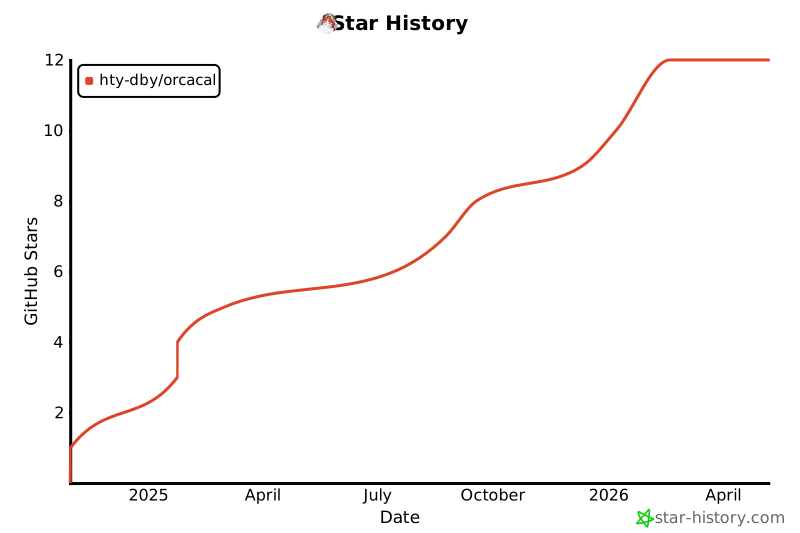
6. Star History
1 maintainer

Metadata
1 maintainer
Release files for orcacal 0.0.27
For a detailed explanation of source distributions (sdists) and built distributions (wheels), please see the package formats documentation.
Source distribution (sdist)
| File | Size | Uploaded | |
|---|---|---|---|
| orcacal-0.0.27.tar.gz | 23.9 MB | Details |
Built distribution (wheel)
| File | Interpreter | ABI | Platform | Reset |
|---|---|---|---|---|
| orcacal-0.0.27-py3-none-any.whl | Python 3 | none | any | Details |
Total release size: 48.2 MB
Release files / orcacal-0.0.27.tar.gz
| Download URL | orcacal-0.0.27.tar.gz |
|---|---|
| Size | 23.9 MB |
| Tags | Source |
|
SHA-256 checksum How to use checksums |
6387ec18a86fd6d97db4d7a4e45c9e14c34952914cc7fbd98833594af2988122
|
|
BLAKE2b-256 checksum How to use checksums |
50a0bd83636fa4bad84a4d05cd6f02432566696ed4231f7f4c9067192b9b98e7
|
| Upload date | |
|
Uploaded using Trusted Publishing? What is trusted publishing? |
No |
| Uploaded via |
twine/5.1.1 CPython/3.8.7
|
Release files / orcacal-0.0.27-py3-none-any.whl
| Download URL | orcacal-0.0.27-py3-none-any.whl |
|---|---|
| Size | 24.2 MB |
| Tags | Python 3 |
|
SHA-256 checksum How to use checksums |
62d9460db1d03ce5297c4f86d79fb25fd31043de1522181638faf9e2223a0ac5
|
|
BLAKE2b-256 checksum How to use checksums |
737c63dbc8bbcde3257ad5b95d6285dc4c8864427c10c700a8f75718e6e6acbe
|
| Upload date | |
|
Uploaded using Trusted Publishing? What is trusted publishing? |
No |
| Uploaded via |
twine/5.1.1 CPython/3.8.7
|














