
test

Project description

1. 前言
orcacal 是一个用于通过 Python 调用 ORCA 软件进行计算的库。它封装了常用的计算方法,方便用户在化学计算和模拟中使用。该库旨在简化用户与 ORCA 之间的交互,并提供一个直观的接口来进行各种化学计算。
1.1. 特性
- 封装 ORCA 常用计算方法,便于调用和使用
- 提供方便的数据获取、处理和化学特性计算
- 简化的 API 设计,易于上手
2. 安装
你可以通过以下方式安装 orcacal:
pip
pip install orcacal
conda
conda install orcacal
3. 使用示例
3.1. 简单运行
import orcacal

# -- A
# ------input.inp

input_file_path = '运行的项目路径 A'
ORCA_ins_path = 'ORCA 的安装路径,请勿输入可执行文件的路径'

# 运行 ORCA 文件 input.inp
orcacal.run(ORCA_ins_path=ORCA_ins_path, input_file_path=input_file_path)

# 输出偶极矩 (Debye)
# 返回 list [总偶极矩, X方向的偶极矩,Y方向的偶极矩,Z方向的偶极矩]
dipolemoment_Debye = orcacal.get.dipolemoment_Debye(input_file_path)
print(dipolemoment_Debye)

# 输出单点能量
single_point_energy_Debye = orcacal.get.single_point_energy_Debye(input_file_path)
print(single_point_energy_Debye)

# 输出 前线轨道 HOMO, LUMO
# 返回 list [HOMO, LUMO]
homo_Lumo_eV = orcacal.get.homo_Lumo_eV(input_file_path)
print(homo_Lumo_eV)
3.2. 对 input.inp 的内容进行自定义
import orcacal

# -- A
# ------input.inp

input_file_path = '运行的项目路径 A'
ORCA_ins_path = 'ORCA 的安装路径,请勿输入可执行文件的路径'

# 设置计算方法,! HF DEF2-SVP LARGEPRINT,这是 calfun 的默认值
orcacal.set_calfun(input_file_path, calfun=f'! HF DEF2-SVP LARGEPRINT')

# 设置待分析物质的几何空间位置,H2O 的笛卡尔坐标是 location 的默认值
orcacal.set_location(input_file_path, location=f'* xyz 0 1\nO   0.0000   0.0000   0.0626\nH  -0.7920   0.0000  -0.4973\nH   0.7920   0.0000  -0.4973\n*')

# 设置一个核心的最大内存使用量,500MB 是 maxcore 的默认值
orcacal.set_maxcore(input_file_path, maxcore=500)

# 设置并行计算的处理器数量,1 是 jobs 的默认值,-1 表示使用全部核心数
orcacal.set_nprocs(input_file_path, jobs='1')

# 运行 ORCA 文件 input.inp
orcacal.run(ORCA_ins_path=ORCA_ins_path, input_file_path=input_file_path)
4. 在开发的功能
吉布斯能量变换和换算,福井指数
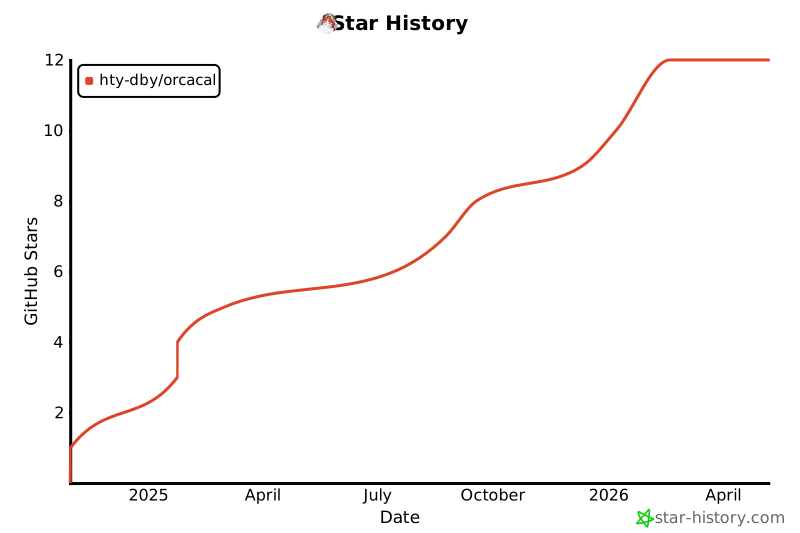
5. Star History
Release history Release notifications | RSS feed


Download files
Download the file for your platform. If you're not sure which to choose, learn more about installing packages.
Source Distribution
orcacal-0.0.22.tar.gz
(8.6 kB
view details)
Built Distribution
Filter files by name, interpreter, ABI, and platform.
If you're not sure about the file name format, learn more about wheel file names.
Copy a direct link to the current filters
orcacal-0.0.22-py3-none-any.whl
(10.1 kB
view details)
File details
Details for the file orcacal-0.0.22.tar.gz.
File metadata
- Download URL: orcacal-0.0.22.tar.gz
- Upload date:
- Size: 8.6 kB
- Tags: Source
- Uploaded using Trusted Publishing? No
- Uploaded via: twine/5.1.1 CPython/3.8.7
File hashes
| Algorithm | Hash digest | |
|---|---|---|
| SHA256 |
4da59aef75cfb008033769c537541c7461772780c1bc5ff1bb485895e7d957a1
|
|
| MD5 |
36af8c3d9361189874d3e99df0940c4c
|
|
| BLAKE2b-256 |
254d626425b9b0764964061ada5eade89855633a991dde57476f26b84b6a8fee
|
File details
Details for the file orcacal-0.0.22-py3-none-any.whl.
File metadata
- Download URL: orcacal-0.0.22-py3-none-any.whl
- Upload date:
- Size: 10.1 kB
- Tags: Python 3
- Uploaded using Trusted Publishing? No
- Uploaded via: twine/5.1.1 CPython/3.8.7
File hashes
| Algorithm | Hash digest | |
|---|---|---|
| SHA256 |
971af2c8313df4bfc8aa2afc35573f321a6871d34fbba32091d3cba90e705a63
|
|
| MD5 |
6f7998764d34176b7a7595e4cb90a079
|
|
| BLAKE2b-256 |
bd7afe536ef0201278d81b103ab7ee3eaa69d45cf539b08e0d1c761e087638d3
|






