
test

Project description

1. 前言
orcacal 是一个用于通过 Python 调用 ORCA 软件进行计算的库。它封装了常用的计算方法,方便用户在化学计算和模拟中使用。该库旨在简化用户与 ORCA 之间的交互,并提供一个直观的接口来进行各种化学计算。
1.1. 特性
- 封装 ORCA 常用计算方法,便于调用和使用
- 提供方便的数据获取、处理和化学特性计算
- 简化的 API 设计,易于上手
2. 安装
你可以通过以下方式安装 orcacal:
pip
pip install orcacal
conda
conda install orcacal
3. 使用示例
假如你需要在 H2O_1 文件夹内计算:
H2O_1/
│
│── input.inp
3.1. 简单运行和获取输出
import orcacal

# input_file_path = "运行的项目路径 H2O_1"
# ORCA_ins_path = "ORCA 的安装路径,请勿输入可执行文件的路径"
input_file_path = f"D:\hty\creat\code\github\orcacal\Test\ORCA_cal\ORCA_structure\H2O_1"
ORCA_ins_path = f"D:\hty\ins\ORCA_6"

# 运行 ORCA 文件 input.inp
orcacal.run(ORCA_ins_path, input_file_path)

# 输出偶极矩 (Debye)
# 返回 list [总偶极矩, X方向的偶极矩,Y方向的偶极矩,Z方向的偶极矩]
dipolemoment_Debye = orcacal.get.dipolemoment_Debye(input_file_path)
print(dipolemoment_Debye)

# 输出单点能量
single_point_energy_Debye = orcacal.get.single_point_energy_Debye(input_file_path)
print(single_point_energy_Debye)

# 输出 前线轨道 HOMO, LUMO
# 返回 list [HOMO, LUMO]
homo_Lumo_eV = orcacal.get.homo_Lumo_eV(input_file_path)
print(homo_Lumo_eV)
3.2. 对 input.inp 的内容进行自定义
import orcacal

# input_file_path = '运行的项目路径 H2O_1'
# ORCA_ins_path = 'ORCA 的安装路径,请勿输入可执行文件的路径'
input_file_path = f"D:\hty\creat\code\github\orcacal\Test\ORCA_cal\ORCA_structure\H2O_1"
ORCA_ins_path = f"D:\hty\ins\ORCA_6"

# 设置计算方法,! HF DEF2-SVP LARGEPRINT,这是 calfun 的默认值
orcacal.set_calfun(input_file_path, calfun=f'! HF DEF2-SVP LARGEPRINT')

# 设置待分析物质的几何空间位置,H2O 的笛卡尔坐标是 location 的默认值
orcacal.set_location(input_file_path, location=f'* xyz 0 1\nO   0.0000   0.0000   0.0626\nH  -0.7920   0.0000  -0.4973\nH   0.7920   0.0000  -0.4973\n*')
# 建议使用 orcacal.generate_xyz 从 SMILES 获取坐标,见后文

# 设置一个核心的最大内存使用量,500MB 是 maxcore 的默认值
orcacal.set_maxcore(input_file_path, maxcore=500)

# 设置并行计算的处理器数量,1 是 jobs 的默认值,-1 表示使用全部核心数
orcacal.set_nprocs(input_file_path, jobs='1')

# 运行 ORCA 文件 input.inp
orcacal.run(ORCA_ins_path=ORCA_ins_path, input_file_path=input_file_path)
3.3. 便利性的操作
3.3.1. 从 SMILES 创建分子对象并生成带电荷和自旋多重度的笛卡尔坐标系 (xyz)
import orcacal

atom_coords = orcacal.generate_xyz("O")
print(atom_coords)

# atom_coords:
# * xyz 0 1
# O 0.008935 0.404022 0.000000
# H -0.787313 -0.184699 0.000000
# H 0.778378 -0.219323 0.000000
# *
3.3.2. 生成 Molden 文件用于载入其他软件
import orcacal

# 经过 ORCA 计算得到 input.gbw 后才能生成,否则报错
# input_file_path = '运行的项目路径 H2O_1'
# ORCA_ins_path = 'ORCA 的安装路径,请勿输入可执行文件的路径'
input_file_path = f"D:\hty\creat\code\github\orcacal\Test\ORCA_cal\ORCA_structure\H2O_1"
ORCA_ins_path = f"D:\hty\ins\ORCA_6"

orcacal.make_molden(ORCA_ins_path, input_file_path)
3.4. 其他说明
输入的文件的命名不一定需要是 input.xxx,这只是默认值,同理输出也不一定命名为 result.xxx,可以查看相应方法的 API,基本都提供了修改方案
例如在orcacal.run中设置 input_name 或/和 output_name
orcacal.run(ORCA_ins_path, input_file_path, input_name='input', output_name='result')
4. API 手册
4.1. orcacal
4.1.1. orcacal.run
run(ORCA_ins_path: Path, input_file_path: Path, input_name: str = 'input', output_name: str = 'result') -> None
执行 ORCA 计算,输出结果保存到同目录下的 result.out 中。
Args:
ORCA_ins_path (Path): ORCA 安装目录。
input_file_path (Path): 输入文件所在的路径。
input_name (str): 输入文件的基本名称(不包括扩展名),默认是 'input'。
output_name (str): 输出结果文件的基本名称(不包括扩展名),默认是 'result'。
4.2. orcacal.get
4.2.1. orcacal.get.homo_Lumo_eV
homo_Lumo_eV(input_file_path: Path, output_name: str = 'result') -> list or None:
从指定的输出文件中提取 HOMO 和 LUMO 能量值,单位为 eV。
Args:
input_file_path (Path): 输入文件的路径,包含输出文件的目录。
output_name (str): 输出文件的名称,不包含扩展名,默认为 'result'。

Returns:
list or None: [HOMO, LUMO],包含 HOMO 和 LUMO 能量值的列表;如果未找到数据,则返回 None。
5. 在开发的功能
吉布斯能量变换和换算,福井指数
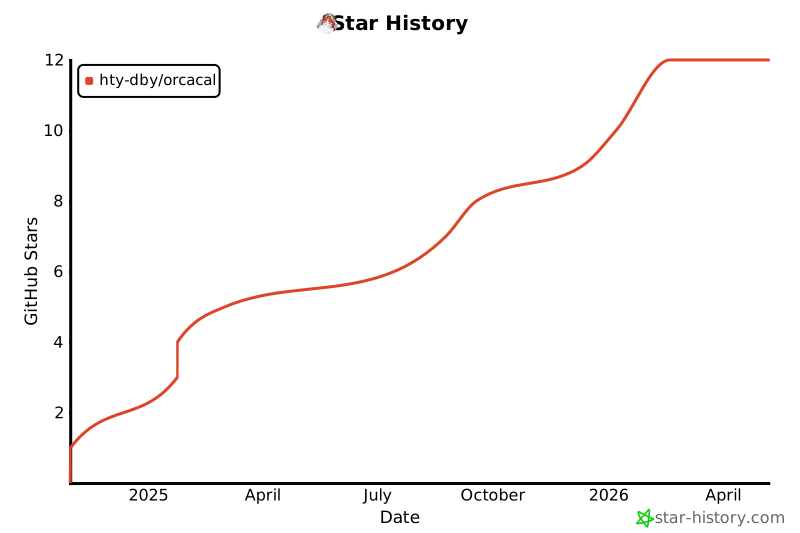
6. Star History
Release history Release notifications | RSS feed


Download files
Download the file for your platform. If you're not sure which to choose, learn more about installing packages.
Source Distribution
Built Distribution
Filter files by name, interpreter, ABI, and platform.
If you're not sure about the file name format, learn more about wheel file names.
Copy a direct link to the current filters
File details
Details for the file orcacal-0.0.23.tar.gz.
File metadata
- Download URL: orcacal-0.0.23.tar.gz
- Upload date:
- Size: 11.1 kB
- Tags: Source
- Uploaded using Trusted Publishing? No
- Uploaded via: twine/5.1.1 CPython/3.8.7
File hashes
| Algorithm | Hash digest | |
|---|---|---|
| SHA256 |
2118a3b110bb7ea2c3737cfe45c65819b0400510b0b7aef9b15b78a6e5cbc934
|
|
| MD5 |
a363298106c23137842a81e073928e7b
|
|
| BLAKE2b-256 |
57fc2577a7a8a117f56830673137d3694fa994ebb5ae3147c22100938eb5f134
|
File details
Details for the file orcacal-0.0.23-py3-none-any.whl.
File metadata
- Download URL: orcacal-0.0.23-py3-none-any.whl
- Upload date:
- Size: 12.0 kB
- Tags: Python 3
- Uploaded using Trusted Publishing? No
- Uploaded via: twine/5.1.1 CPython/3.8.7
File hashes
| Algorithm | Hash digest | |
|---|---|---|
| SHA256 |
d412dedab777c82f430a6138105d0c8d3b8c6742b6bcc815524ea3f72e9c1202
|
|
| MD5 |
8c0187295ca652b8acff1e39ff25f078
|
|
| BLAKE2b-256 |
f415295e5e86096c34d04af3f5f0059e5b64e3155e129a1bf0c7a99364ab1f87
|






