
Oubli
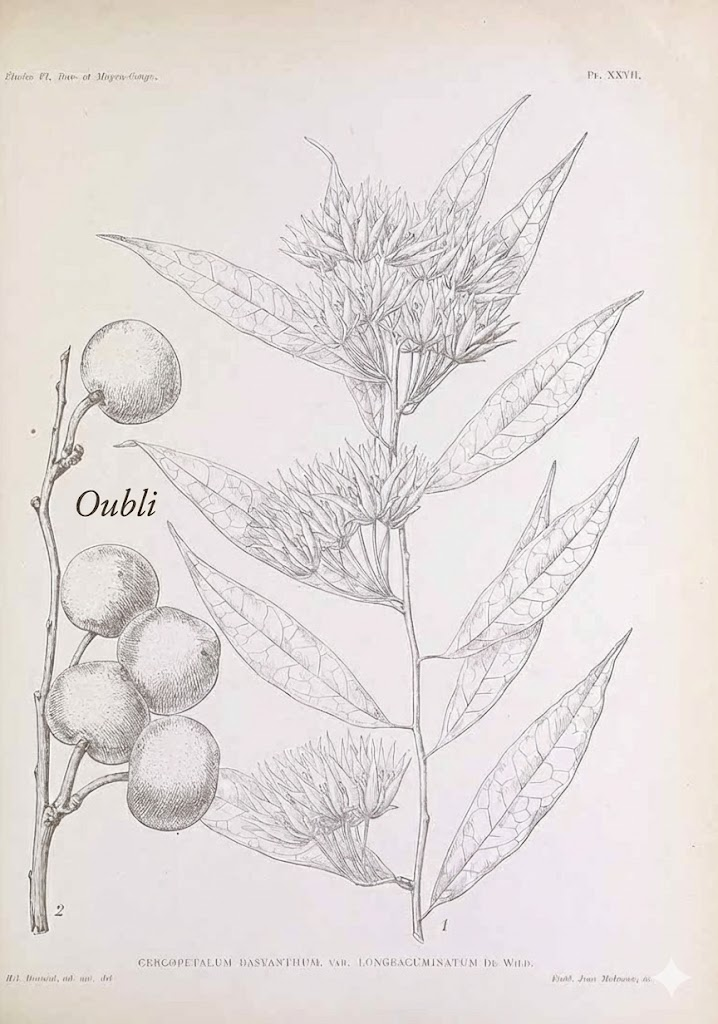
Oubli: French for "forgetting." (Also a West African fruit so sweet it makes babies forget their mother's milk.)
A memory system that never forgets. Persistent fractal memory for Claude Code.
Demo of memory visualization
Quickstart: Bootstrap Your AI's Memory in 5 Minutes
1. Install Oubli
pip install oubli
cd /your/project
oubli setup
Restart Claude Code.
2. Export what your AI already knows about you
Go to ChatGPT, Gemini, or Claude.ai and ask:
"Give me a complete dump of everything you know about me — preferences, facts, work, family, interests and any interesting memories from our conversations."
Copy the output.
3. Import into Oubli
Paste into Claude Code and say:
"Import this into my memory"
Claude parses and stores each fact as a searchable memory.
4. Synthesize into insights
Run /synthesize to consolidate raw memories into a hierarchy — and generate your Core Memory (the essential "you" that loads in every conversation).
5. Visualize your memory graph
/visualize-memory
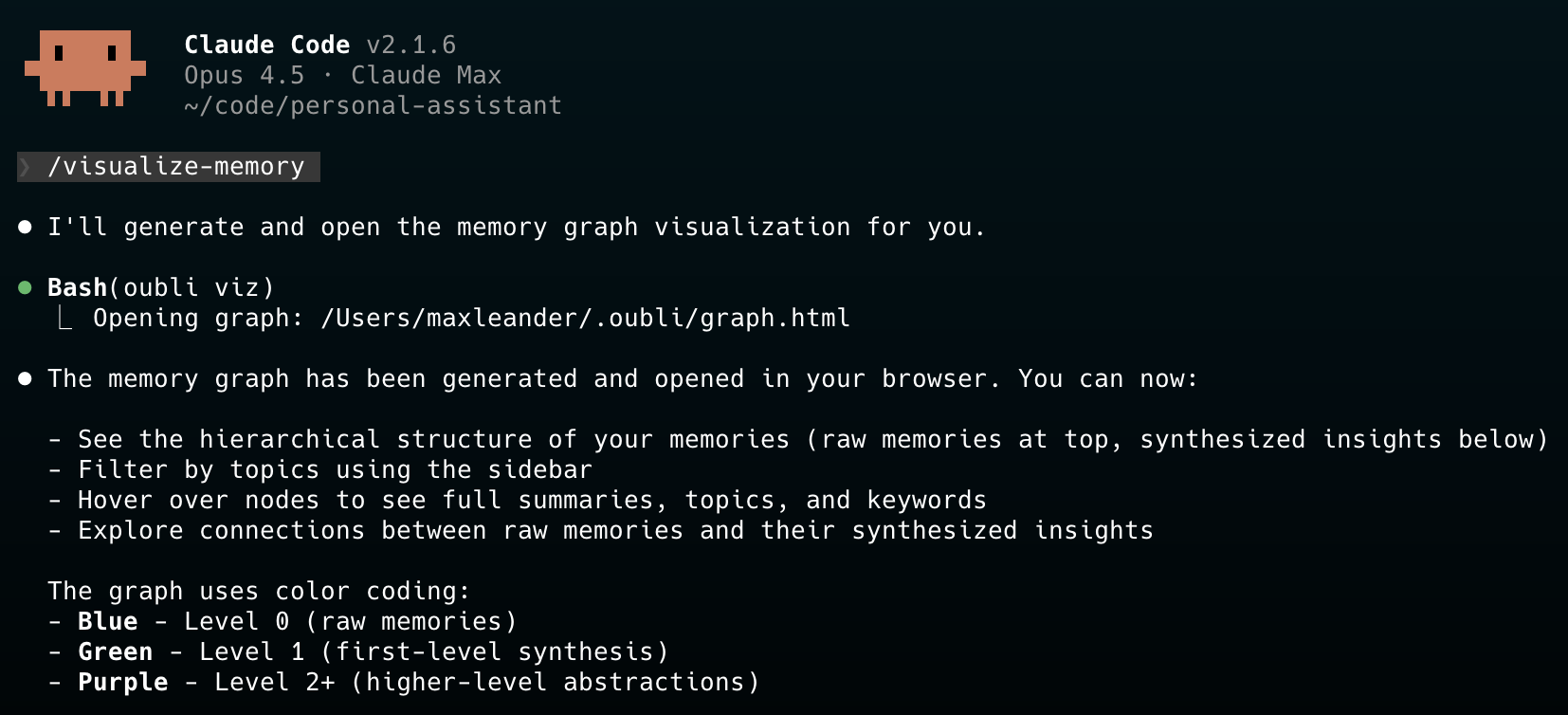
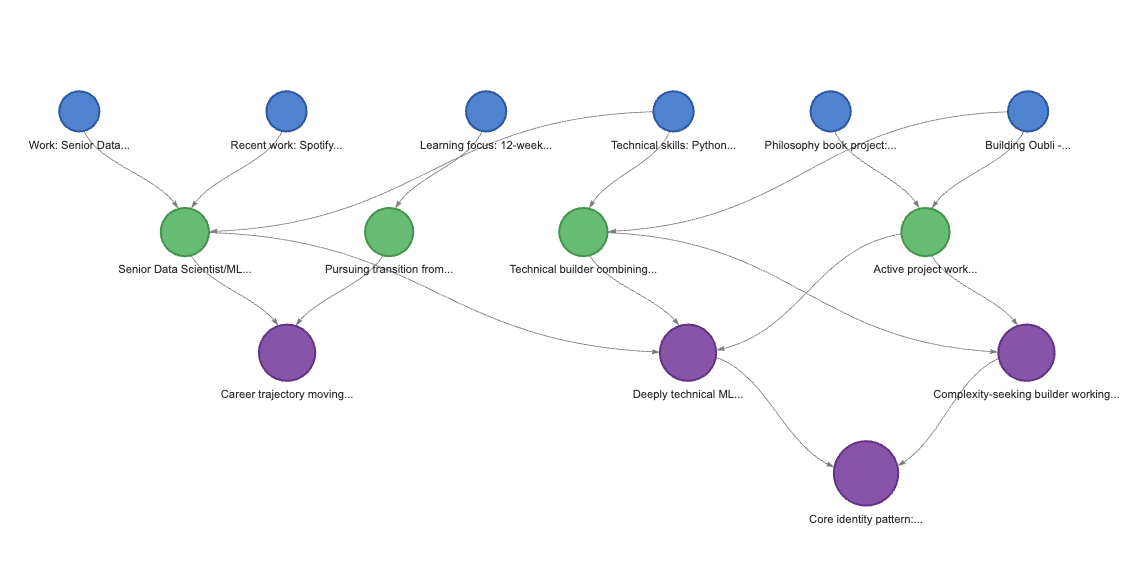
Your memories, organized. Raw facts at the top, synthesized insights below. Filter by topic, hover for details.
Features
- Fractal in Both Directions - Synthesize raw memories into insights, drill down from insights to source details
- Hybrid Search - Combines BM25 keyword search + semantic embeddings for intelligent retrieval
- Core Memory - Essential facts about you (~2K tokens), loaded in every conversation
- Proactive Memory - Claude searches and saves automatically, no prompting needed
- Immediate Updates - Family, work, and identity changes update Core Memory instantly
- Quiet Operation - Memory operations happen silently in the background
- Local-First - All data stays on your machine, no external services
- Visual Graph - Interactive visualization of your memory hierarchy (
oubli viz)
Installation
pip install oubli
cd /path/to/your/project
oubli setup  # Installs everything locally in this project
Then restart Claude Code. The embedding model (~80MB) downloads on first use.
Config is per-project, data is global:
.mcp.json- MCP server registration (per-project).claude/- Hooks, commands, instructions (per-project)~/.oubli/- Your memories and Core Memory (shared globally)
This means your memories follow you across all your projects.
Requirements
- Python 3.10+
- Claude Code CLI installed
Uninstall
oubli uninstall    # Removes config from current project (keeps memories)
pip uninstall oubli
rm -rf ~/.oubli/   # Optional: delete all memories
How It Works
Fractal Memory Hierarchy
The memory system is fractal in both directions:
           ┌─────────────────────────────────────────┐
           │            CORE MEMORY                  │
           │    (~2K tokens, always in context)      │
           │                                         │
           │  Identity, family, work, preferences    │
           └─────────────────────┬───────────────────┘
                                 │
                    ▲ synthesis  │  drill-down ▼
                                 │
Level 2    ○ "Deeply technical, values efficiency"
            ╲
Level 1    ○ ○ "Loves jazz fusion"  "Python expert"
            ╲│
Level 0    ○○○○ Raw memories with full conversation text
- Upward (Synthesis): Raw memories consolidate into higher-level insights
- Downward (Drill-down): From any insight, retrieve its source memories for full detail
| Level | Contains | Use Case |
|---|---|---|
| Core Memory | Essential identity (~2K tokens) | Always loaded, answers most questions |
| Level 1+ | Synthesized insights | Quick context without full details |
| Level 0 | Raw memories + full conversation | When you need exact quotes or specifics |
Hybrid Search
Oubli uses LanceDB's hybrid search combining:
- BM25 Full-Text Search - Finds keyword matches
- Semantic Embeddings - Finds conceptually related content (via sentence-transformers)
- RRF Reranking - Merges both result sets intelligently
Example: Searching "jazz music" finds memories about "Pat Metheny" and "fusion harmonies" even without exact keyword matches.
Synthesis (Bottom-Up)
Run /synthesize to consolidate raw memories into insights:
- Merge duplicates - Similar memories at each level are combined
- Group by topic - Related memories clustered together
- Create insights - Level 1+ memories synthesize the patterns
- Update Core Memory - Incrementally updated (additions from insights, removals only with contradicting evidence)
Drill-Down Retrieval (Top-Down)
When you need more detail than a high-level insight provides:
- Search returns synthesized insights first (compact, high-signal)
- Get parents retrieves the source memories that formed an insight
- Get full text retrieves the complete conversation from a Level 0 memory
Nothing is ever lost - every insight links back to its source memories.
Usage
Natural Interaction
Just talk naturally. Claude handles memory operations silently:
- "I prefer TypeScript over JavaScript" → Saved automatically
- "What do you know about my work?" → Searches memory
- "I no longer work at Spotify" → Deletes old, saves new, updates Core Memory
Import Existing Memories
Paste your Claude.ai memory export and ask:
"Import this into my memory"
Claude parses it into structured memories and optionally creates your Core Memory.
Slash Commands
/synthesize- Run full synthesis: merge duplicates, create insights, update Core Memory/clear-memories- Clear all memories (requires confirmation)
CLI Commands
oubli setup            # Set up Oubli in current project
oubli doctor           # Diagnose installation issues
oubli viz              # Open interactive memory graph in browser
oubli viz --no-open    # Generate graph.html without opening
oubli fractal          # Launch fractal zoom visualization
oubli fractal --demo   # Fractal viz with demo data (marketing)
oubli enable           # Add hooks to existing project
oubli disable          # Remove hooks from project
oubli logo             # Display animated logo
Troubleshooting with oubli doctor:
If memories aren't appearing, run oubli doctor to check:
- Package version (and if updates are available)
- Memory count and levels
- Core memory status
- Project configuration
The visualization shows:
- Hierarchical tree - Raw memories at top, synthesized insights below
- Topic sidebar - Filter by topic to focus on specific areas
- Color coding - Blue (L0 raw), Green (L1), Purple (L2+)
- Tooltips - Hover for full summary, topics, keywords
Data Storage
Data is stored globally in ~/.oubli/ (shared across all projects):
| File | Description |
|---|---|
memories.lance/ |
LanceDB database with vector embeddings |
core_memory.md |
Your Core Memory (human-readable, editable) |
graph.html |
Memory visualization (generated by oubli viz) |
What Gets Installed
Per-Project (local configuration):
| Component | Location | Description |
|---|---|---|
| MCP Server | .mcp.json |
15 memory tools |
| Hooks | .claude/settings.local.json |
SessionStart, PreCompact, Stop |
| Commands | .claude/commands/ |
/clear-memories, /synthesize, /visualize-memory |
| Instructions | .claude/CLAUDE.md |
How Claude uses the memory system |
Global (shared data):
| Component | Location | Description |
|---|---|---|
| Data | ~/.oubli/ |
Memories and Core Memory (shared across all projects) |
MCP Tools
Retrieval
| Tool | Description |
|---|---|
memory_search |
Hybrid search (BM25 + semantic) |
memory_get |
Get full details including conversation text |
memory_get_parents |
Drill down from synthesis to source memories |
memory_list |
List memories by level |
memory_stats |
Get memory statistics |
Storage
| Tool | Description |
|---|---|
memory_save |
Save a new memory (auto-embeds) |
memory_import |
Bulk import memories |
memory_update |
Update an existing memory |
memory_delete |
Delete a memory |
Synthesis
| Tool | Description |
|---|---|
memory_synthesis_needed |
Check if synthesis should run (threshold: 5) |
memory_prepare_synthesis |
Merge duplicates, return groups for synthesis |
memory_synthesize |
Create Level 1+ insight from parent memories |
memory_dedupe |
Manual duplicate cleanup |
Core Memory
| Tool | Description |
|---|---|
core_memory_get |
Get Core Memory content |
core_memory_save |
Save Core Memory content |
Development
git clone https://github.com/dremok/oubli.git
cd oubli
pip install -e .
oubli setup

# Test storage
python -c "
from oubli.storage import MemoryStore
store = MemoryStore()
print('Embeddings:', store.embeddings_enabled())
store.add(summary='Test memory', topics=['test'])
print(store.search('test'))
"
License
MIT
1 maintainer

Metadata
1 maintainer
Release files for oubli 0.4.10
For a detailed explanation of source distributions (sdists) and built distributions (wheels), please see the package formats documentation.
Source distribution (sdist)
| File | Size | Uploaded | |
|---|---|---|---|
| oubli-0.4.10.tar.gz | 46.8 kB | Details |
Built distribution (wheel)
| File | Interpreter | ABI | Platform | Reset |
|---|---|---|---|---|
| oubli-0.4.10-py3-none-any.whl | Python 3 | none | any | Details |
Total release size: 98.8 kB
Release files / oubli-0.4.10.tar.gz
| Download URL | oubli-0.4.10.tar.gz |
|---|---|
| Size | 46.8 kB |
| Tags | Source |
|
SHA-256 checksum How to use checksums |
27d7f06dfd03ef8a71bb0724cee945aff6fe4f85d798d482ae68bfced3dc7f23
|
|
BLAKE2b-256 checksum How to use checksums |
87987778b6f705edf85dc9c75c00422a983905a3401c6bb45abeef8d28268479
|
| Upload date | |
|
Uploaded using Trusted Publishing? What is trusted publishing? |
No |
| Uploaded via |
twine/6.2.0 CPython/3.11.4
|
Release files / oubli-0.4.10-py3-none-any.whl
| Download URL | oubli-0.4.10-py3-none-any.whl |
|---|---|
| Size | 52.0 kB |
| Tags | Python 3 |
|
SHA-256 checksum How to use checksums |
d61ca7221bb806efba3363e42d2693d059d1b187f8dd34af0254462550cecf22
|
|
BLAKE2b-256 checksum How to use checksums |
bd9847bbe5e70a2490926a28e020778f599157e8683cf4ba5264783b04ddbabf
|
| Upload date | |
|
Uploaded using Trusted Publishing? What is trusted publishing? |
No |
| Uploaded via |
twine/6.2.0 CPython/3.11.4
|














