
Fractal memory system for Claude Code

Project description
Oubli
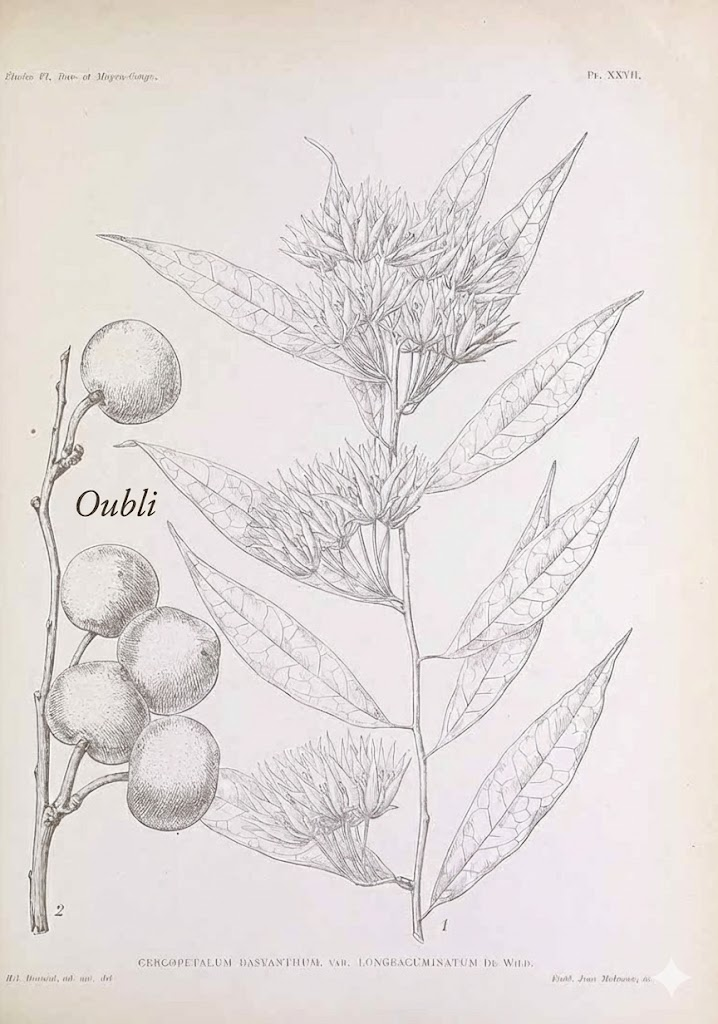
Oubli: French for "forgetting." (Also a West African fruit so sweet it makes babies forget their mother's milk.)
A memory system that never forgets. Persistent fractal memory for Claude Code.
Quickstart: Bootstrap Your AI's Memory in 5 Minutes
1. Install Oubli
pip install oubli
cd /your/project
oubli setup
Restart Claude Code.
2. Export what your AI already knows about you
Go to ChatGPT, Gemini, or Claude.ai and ask:
"Give me a complete dump of everything you know about me — preferences, facts, work, family, interests and any interesting memories from our conversations."
Copy the output.
3. Import into Oubli
Paste into Claude Code and say:
"Import this into my memory"
Claude parses and stores each fact as a searchable memory.
4. Synthesize into insights
Run /synthesize to consolidate raw memories into a hierarchy — and generate your Core Memory (the essential "you" that loads in every conversation).
5. Visualize your memory graph
/visualize-memory
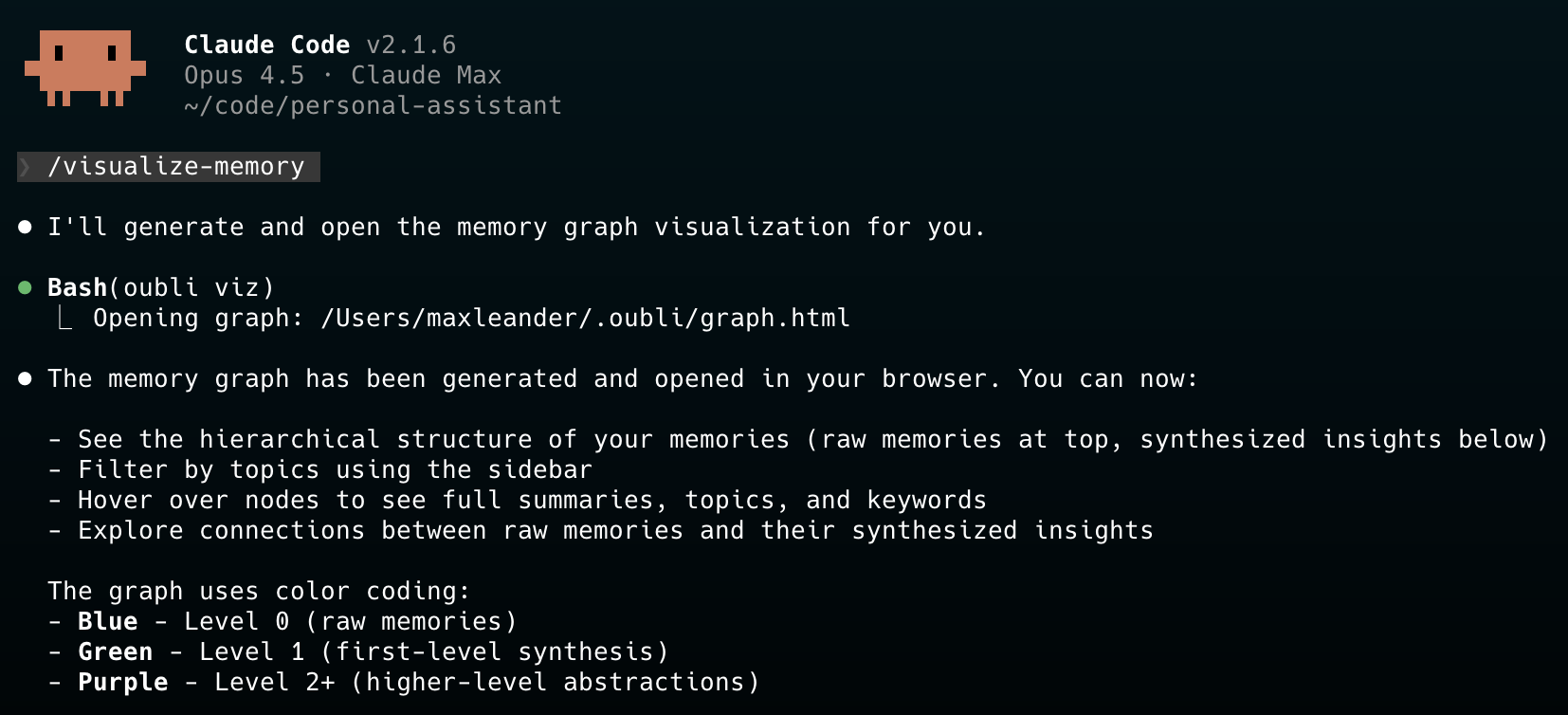
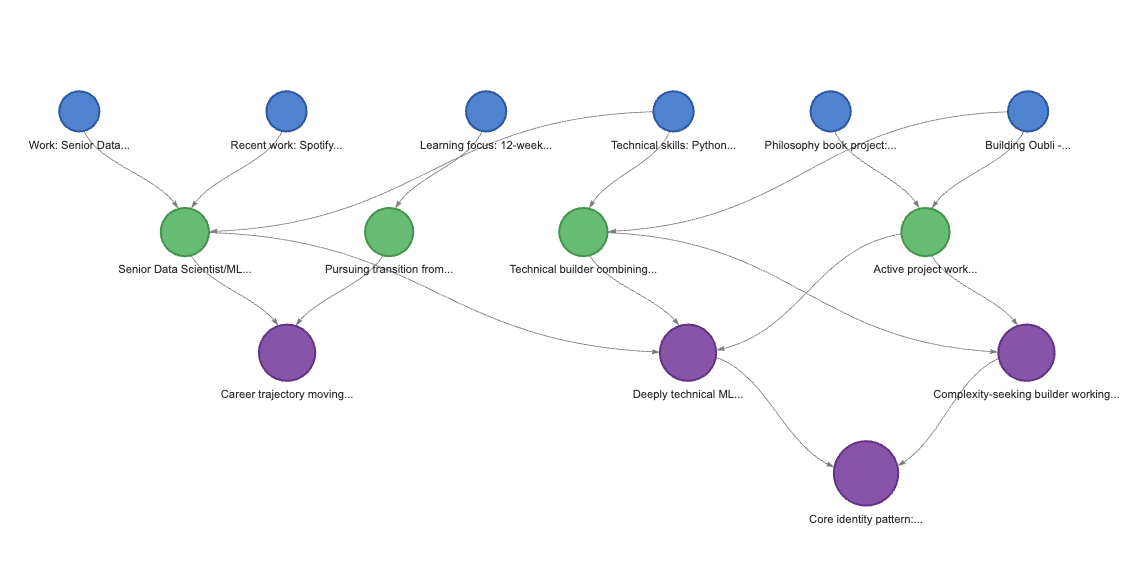
Your memories, organized. Raw facts at the top, synthesized insights below. Filter by topic, hover for details.
Features
- Fractal in Both Directions - Synthesize raw memories into insights, drill down from insights to source details
- Hybrid Search - Combines BM25 keyword search + semantic embeddings for intelligent retrieval
- Core Memory - Essential facts about you (~2K tokens), loaded in every conversation
- Proactive Memory - Claude searches and saves automatically, no prompting needed
- Immediate Updates - Family, work, and identity changes update Core Memory instantly
- Quiet Operation - Memory operations happen silently in the background
- Local-First - All data stays on your machine, no external services
- Visual Graph - Interactive visualization of your memory hierarchy (
oubli viz)
Installation
pip install oubli
cd /path/to/your/project
oubli setup  # Installs everything locally in this project
Then restart Claude Code. The embedding model (~80MB) downloads on first use.
Config is per-project, data is global:
.mcp.json- MCP server registration (per-project).claude/- Hooks, commands, instructions (per-project)~/.oubli/- Your memories and Core Memory (shared globally)
This means your memories follow you across all your projects.
Requirements
- Python 3.10+
- Claude Code CLI installed
Uninstall
oubli uninstall    # Removes config from current project (keeps memories)
pip uninstall oubli
rm -rf ~/.oubli/   # Optional: delete all memories
How It Works
Fractal Memory Hierarchy
The memory system is fractal in both directions:
           ┌─────────────────────────────────────────┐
           │            CORE MEMORY                  │
           │    (~2K tokens, always in context)      │
           │                                         │
           │  Identity, family, work, preferences    │
           └─────────────────────┬───────────────────┘
                                 │
                    ▲ synthesis  │  drill-down ▼
                                 │
Level 2    ○ "Deeply technical, values efficiency"
            ╲
Level 1    ○ ○ "Loves jazz fusion"  "Python expert"
            ╲│
Level 0    ○○○○ Raw memories with full conversation text
- Upward (Synthesis): Raw memories consolidate into higher-level insights
- Downward (Drill-down): From any insight, retrieve its source memories for full detail
| Level | Contains | Use Case |
|---|---|---|
| Core Memory | Essential identity (~2K tokens) | Always loaded, answers most questions |
| Level 1+ | Synthesized insights | Quick context without full details |
| Level 0 | Raw memories + full conversation | When you need exact quotes or specifics |
Hybrid Search
Oubli uses LanceDB's hybrid search combining:
- BM25 Full-Text Search - Finds keyword matches
- Semantic Embeddings - Finds conceptually related content (via sentence-transformers)
- RRF Reranking - Merges both result sets intelligently
Example: Searching "jazz music" finds memories about "Pat Metheny" and "fusion harmonies" even without exact keyword matches.
Synthesis (Bottom-Up)
Run /synthesize to consolidate raw memories into insights:
- Merge duplicates - Similar memories at each level are combined
- Group by topic - Related memories clustered together
- Create insights - Level 1+ memories synthesize the patterns
- Update Core Memory - Incrementally updated (additions from insights, removals only with contradicting evidence)
Drill-Down Retrieval (Top-Down)
When you need more detail than a high-level insight provides:
- Search returns synthesized insights first (compact, high-signal)
- Get parents retrieves the source memories that formed an insight
- Get full text retrieves the complete conversation from a Level 0 memory
Nothing is ever lost - every insight links back to its source memories.
Usage
Natural Interaction
Just talk naturally. Claude handles memory operations silently:
- "I prefer TypeScript over JavaScript" → Saved automatically
- "What do you know about my work?" → Searches memory
- "I no longer work at Spotify" → Deletes old, saves new, updates Core Memory
Import Existing Memories
Paste your Claude.ai memory export and ask:
"Import this into my memory"
Claude parses it into structured memories and optionally creates your Core Memory.
Slash Commands
/synthesize- Run full synthesis: merge duplicates, create insights, update Core Memory/clear-memories- Clear all memories (requires confirmation)
CLI Commands
oubli setup            # Set up Oubli in current project
oubli doctor           # Diagnose installation issues
oubli viz              # Open interactive memory graph in browser
oubli viz --no-open    # Generate graph.html without opening
Troubleshooting with oubli doctor:
If memories aren't appearing, run oubli doctor to check:
- Package version (and if updates are available)
- Memory count and levels
- Core memory status
- Project configuration
The visualization shows:
- Hierarchical tree - Raw memories at top, synthesized insights below
- Topic sidebar - Filter by topic to focus on specific areas
- Color coding - Blue (L0 raw), Green (L1), Purple (L2+)
- Tooltips - Hover for full summary, topics, keywords
Data Storage
Data is stored globally in ~/.oubli/ (shared across all projects):
| File | Description |
|---|---|
memories.lance/ |
LanceDB database with vector embeddings |
core_memory.md |
Your Core Memory (human-readable, editable) |
graph.html |
Memory visualization (generated by oubli viz) |
What Gets Installed
Per-Project (local configuration):
| Component | Location | Description |
|---|---|---|
| MCP Server | .mcp.json |
15 memory tools |
| Hooks | .claude/settings.local.json |
SessionStart, PreCompact, Stop |
| Commands | .claude/commands/ |
/clear-memories, /synthesize, /visualize-memory |
| Instructions | .claude/CLAUDE.md |
How Claude uses the memory system |
Global (shared data):
| Component | Location | Description |
|---|---|---|
| Data | ~/.oubli/ |
Memories and Core Memory (shared across all projects) |
MCP Tools
Retrieval
| Tool | Description |
|---|---|
memory_search |
Hybrid search (BM25 + semantic) |
memory_get |
Get full details including conversation text |
memory_get_parents |
Drill down from synthesis to source memories |
memory_list |
List memories by level |
memory_stats |
Get memory statistics |
Storage
| Tool | Description |
|---|---|
memory_save |
Save a new memory (auto-embeds) |
memory_import |
Bulk import memories |
memory_update |
Update an existing memory |
memory_delete |
Delete a memory |
Synthesis
| Tool | Description |
|---|---|
memory_synthesis_needed |
Check if synthesis should run (threshold: 5) |
memory_prepare_synthesis |
Merge duplicates, return groups for synthesis |
memory_synthesize |
Create Level 1+ insight from parent memories |
memory_dedupe |
Manual duplicate cleanup |
Core Memory
| Tool | Description |
|---|---|
core_memory_get |
Get Core Memory content |
core_memory_save |
Save Core Memory content |
Development
git clone https://github.com/dremok/oubli.git
cd oubli
pip install -e .
oubli setup

# Test storage
python -c "
from oubli.storage import MemoryStore
store = MemoryStore()
print('Embeddings:', store.embeddings_enabled())
store.add(summary='Test memory', topics=['test'])
print(store.search('test'))
"
License
MIT
Release history Release notifications | RSS feed


Download files
Download the file for your platform. If you're not sure which to choose, learn more about installing packages.
Source Distribution
Built Distribution
Filter files by name, interpreter, ABI, and platform.
If you're not sure about the file name format, learn more about wheel file names.
Copy a direct link to the current filters
File details
Details for the file oubli-0.4.9.tar.gz.
File metadata
- Download URL: oubli-0.4.9.tar.gz
- Upload date:
- Size: 46.6 kB
- Tags: Source
- Uploaded using Trusted Publishing? No
- Uploaded via: twine/6.2.0 CPython/3.11.4
File hashes
| Algorithm | Hash digest | |
|---|---|---|
| SHA256 |
8862a2ae47468848badddc2dfbebc60664b9ec133c26ac6277804fd13c3d7165
|
|
| MD5 |
0b2fdfe4782df77b3a8ce64296e28f13
|
|
| BLAKE2b-256 |
44b5b6e035cff2c654e2d7d54c1add1a52bdc3963afdf6b8919d4a57aa9a5112
|
File details
Details for the file oubli-0.4.9-py3-none-any.whl.
File metadata
- Download URL: oubli-0.4.9-py3-none-any.whl
- Upload date:
- Size: 51.9 kB
- Tags: Python 3
- Uploaded using Trusted Publishing? No
- Uploaded via: twine/6.2.0 CPython/3.11.4
File hashes
| Algorithm | Hash digest | |
|---|---|---|
| SHA256 |
05c180dc8eac973e9b2be949c4619a4f4c076ca794e4696301c7e745e45868fc
|
|
| MD5 |
ce211ffec807c38d74f5bbaa89093249
|
|
| BLAKE2b-256 |
8cc94a408f6ed46ecbaa8650170c92d14d25235872a770e3f16174b05c7808a1
|






